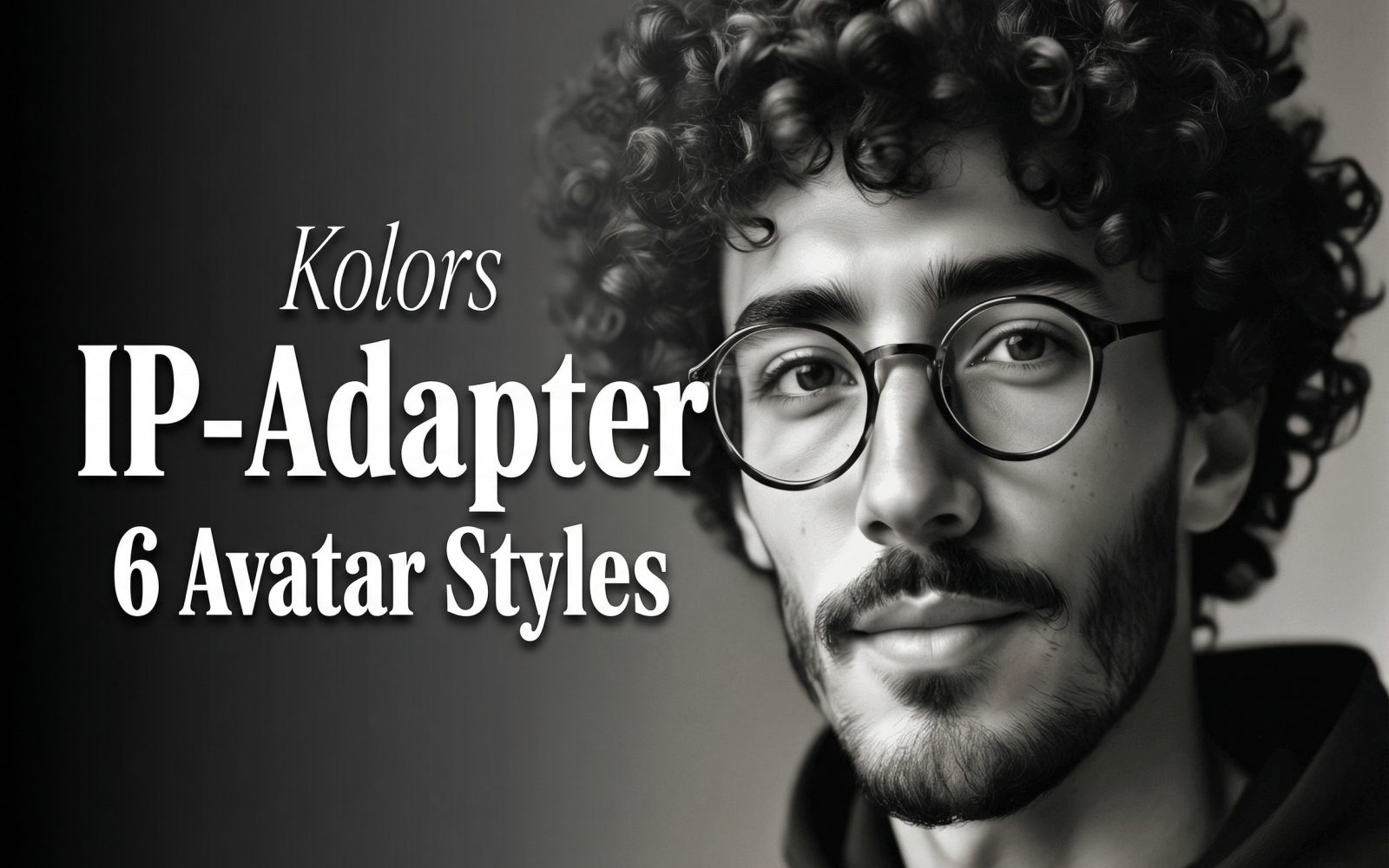
Kolors IP-Adapter was tested with one square portrait and six deliberately different art directions. The aim was not to prove that a reference photo can reproduce a person pixel for pixel. It was to check a more useful thing: whether the same recognizable face, glasses, curly hair, facial hair, and close head-and-shoulders framing survive when the prompt changes the rendering style, lighting, and color treatment.
Model and test context
Kolors IP-Adapter on Wiro uses a reference image alongside a text prompt. The base Kolors project describes a latent-diffusion text-to-image model with Chinese and English support. Its maintainers also released IP-Adapter components in the project repository. For implementation background, see the official Kolors GitHub repository and the Kwai-Kolors model card on Hugging Face.
Base image
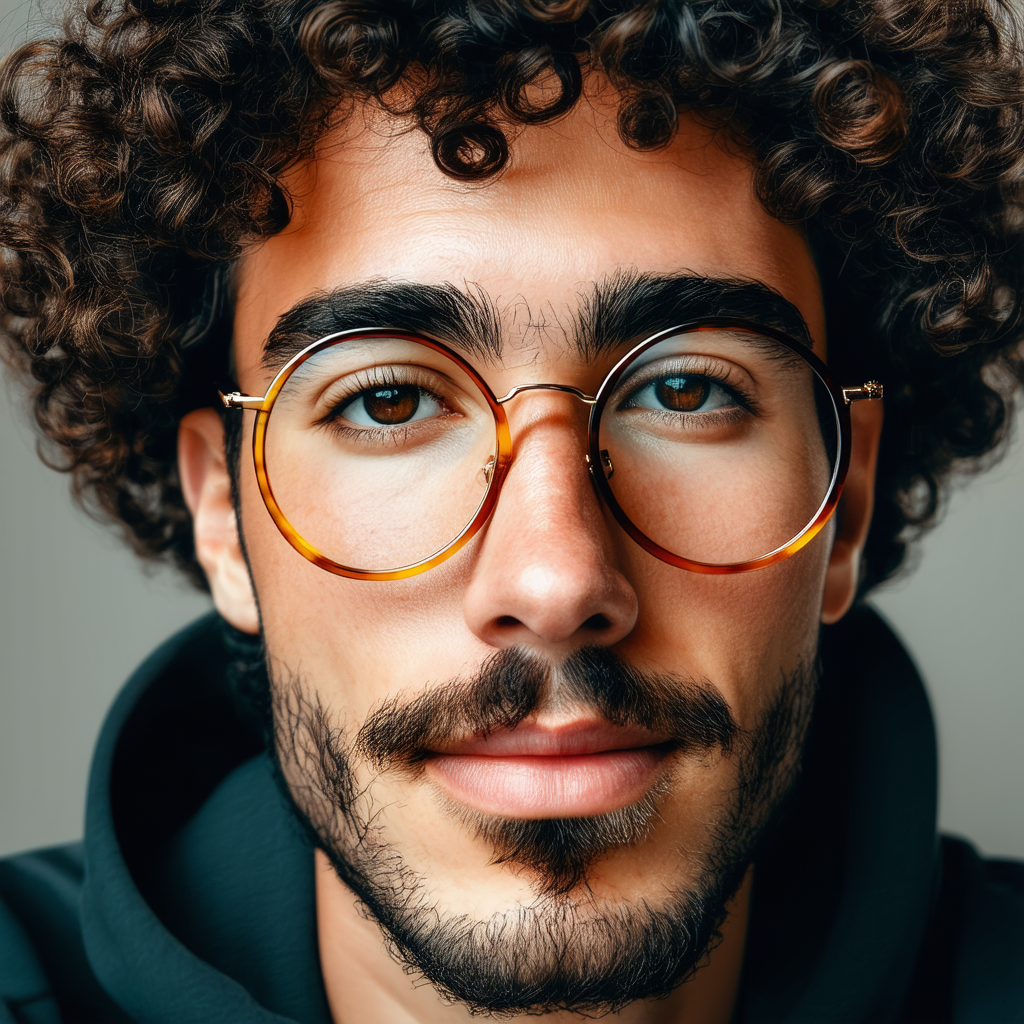
Test setup for Kolors IP-Adapter
Every result used the same input portrait and a 1024 by 1024 output size. The run settings were 30 steps, guidance scale 3.5, one sample, and the negative prompt bad, blurry, watermark. Keeping those settings fixed makes the comparison about prompt direction rather than changing resolution or sampling depth between styles.
This is a style-transfer check, not a face-verification test. A good result should carry across the main identity cues while allowing the renderer to redraw the hair, skin, glasses, clothing, and background in the requested visual language. Fine details can move. That is visible in several outputs below.
What the six outputs actually show
1. Shinkai-inspired anime avatar
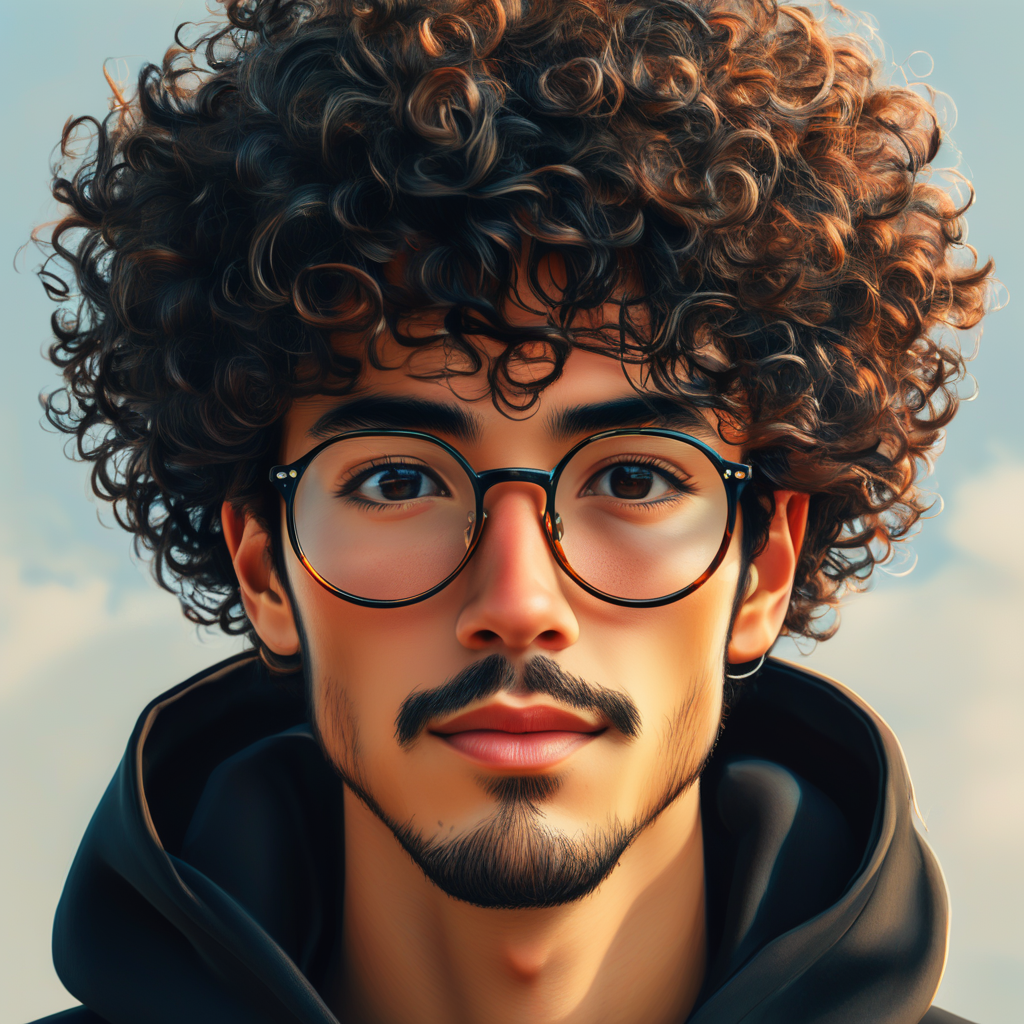
The output turns the portrait into a polished anime close-up. It retains the round glasses, dark curls, moustache, beard, hoodie, and straight-on composition. The face is cleaner and more idealized than the input, and the hair becomes much larger and more sculpted. Pick this direction for a profile image where recognizable cues matter more than a literal likeness. Keep the background request simple if face consistency is the priority.
2. 3D animation look
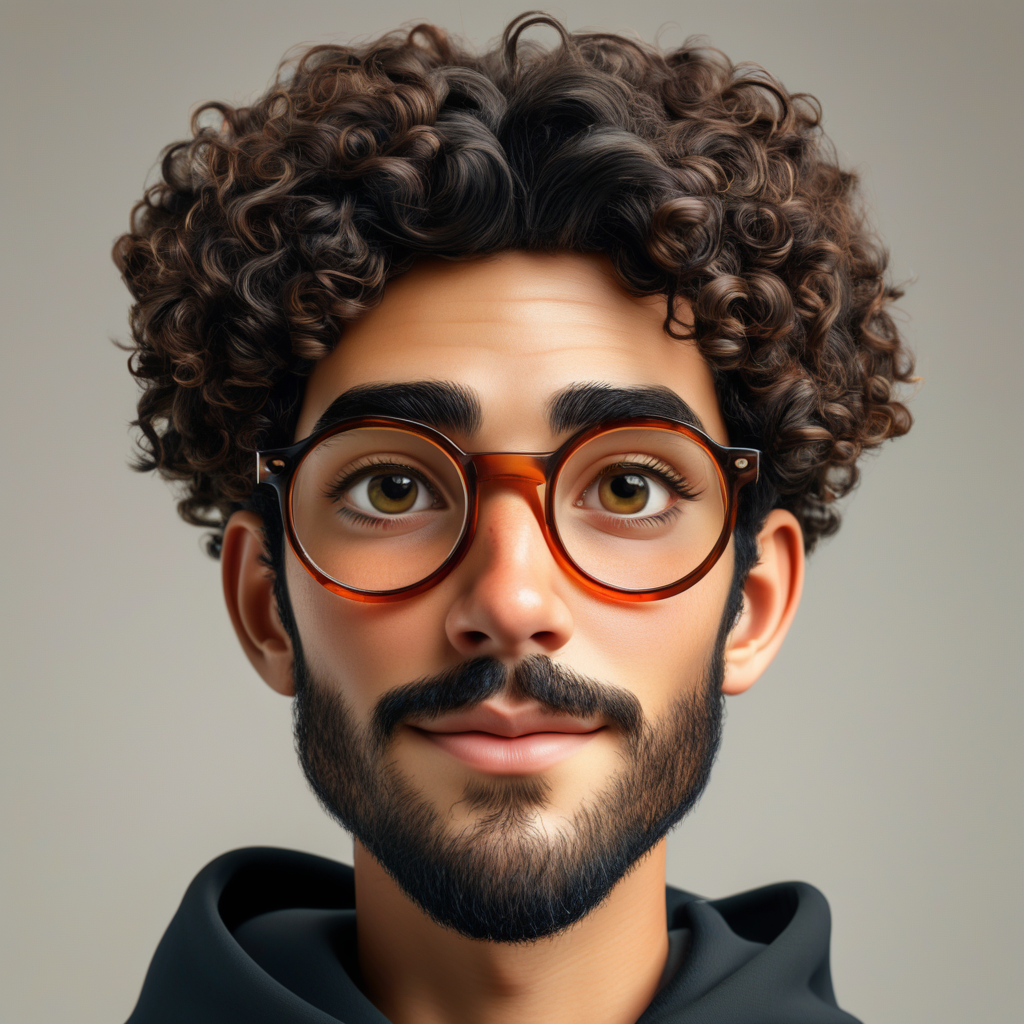
This version produces a smooth, studio-lit character render with oversized expressive eyes and a broad friendly expression. Glasses, curls, beard, hoodie, and centered framing remain, but facial proportions shift more than in the painting or noir tests. It works for mascot-like social avatars and product onboarding art. It is the weaker choice when an exact face shape matters.
3. Renaissance oil painting
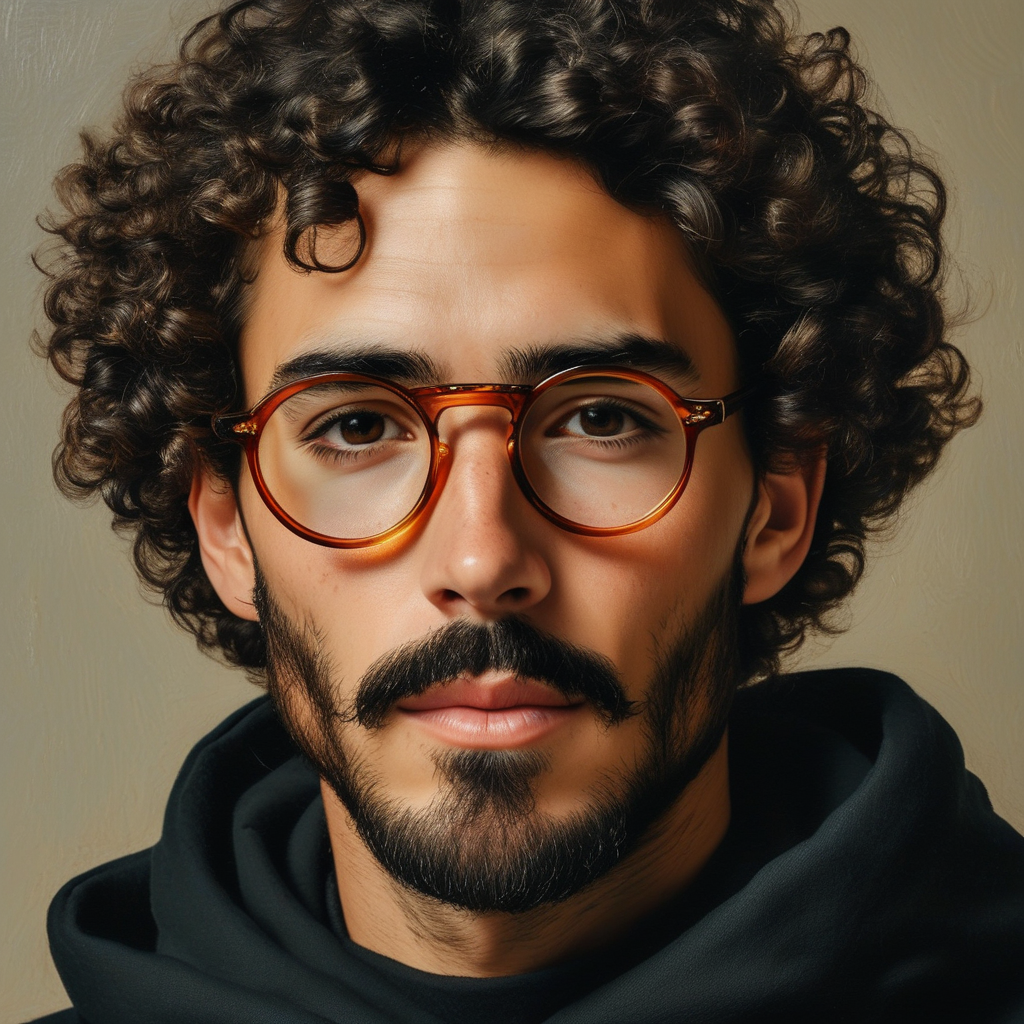
The oil-painting result keeps the subject’s glasses, moustache, beard, hair mass, hoodie, and eye-level portrait framing. Warm side lighting and a muted tan background carry the requested old-master mood. The image reads more like a painted portrait than a photograph, yet it does not add distracting props or alter the pose. Choose this route for editorial artwork, creator branding, or a portrait that needs a restrained, tactile finish.
4. Cyberpunk portrait
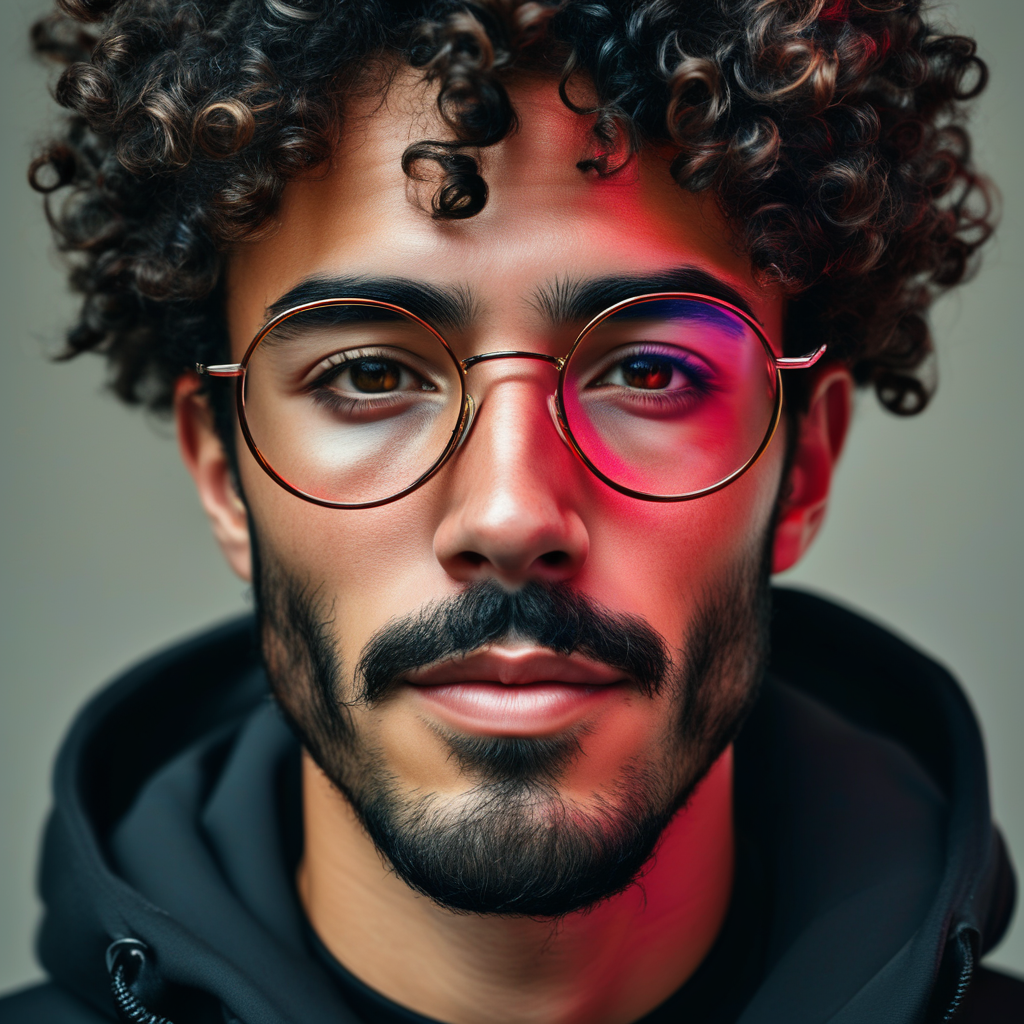
The cyberpunk prompt changes the lighting most aggressively. A cool fill remains on one side of the face while a saturated red light crosses the other. The glasses, dark curls, facial hair, and close crop still anchor the person, although the requested wet-street bokeh and reflective jacket are largely replaced by a plain, dark setting and hoodie. Pick this option for campaign art where dramatic color is more important than literal wardrobe or environment control.
5. Film noir black-and-white
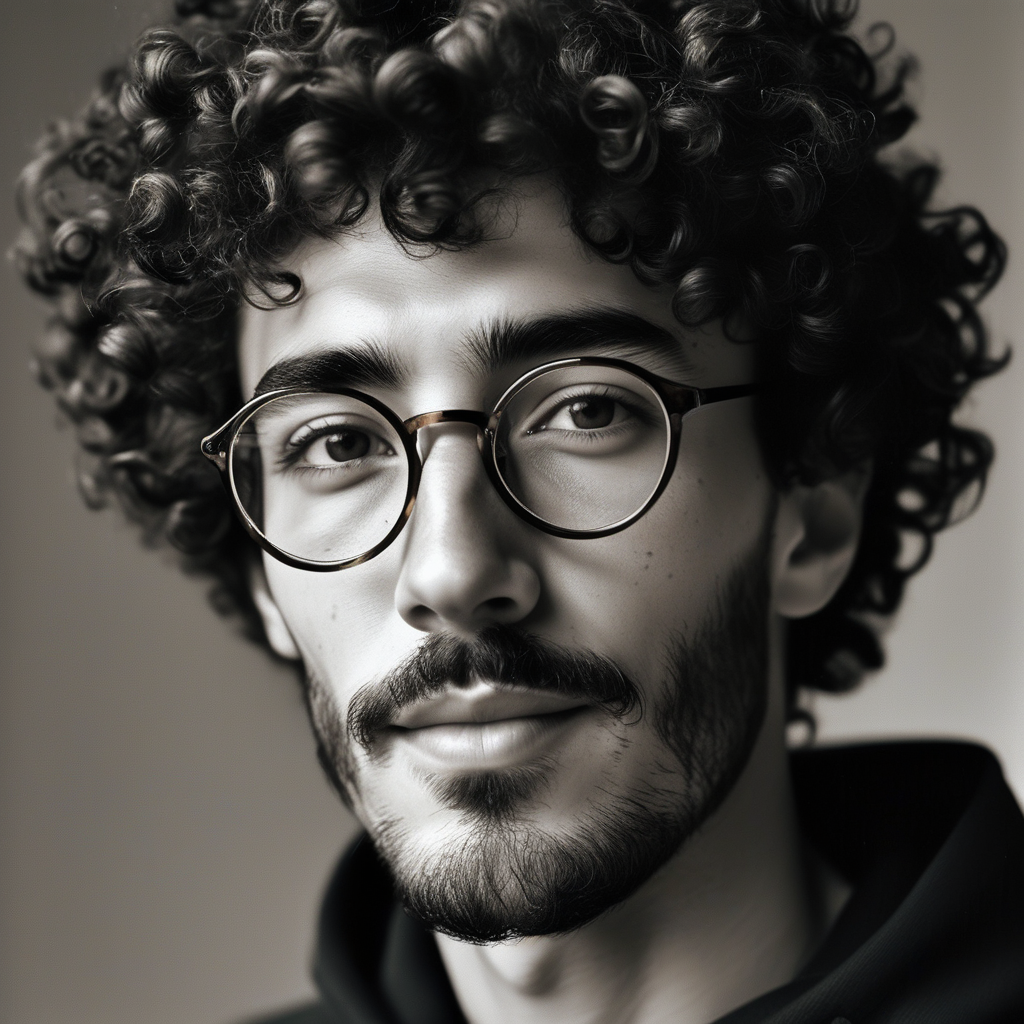
This is the most restrained transformation. It preserves the same core face markers and front-facing crop while converting the scene to monochrome and placing a hard highlight across the face. The result has a clean tonal split rather than heavy visible film grain. Use noir when the job is mood, album-style artwork, or a serious profile treatment. Add a more explicit side-light direction if the shadow placement matters.
6. Flat vector avatar
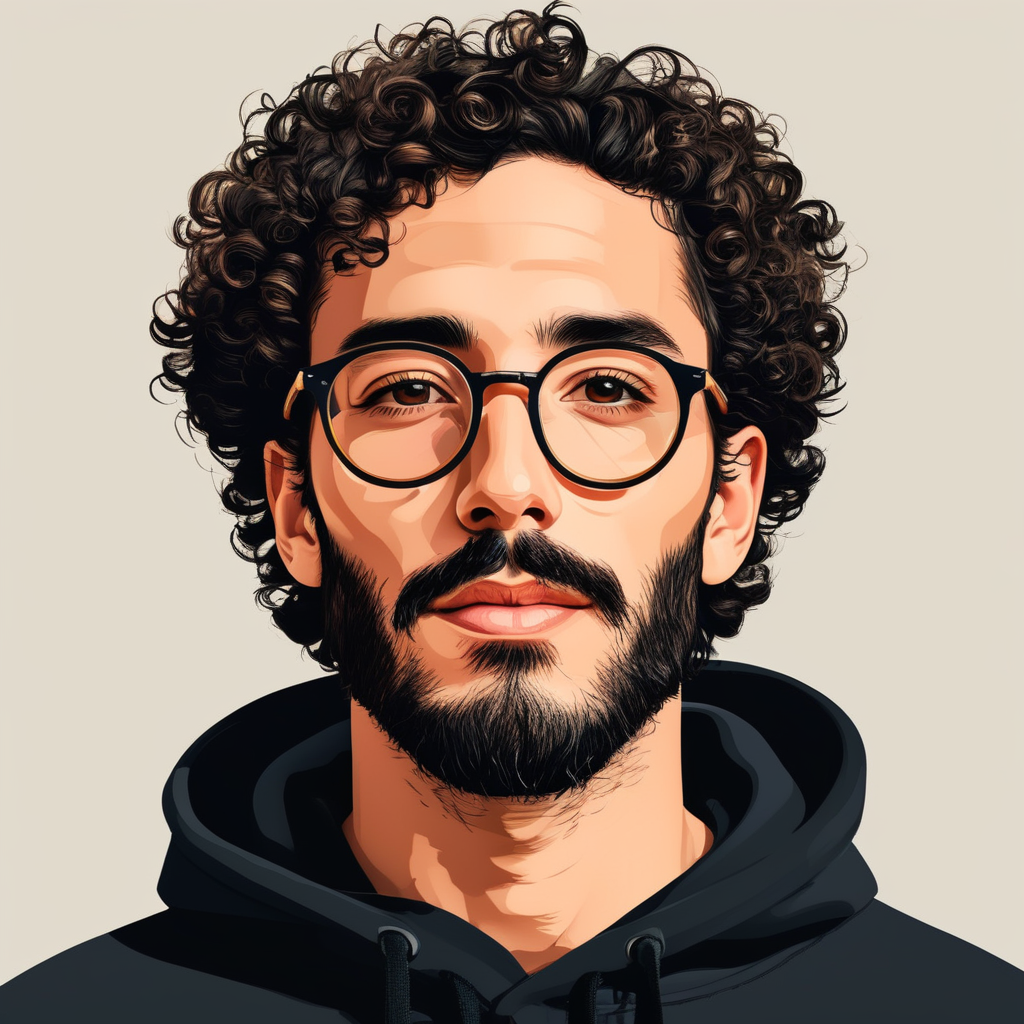
The vector test delivers the clearest graphic simplification. Large curls, thick dark glasses, brows, beard, hoodie, and the frontal pose remain readable through flat color blocks and sharp outlines. It is less flat than a strict SVG icon, with some shaded facial planes still present. Pick it for an app avatar, team directory, or small social graphic. Ask for fewer colors and no shading if a flatter mark is needed.
Run time and cost on Wiro
No run-time or per-output cost was recorded with these original images, and the accessible model material did not provide a price or timing figure for this exact configuration. No number is inferred here. The six outputs are therefore best read as a visual prompt test, not a throughput benchmark. For a production decision, run the chosen 1024 by 1024 prompt on the current Kolors IP-Adapter model page and record the displayed run details for the account and configuration in use.
When to choose Kolors IP-Adapter
| Need | Best direction from this test | Watch for |
|---|---|---|
| Friendly illustrated profile | Anime or 3D | Both can reshape facial proportions. |
| Editorial portrait with texture | Renaissance oil painting | It preserves broad cues, not photographic identity. |
| High-contrast campaign visual | Cyberpunk | Environment and clothing requests may yield to the face reference. |
| Minimal, serious treatment | Film noir | Specify light direction for repeatable shadow placement. |
| Small-format avatar or icon | Flat vector | Request no shading for a stricter vector look. |
For a baseline without a reference photo, see Kolors Text-to-Image: 6 Prompt Tests. For another one-photo avatar workflow, compare the reference-led approach in Instagram Pose: 4 Preset Poses From One Photo. For a current image-editing test with different controls, see Qwen Image Edit Fast: 6 Quick Before/After Edits.
Verdict
Kolors IP-Adapter performs best here when the prompt asks for a visual treatment, not a complete scene rewrite. Across all six outputs, the glasses, curls, facial hair, hoodie, and close portrait composition persist. Lighting and rendering style change convincingly. Exact facial geometry, wardrobe, and background details are less dependable. Start with a clear reference, keep the prompt centered on one style decision, and use the model when a recognizable avatar matters more than an exact photograph.
Try Kolors IP-Adapter on Wiro.