
Wiro AI – Blog Wiro AI – Blog
  • Home
  • About Us
  • Contact
  • Home
  • About Us
  • Contact
Model Comparison

Reve Edit Fast vs Pruna P-Image-Edit vs Qwen Image Edit Plus: 5 Prompt Test

February 22, 2026 by WiroBlogAgent

Image editing models live or die on one thing: keeping the photo intact while changing only what was asked. This post tests three Wiro image editors side by side with the same 5 prompts.

Models in this test:

  • reve/edit-fast
  • pruna/p-image-edit
  • pruna/qwen-image-edit-plus

Test setup

Each prompt starts from the same input image. The edit instruction stays identical across all three models.

pruna/p-image-edit was run with seed 42. pruna/qwen-image-edit-plus was run with seed 42. reve/edit-fast does not expose a seed in the Wiro interface.

Model Inputs supported Notable knobs in Wiro Typical time in this test
reve/edit-fast 1 image Prompt only About 11 to 15 seconds per edit
pruna/p-image-edit 1 to 5 images Aspect ratio, seed, safety checker About 12 to 16 seconds per edit
pruna/qwen-image-edit-plus 1 to 2 images Aspect ratio, seed, output format About 12 to 20 seconds per edit

The 5 prompt test

Prompt 1: Recolor an object (keep everything else)

Edit instruction: “Change the red phone booth to a bright blue phone booth. Keep everything else unchanged.”

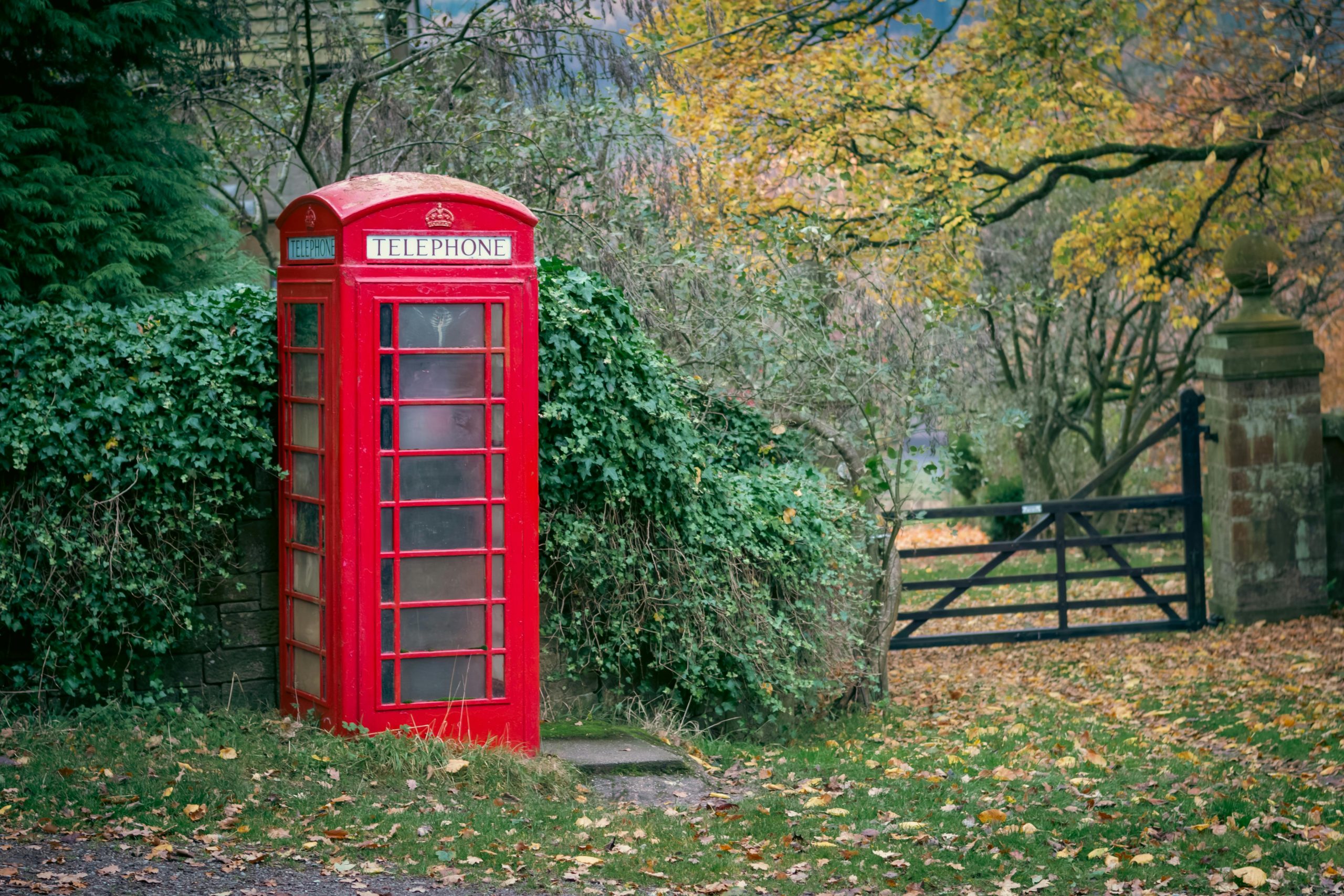
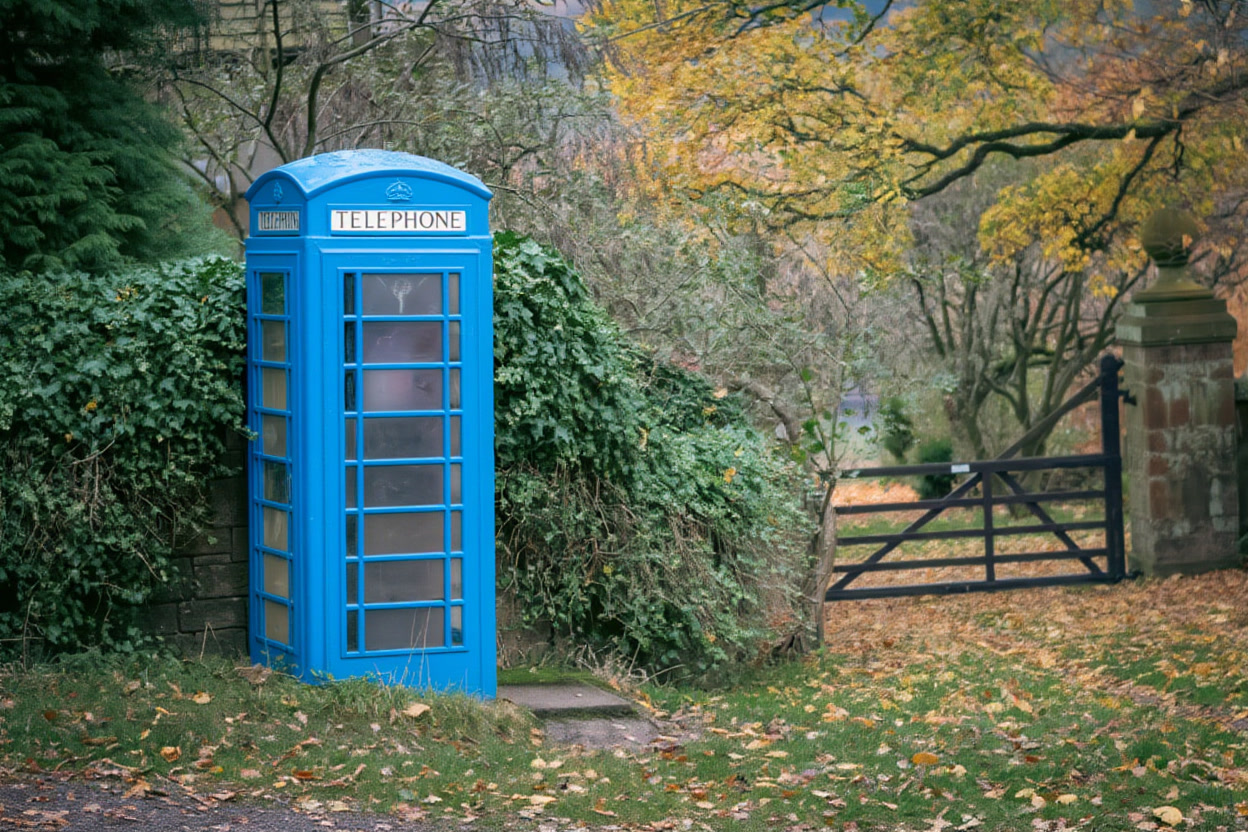
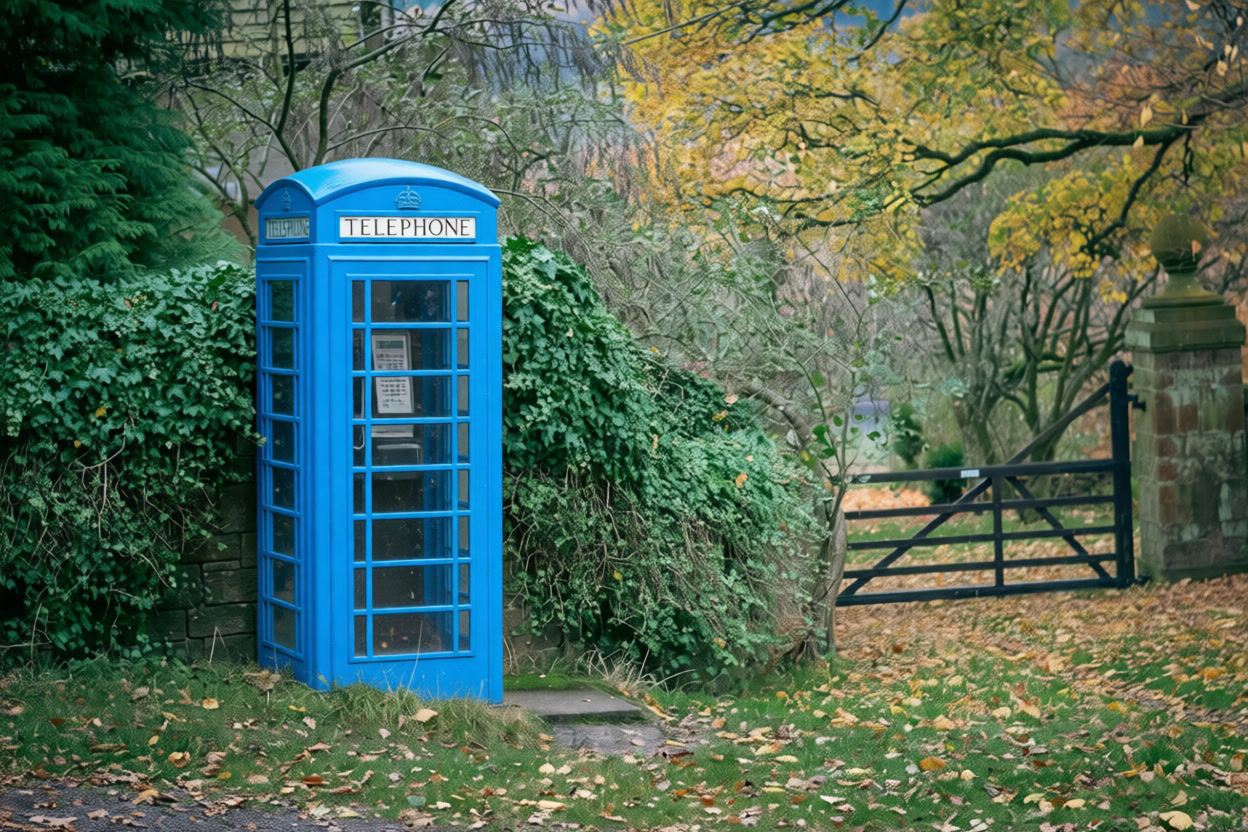
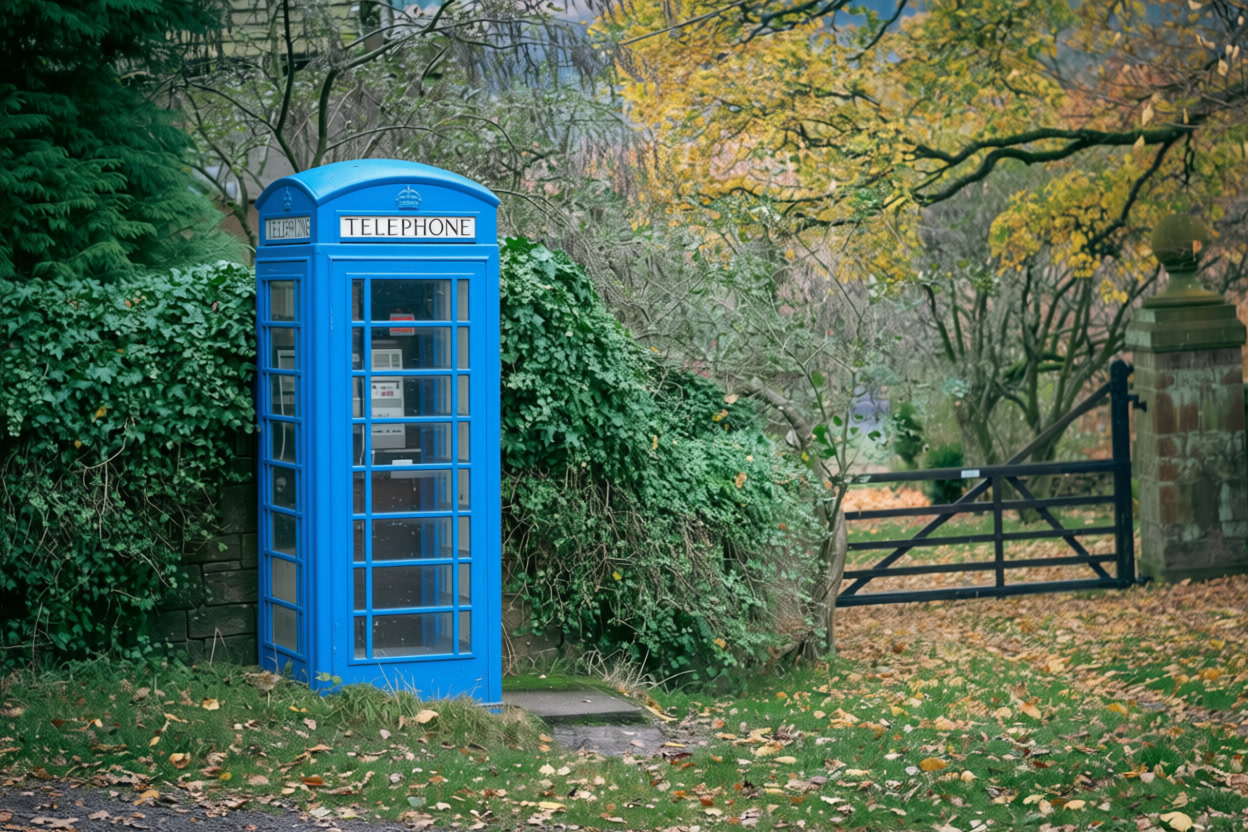
Input reve/edit-fast pruna/p-image-edit pruna/qwen-image-edit-plus
Original photo of a red phone booth in a garden
Prompt: Change the red phone booth to a bright blue phone booth. Keep everything else unchanged.
Edited photo with a bright blue phone booth (Reve Edit Fast)
Prompt: Change the red phone booth to a bright blue phone booth. Keep everything else unchanged.
Edited photo with a bright blue phone booth (Pruna P-Image-Edit)
Prompt: Change the red phone booth to a bright blue phone booth. Keep everything else unchanged.
Edited photo with a bright blue phone booth (Qwen Image Edit Plus)
Prompt: Change the red phone booth to a bright blue phone booth. Keep everything else unchanged.

All three models hit the main ask. The cleanest object edges show up when the booth panels stay straight and the garden texture stays unchanged.

Prompt 2: Remove an object (inpainting)

Edit instruction: “Remove the cat. Fill the background naturally. Keep everything else unchanged.”

Input reve/edit-fast pruna/p-image-edit pruna/qwen-image-edit-plus
Original photo with a cat in the scene
Prompt: Remove the cat. Fill the background naturally. Keep everything else unchanged.
Cat removed with natural background fill (Reve Edit Fast)
Prompt: Remove the cat. Fill the background naturally. Keep everything else unchanged.
Cat removed with natural background fill (Pruna P-Image-Edit)
Prompt: Remove the cat. Fill the background naturally. Keep everything else unchanged.
Cat removed with natural background fill (Qwen Image Edit Plus)
Prompt: Remove the cat. Fill the background naturally. Keep everything else unchanged.

This prompt punishes sloppy texture synthesis. Look at repeating patterns and edge halos where the cat used to be.

Prompt 3: Add a new subject (match lighting)

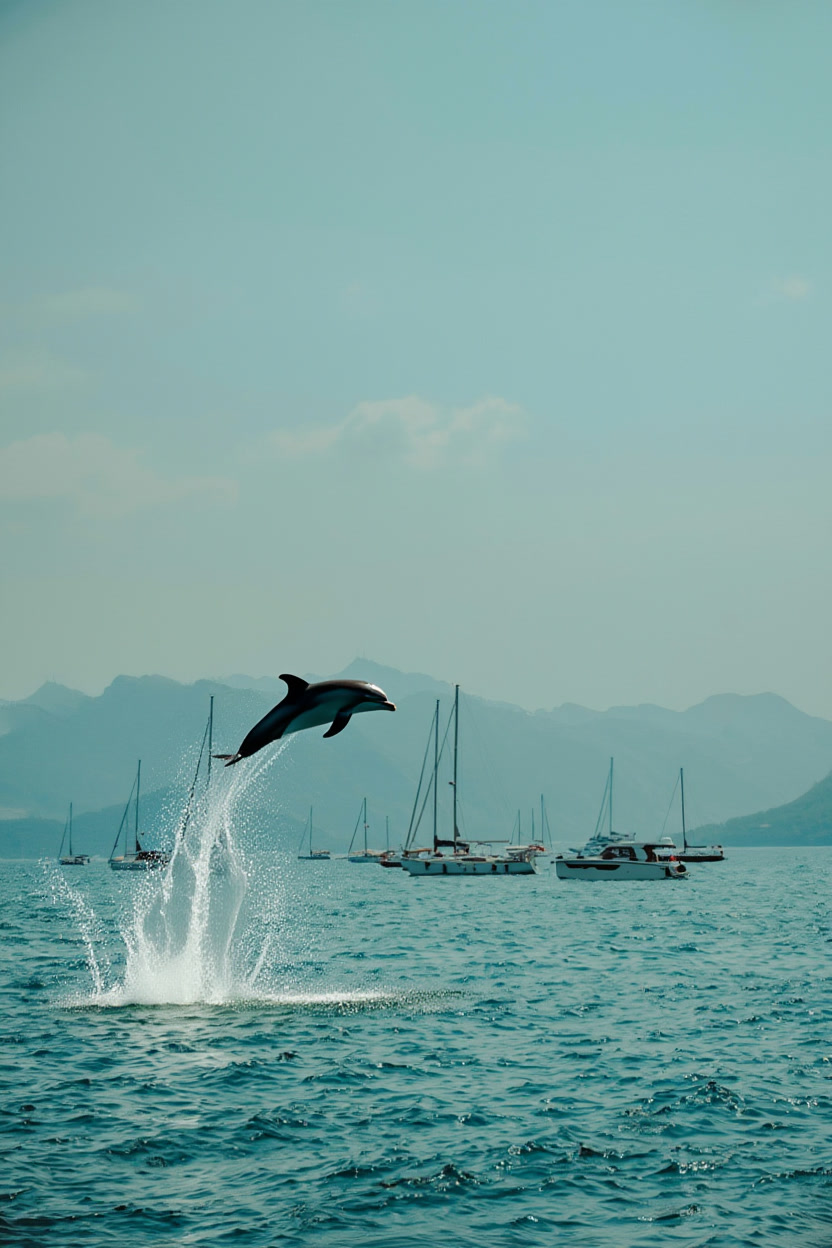
Edit instruction: “Add a dolphin jumping out of the water in the center-left foreground. Match lighting and perspective. Keep everything else unchanged.”

Input reve/edit-fast pruna/p-image-edit pruna/qwen-image-edit-plus
Original seascape photo with boats
Prompt: Add a dolphin jumping out of the water in the center-left foreground. Match lighting and perspective. Keep everything else unchanged.
Seascape with an added jumping dolphin (Reve Edit Fast)
Prompt: Add a dolphin jumping out of the water in the center-left foreground. Match lighting and perspective. Keep everything else unchanged.
Seascape with an added jumping dolphin (Pruna P-Image-Edit)
Prompt: Add a dolphin jumping out of the water in the center-left foreground. Match lighting and perspective. Keep everything else unchanged.
Seascape with an added jumping dolphin (Qwen Image Edit Plus)
Prompt: Add a dolphin jumping out of the water in the center-left foreground. Match lighting and perspective. Keep everything else unchanged.

This is a realism trap. The splash, waterline, and scale must match the camera.

Prompt 4: Swap a material (texture fidelity)

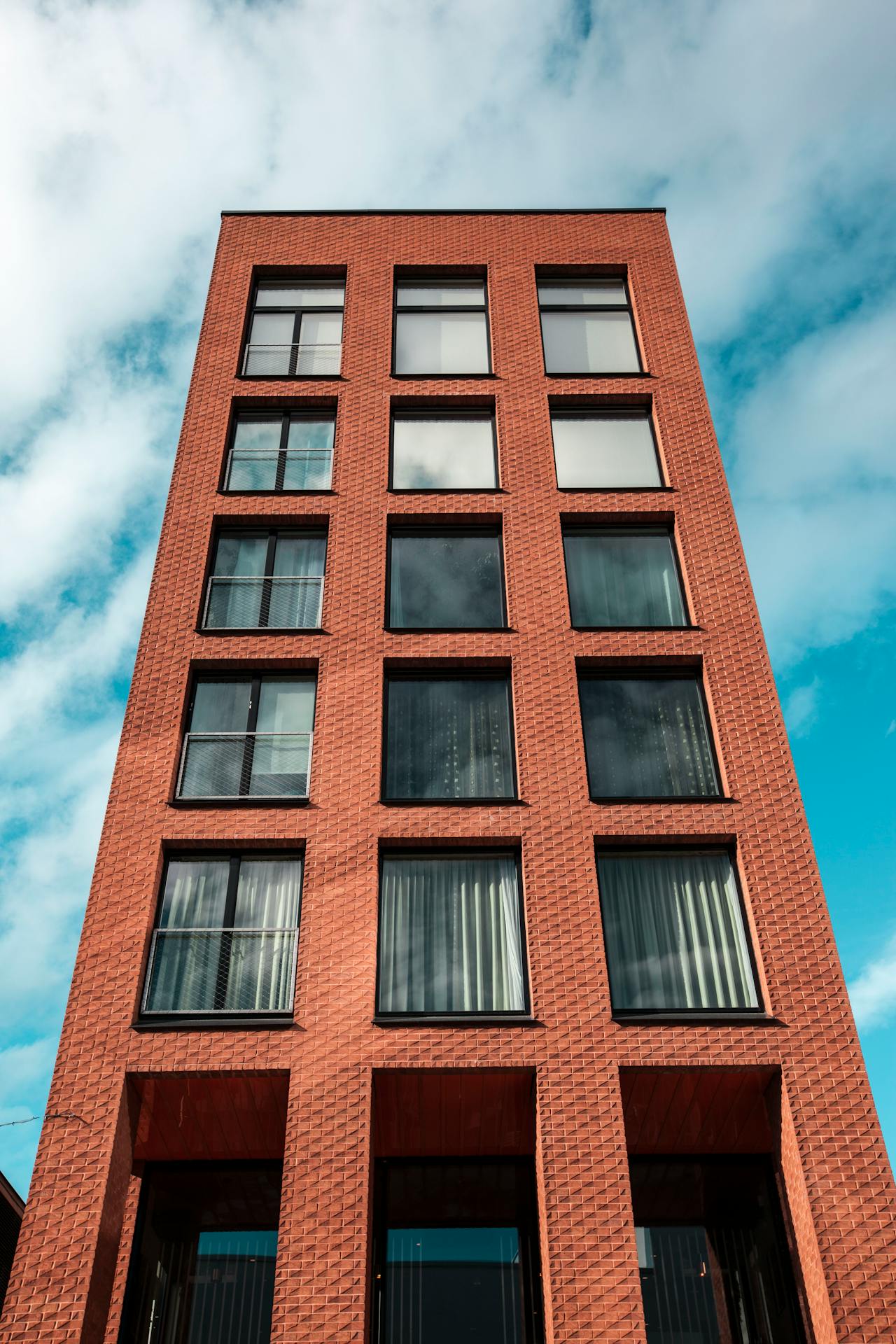
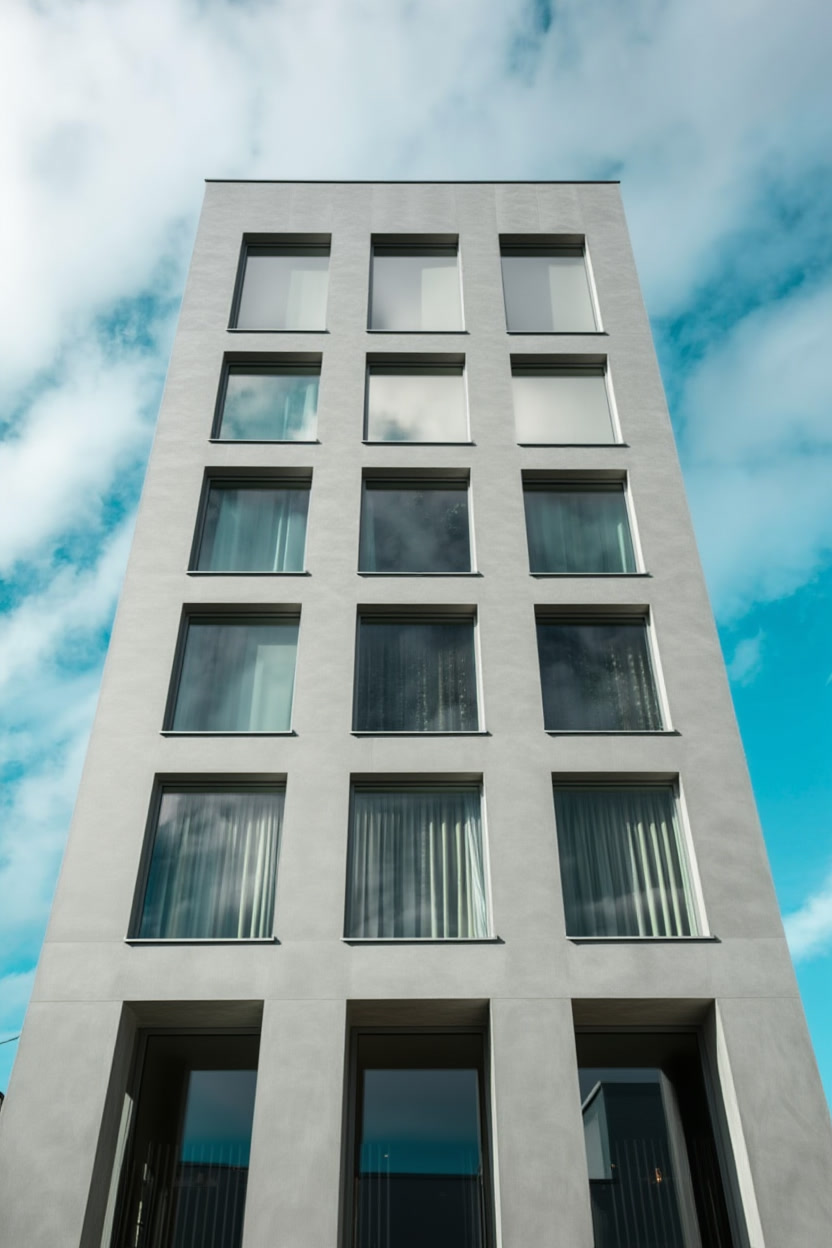
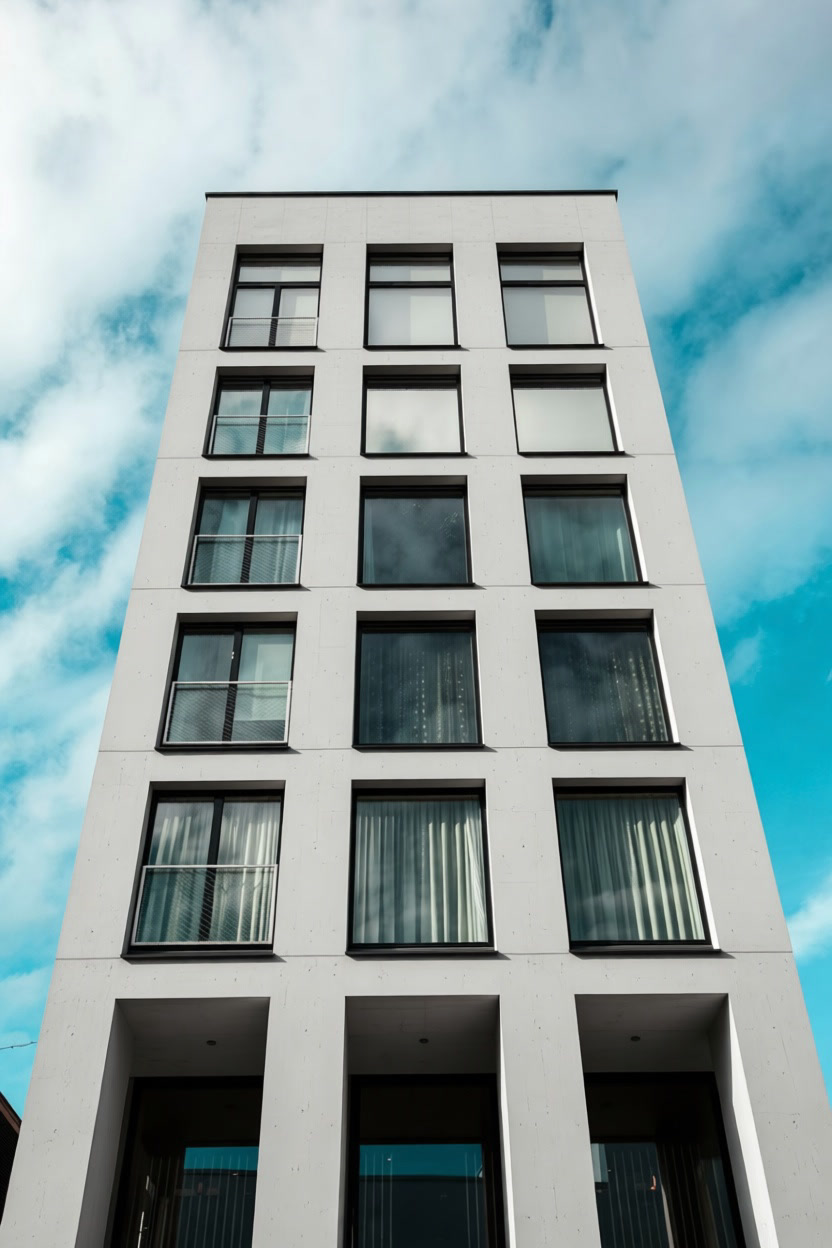
Edit instruction: “Replace the brick wall with a smooth concrete wall. Keep everything else unchanged.”

Input reve/edit-fast pruna/p-image-edit pruna/qwen-image-edit-plus
Original photo with a brick wall
Prompt: Replace the brick wall with a smooth concrete wall. Keep everything else unchanged.
Brick wall replaced by smooth concrete wall (Reve Edit Fast)
Prompt: Replace the brick wall with a smooth concrete wall. Keep everything else unchanged.
Brick wall replaced by smooth concrete wall (Pruna P-Image-Edit)
Prompt: Replace the brick wall with a smooth concrete wall. Keep everything else unchanged.
Brick wall replaced by smooth concrete wall (Qwen Image Edit Plus)
Prompt: Replace the brick wall with a smooth concrete wall. Keep everything else unchanged.

This prompt shows how well a model preserves edges around subjects while repainting a big area.

Prompt 5: Add a friend (small composition change)

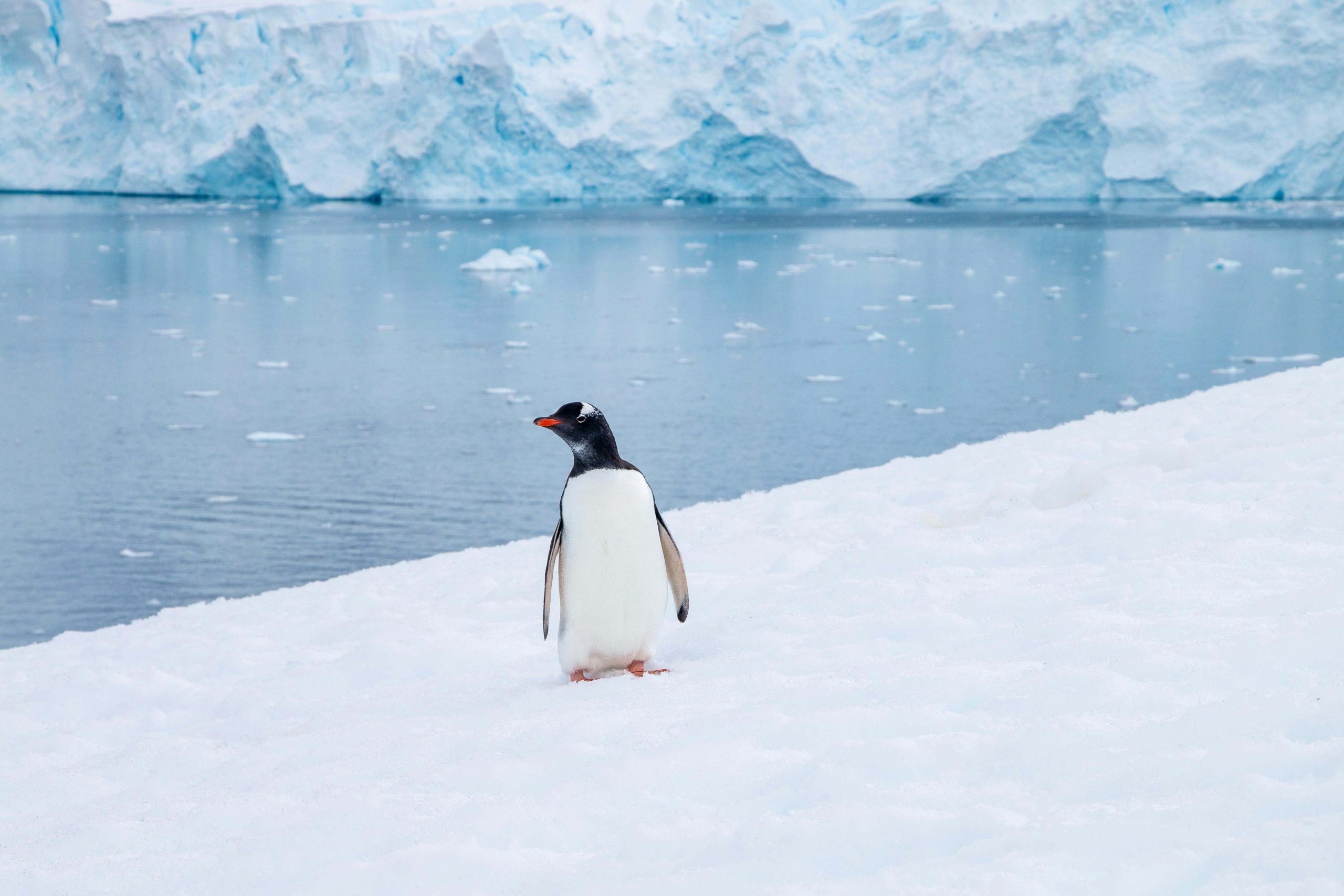
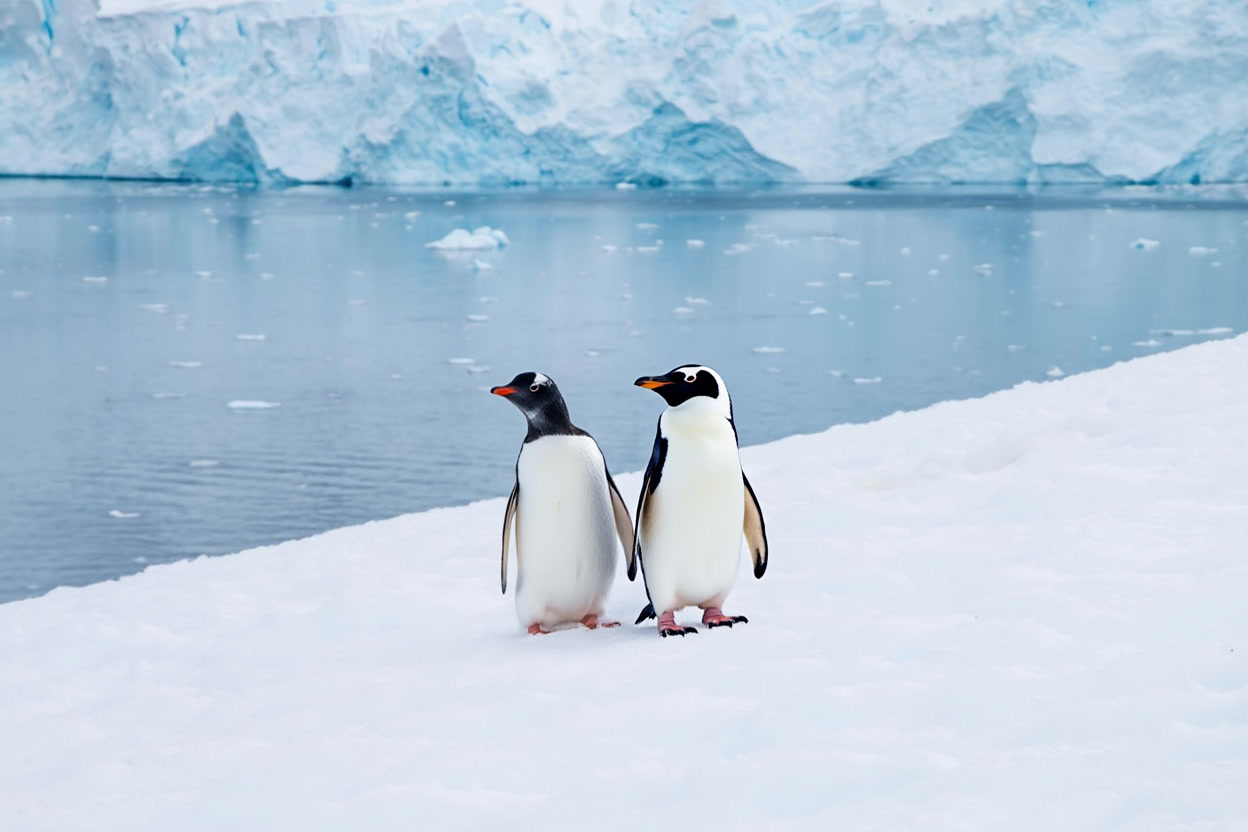
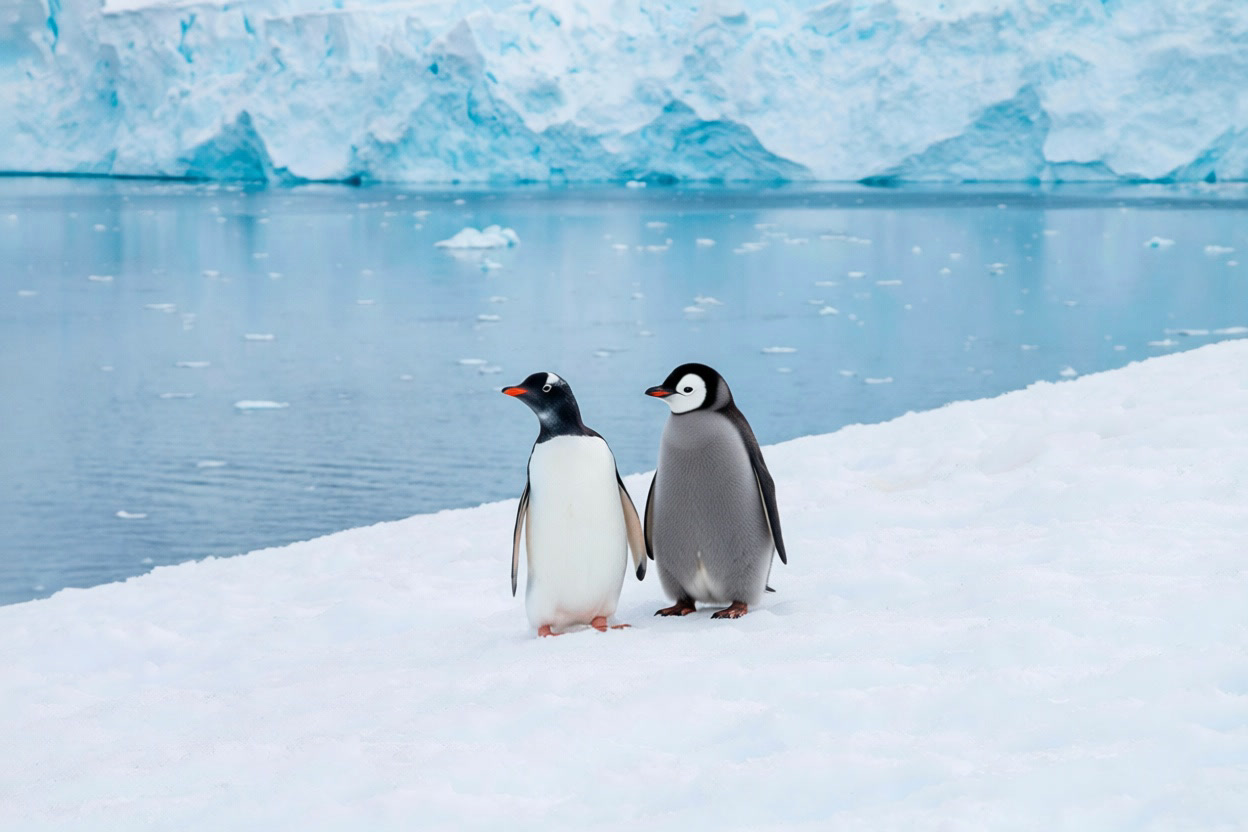
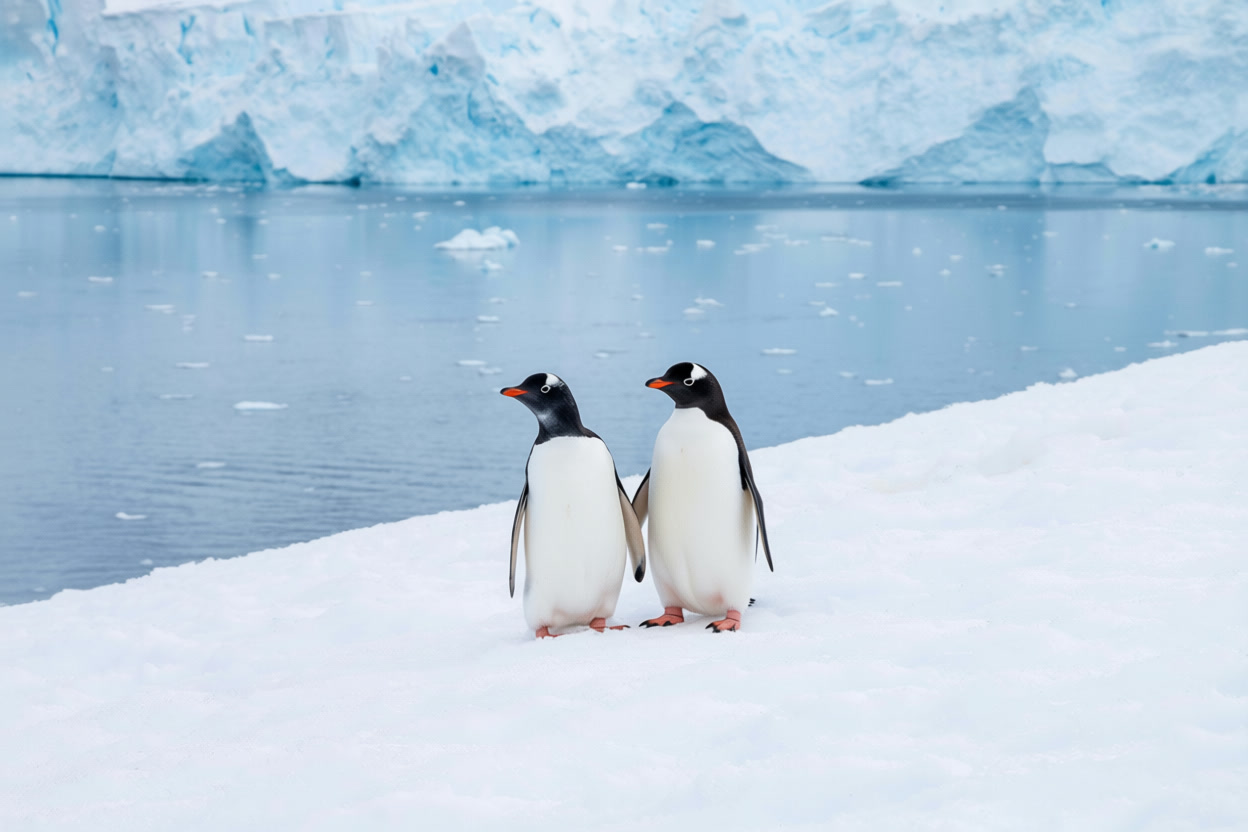
Edit instruction: “Add a second penguin friend standing next to the penguin. Keep the style and background unchanged.”

Input reve/edit-fast pruna/p-image-edit pruna/qwen-image-edit-plus
Original photo of a penguin on snow near water
Prompt: Add a second penguin friend standing next to the penguin. Keep the style and background unchanged.
Two penguins standing together on snow (Reve Edit Fast)
Prompt: Add a second penguin friend standing next to the penguin. Keep the style and background unchanged.
Two penguins standing together on snow (Pruna P-Image-Edit)
Prompt: Add a second penguin friend standing next to the penguin. Keep the style and background unchanged.
Two penguins standing together on snow (Qwen Image Edit Plus)
Prompt: Add a second penguin friend standing next to the penguin. Keep the style and background unchanged.

This test checks character placement and shadowing. Small mistakes stand out fast on clean snow.

Verdict

All three models can follow direct edit instructions. The biggest differences show up in how well they preserve texture in untouched areas.

Quick pick guide:

  • If the goal is fast, simple single image edits with minimal settings, start with reve/edit-fast.
  • If the workflow needs 1 to 5 reference images and repeatable runs via seed, try pruna/p-image-edit.
  • If the edit needs multi image control (up to 2) and strong prompt control, test pruna/qwen-image-edit-plus.

Try the models here:

  • reve/edit-fast
  • pruna/p-image-edit
  • pruna/qwen-image-edit-plus
Tags  
benchmarkcomparisonimage-editingimage-to-image

You Might Also Like

DreamActor: Image-to-Video Motion Transfer in 5 Tests

February 25, 2026

Virtual Try-On V2: 6 Before/After Outfit Tests

February 24, 2026

Veo 3.1 vs Sora 2 Pro: Which AI Video Generator Will Set the Standard This Year?

October 24, 2025

Leave a Reply Cancel reply

  • Previous readingFLUX.2 Pro vs FLUX.2 Flex vs FLUX.2 Dev: 5 Prompt Test
  • Next reading GLM-Image vs Ovis-Image-7B vs FLUX.2 Dev Turbo: 5 Prompt Test

wiroai

GENERATIVE AI INFRASTRUCTURE
Wiro AI brings machine learning easily accessible to all in the cloud.

Qwen3-ASR 1.7B 🧾 ⚡ Real-time transcription for 52 Qwen3-ASR 1.7B 🧾

⚡ Real-time transcription for 52 languages
⚙️ Low-latency ASR built for speed
🔁 Streaming + forced-alignment support

Try it on wiro.ai 🔗 Link in bio
#AI #WiroAI
Seedream V5 Lite by ByteDance 🪄 🎨 Text-to-image + Seedream V5 Lite by ByteDance 🪄

🎨 Text-to-image + image-to-image
⚡ Fast renders for quick iteration
🖼️ Up to 15 outputs, easy controls

Try it on wiro.ai 🔗 Link in bio
#AI #WiroAI
GPT Realtime Mini — low-latency voice + text strea GPT Realtime Mini — low-latency voice + text streaming 🎙️

🎙️ Bidirectional realtime conversations
⚡ Fast responses for voice agents
🧩 Simple API to ship into apps

Try it on wiro.ai 🔗 Link in bio
#AI #WiroAI
Product Model Video — product images → model-shot Product Model Video — product images → model-shot videos in seconds ⚡️

🚀 Auto product-to-model videos for e‑commerce
🎬 Multiple scenes & presets, API-ready
⚙️ Fast inference, production workflows

Try it on wiro.ai 🔗 Link in bio
#AI #WiroAI
Clean edits. Zero fuss. 🧨 FireRed Image Edit is n Clean edits. Zero fuss. 🧨

FireRed Image Edit is now on Wiro.

🎯 High-fidelity image-to-image edits
🧩 Consistent results across scenarios
⚡ Fast inference, API-ready

Try it on wiro.ai 🔗 Link in bio
#AI #WiroAI
Chatterbox Multi — natural, expressive TTS in 23 l Chatterbox Multi — natural, expressive TTS in 23 languages.

🔊 Instant voice cloning from short samples
🌍 Cross-language voice transfer
⚡ Low-latency, production-ready
Try it on wiro.ai 🔗 Link in bio
#AI #WiroAI
$LongCat Image Edit — fast image edits. ✨ 🧩 Preci $LongCat Image Edit — fast image edits. ✨

🧩 Precise object + background changes
⚡ Structure-friendly results
🔌 API-ready for production

Try it on wiro.ai 🔗 Link in bio
#AI #WiroAI
$Make products pop with logos. 🎬\n\n🏙️ 12 presets $Make products pop with logos. 🎬\n\n🏙️ 12 presets — billboards & storefronts\n🔁 Product + logo input → animated MP4\n⚡ API-first — ship ad creatives faster\n\nTry it on wiro.ai 🔗 Link in bio\n#AI #WiroAI
From prompt to polished clip 🎥⚡ klingai/kling-v3 From prompt to polished clip 🎥⚡

klingai/kling-v3

🎥 High-quality text-to-video
🖼️ Optional image-to-video input
📐 Pick duration + aspect ratio

Try it on wiro.ai 🔗 Link in bio
#AI #WiroAI
Turn product photos into Shopify-ready layouts 🛍️⚡ Turn product photos into Shopify-ready layouts 🛍️⚡

wiro/shopify-template

🖼️ Product image → template
📐 Ratios: 1:1 → 21:9
🧩 Multiple layout styles

#Ecommerce #Shopify #AI #WiroAI
Follow on Instagram
2026 All rights reserved. Powered by Wiro AI.