FLUX.2 Pro vs FLUX.2 Flex vs FLUX.2 Dev answers a practical question: which member of the same family fits the job in front of you? This comparison keeps the original 1024×1024 outputs, the same four prompts, and the same seeds so the differences are easier to read.
FLUX.2 Pro on Wiro, FLUX.2 Flex on Wiro, and FLUX.2 Dev on Wiro all generate and edit images. The useful distinction is control. Pro exposes a simpler hosted workflow. Flex exposes inference steps and guidance. Dev is the 32B open-weight branch, offered here as a Wiro-hosted run.
What this FLUX.2 Pro vs Flex vs Dev test checks
The prompt set checks four things that matter in production: controlled product photography, a cinematic scene with non-Latin text, a dense interior with many spatial constraints, and a departure board with exact readable strings. Those are different failure modes. A model can make a convincing watch and still lose a gate number or merge two lines of a sign.
The experiment is not a benchmark claim. One seed per prompt cannot establish an overall winner. It is a close reading of the 12 published images. The title says five prompts, but the body contains four original prompt groups; no fifth run or result has been added here.
Parameters and what was measured
- Output size: 1024×1024 for every image.
- Seed: fixed within each prompt across the three models.
- FLUX.2 Pro: prompt, width, height, seed, safety tolerance 2, and PNG output. Its Wiro page does not expose steps or guidance.
- FLUX.2 Flex: 30 steps and guidance 4.5, with safety tolerance 2 and PNG output.
- FLUX.2 Dev: 20 steps, scale 4.0, one sample, and the same 1024×1024 size.
The Wiro documentation lists the available controls, but it does not provide a measured elapsed time or a per-output cost for these 12 historical outputs. No new runs were made for this update, so no cost or run-time number is claimed. This matters: latency changes with queue state, output settings, and the selected model configuration.
Black Forest Labs describes the family as one architecture for generation and editing, with multi-reference workflows and up to 4MP editing in its own materials. The Wiro pages used here accept reference images too: Pro accepts combined inputs, Flex accepts up to eight, and Dev supports combined image inputs. This article only tests text-to-image prompts, so it should not be read as a multi-image editing comparison.
Prompt 1: watch product photograph
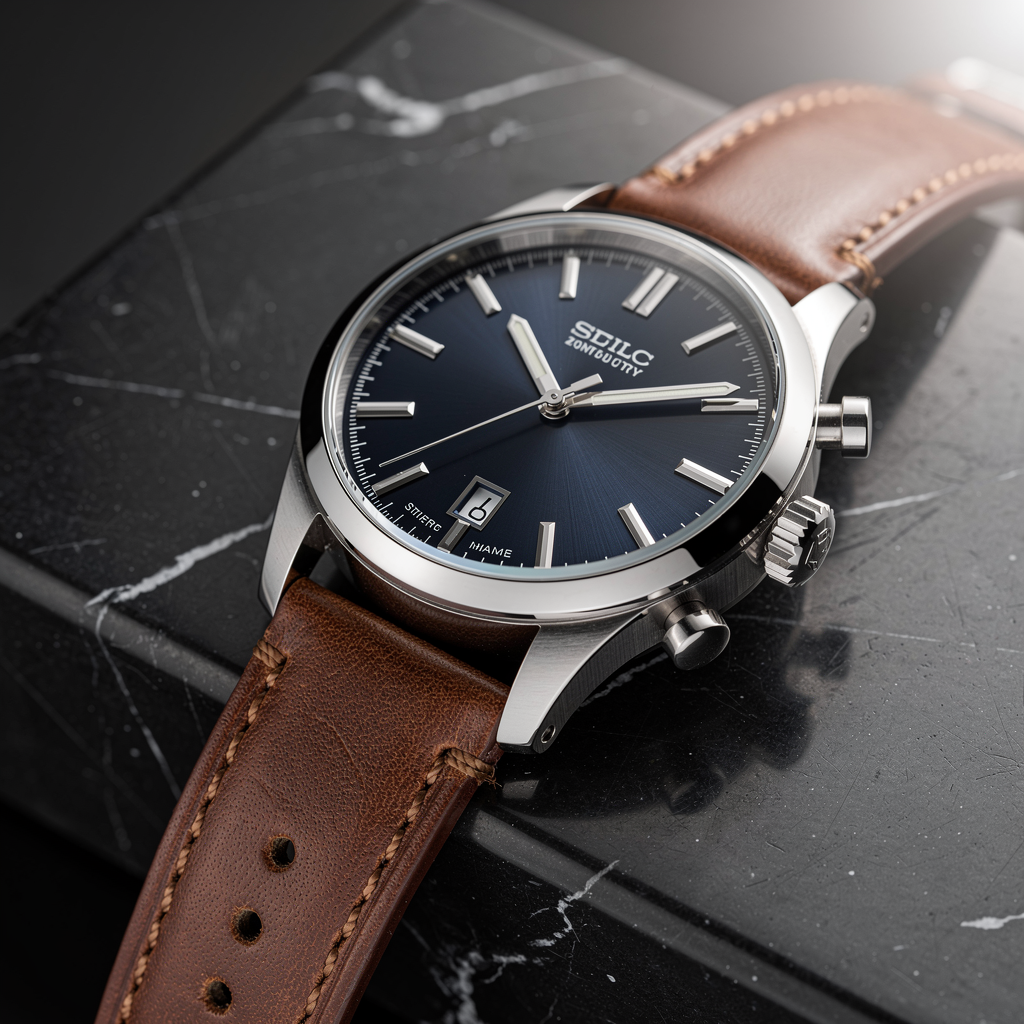
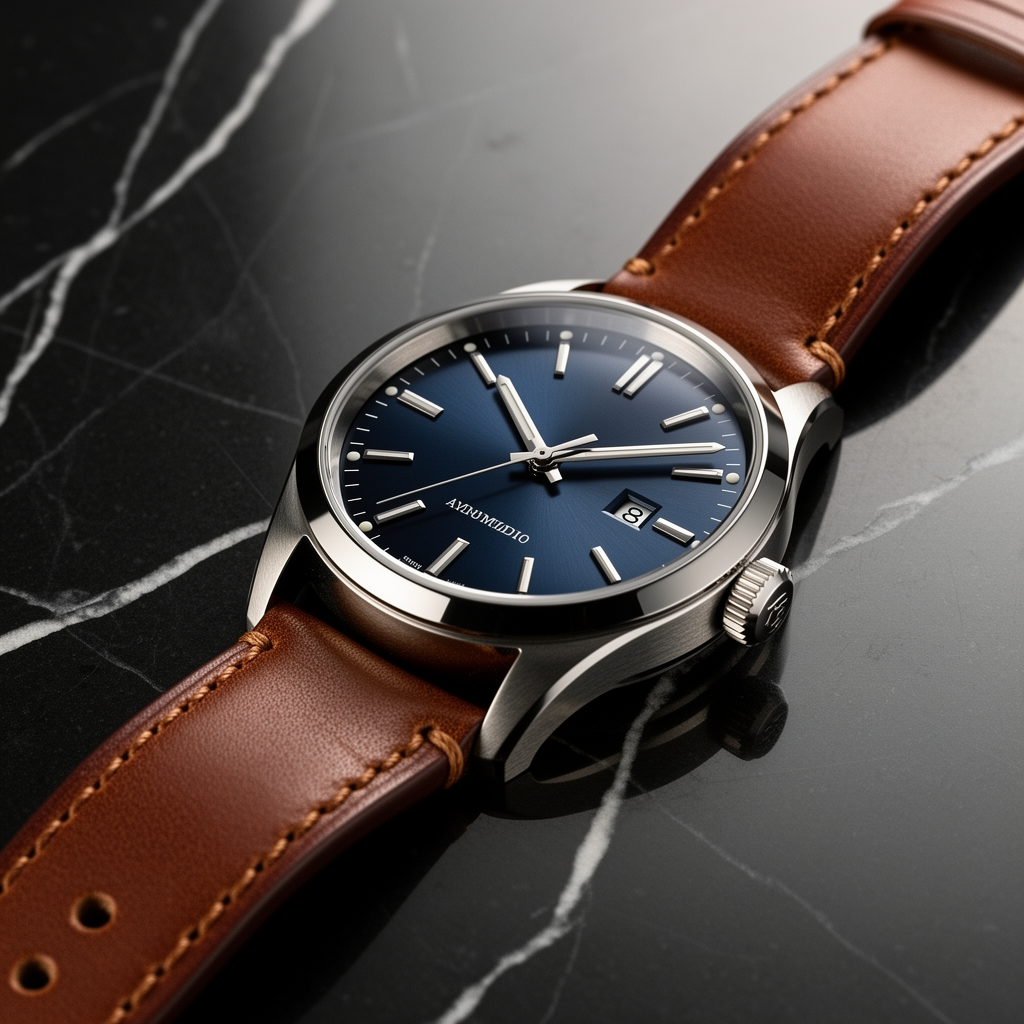
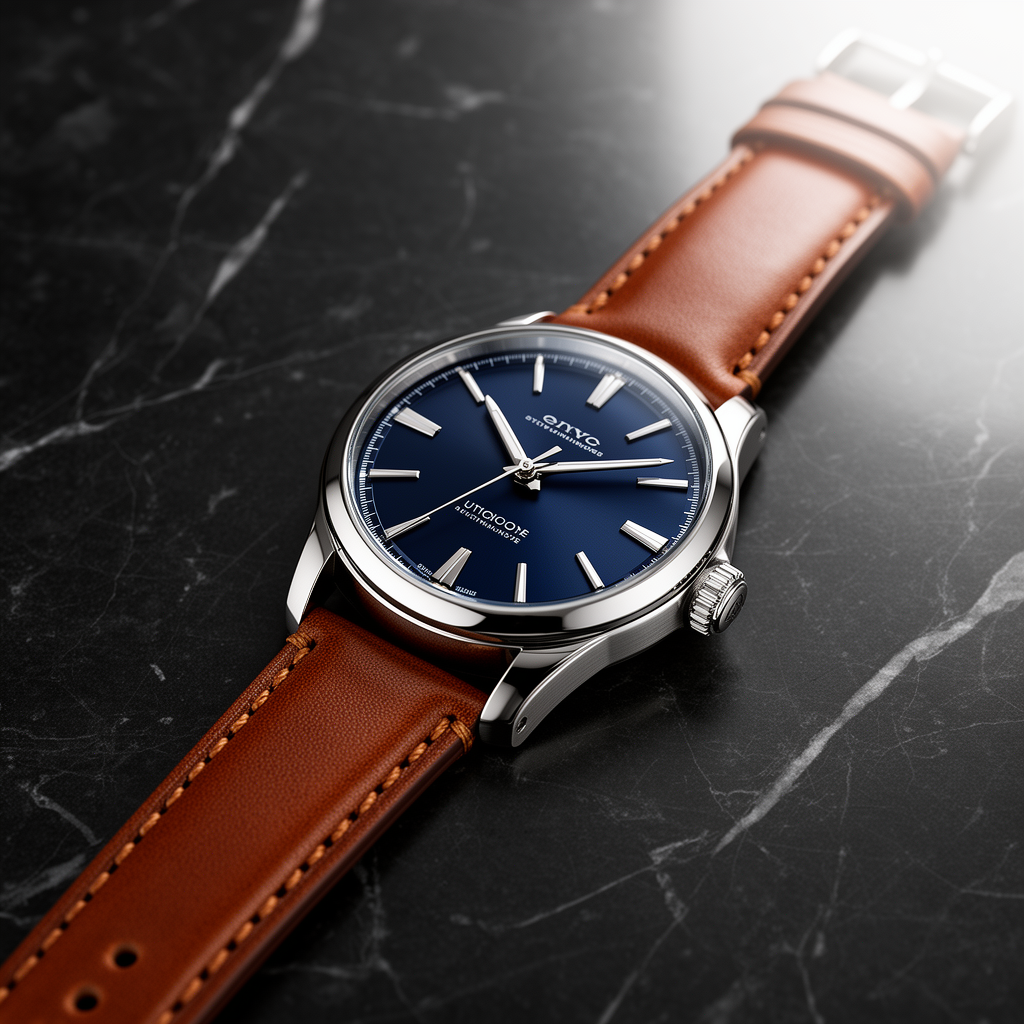
Prompt: Luxury stainless steel wristwatch with a dark blue face and brown leather strap on matte black marble. Soft diffused studio lighting from top right. Sharp focus on dial and stitching. Photoreal product photo.
All three results make a usable watch image. Pro places the watch close to camera and gives the case a strong metallic edge, but the dial lettering is invented. Flex gives the cleaner, less crowded product composition; its dial text is still not a brand-safe result. Dev shows the whole strap more clearly and retains the blue-and-brown brief, while its small dial markings remain synthetic. For a product mockup, these are promising visual starting points, not finished catalog assets with approved copy.
| FLUX.2 Pro | FLUX.2 Flex | FLUX.2 Dev |
|---|---|---|
 |
 |
 |
Prompt 2: Tokyo portrait and neon lettering
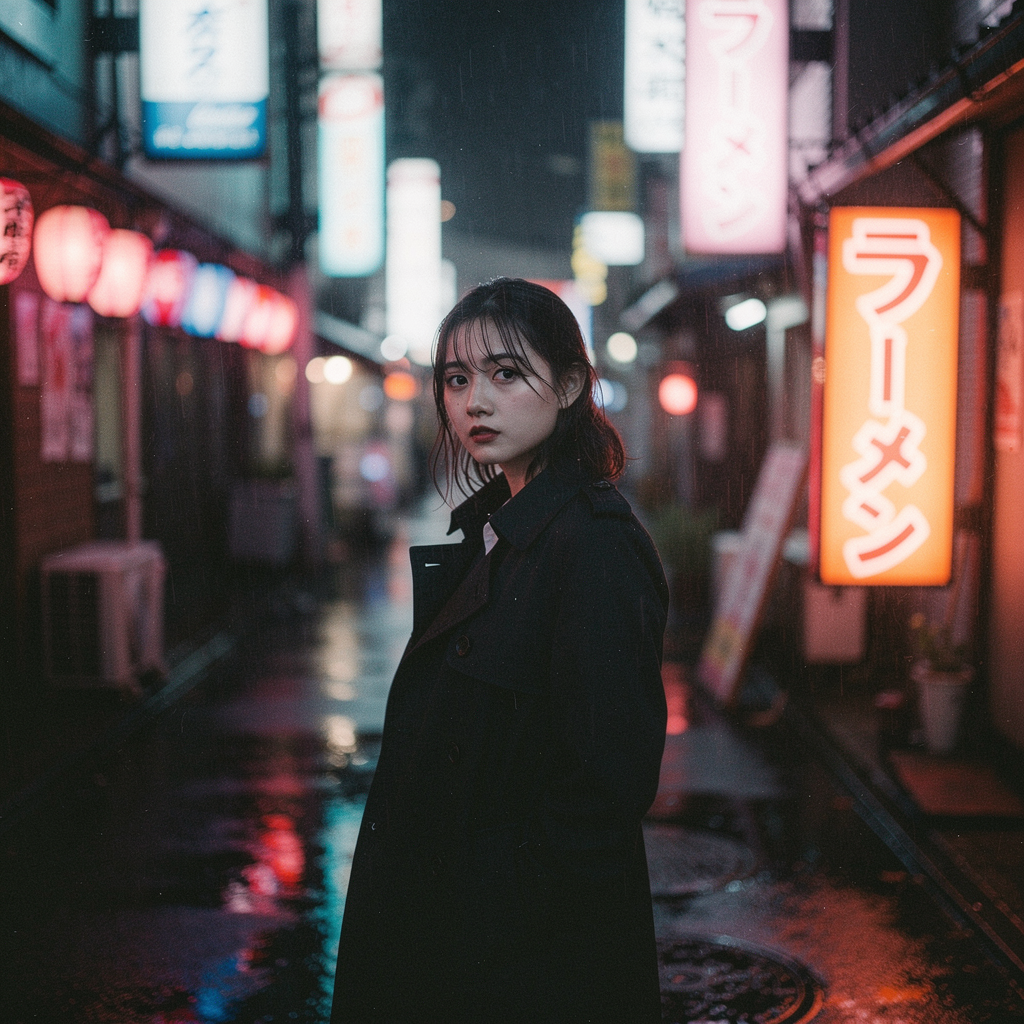
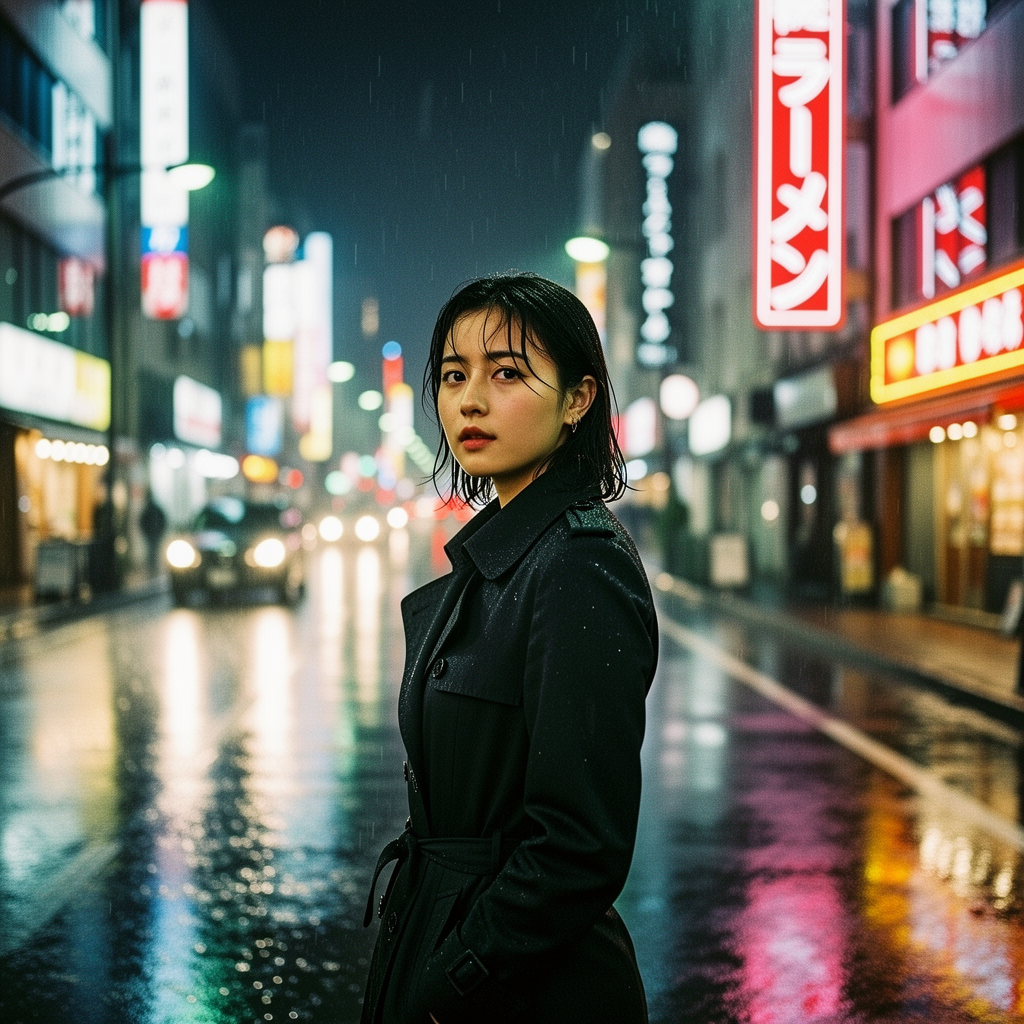
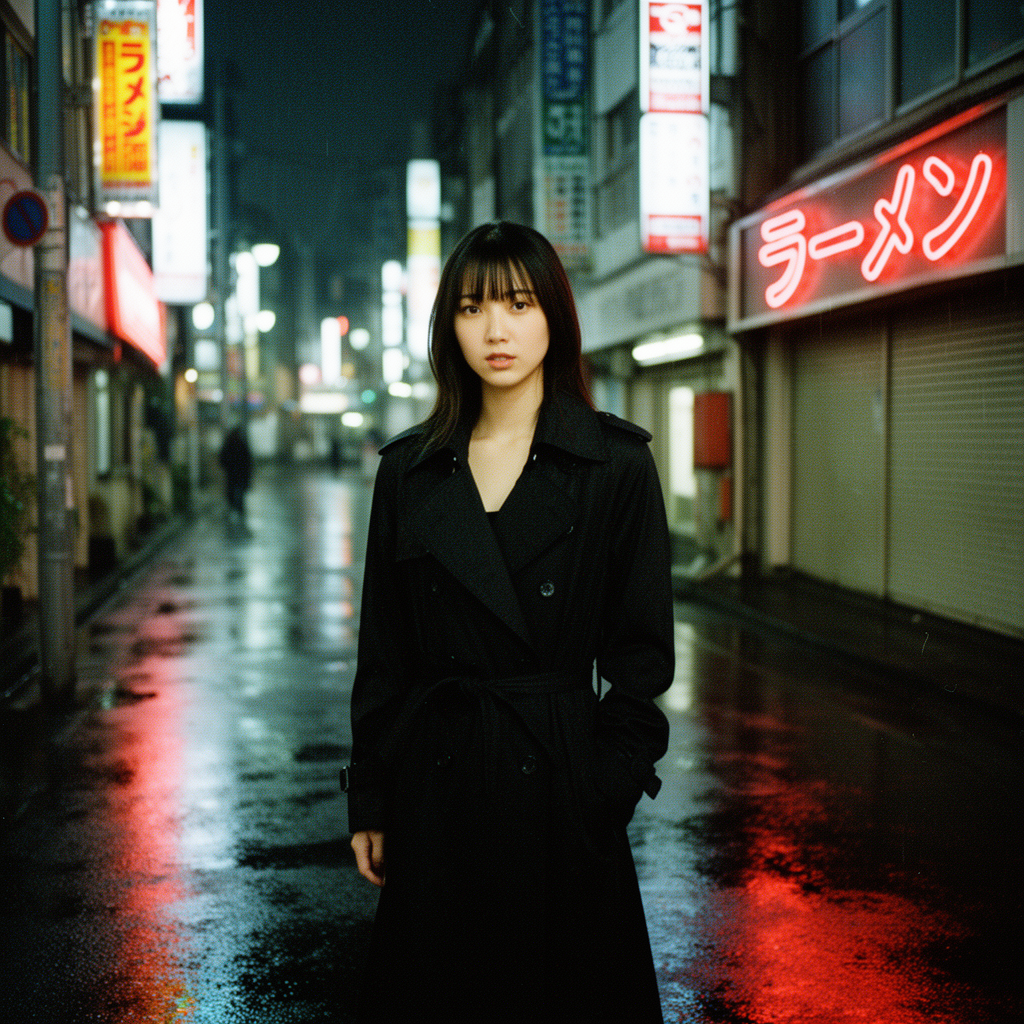
Prompt: Cinematic portrait of a young woman in a black trench coat on a rain slick Tokyo street at night. Neon signs reflect in wet pavement. One neon sign must be legible Japanese text: ラーメン. 35mm film grain, high contrast, moody.
This is the least forgiving prompt because it combines portrait, wet-street reflections, a film look, and a precise Japanese word. The outputs preserve the nighttime neon premise and a central subject, but the requested text must be checked at full size rather than assumed correct. The test therefore treats typography as a verification task. Flex is the natural model to retest when text fidelity matters because its Wiro interface exposes both steps and guidance. That is a control advantage, not proof that every Flex image renders text correctly.
| FLUX.2 Pro | FLUX.2 Flex | FLUX.2 Dev |
|---|---|---|
 |
 |
 |
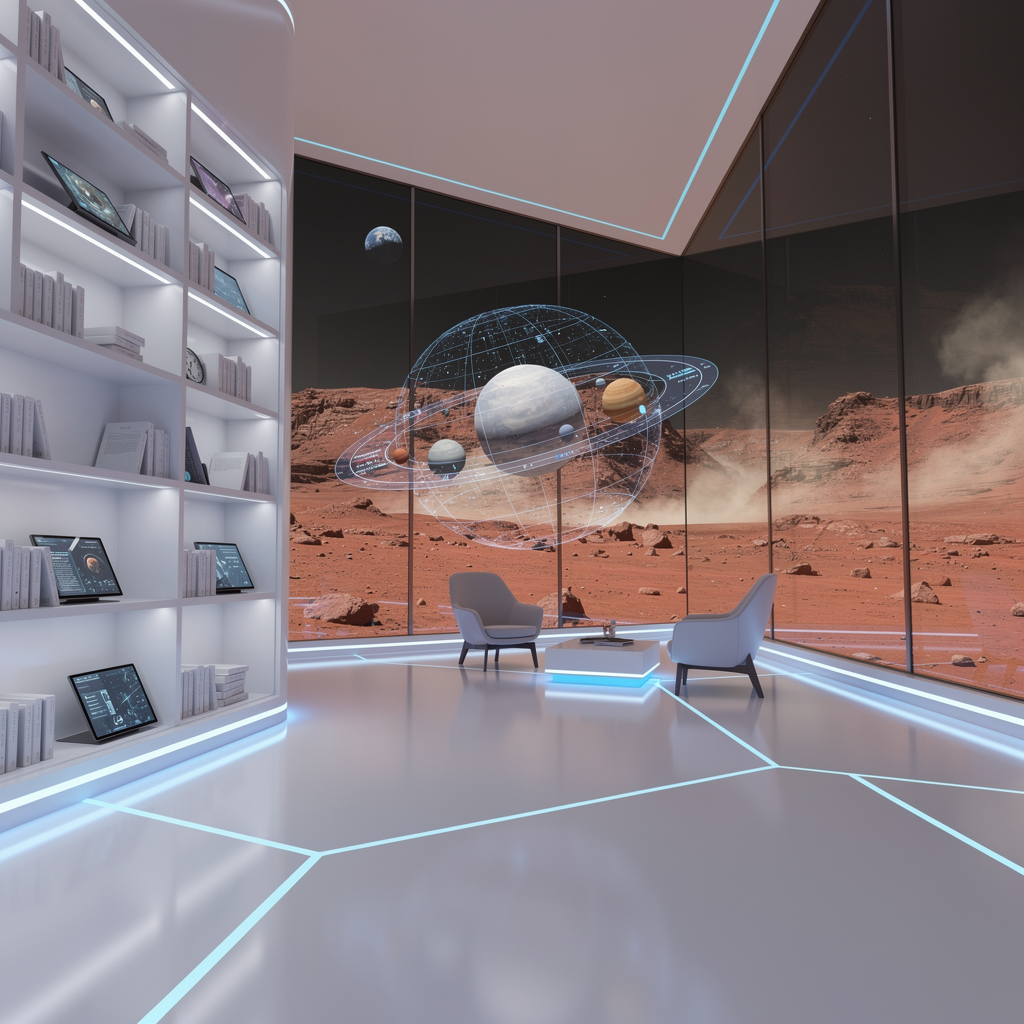
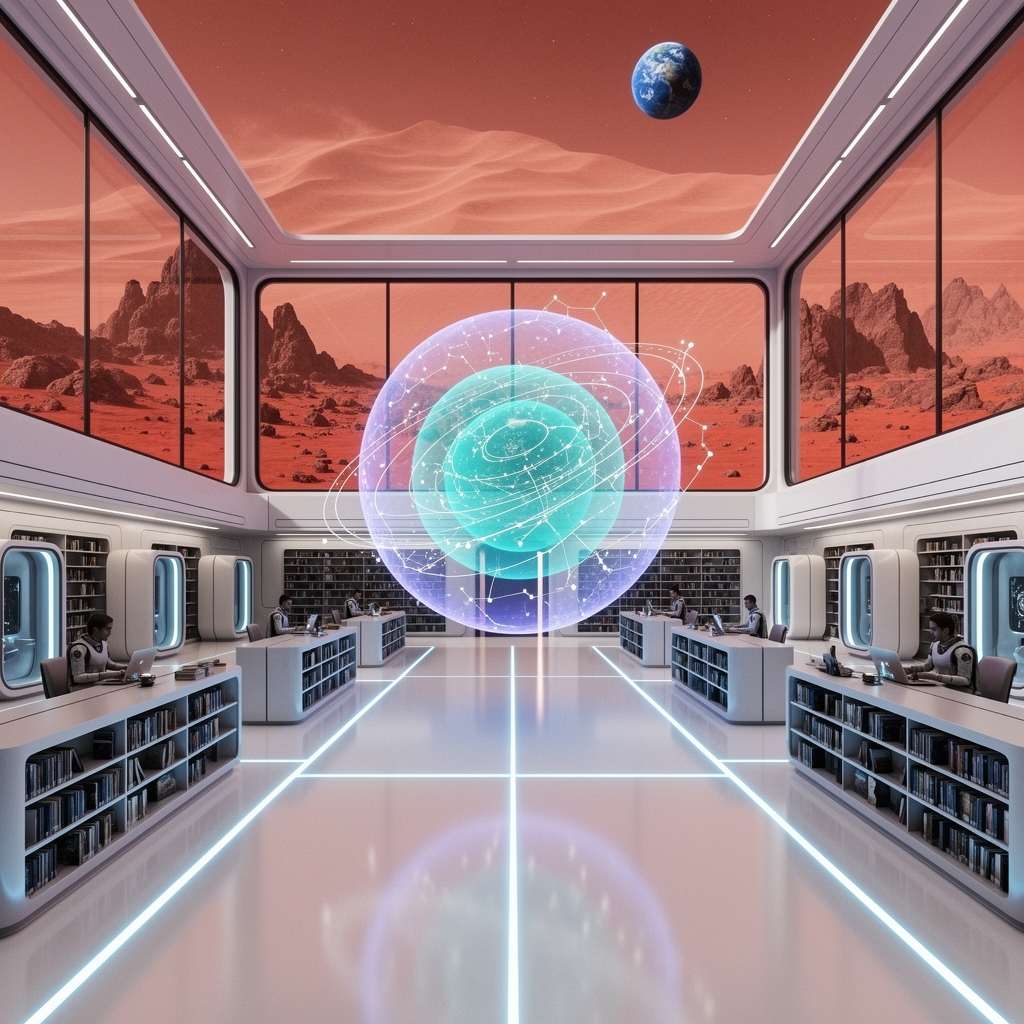
Prompt 3: Mars library composition
Prompt: Interior of a minimalist futuristic library on a Mars colony. Floor to ceiling windows show a dusty red landscape and a distant Earth. Cool blue light strips in polished white floor. A holographic spinning astronomical map floats in the center. Wide angle HDR, ultra sharp.
This prompt asks the model to keep several regions coherent: exterior Mars, a distant Earth, white floor, blue light strips, and a central hologram. It is a better prompt-following check than a simple single-subject scene. The three images retain the broad science-fiction brief, but the individual objects need inspection before a production choice. For architectural mood boards, Pro is the fastest path to a polished first pass. For an art director who wants to vary detail and adherence, Flex is the more useful iteration surface. Dev is the one to choose when an open-weight workflow and self-managed experimentation matter more than managed-endpoint simplicity.
| FLUX.2 Pro | FLUX.2 Flex | FLUX.2 Dev |
|---|---|---|
 |
 |
 |
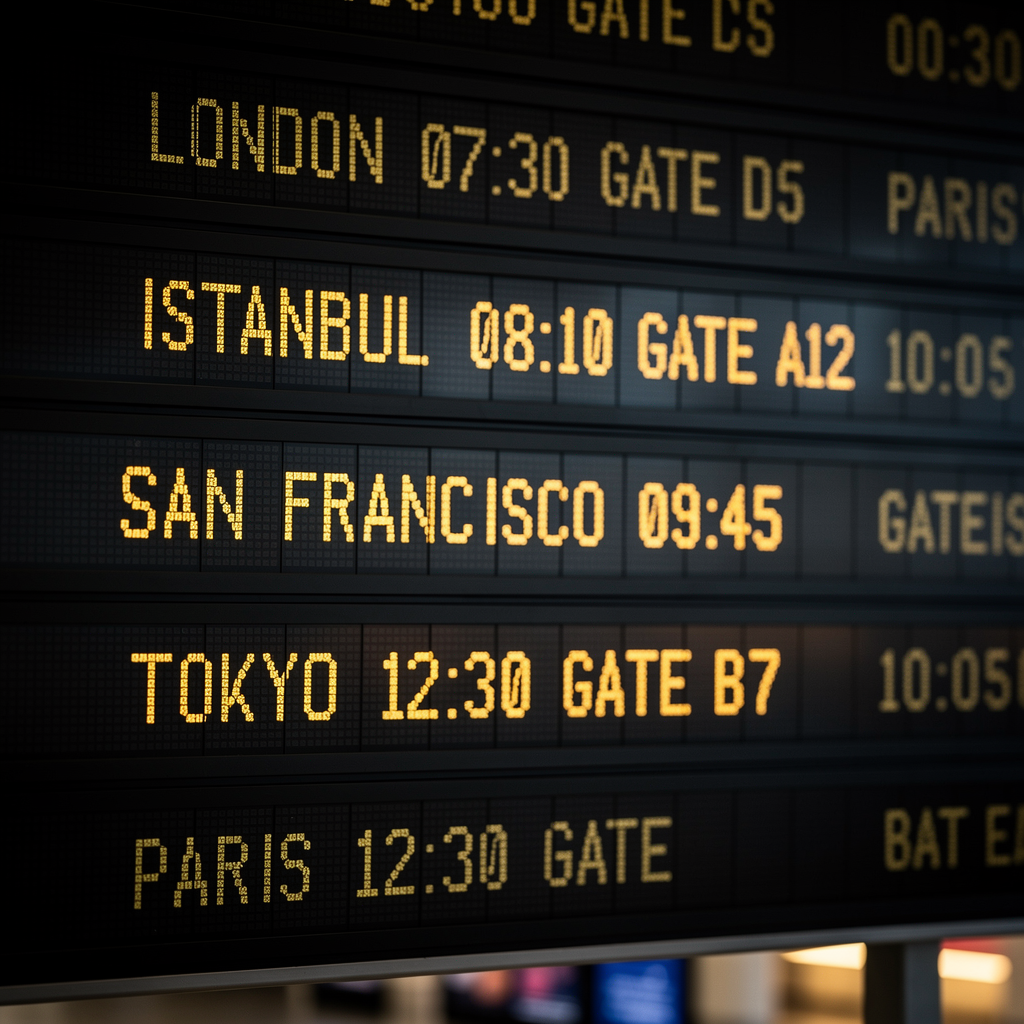
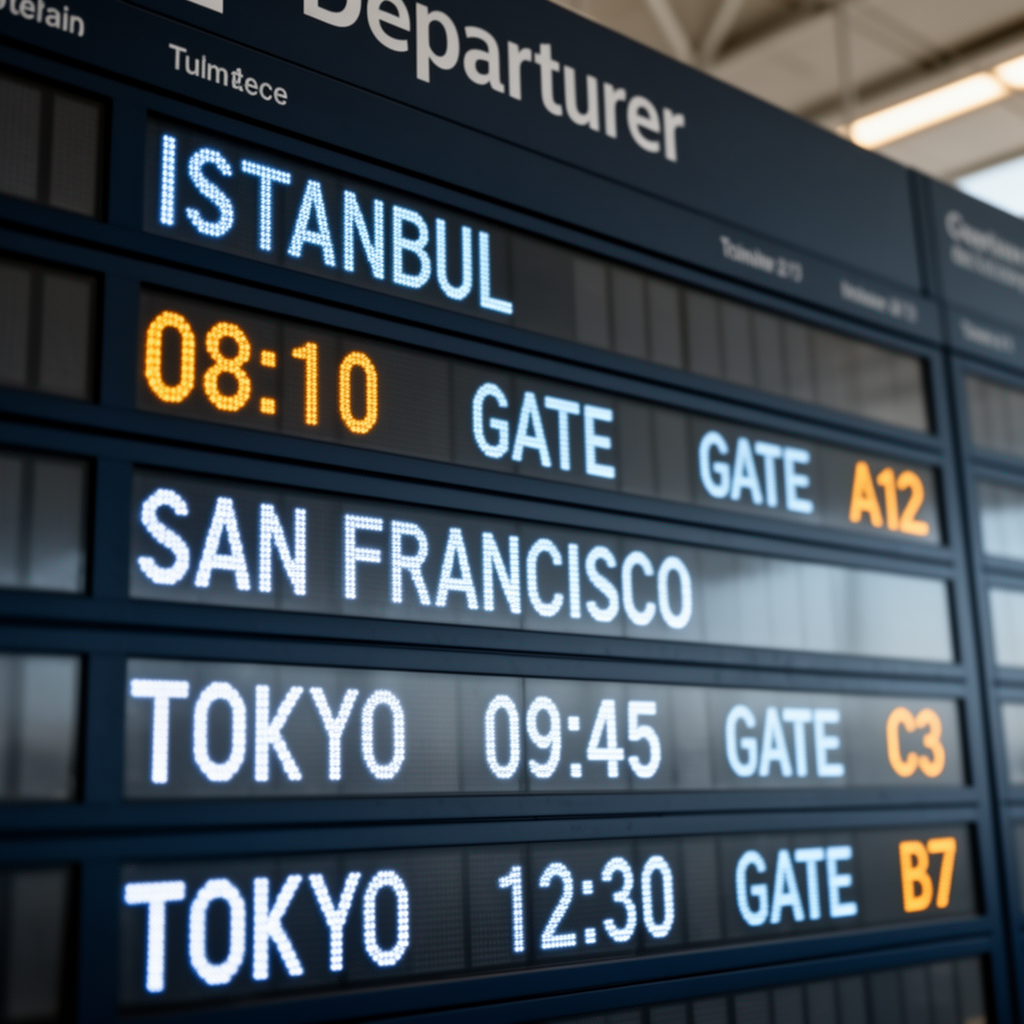
Prompt 4: the airport-board text check
Prompt: Close up photo of an airport departure board with readable text. Rows must be legible: ISTANBUL 08:10 GATE A12, SAN FRANCISCO 09:45 GATE C3, TOKYO 12:30 GATE B7. Realistic LED board, shallow depth of field, cinematic lighting.
This is the clearest result in the set. Pro produces an attractive LED-board photograph but changes several requested strings and adds unrelated rows. Flex keeps the city names and many of the requested values visible, though the layout repeats or separates tokens in places. Dev comes closest to the requested three-city structure, while still inserting extra text and rearranging labels. None should be used as an operational departure board without a human text check. The difference is useful: visual plausibility and exact text are separate success criteria.
| FLUX.2 Pro | FLUX.2 Flex | FLUX.2 Dev |
|---|---|---|
 |
 |
 |
Which FLUX.2 model should you pick?
- Pick Pro for a straightforward managed run when the brief is visual quality first and you do not need to tune steps or guidance.
- Pick Flex when iteration needs explicit control. Its steps parameter trades latency for detail, and guidance controls prompt adherence. That makes it the sensible starting point for typography and fine-detail retests.
- Pick Dev when the open-weight model matters to the workflow. Black Forest Labs publishes its model card and reference code, making it the branch for research, local experimentation, and teams that need to inspect the open ecosystem.
For more FLUX comparisons, see FLUX.2 Klein Base 4B vs 9B, FireRed Image Edit vs FLUX.2 Dev, and FLUX.2 Klein 9B.
For the underlying family description, read Black Forest Labs’ FLUX.2 announcement and the FLUX.2 Dev model card on Hugging Face. The next practical move is simple: use the model pages above, hold the seed and resolution fixed, and run several variants of the prompt that matters to your work.