FireRed Image Edit 1.1 vs FLUX.2-dev: 10 Edits Compared
FireRed Image Edit 1.1 and FLUX.2-dev were compared across ten edits. The tests use two base inputs and ten prompts. The comparison highlights portrait and product editing behavior.
Models
Method
Two base images were used: a cafe portrait and a product photo. Each prompt ran on both models with similar sample counts. FireRed used 30 steps and guidance scale 1.5. FLUX.2 used 15 steps and guidance scale 3.5. Run times listed are the task elapsed seconds.
Samples
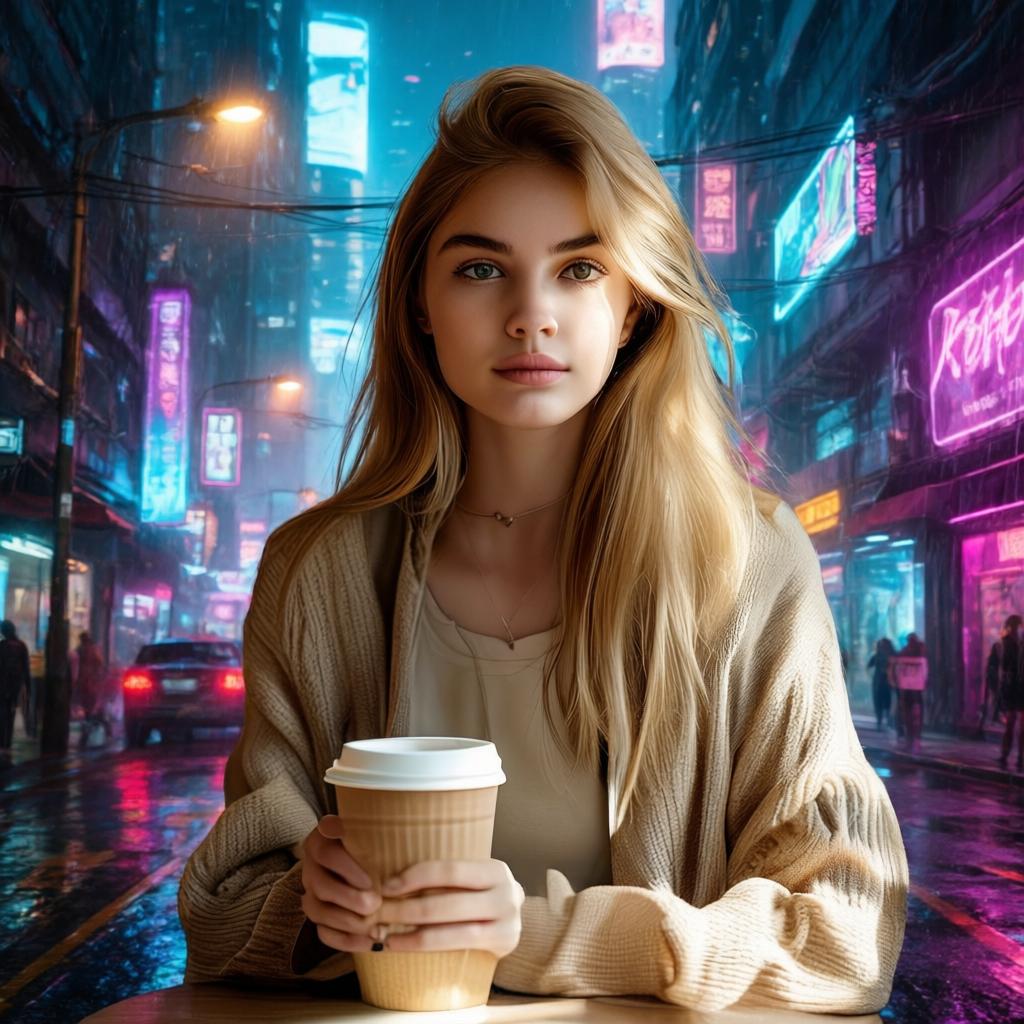
Sample 1 — Cyberpunk background
Prompt: Change the background to a neon cyberpunk street at night. Keep the face realistic.
 |
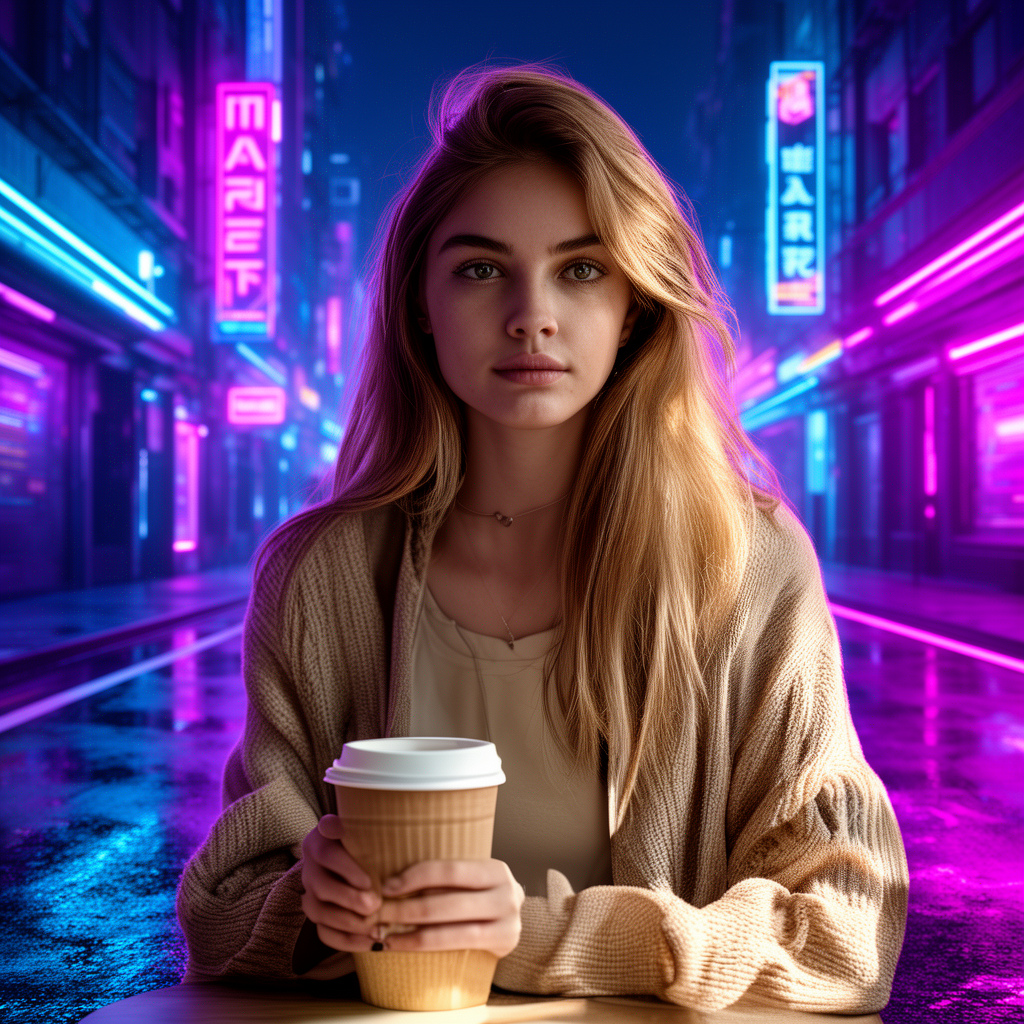 |
FireRed preserves facial identity and skin texture well. FLUX.2 creates richer neon lighting but shifts some facial geometry.
Sample 2 — Suit swap
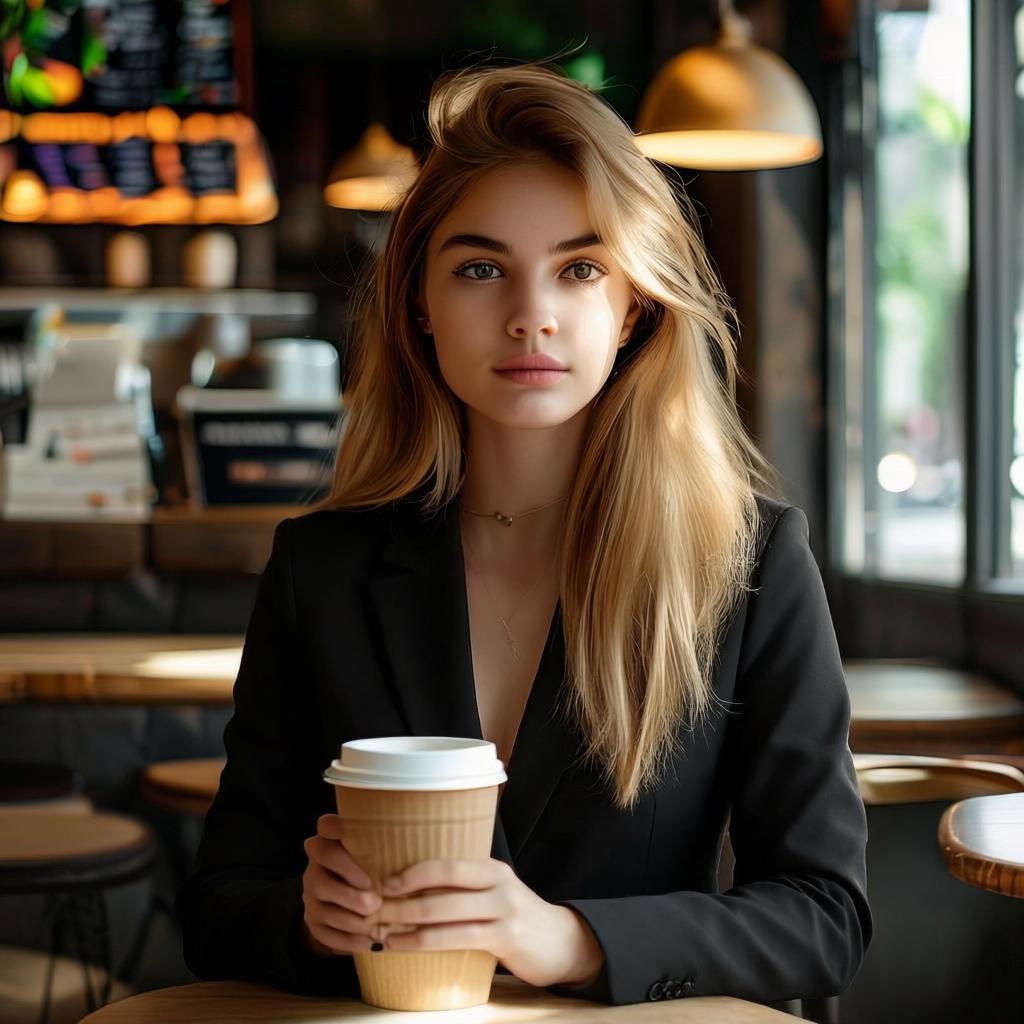
Prompt: Replace the outfit with a clean black business suit. Keep the same pose.
 |
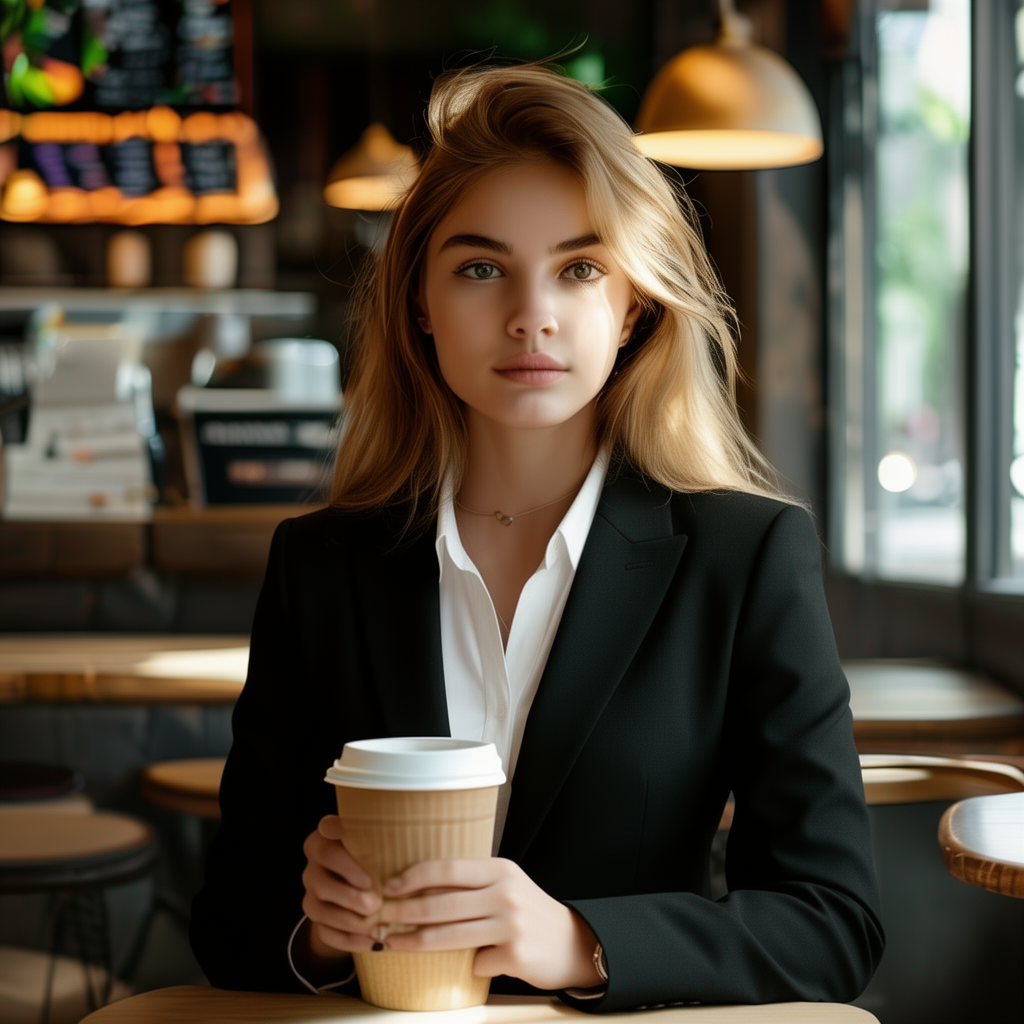 |
FireRed keeps face continuity when editing clothing. FLUX.2 produces cleaner clothing textures but changes small geometry.
Sample 3 — Remove cup
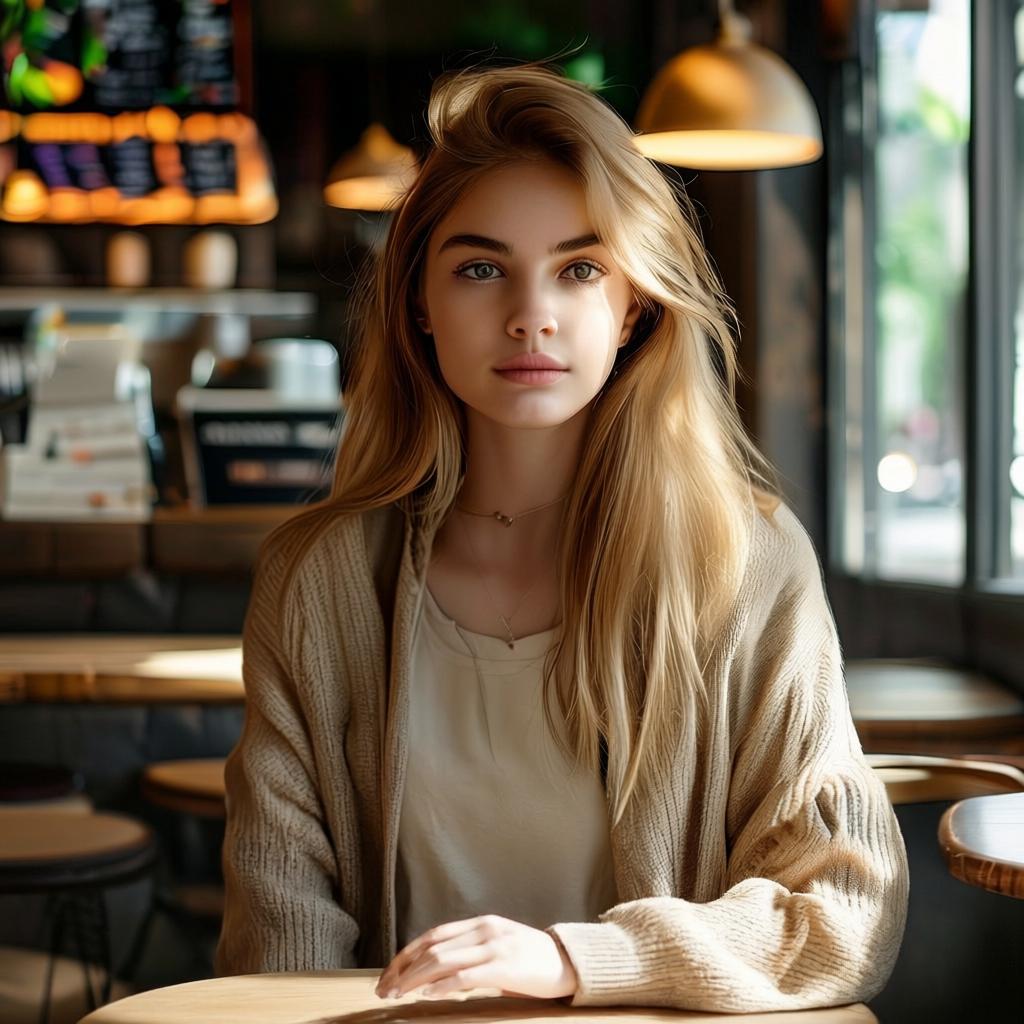
Prompt: Remove the coffee cup from the hand. Fill the missing area naturally.
 |
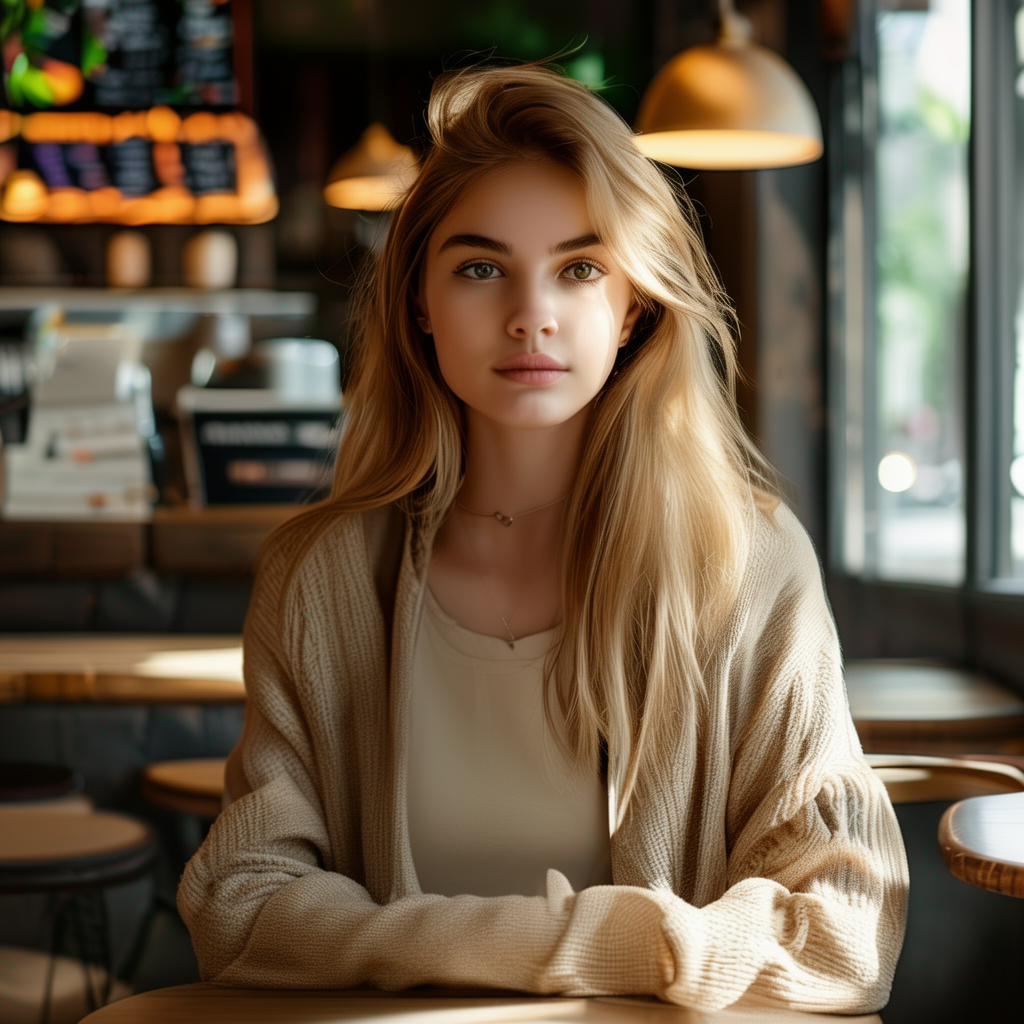 |
Both models remove objects reliably. FireRed edges feel cleaner on skin and clothing areas. FLUX.2 sometimes leaves subtle texture artifacts.
Sample 4 — Sunglasses
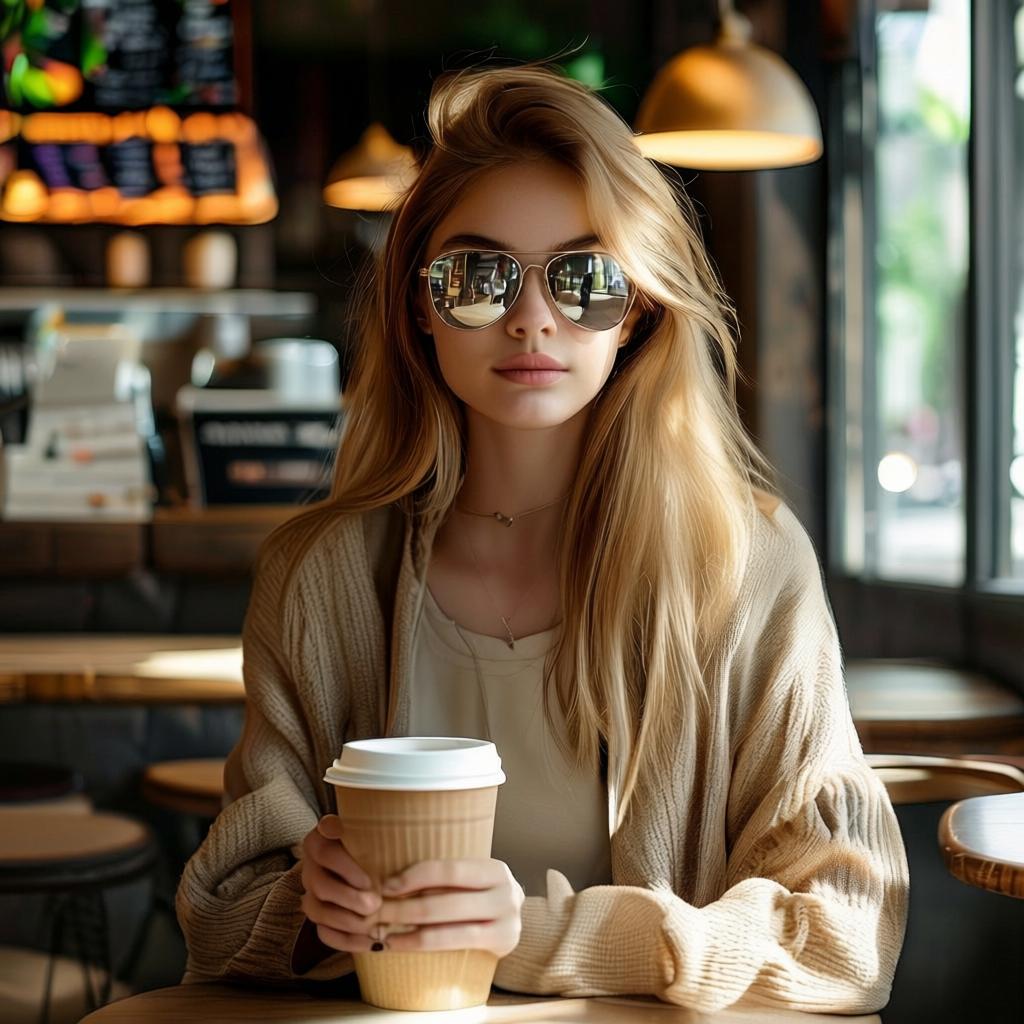
Prompt: Add reflective sunglasses. Keep lighting consistent.
 |
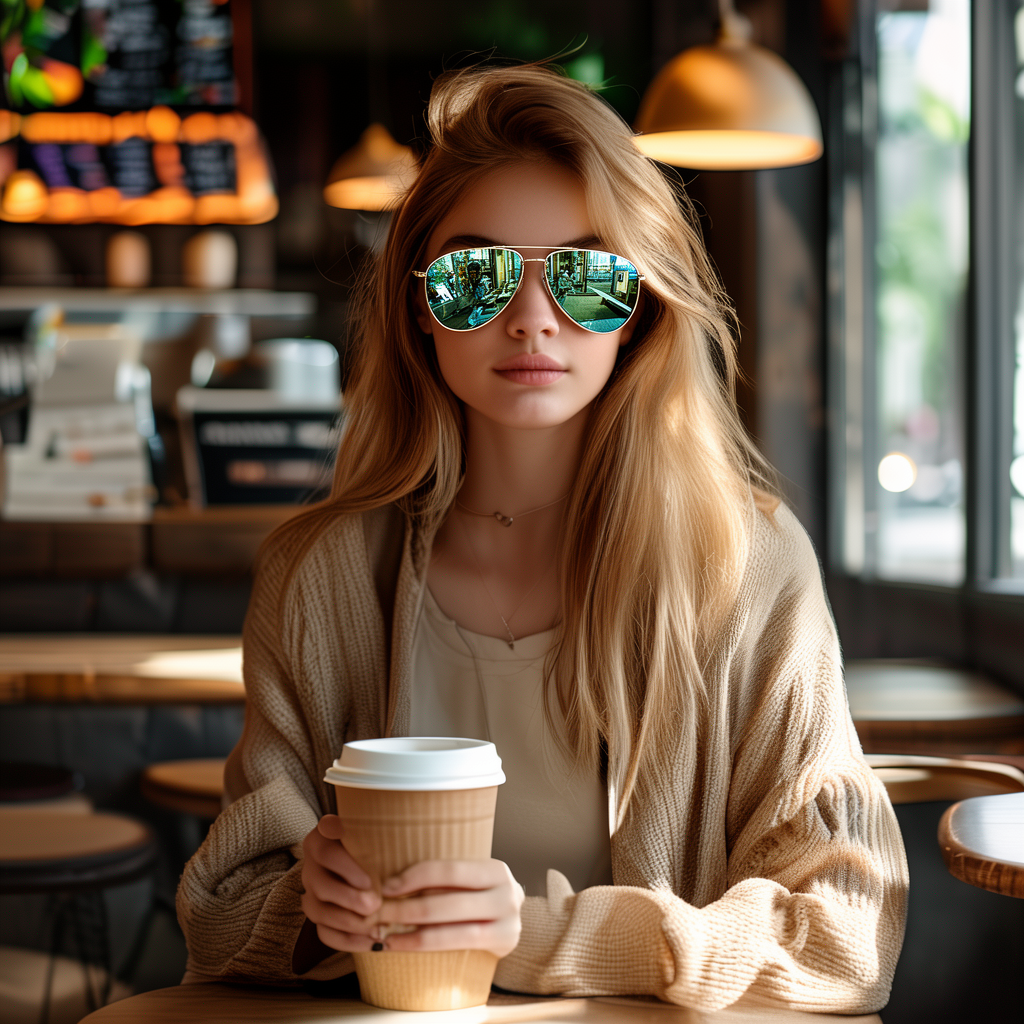 |
FireRed handles reflective surfaces with controlled highlights. FLUX.2 emphasizes dramatic reflections but may introduce halos.
Sample 5 — Pink bob haircut
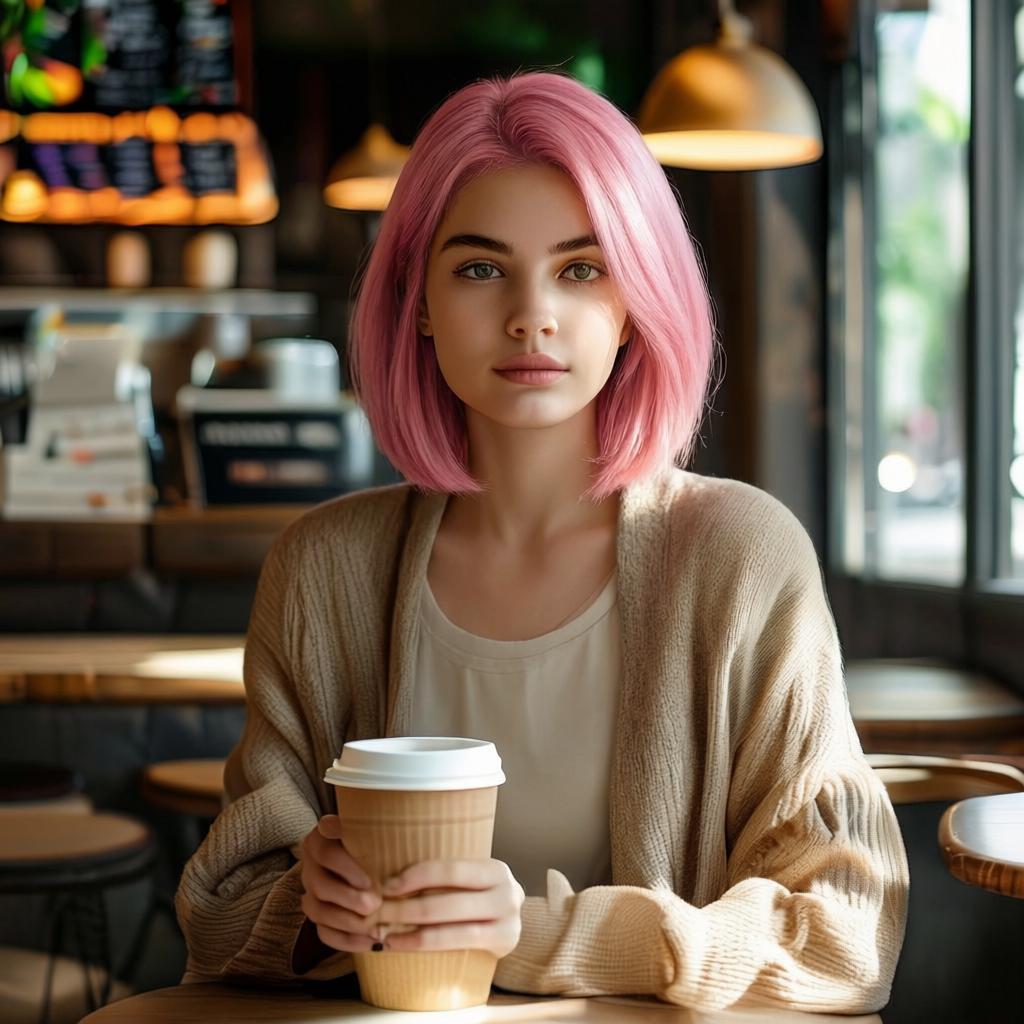
Prompt: Change hair to a short pink bob haircut. Keep skin tone the same.
 |
 |
FireRed keeps hair texture and avoids color spill. FLUX.2 delivers vivid color, but may tint nearby skin slightly.
Sample 6 — Watercolor illustration
Prompt: Convert the photo into a watercolor illustration. Keep the composition.
 |
 |
Artistic edits show clear differences. FireRed leans toward subtle washes. FLUX.2 produces bolder strokes and higher contrast.
Sample 7 — Phone screen text
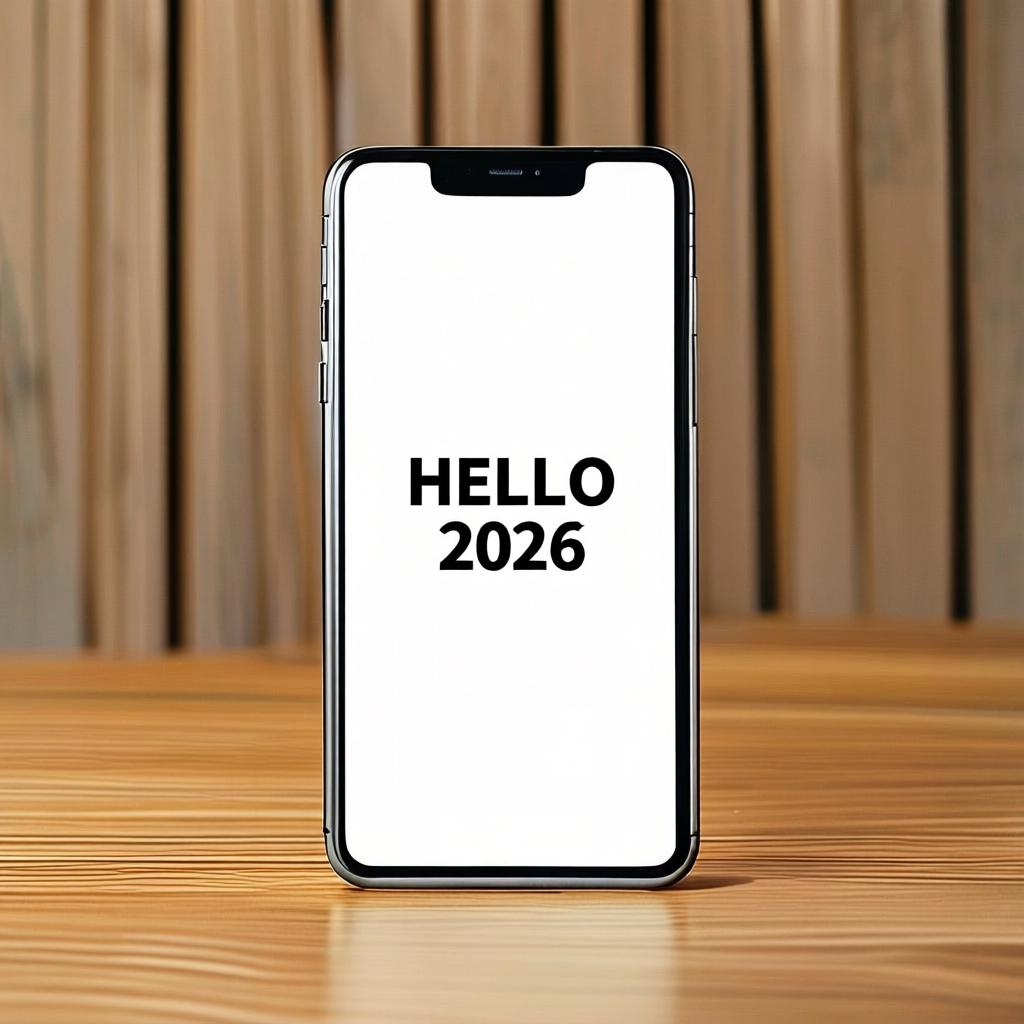
Prompt: Replace the blank screen with the text HELLO 2026 in bold sans serif. Center it.
 |
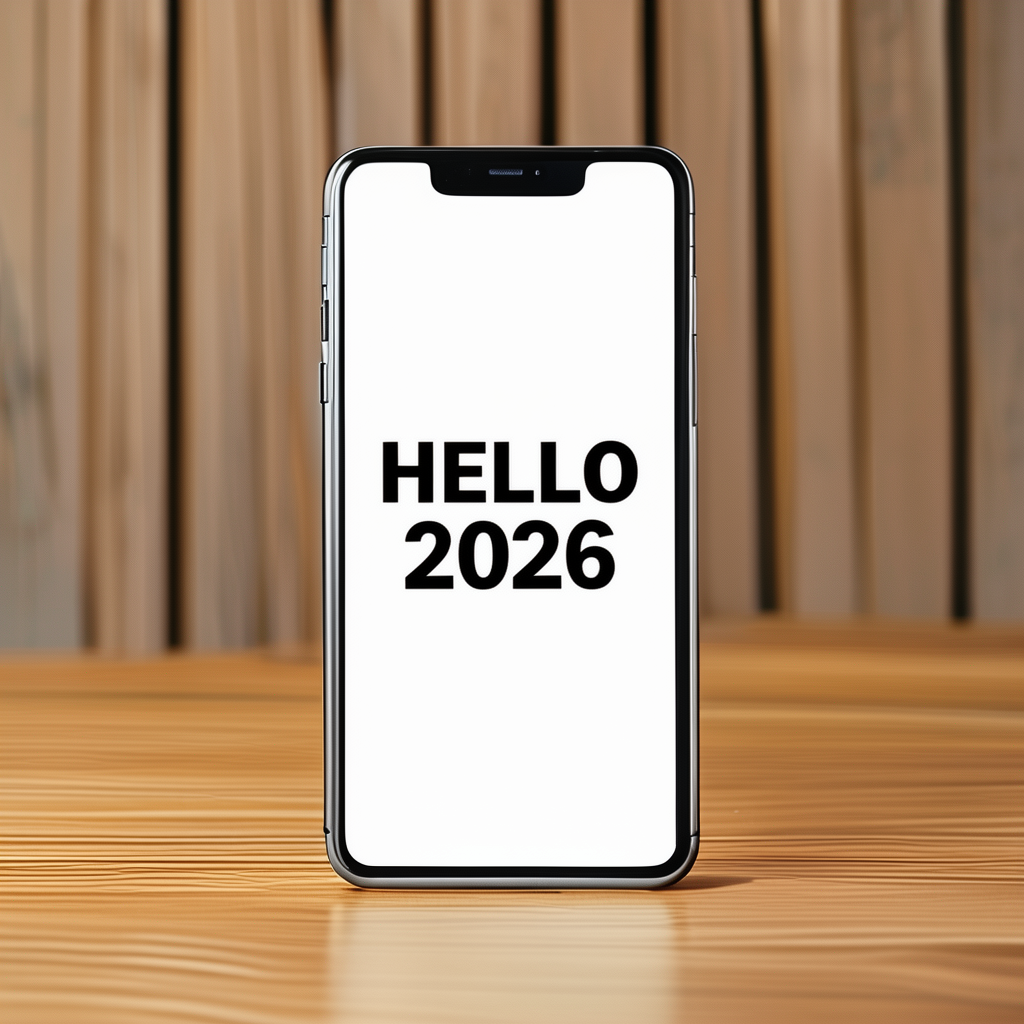 |
Both models render text reliably. FireRed keeps sharper letter edges. FLUX.2 smooths edges sometimes but preserves style well.
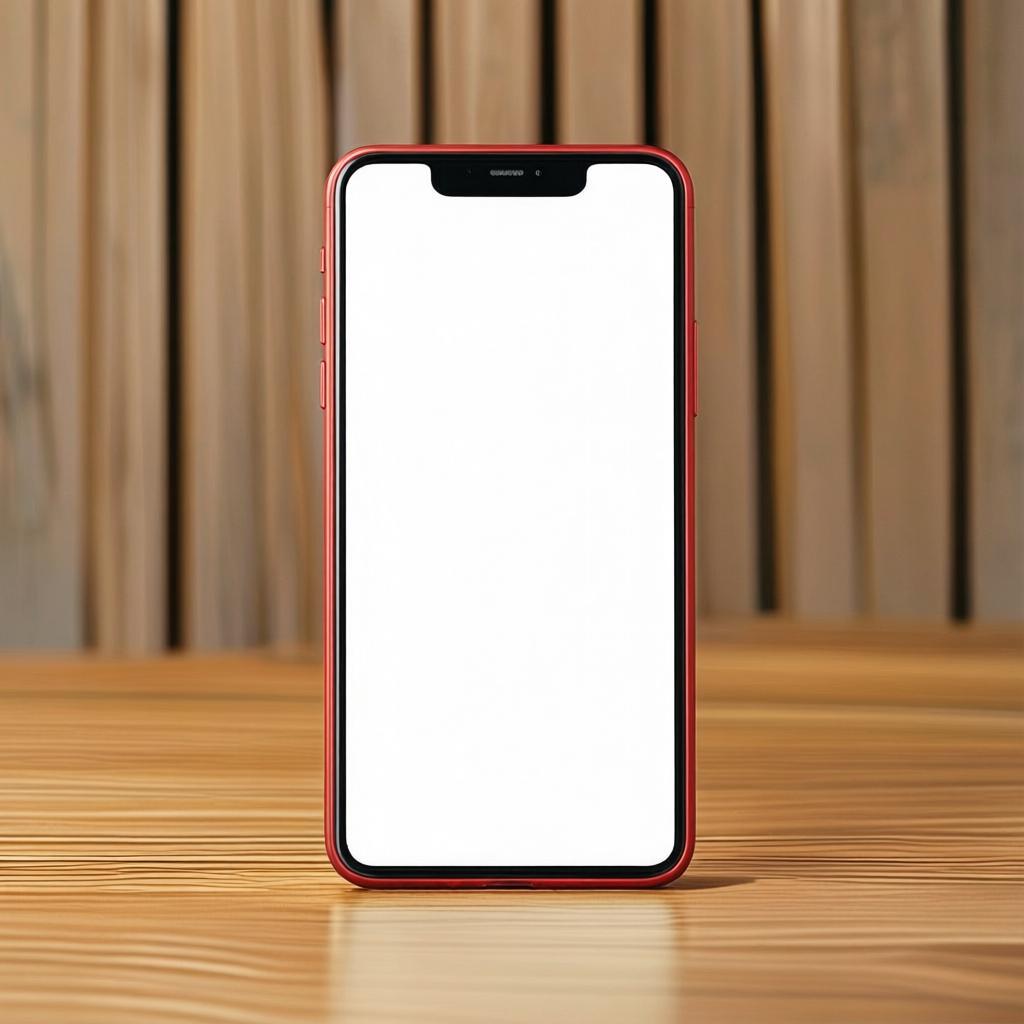
Sample 8 — Matte red phone
Prompt: Change the phone body color to matte red. Keep reflections realistic.
 |
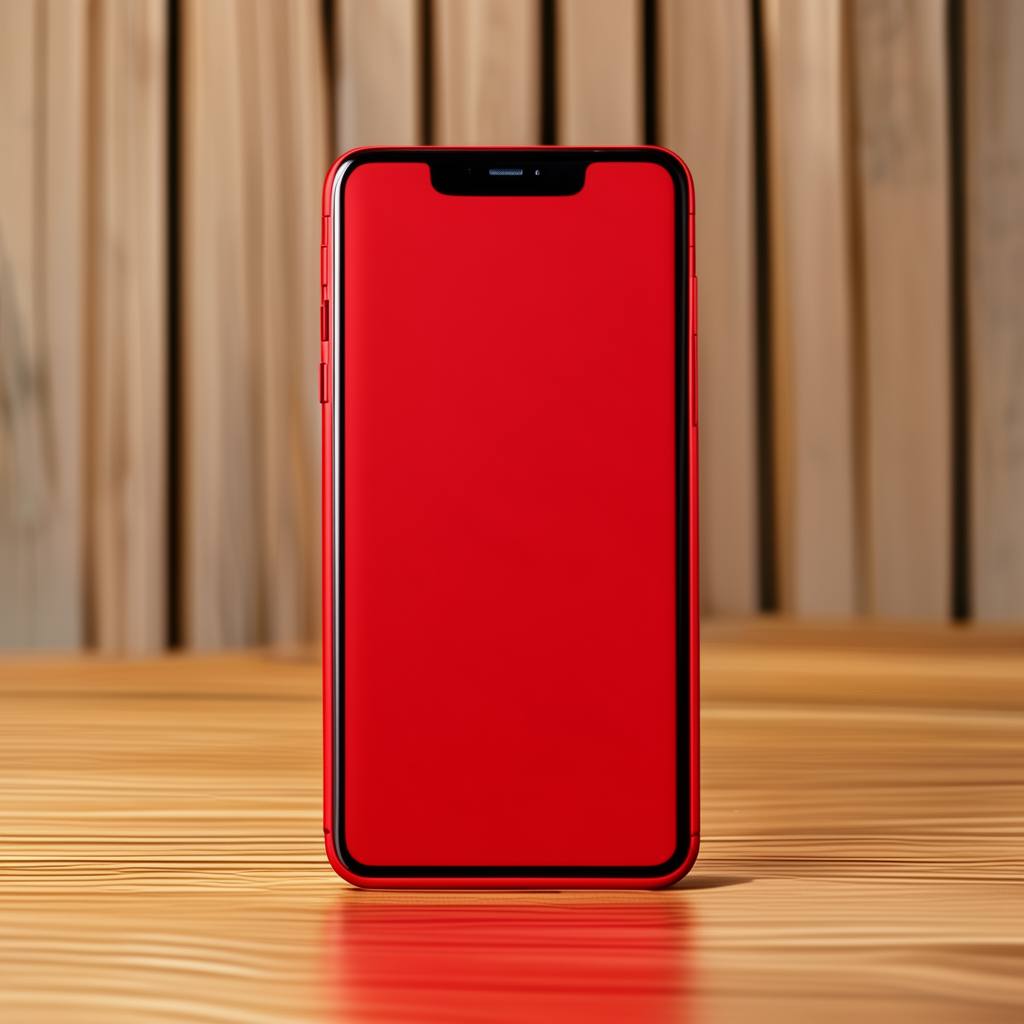 |
Material edits show FireRed’s conservative shading. FLUX.2 increases saturation and highlight intensity for punchier results.
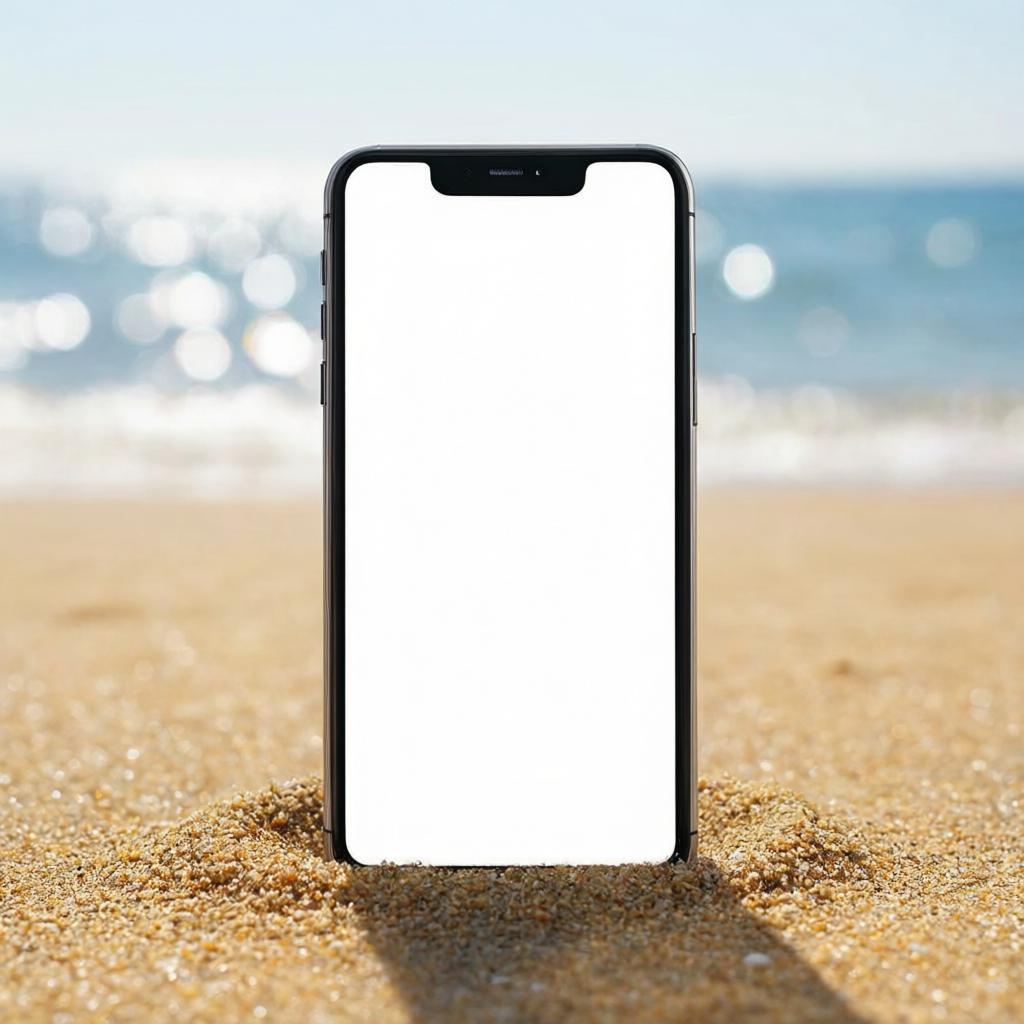
Sample 9 — Beach scene
Prompt: Place the phone on a sandy beach with ocean bokeh. Keep it realistic.
 |
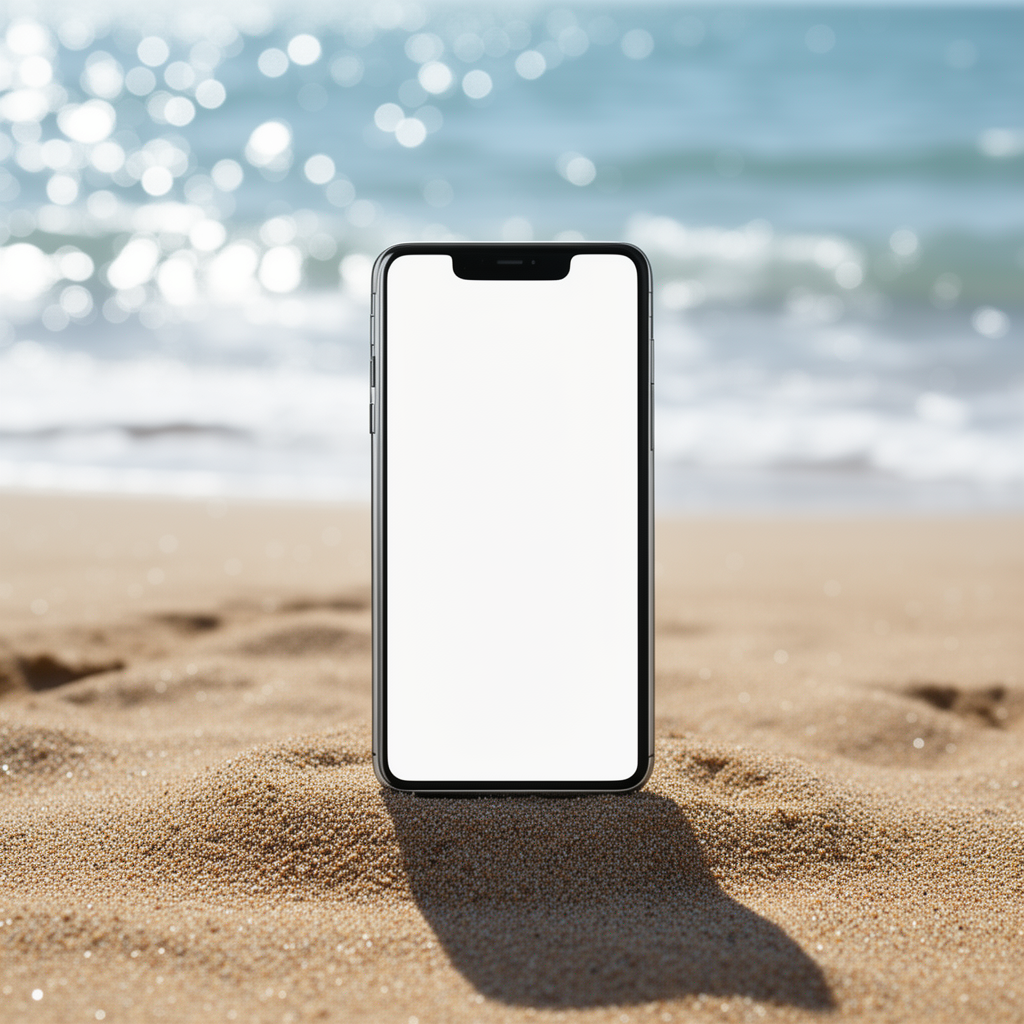 |
Scene composition is reliable on both models. FireRed favors realistic lighting. FLUX.2 produces more cinematic color and bokeh strength.
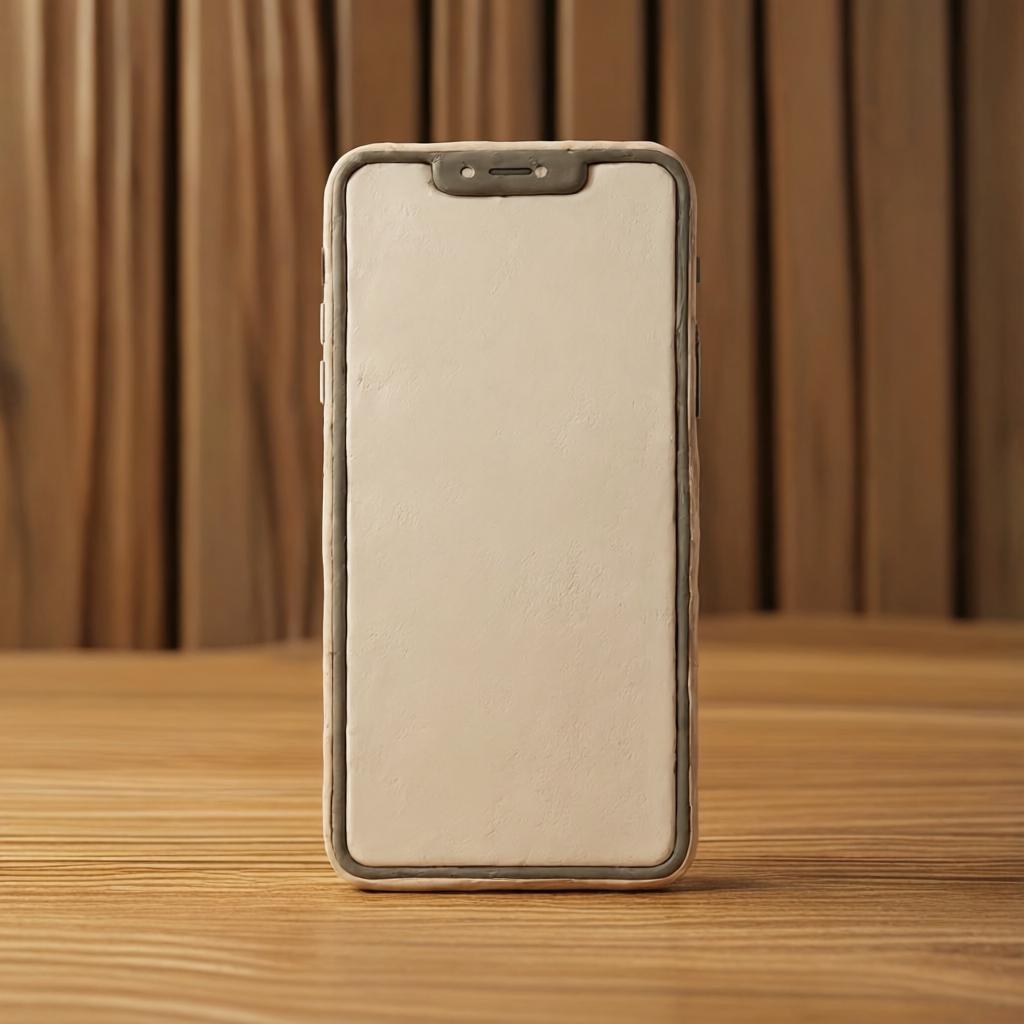
Sample 10 — 3D clay render
Prompt: Convert the product photo into a 3D clay render. Keep lighting soft.
 |
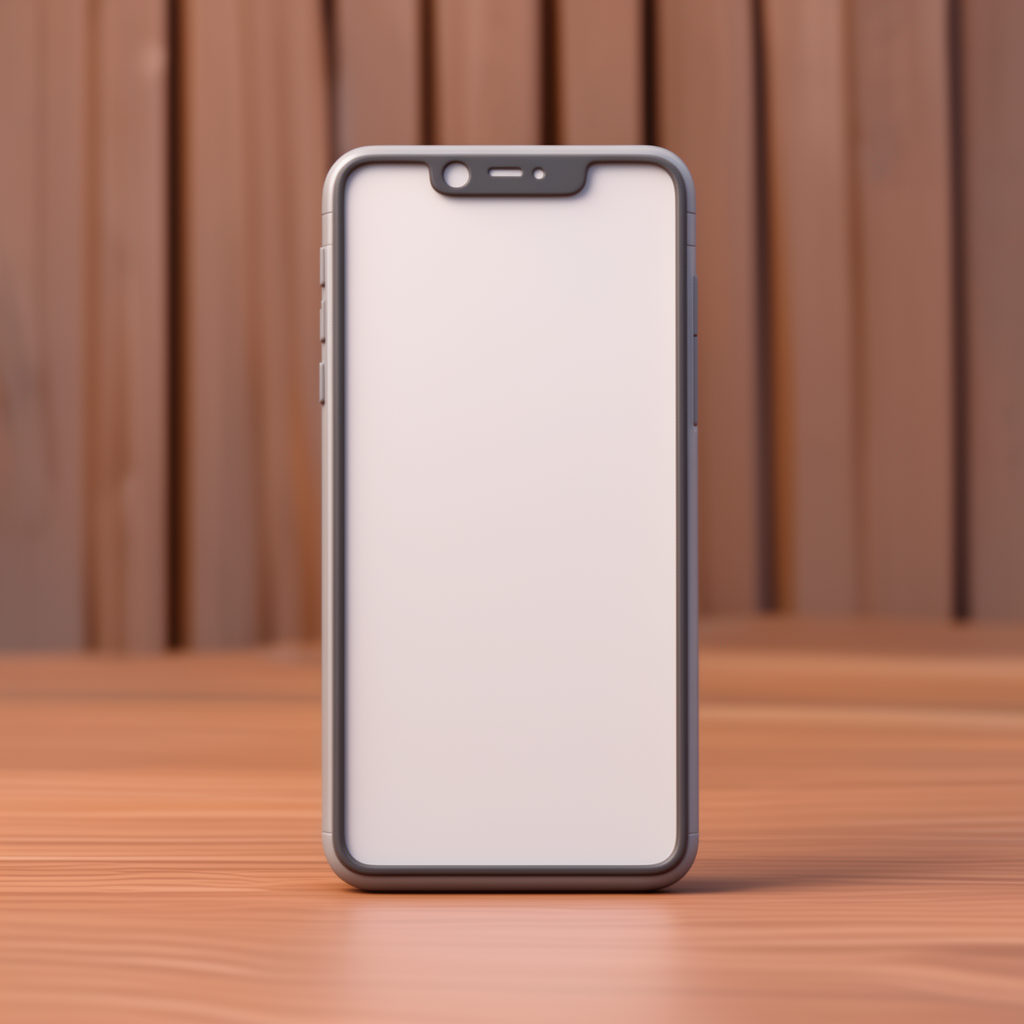 |
Both models handle stylized renders well. FireRed keeps gentler shading and surface continuity. FLUX.2 emphasizes sculptural detail.
Quick comparison table (elapsed seconds)
| Sample | FireRed (s) | FLUX.2 (s) | Notes |
|---|---|---|---|
| 1 | 198 | 156 | FireRed preserves identity; FLUX.2 stylizes lighting. |
| 2 | 24 | 95 | FireRed keeps continuity; FLUX.2 sharpens textures. |
| 3 | 158 | 174 | Both remove objects; FireRed gives cleaner skin fills. |
| 4 | 204 | 94 | FireRed controls highlights; FLUX.2 boosts reflections. |
| 5 | 158 | 117 | FireRed keeps hair detail; FLUX.2 gives bolder color. |
| 6 | 23 | 93 | FireRed subtle washes; FLUX.2 bolder brush strokes. |
| 7 | 24 | 93 | Both render text; FireRed edges are crisper. |
| 8 | 24 | 92 | FireRed conservative shading; FLUX.2 saturates color. |
| 9 | 26 | 95 | FireRed realistic lighting; FLUX.2 cinematic bokeh. |
| 10 | 25 | 95 | FireRed softer clay look; FLUX.2 stronger sculptural detail. |
Verdict
FireRed Image Edit 1.1 excels at identity consistency and subtle edits. FLUX.2-dev excels at stylized edits and bold rendering. Choose FireRed for portrait fidelity and FLUX.2 for dramatic stylization and multi-reference editing.
Try the models: FireRed Image Edit 1.1 or FLUX.2-dev.