Nano-Banana-2: 6 before/after image edits
Nano-Banana-2 targets fast image editing from a reference image plus a plain-English prompt. This post pushes six common edit requests: text swap, day-to-night, object removal, recolor, food swap, and scene transfer.
Model
Test rules
- Each test uses one input image and one edit prompt.
- Goal: keep the core subject consistent while changing only what the prompt asks for.
- Outputs are published as-is. No manual retouching.
Results
Test 1: label text edit + material swap
Prompt:
Edit the label text on the perfume bottle to read NOVA in clean engraved lettering. Change the cap to brushed gold. Keep moss background and lighting consistent. Photorealistic.
| Input | Output |
|---|---|
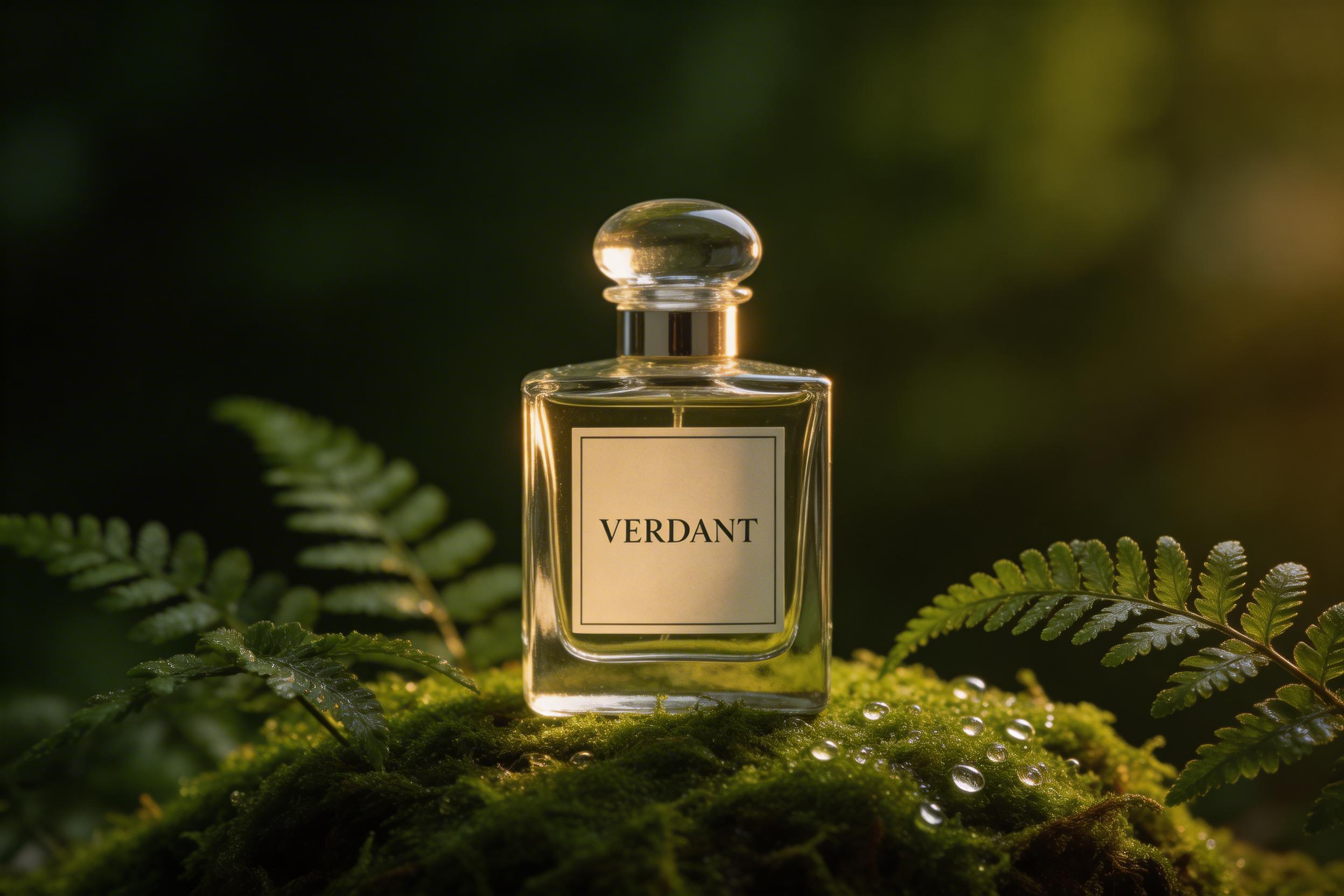 |
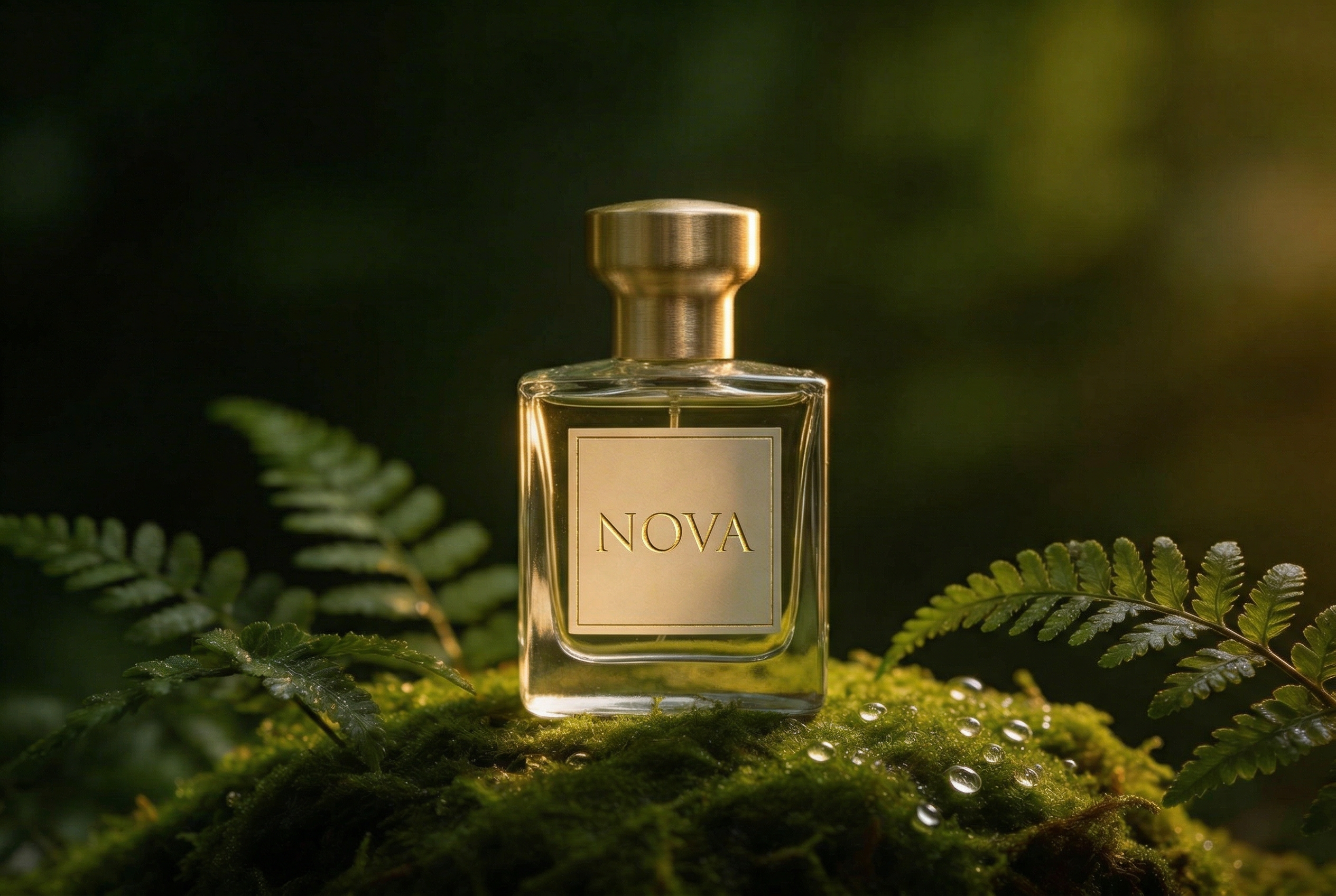 |
Quick take: text edits work when the label already looks clean and flat. Small letter spacing still trips up sometimes.
Test 2: day-to-night + rainy neon scene
Prompt:
Change the scene to a neon city street at night with rain. Add subtle raindrops on the denim jacket. Keep the same person identity and facial features. Natural skin texture. Cinematic lighting.
| Input | Output |
|---|---|
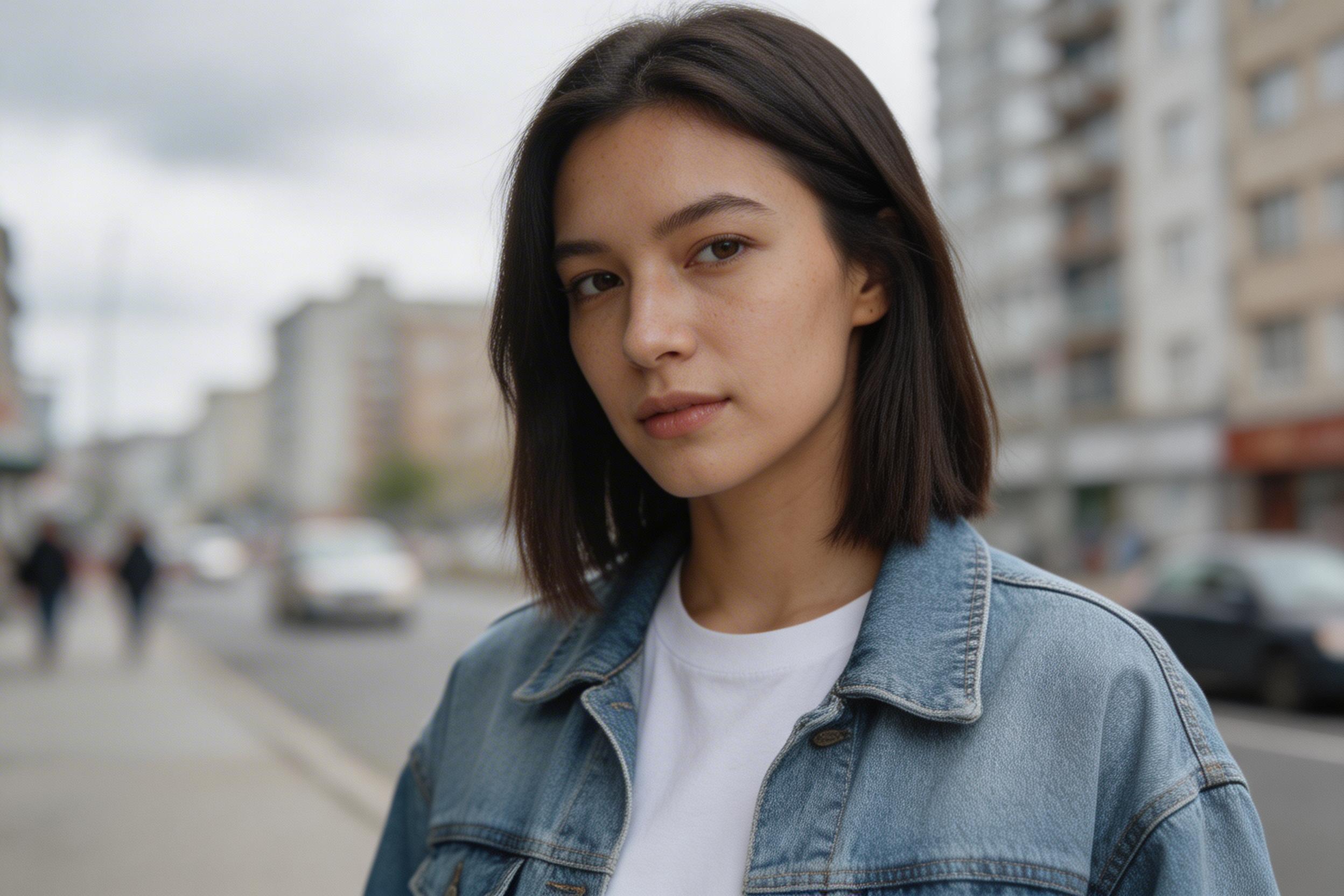 |
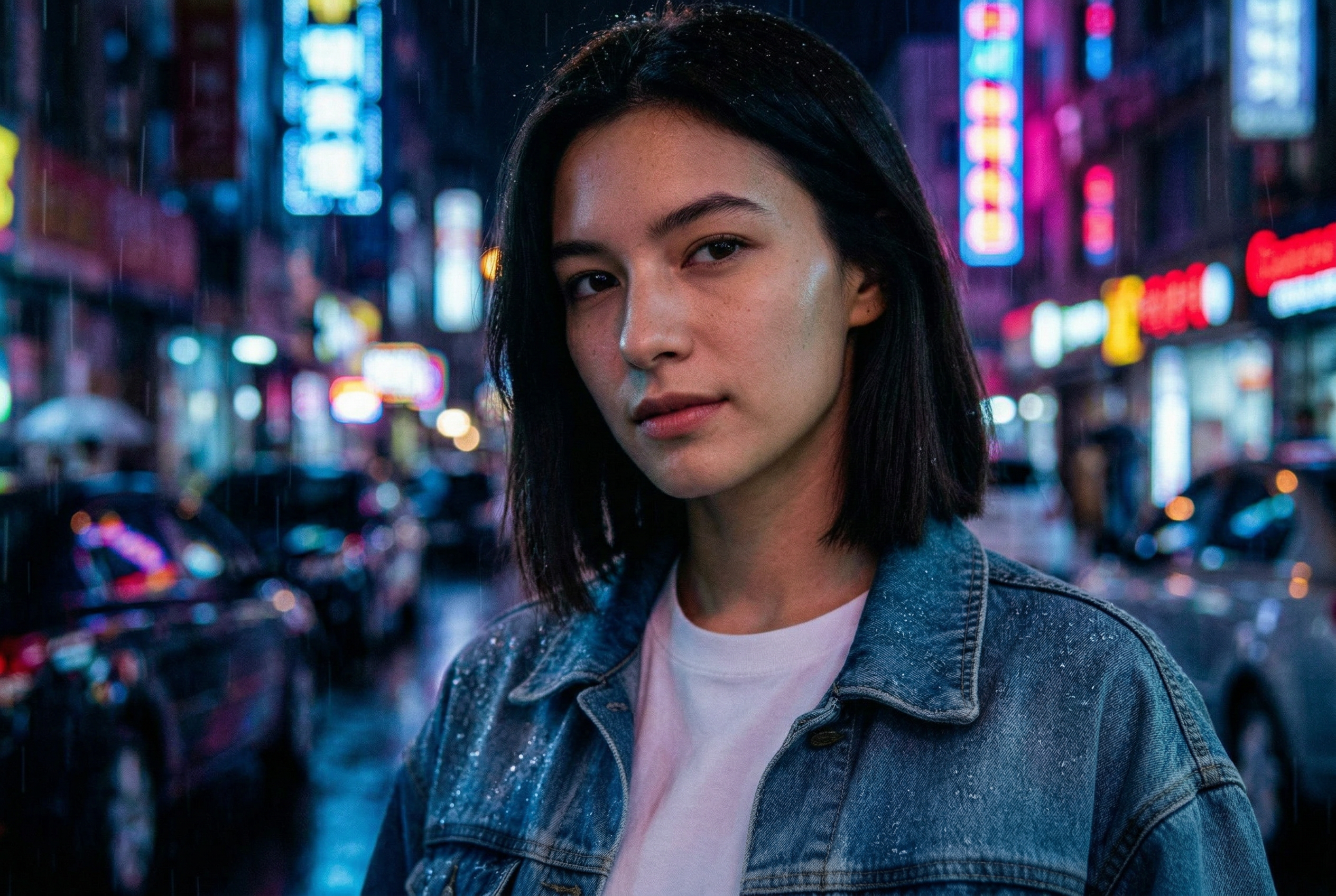 |
Quick take: lighting transfers look strong. Identity consistency depends on how specific the prompt stays about the face.
Test 3: remove object + replace surface
Prompt:
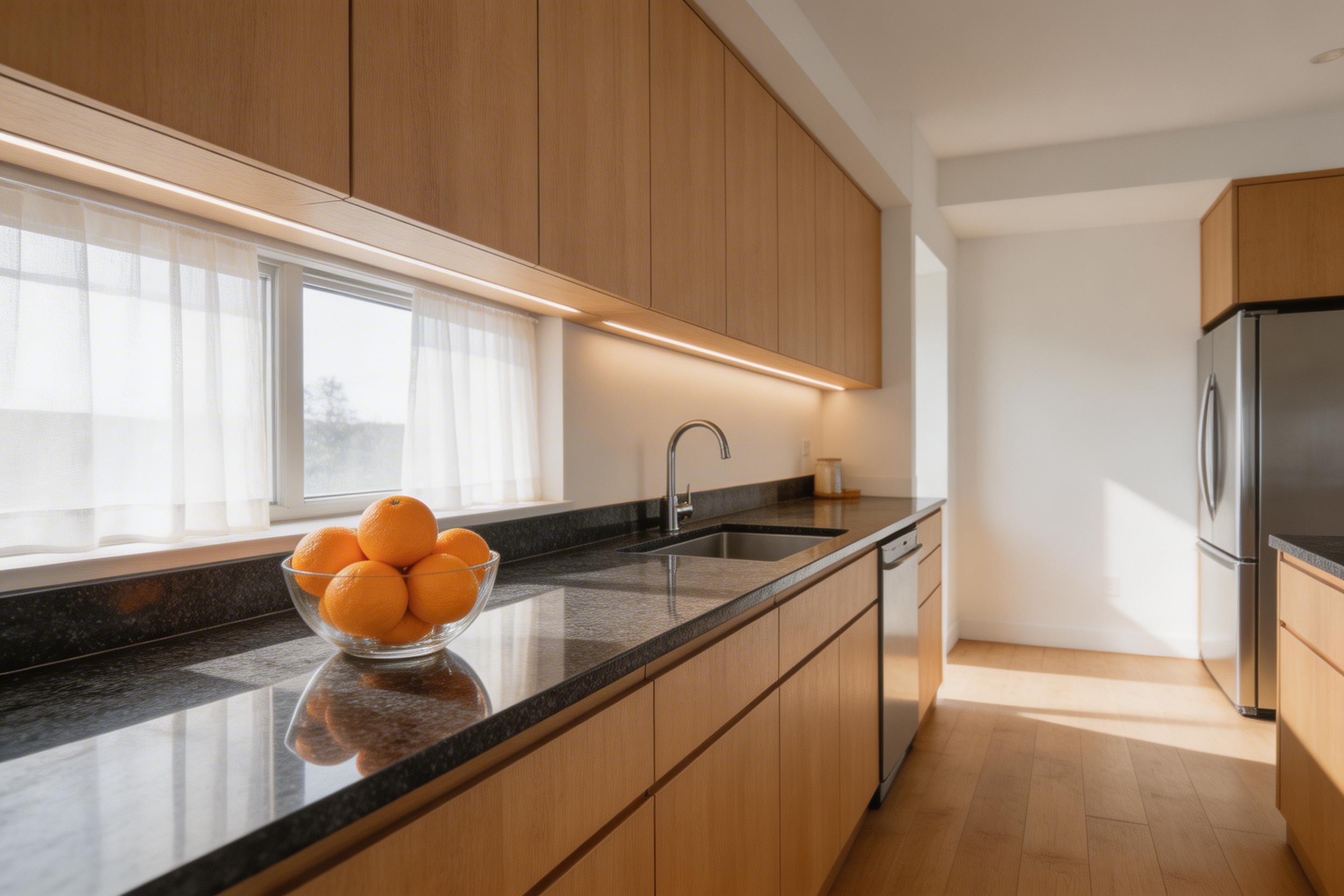
Replace the granite counter with white marble. Remove the bowl of oranges. Add a simple clear glass vase with white tulips. Keep the camera angle and room layout the same. Photorealistic.
| Input | Output |
|---|---|
 |
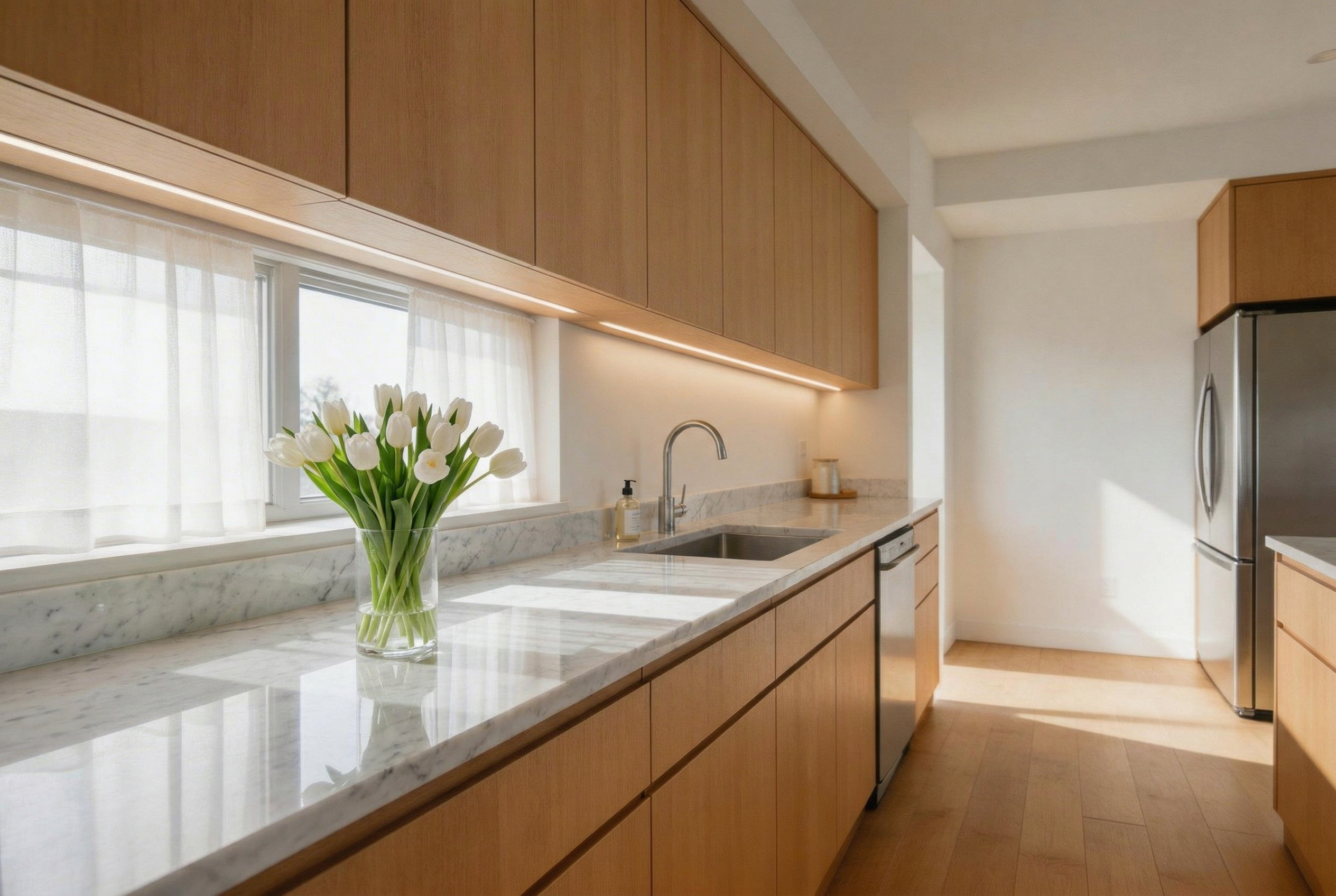 |
Quick take: object removal can leave small geometry artifacts near edges. Surfaces generally swap cleanly.
Test 4: recolor + add small decal
Prompt:
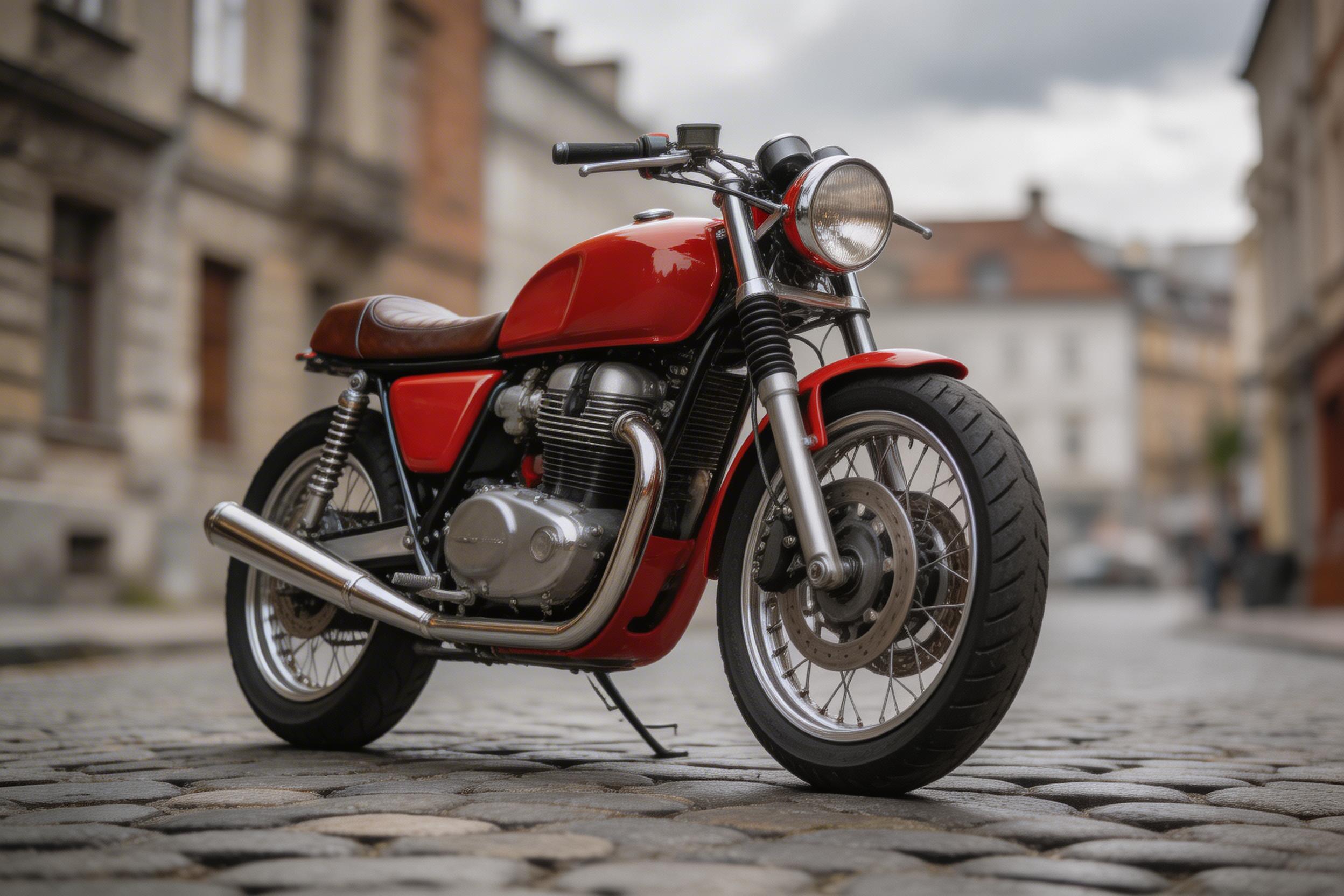
Change the motorcycle paint from red to matte black. Add a small white racing number 27 on the side panel. Keep everything else unchanged and preserve details. Photorealistic.
| Input | Output |
|---|---|
 |
 |
Quick take: color swaps are a sweet spot. Small decals can warp if the surface has strong curvature.
Test 5: food ingredient swap
Prompt:
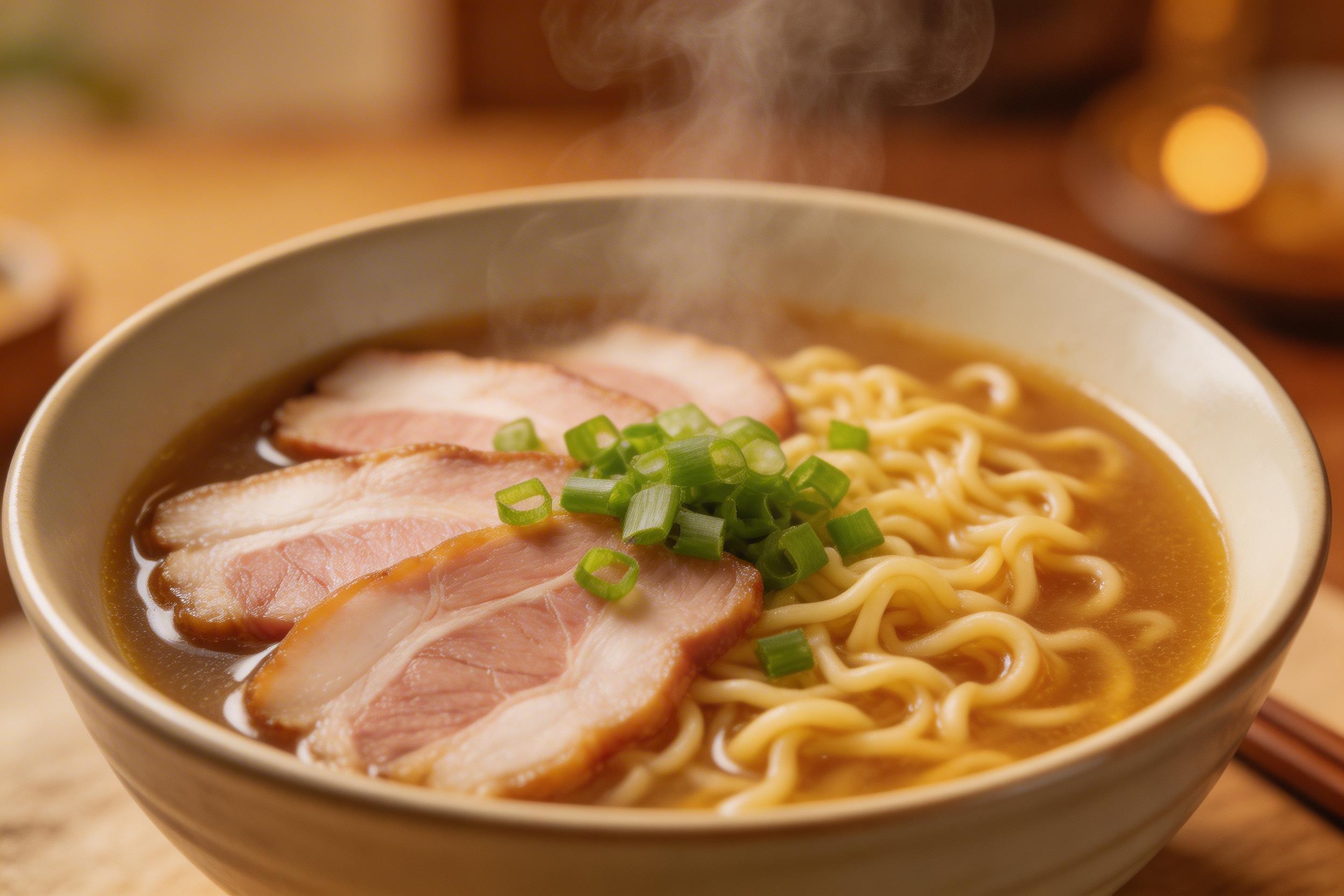
Make this bowl a vegan ramen. Remove the pork slices and replace them with tofu cubes and shiitake mushrooms. Keep the bowl, noodles, lighting, and composition similar. Photorealistic.
| Input | Output |
|---|---|
 |
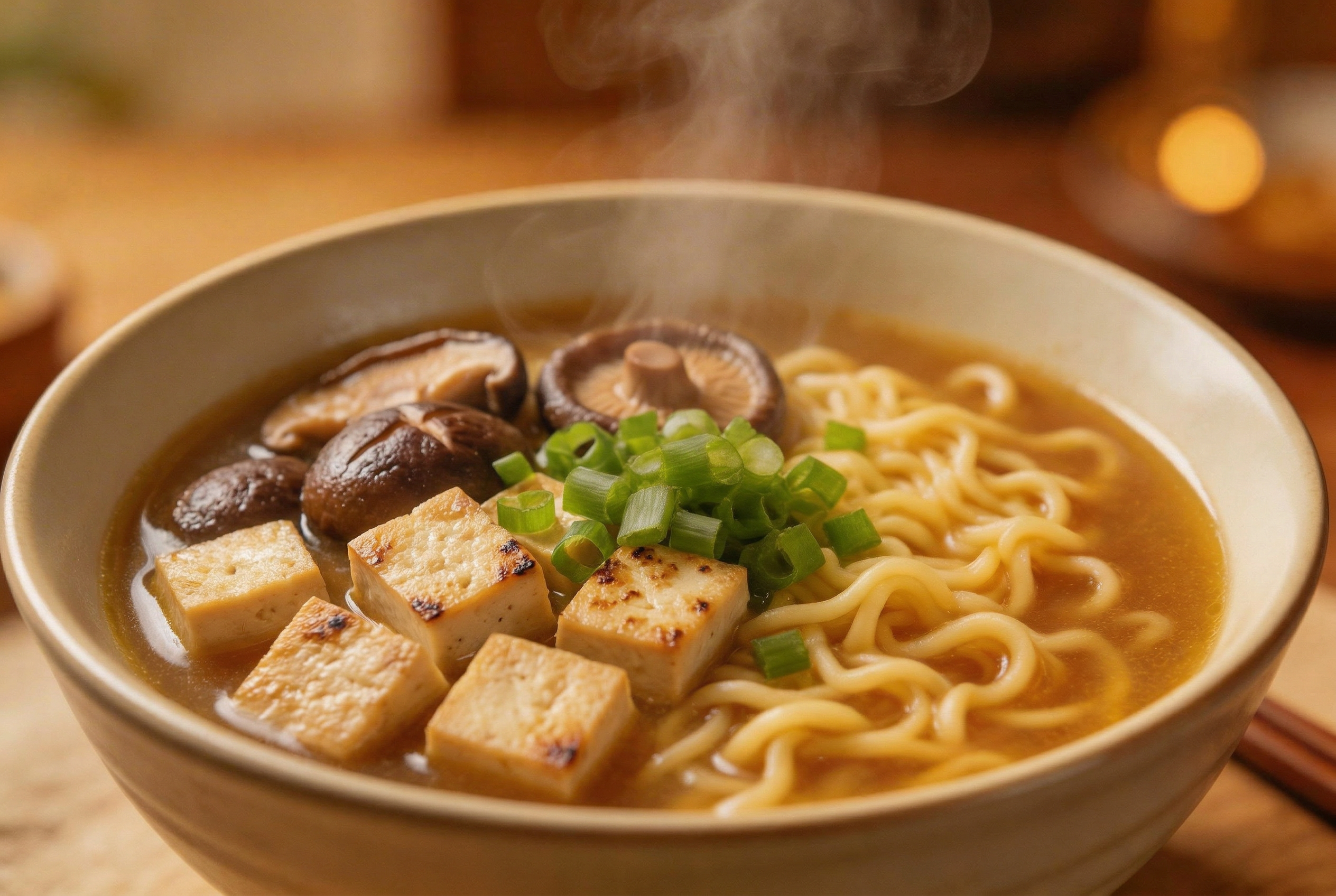 |
Quick take: ingredient swaps look good when the prompt names exact replacements. Garnish placement can drift.
Test 6: subject transfer to a new scene
Prompt:
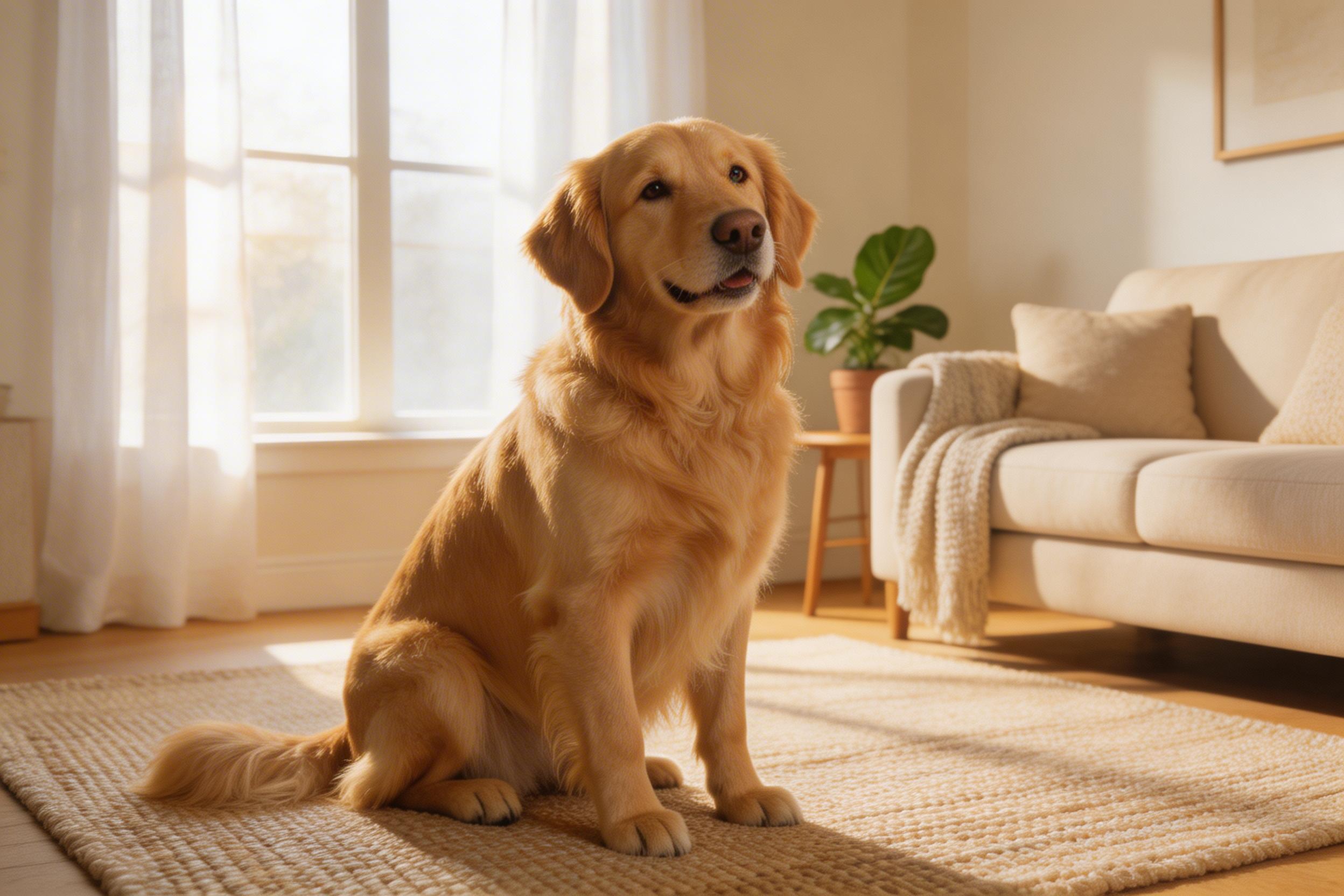
Move the dog to a snowy outdoor park. Add a red knitted scarf around its neck. Keep the same dog appearance, fur pattern, and face. Photorealistic.
| Input | Output |
|---|---|
 |
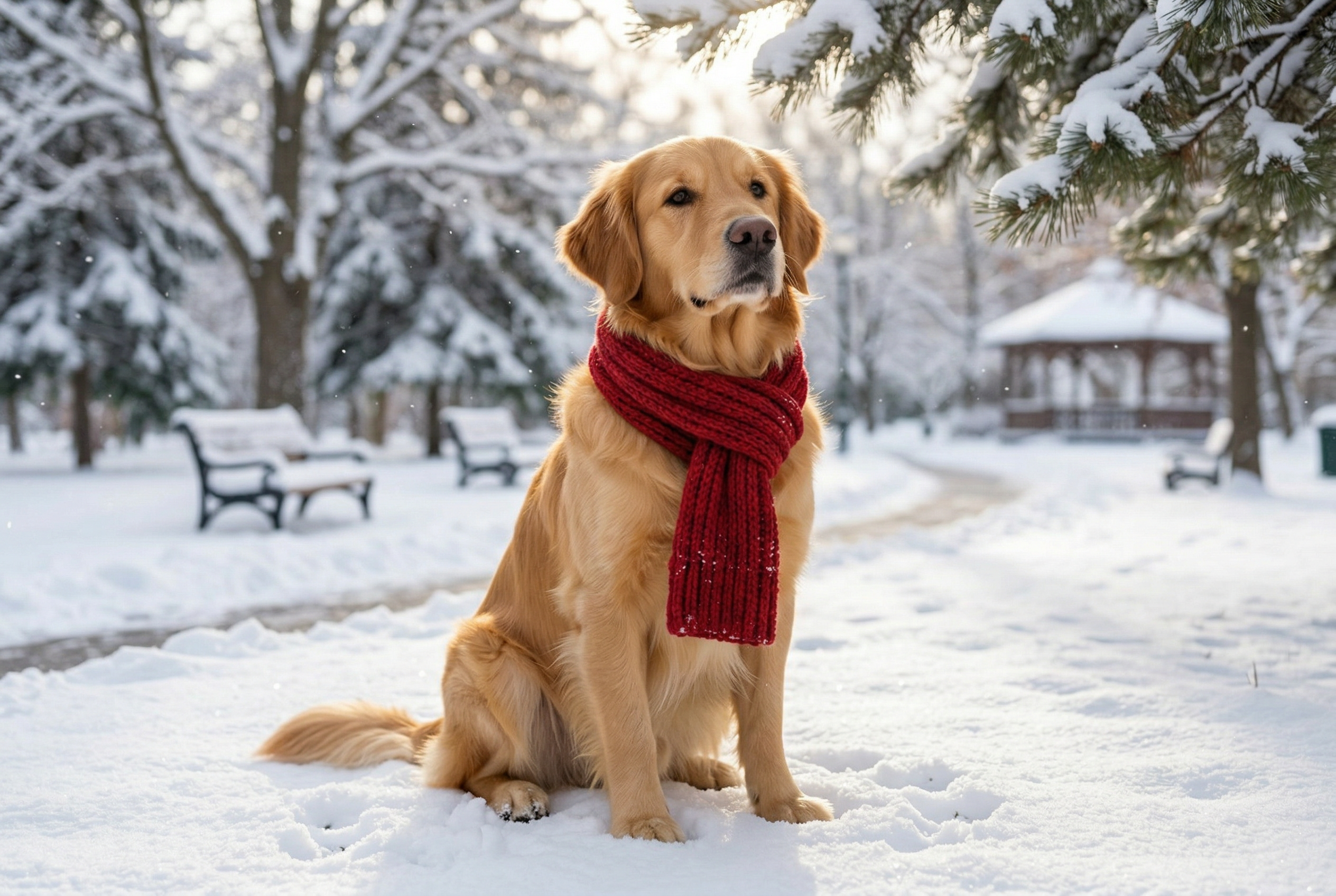 |
Quick take: full scene changes are the hardest case. Look for scarf placement and fur edge quality.
Takeaways
- Best results come from prompts that name specific objects and materials.
- Recolor and background changes feel reliable. Precise text rendering still needs verification.
- For product work, keep labels simple and add constraints like “keep lighting unchanged”.