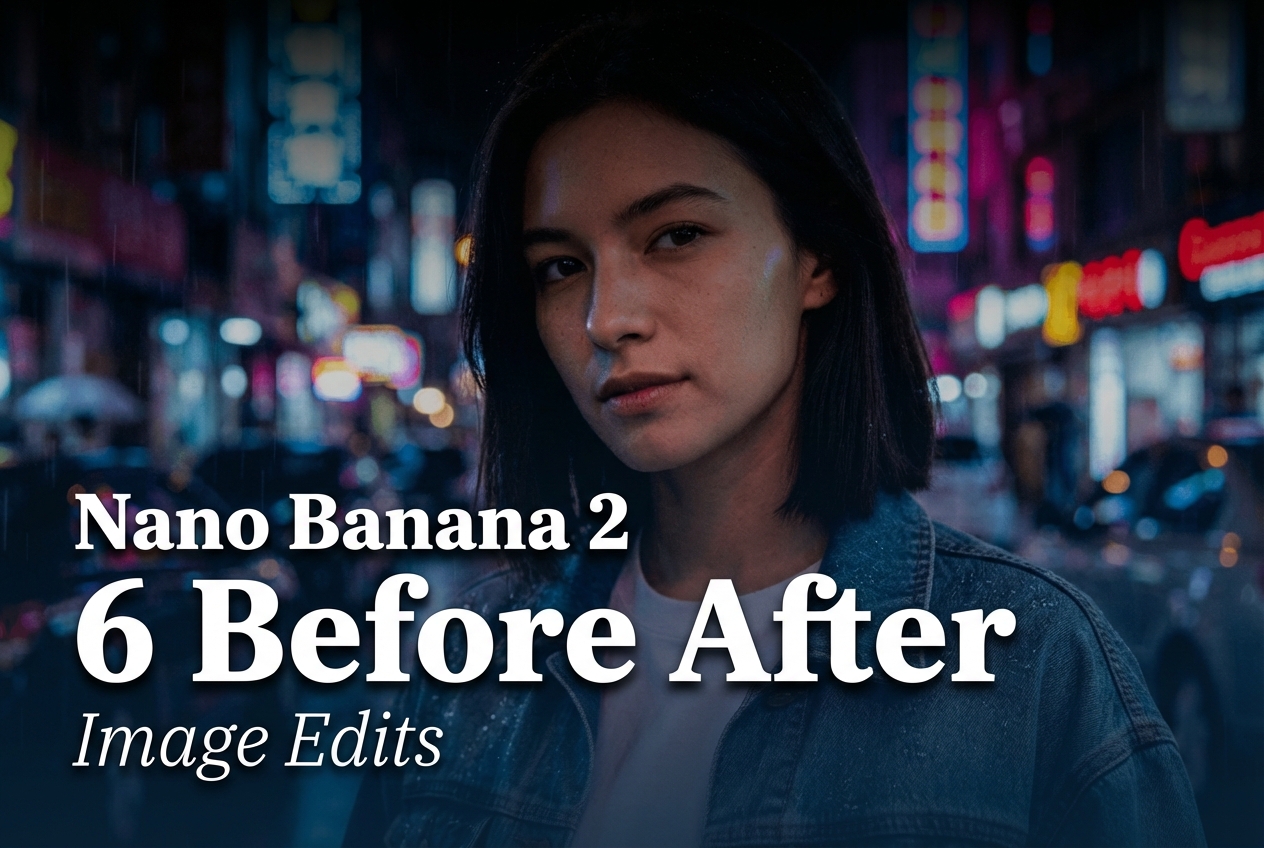
Nano-Banana-2 before/after image edits: what this six-image test checks
Nano-Banana-2 image edits were tested here as a reference-image workflow, not as a prompt-only gallery. Each case starts with one supplied photo, asks for a defined change, and checks whether the output preserves the subject, camera position, lighting logic, and surrounding detail that should stay put. The six requests cover a useful spread of real editing work: label text, a lighting and background change, object removal, product recolor, food replacement, and a full scene transfer.
The model page describes Nano-Banana-2 on Wiro as an image-editing tool that accepts reference images and a text prompt. It supports multi-image mixing and offers an aspect-ratio choice, resolution choices from 512 through 4K, and safety settings. For this published set, the input and output files are 3:2. The output files measure 2528 by 1696 pixels, which matches the documented 3:2 2K option. No manual retouching, masking, or cleanup was applied after generation.
Parameters, time, and cost
Each edit uses one input image plus one natural-language instruction. The documented default aspect ratio is Match Input Image, the default resolution is 1K, and the documented default safety setting is OFF. The delivered files in this post are 3:2 at 2K dimensions, so the saved outputs provide evidence of that final format. The model documentation does not publish a fixed per-output Wiro price or an execution time for this set, and no run record was retained with these published assets. Rather than infer either number from a different task, this post leaves runtime and cost unreported.
That matters when choosing a tool. File dimensions are observable; price and latency vary with the selected resolution, queue conditions, and account configuration. For a job that needs a hard budget or service-level target, run a representative reference image at the intended resolution and use that task record rather than treating a showcase output as a benchmark.
Results
Test 1: label text edit and material swap
Prompt: Edit the label text on the perfume bottle to read NOVA in clean engraved lettering. Change the cap to brushed gold. Keep moss background and lighting consistent. Photorealistic.
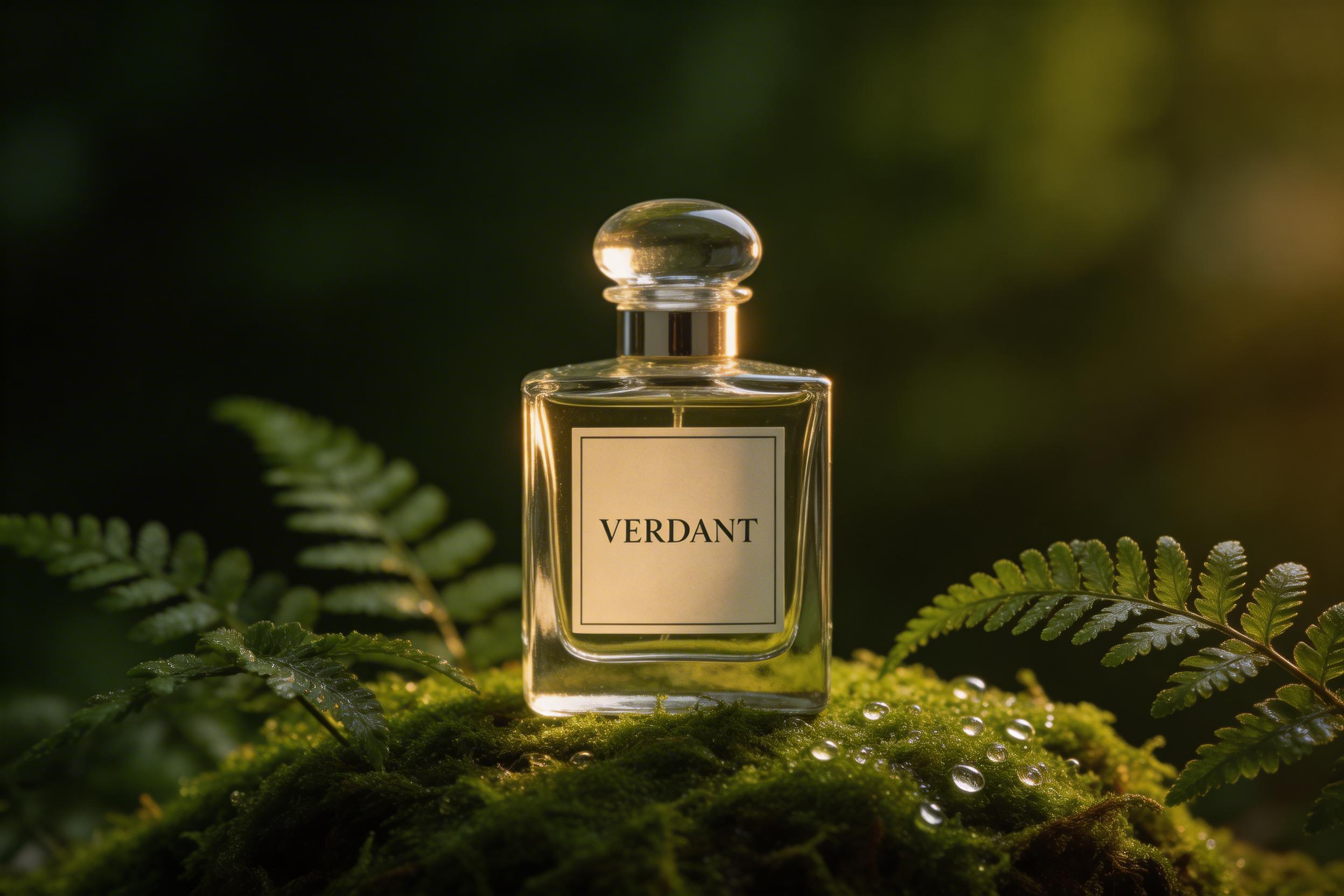
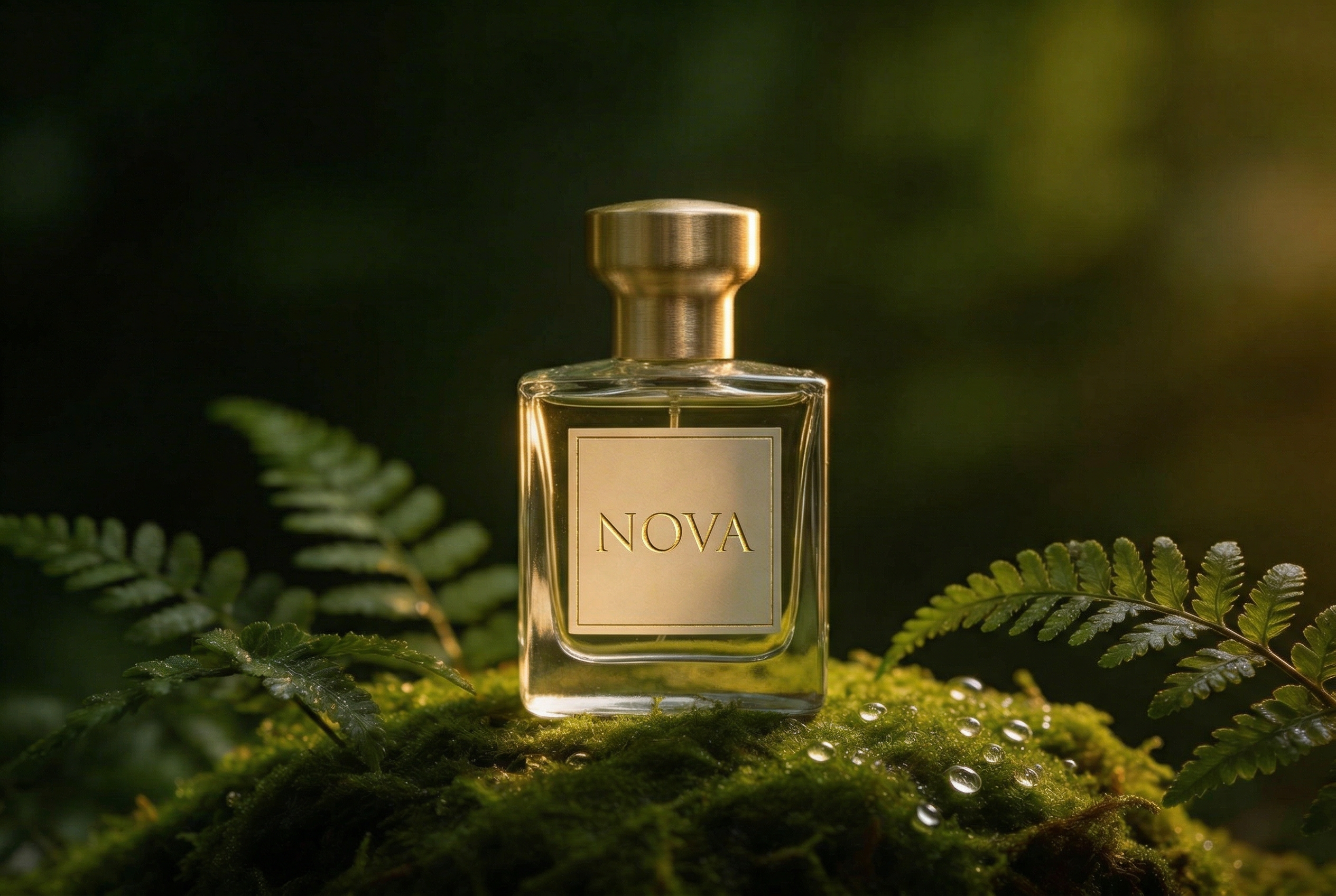
This is a compact test of two local edits. The output shows why flat, clean label areas are a practical target: the requested word has a defined surface to occupy, while the cap can change material without moving the bottle. Inspect letter spacing and engraving edges at full size before using this approach for packaging approval. Small text remains a verification point, not a guarantee.
Test 2: day-to-night conversion with rain
Prompt: Change the scene to a neon city street at night with rain. Add subtle raindrops on the denim jacket. Keep the same person identity and facial features. Natural skin texture. Cinematic lighting.
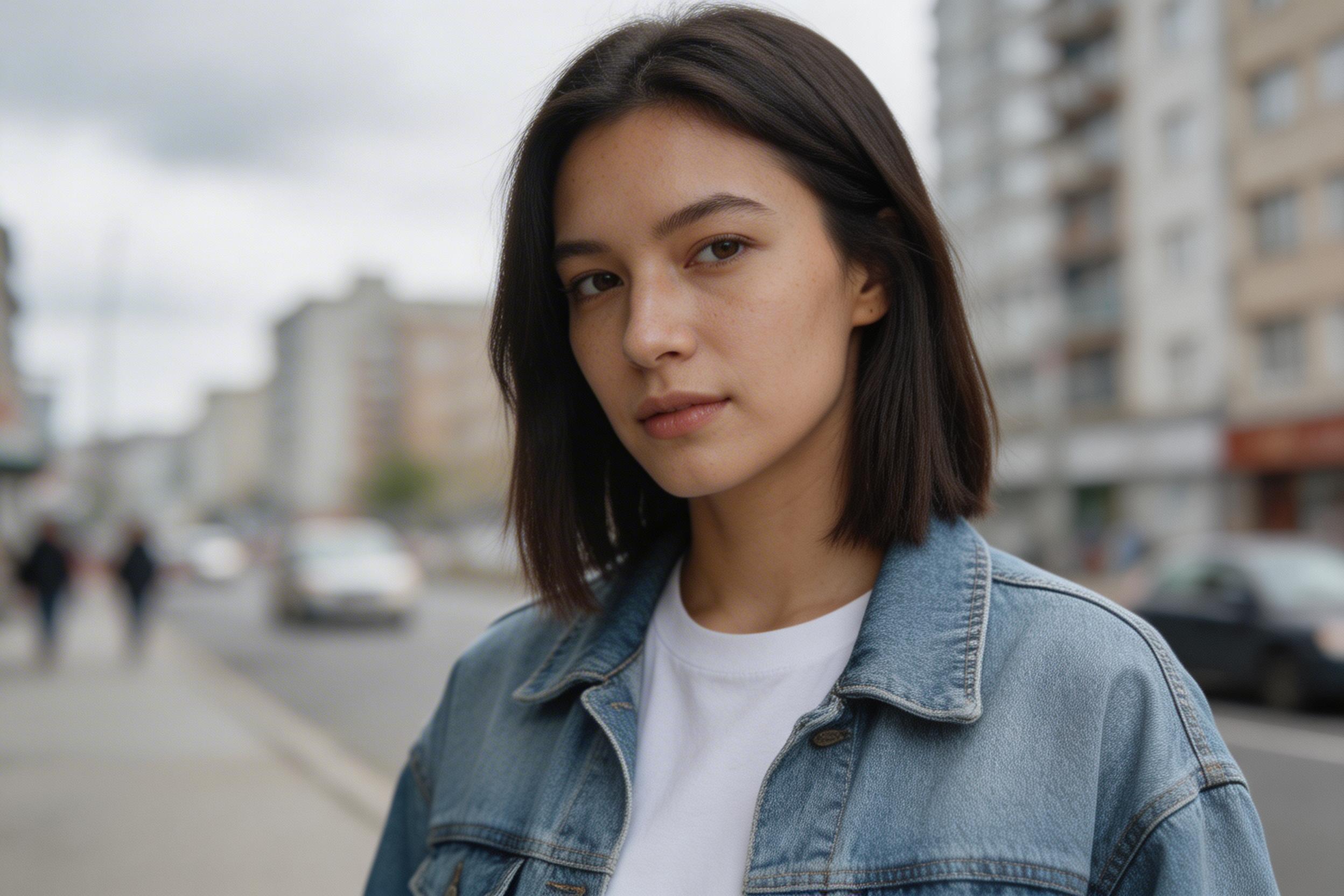
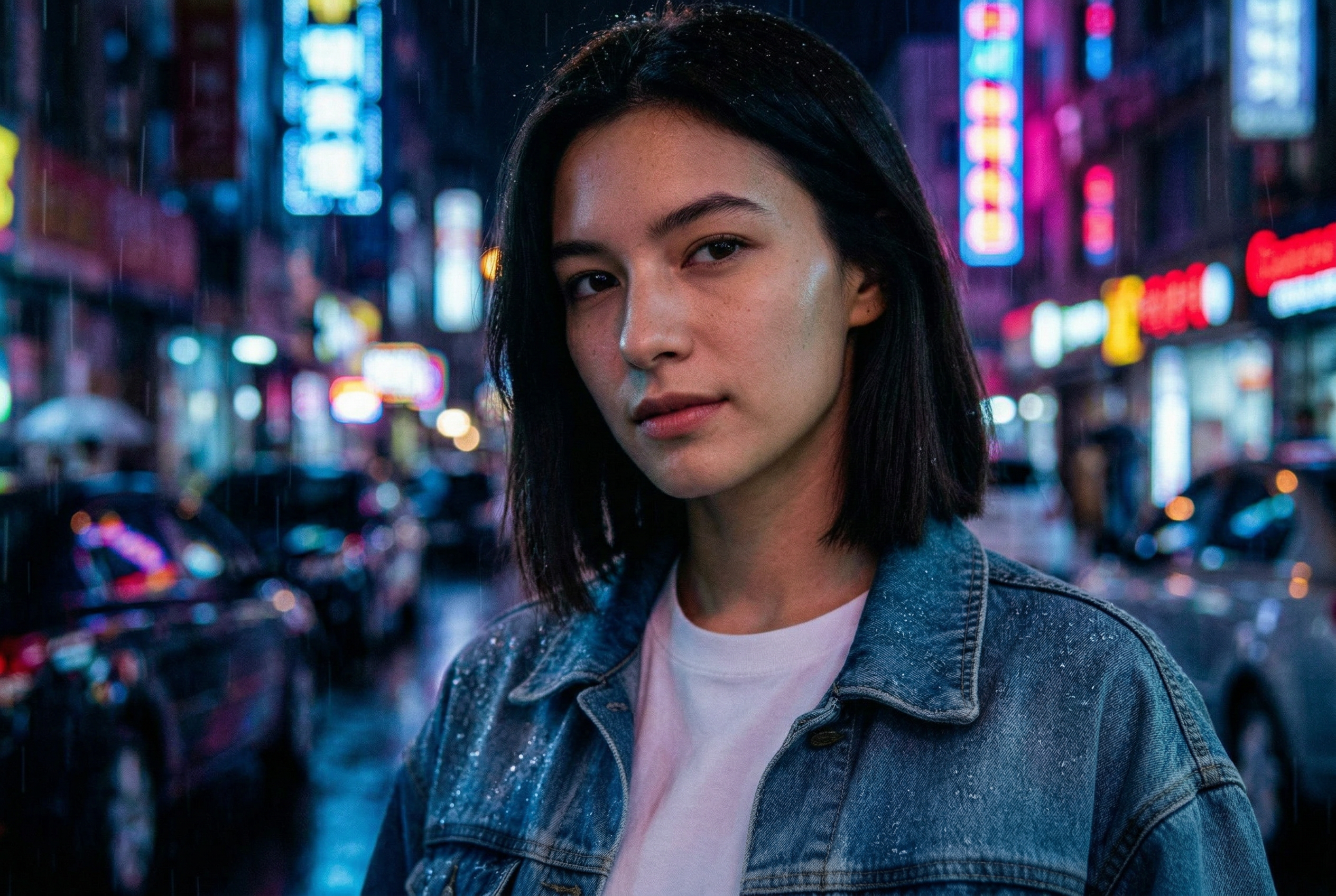
The output changes the broad lighting story, background, and weather together. That makes it a harder request than a simple recolor. The useful reading is not whether every pixel stayed fixed, but whether the face still reads as the same person and whether jacket, skin, and ambient light belong in one scene. Use explicit identity constraints when the reference person matters, then review facial details closely.
Test 3: remove an object and replace a surface
Prompt: Replace the granite counter with white marble. Remove the bowl of oranges. Add a simple clear glass vase with white tulips. Keep the camera angle and room layout the same. Photorealistic.
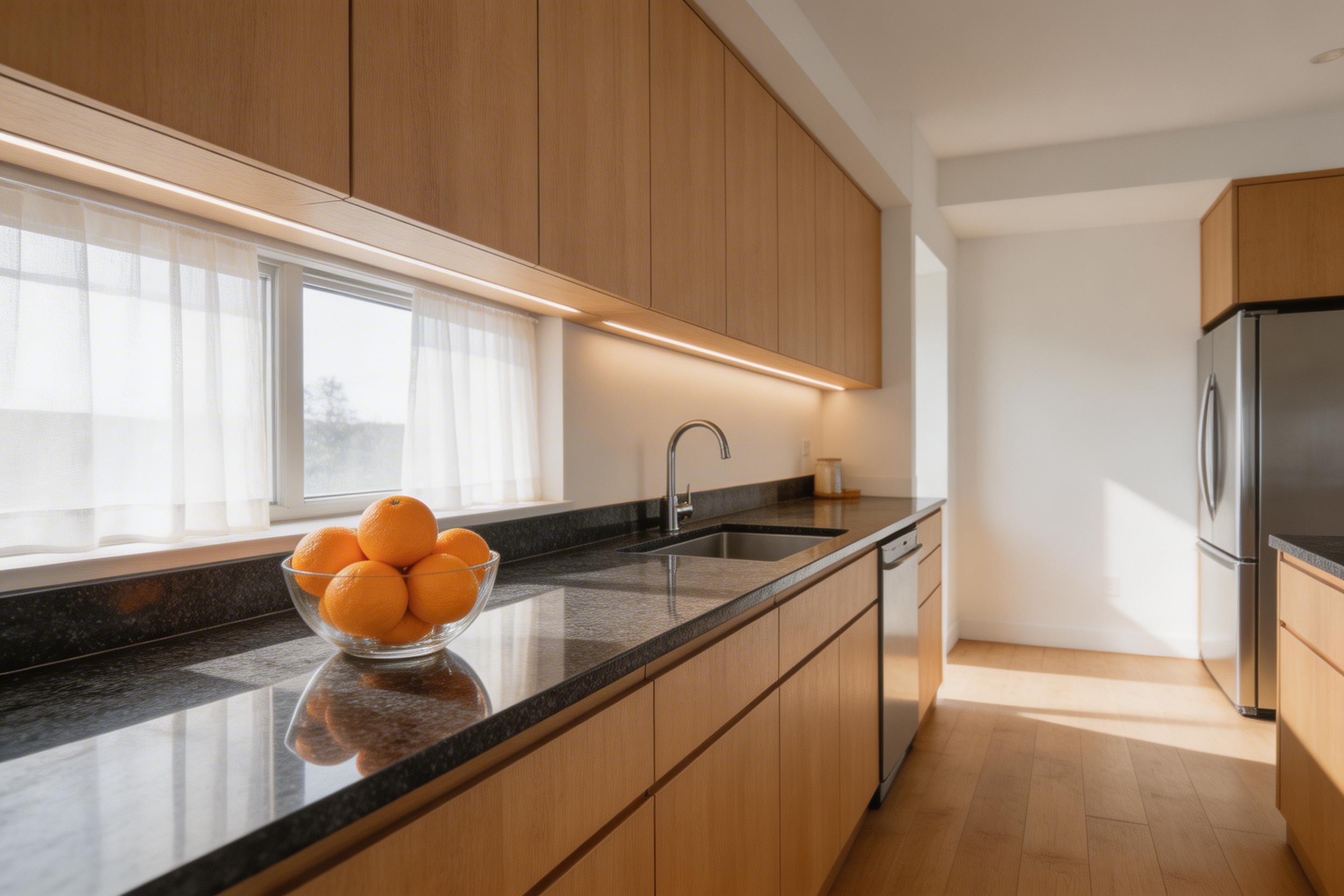
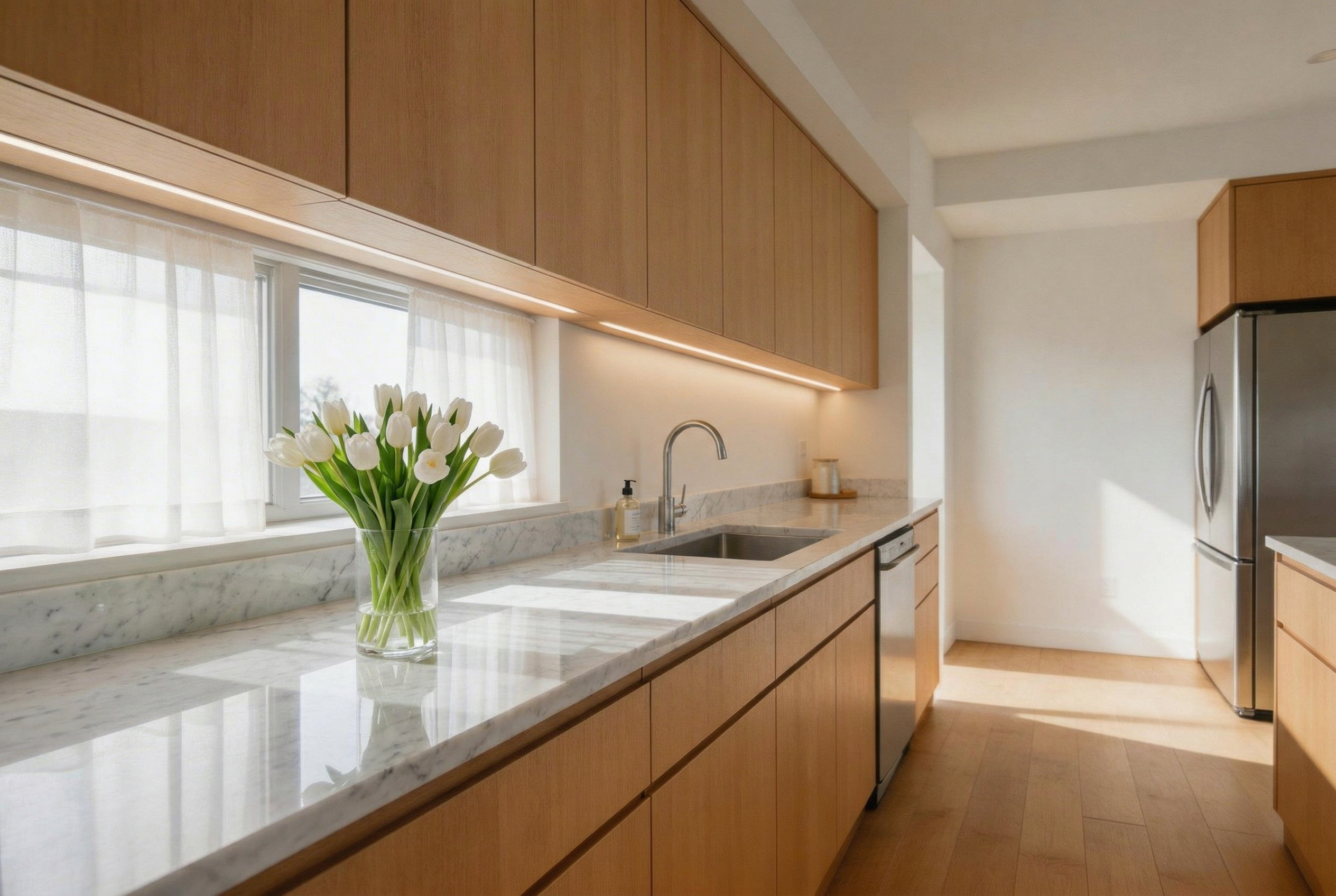
This test asks for removal, replacement, and addition in a single pass. The composition and room geometry provide anchors for the edit. The marble swap reads cleanly at a scene level, while boundary areas are where an editor should look for unexpected geometry or reflection changes. This is a good fit for early product-staging concepts; a production listing still needs a close review of edge detail.
Test 4: motorcycle recolor and small decal
Prompt: Change the motorcycle paint from red to matte black. Add a small white racing number 27 on the side panel. Keep everything else unchanged and preserve details. Photorealistic.
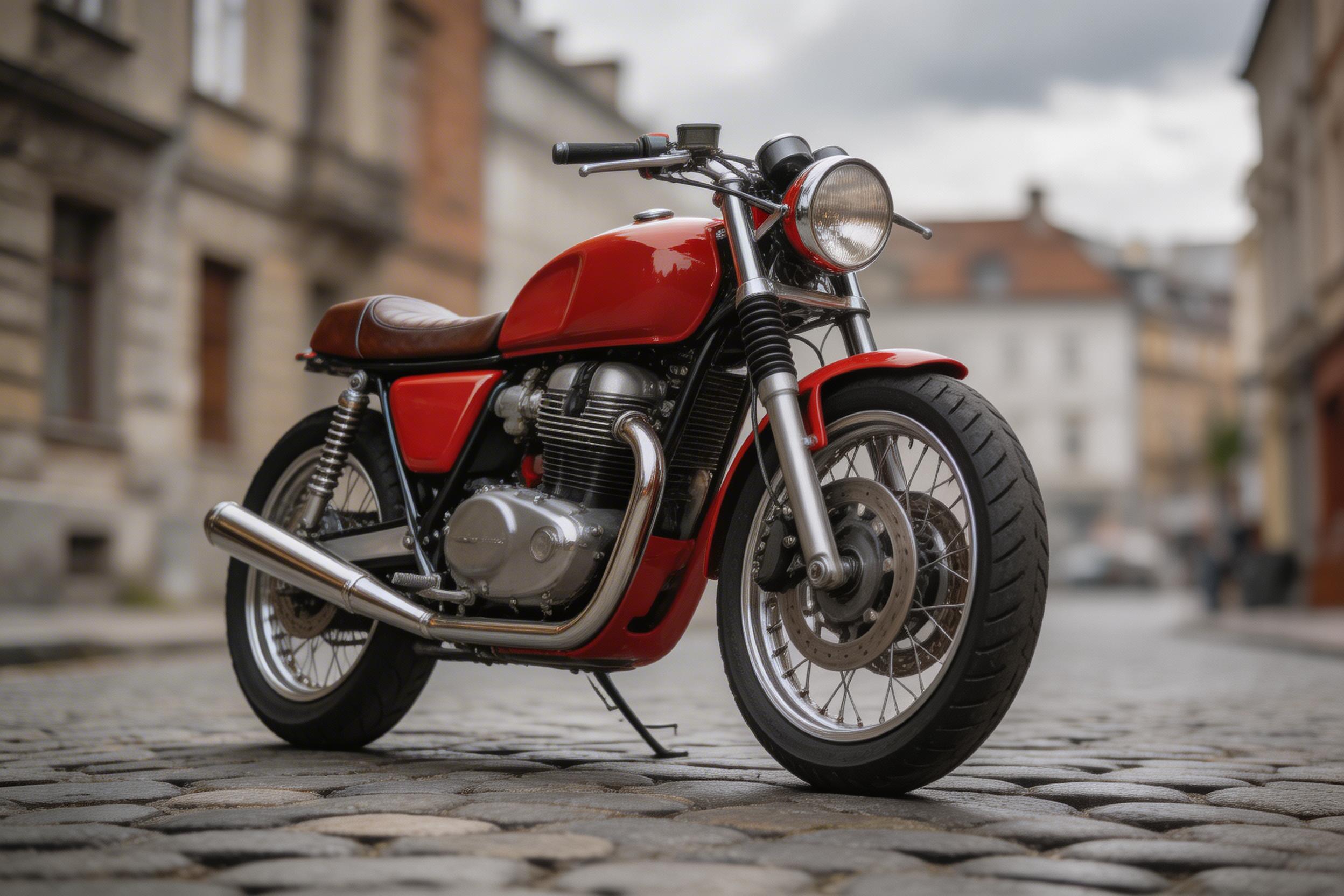

Recoloring is the clearest success case in the group because it changes a large, well-defined surface without changing the object itself. The small number adds a useful stress test. It needs to follow a curved panel and stay proportionate. Pick this workflow for alternate colorways, mood boards, and concept reviews. For a regulated logo or exact type treatment, treat the generated decal as a visual draft and replace it with approved artwork afterward.
Test 5: food ingredient swap
Prompt: Make this bowl a vegan ramen. Remove the pork slices and replace them with tofu cubes and shiitake mushrooms. Keep the bowl, noodles, lighting, and composition similar. Photorealistic.
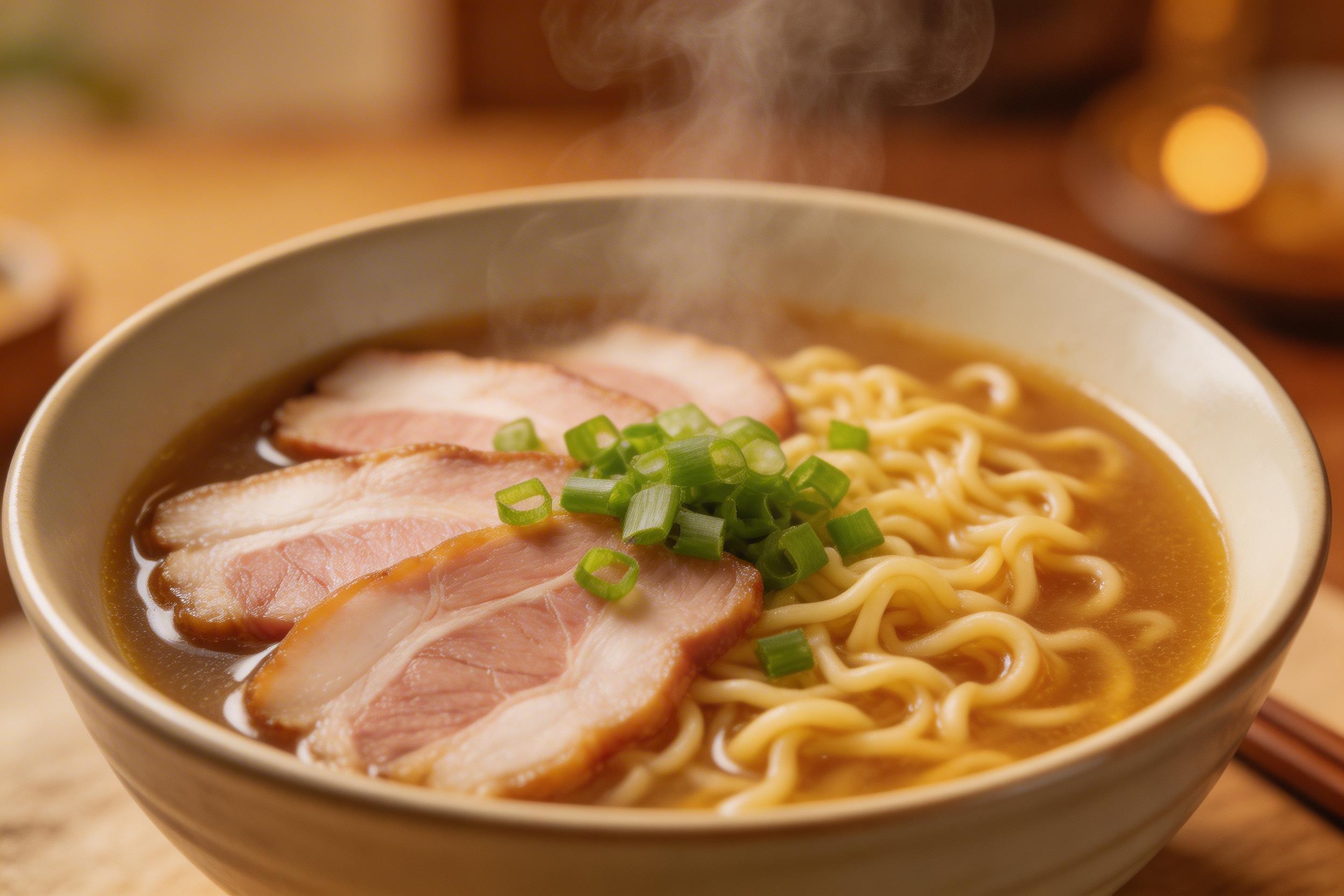
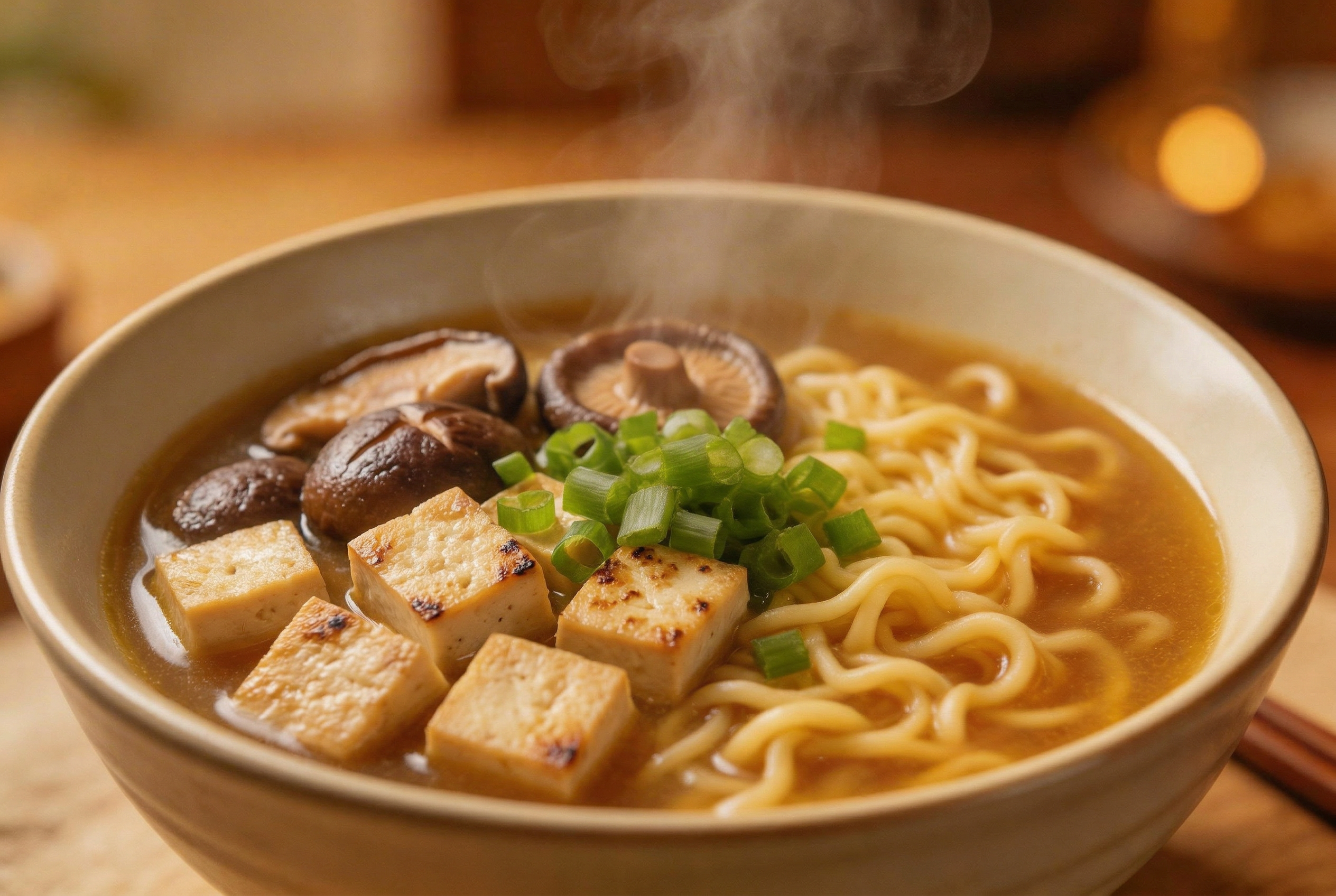
Food edits benefit from naming both the thing to remove and its replacement. Here, the bowl, noodles, light, and composition act as constraints, while tofu and shiitake define the new content. The output shows the intended ingredient change, but garnish placement and ingredient count can drift. Use this model when the goal is a believable menu concept, not a nutrition or ingredient claim.
Test 6: move a subject into a new scene
Prompt: Move the dog to a snowy outdoor park. Add a red knitted scarf around its neck. Keep the same dog appearance, fur pattern, and face. Photorealistic.
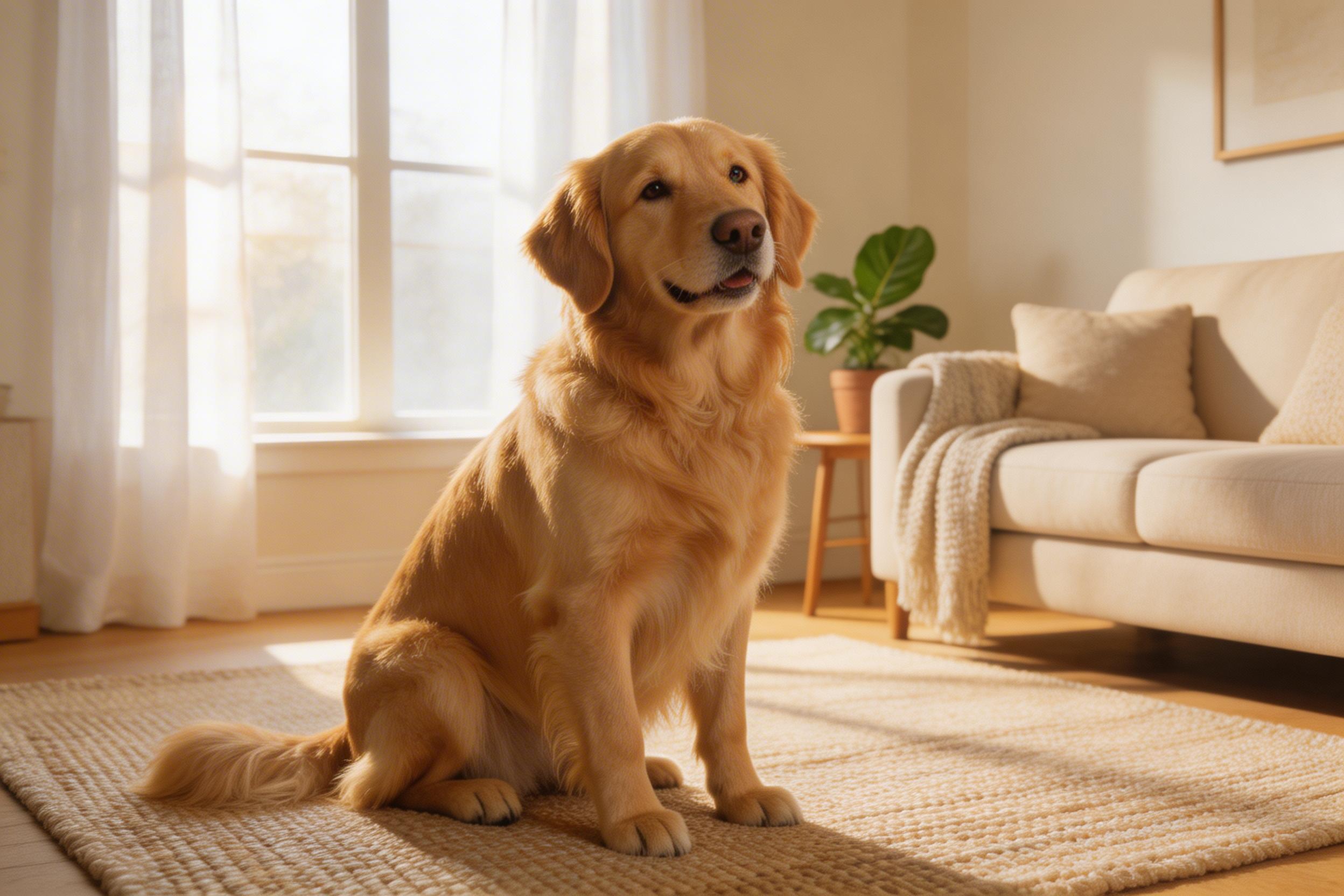

Full scene transfer is the most demanding category here. It asks the model to preserve fur pattern and face while inventing snow, outdoor light, and an accessory that touches the subject. The output makes the requested move, but fur edges, scarf contact points, and identity are the places to inspect. Choose this mode for campaign concepts or social variants. Keep the request narrower when a client needs the reference subject to remain nearly unchanged.
When Nano-Banana-2 is the right pick
Choose Nano-Banana-2 when a reference image provides the composition and the edit can be described plainly: recolor a product, replace a named object, move a scene from day to night, or create an alternate food or lifestyle concept. Start with one principal change, then add preservation constraints such as keep camera angle, keep lighting, or keep face and fur pattern. That phrasing makes review easier because it separates the intended change from the parts that should remain stable.
Pick a conventional layer-based editor instead when exact typography, trademark artwork, legal product claims, or pixel-level retouching must survive unchanged. For a broader model comparison, see these product-photo image editing tests, Nano Banana versus Nano Banana Pro, and six GPT Image 2 tests.
Source and model page
Google’s Gemini 2.5 Flash Image announcement describes the Nano Banana family as supporting image blending, character consistency, and targeted natural-language transformations. Run the documented configuration through Nano-Banana-2 on Wiro with a representative reference image before committing a production workflow.