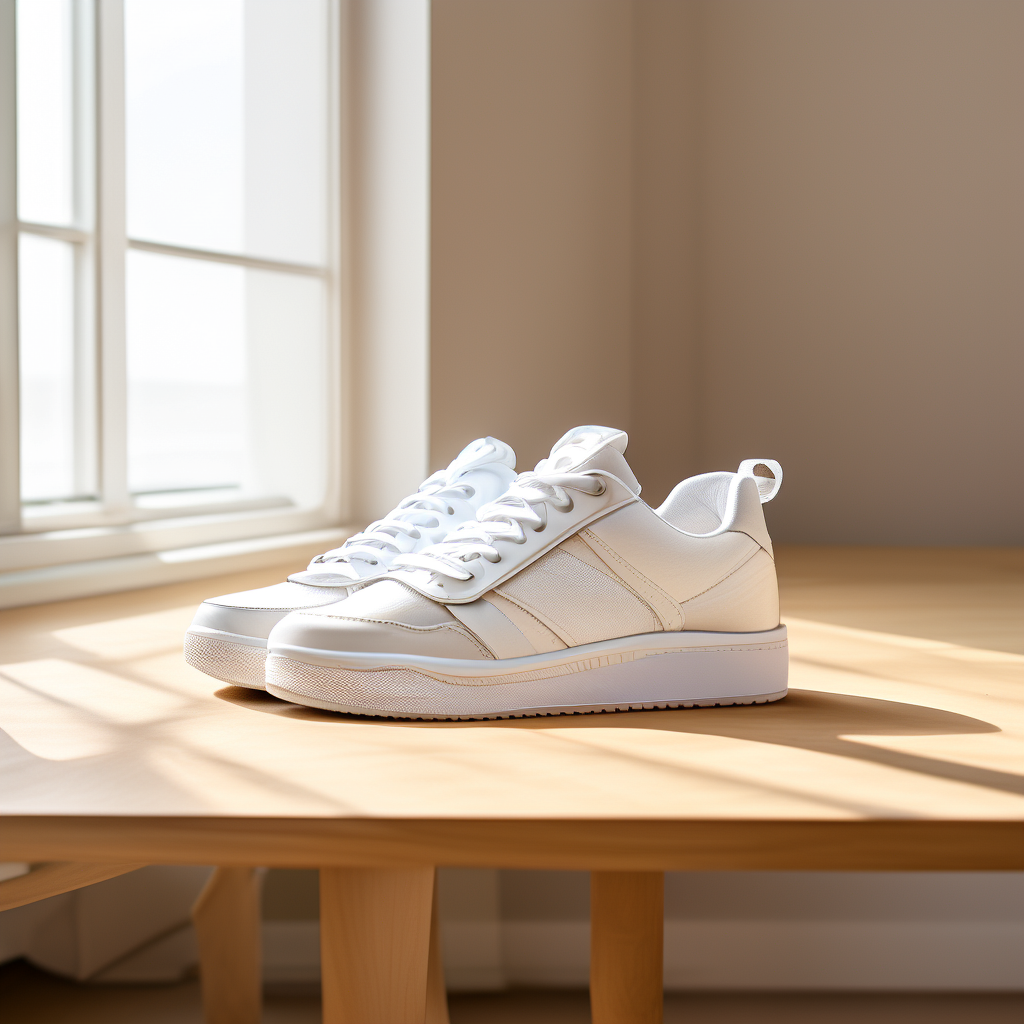
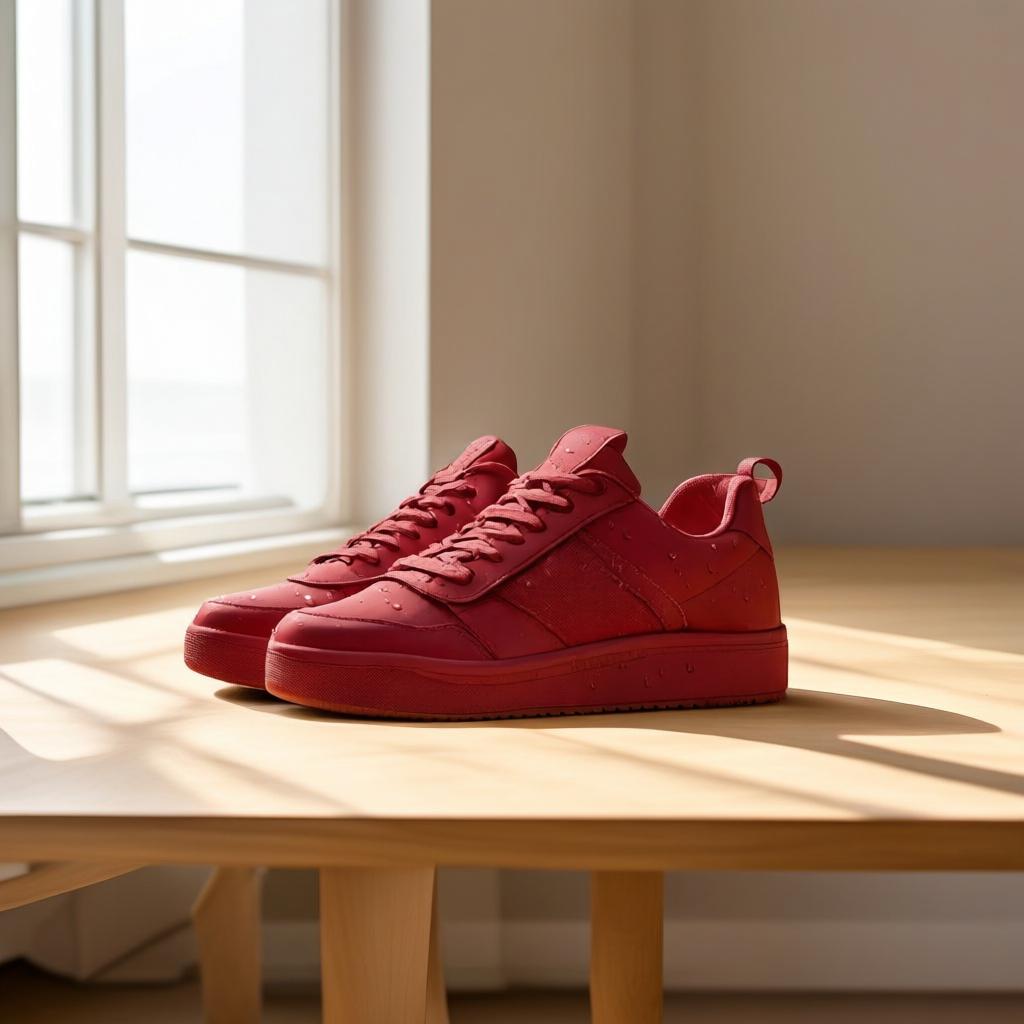
These image edit APIs were tested on one product-photo brief: turn white sneakers matte red, add realistic water droplets to the leather, and leave the composition, lighting, and light-oak desk unchanged. That combination checks more than recoloring. A useful product editor must change the requested material and surface detail without moving the shoe, rebuilding the desk, or changing the light direction.
What the product-photo test checks
The input is a square studio shot of clean white sneakers on a light oak desk. It has soft window light from the left, shallow depth of field, and visible leather, laces, eyelets, sole edges, and wood grain. The edit asks for two local changes: a matte-red leather finish and believable droplets. Everything else is a constraint. A result can look attractive and still fail the task if the shoe shape, desk texture, shadow, camera angle, or background changes.
Models tested
- FireRed-Image-Edit-1.1
- Nano-Banana-2
- Qwen Image Edit Plus (Pruna)
- Image Edit General (Wiro)
- DreamOmni2
One edit prompt, five outputs
Edit prompt: Change the sneaker color to matte red. Add realistic water droplets on the leather. Keep composition, lighting, and background unchanged.
The prompt is intentionally short. It separates the requested changes from the protected parts of the image. It does not ask for a new scene, a new camera angle, or a style change. For catalog work, that makes deviations easy to spot.
FireRed-Image-Edit-1.1: strongest preservation-first option
The FireRed output keeps the sneaker silhouette and the desk scene close to the input. The red treatment stays on the leather rather than becoming a broad color cast, and the droplets read as surface detail instead of haze. This is the most useful behavior when the original product image already has approved framing and lighting. The model exposes a 1024 by 1024 default, 30 inference steps, guidance scale 1.5, one sample, and a controllable seed. Those controls make it the most tunable entry in this group for repeatable batch work.
In this test, FireRed took 161 seconds. That is slow beside the API-style tools here, but the wait makes sense when preserving product identity matters more than rapid variations. FireRed’s public repository describes the 1.1 release as improving identity consistency, multi-image conditioning, and specialized edits. No current per-output Wiro price is stated in the model documentation, so no cost has been inferred.
Nano-Banana-2: fast and flexible, with more global influence
Nano-Banana-2 completes the requested recolor and visible droplet treatment quickly, but it is more willing to reinterpret the whole image. That can help for a campaign variant, where a slightly fresher overall look is welcome. It needs extra checking for catalog replacement work because a global tonal shift can make a SKU look inconsistent beside the original listing photos.
Its documented controls are built for that flexibility: one or more reference images, an explicit output aspect ratio, 512, 1K, 2K, or 4K resolution, and a safety setting. This test used the matching square format and completed in 19 seconds. Pick it when speed, reference mixing, or a specific delivery ratio matters more than pixel-level conservatism. Google documents the wider image-generation and editing workflow, but this post avoids claiming a provider price because the Wiro model documentation does not state one.
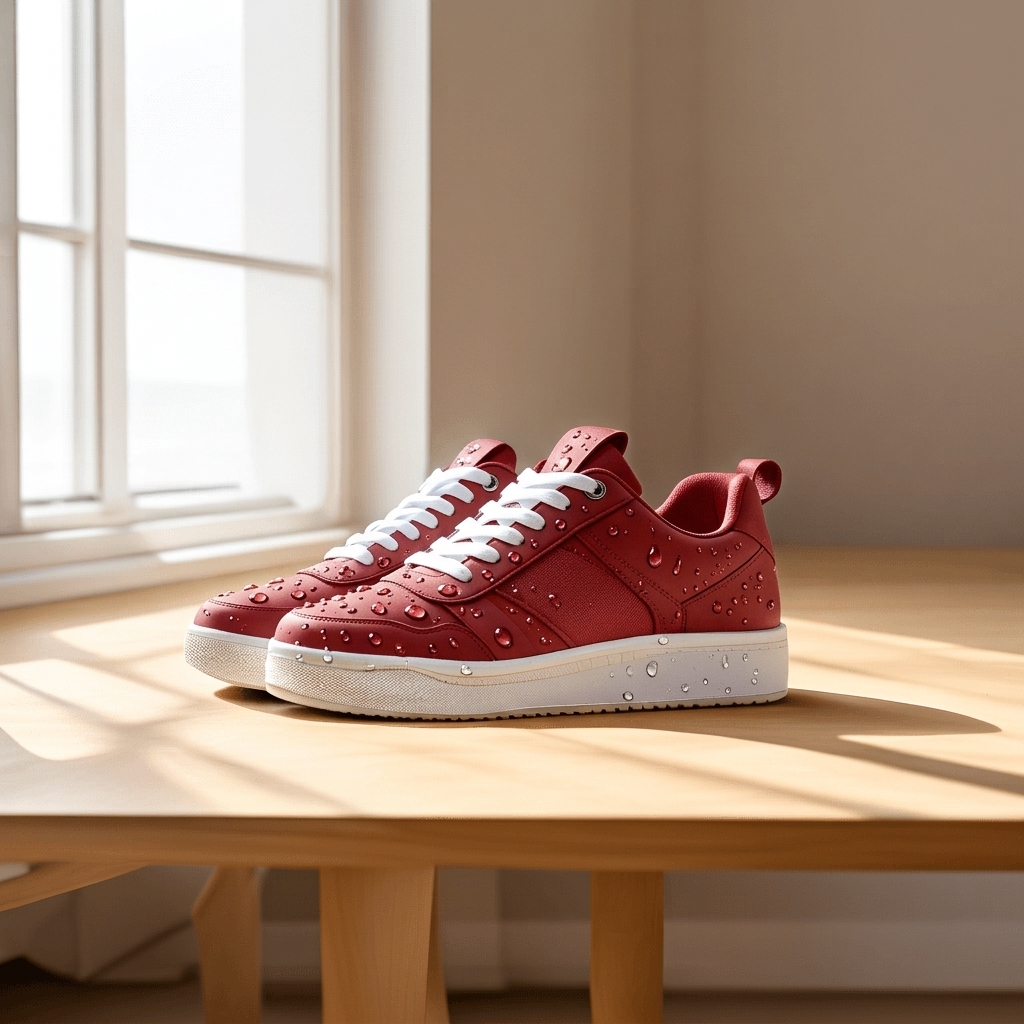
Qwen Image Edit Plus: balanced prompt-led product adjustment
Qwen Image Edit Plus holds the original scene together well. The red leather and droplets are present, while the shoe remains recognizably the same product. Fine boundaries can look softer than in the FireRed result, so inspect stitching, logos, sole seams, and cutout edges at the intended storefront size. The model accepts up to two input images, which is useful when a second reference supplies a color, fabric, or accessory.
For this output, the documented settings were match-input-image aspect ratio, seed 0 for a randomized seed, PNG output, and output quality 100. It finished in 17 seconds. The underlying Qwen Image Edit announcement distinguishes appearance edits from semantic edits; this sneaker brief is an appearance edit because only the color and droplets should move. Choose this model for prompt-driven merchandise changes that need a good balance of speed and restraint.
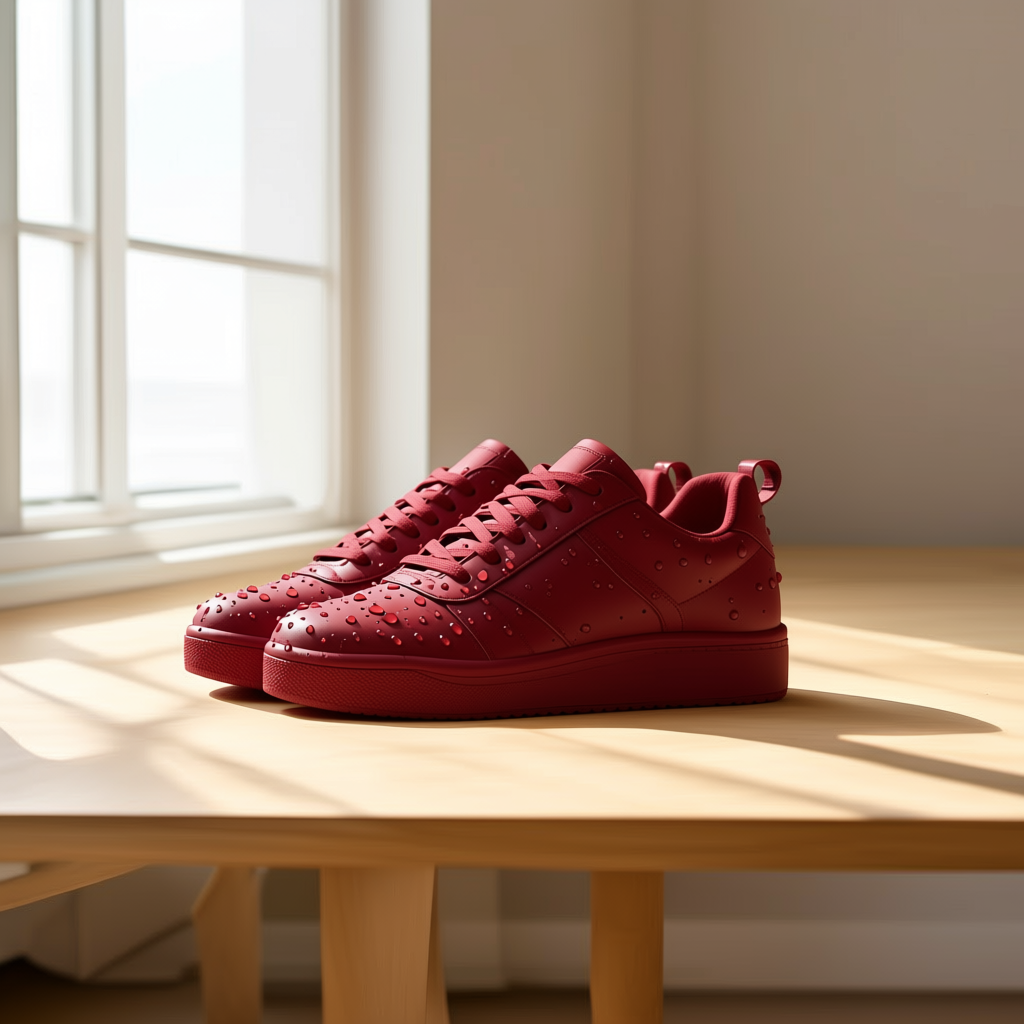
Image Edit General: minimal setup for small fixes
Image Edit General has the shortest interface in the group: an optional list of input image URLs or files plus a prompt. The output makes a clean, direct recolor and keeps the frame stable enough for a straightforward product adjustment. There are no documented controls for output size, seed, steps, or guidance in this model’s Wiro page, so it is better treated as a simple edit endpoint than a tightly parameterized production pipeline.
It completed this run in 12 seconds, the fastest recorded result. Use it for small fixes, quick color variations, and early review rounds. Move to a model with more controls if an asset must match an existing color-management, resolution, or reproducibility process.
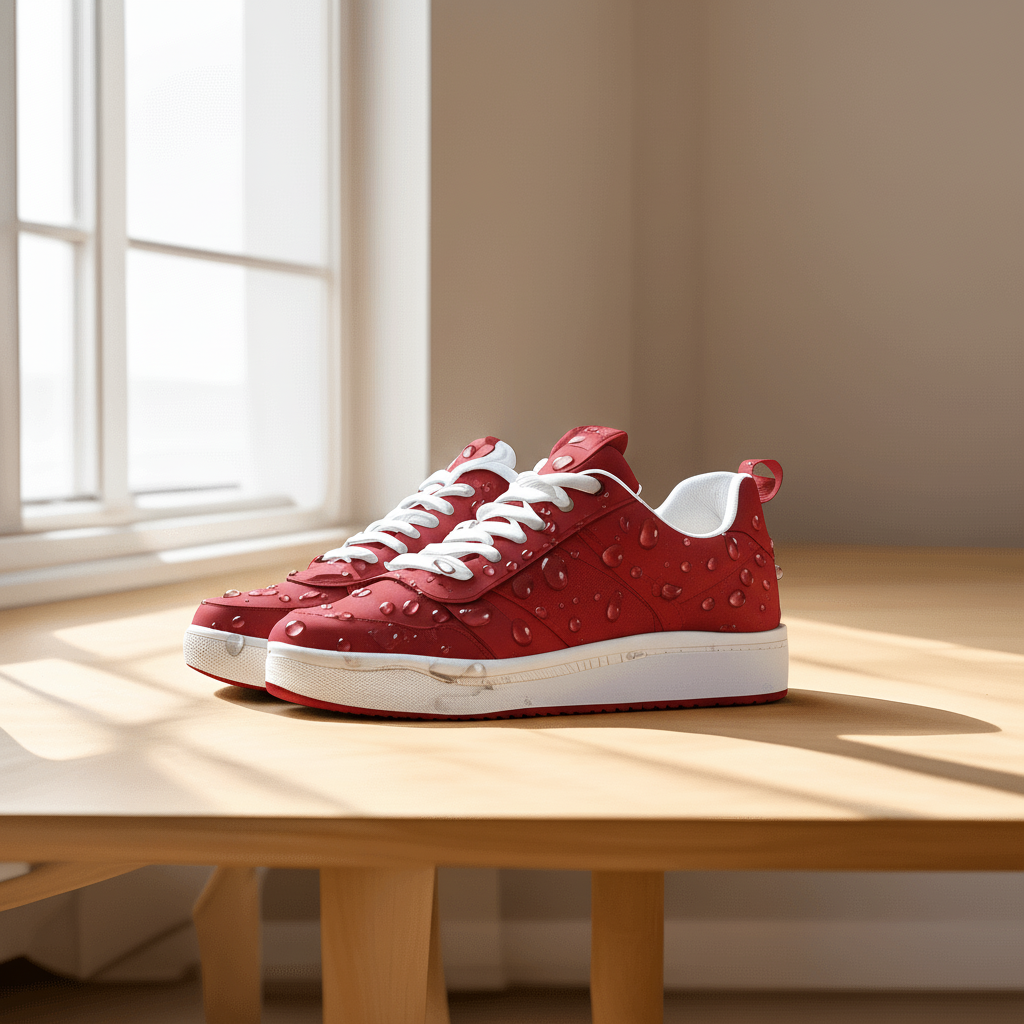
DreamOmni2: use when the brief grows beyond a local touch-up
DreamOmni2 handles the requested changes, but it has more room to drift from the protected background when realism is pushed. That is not always a defect. The model supports one or more image inputs and is documented for changes to objects, lighting, textures, and style. Its examples include combining subjects and transferring patterns, so it fits briefs that need composition or reference-image work rather than a strict catalog-safe retouch.
The documented defaults are 25 steps and guidance scale 3.5. This test took 135 seconds. Choose DreamOmni2 when a product shoot needs a larger transformation or multiple visual references. For a simple recolor on an approved product frame, the slower turnaround and greater chance of scene drift make it less direct than the faster tools above.
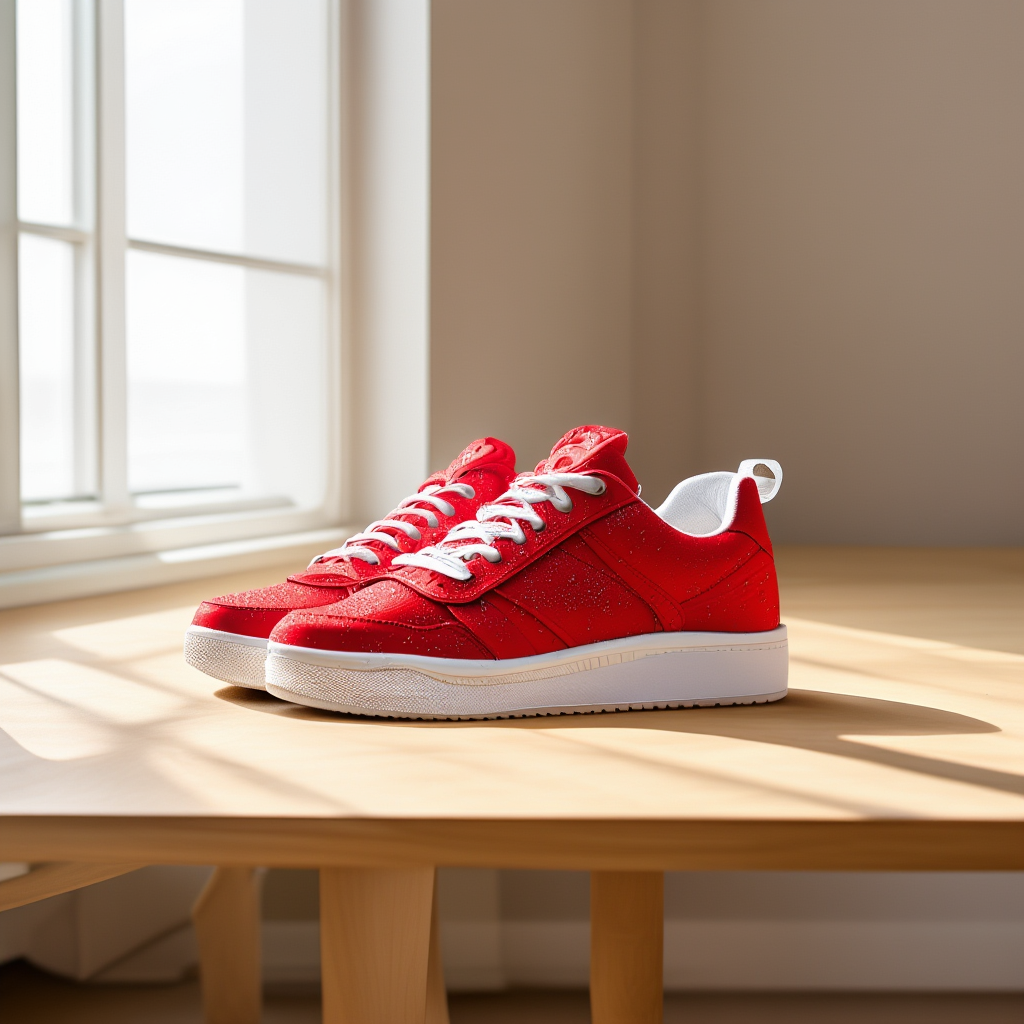
Parameters, timing, and cost disclosure
| Model | Relevant documented parameters | Elapsed time in this test | Best fit |
|---|---|---|---|
| FireRed-Image-Edit-1.1 | Steps 30, scale 1.5, seed 0, 1024 x 1024, one sample | 161 seconds | Identity-sensitive, controlled edits |
| Nano-Banana-2 | Reference images, aspect ratio, 1K resolution, safety OFF | 19 seconds | Fast variants and reference mixing |
| Qwen Image Edit Plus | Up to two inputs, match-input-image, seed 0, PNG, quality 100 | 17 seconds | Balanced product adjustments |
| Image Edit General | Input image list and prompt | 12 seconds | Quick, simple retouches |
| DreamOmni2 | One or more inputs, steps 25, scale 3.5 | 135 seconds | Broader transformations and multi-image work |
Times are the observed elapsed seconds from this one square-image run, not a service-level promise. Queue conditions, image size, input count, and selected parameters can change them. The five Wiro documentation pages list inputs and defaults but do not state a current per-output price, so this comparison does not invent costs.
Which image edit API should you pick?
Start with FireRed-Image-Edit-1.1 if keeping the product and scene stable is the main requirement. Pick Qwen Image Edit Plus when the job needs a fast, well-balanced appearance edit or a second reference image. Choose Nano-Banana-2 for rapid creative variants, aspect-ratio control, or multi-reference composition. Use Image Edit General for low-friction fixes that do not need tuning. Reserve DreamOmni2 for bigger visual changes where a few extra seconds and a wider edit radius are acceptable.
For more product-work examples, see FireRed Image Edit vs Seedream V5 Lite, Qwen Image Edit Fast: 6 Quick Before/After Edits, and Before and After: 3 Product Photo Edits.