Top 5 Viral Photo Effects APIs: one selfie test
This viral photo effects API test used one synthetic studio selfie to check a simple question: what does each tool actually do to a face when the result has to be a short, shareable clip? The input stayed controlled: a fictional woman, neutral gray backdrop, soft key light, natural skin texture, mid-shot framing, and direct eye contact. That makes it easier to spot identity drift, broken hands, awkward transitions, and effects that overwhelm the subject.
What the test checked
The goal was not to crown one general video model. These are preset-led photo effects APIs, so the useful comparison is control versus spectacle. The test looked at face retention, whether the selected effect arrives quickly, how much input setup each model needs, and whether the clip is suitable for a social post, promotion, or a paired-photo moment. Two source portraits appear below: the first is neutral; the second has a slight head tilt and smile. The original media remains in place because it shows the starting point for every transformation.
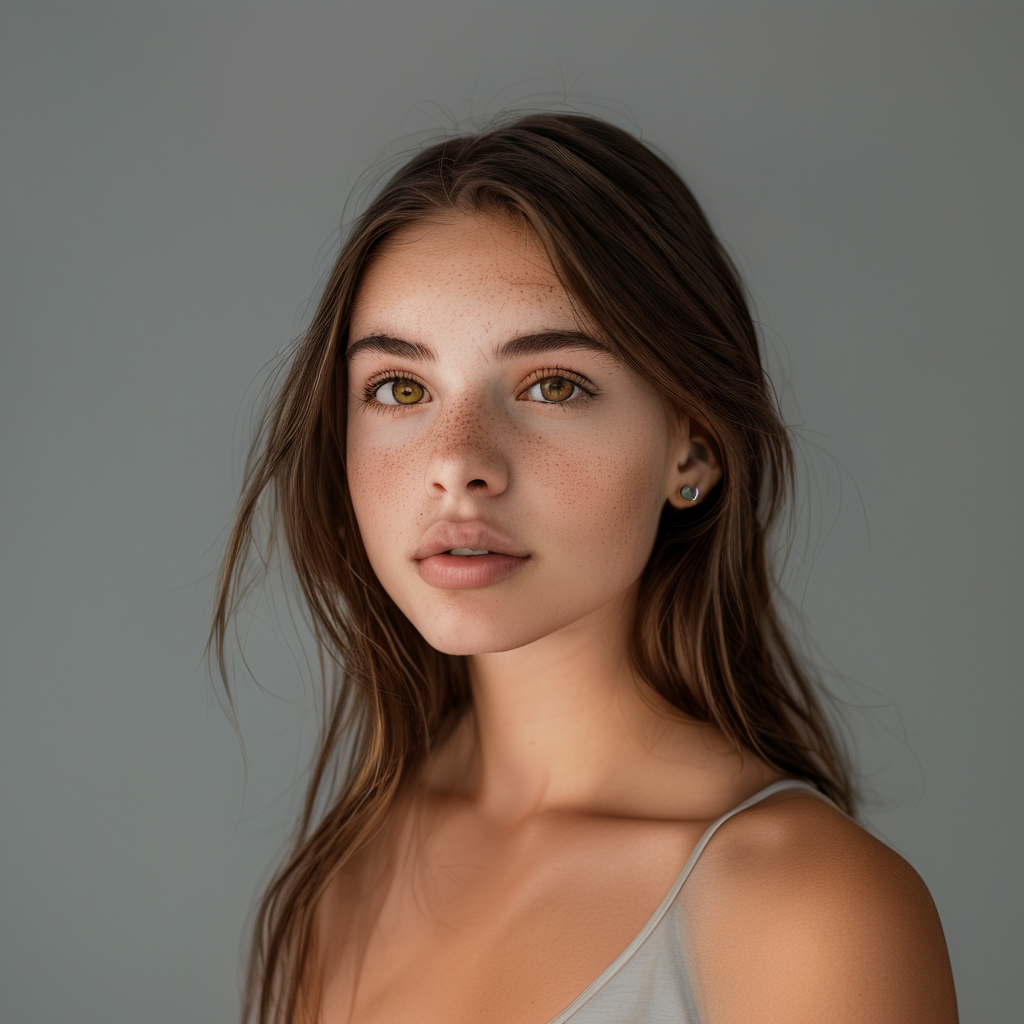
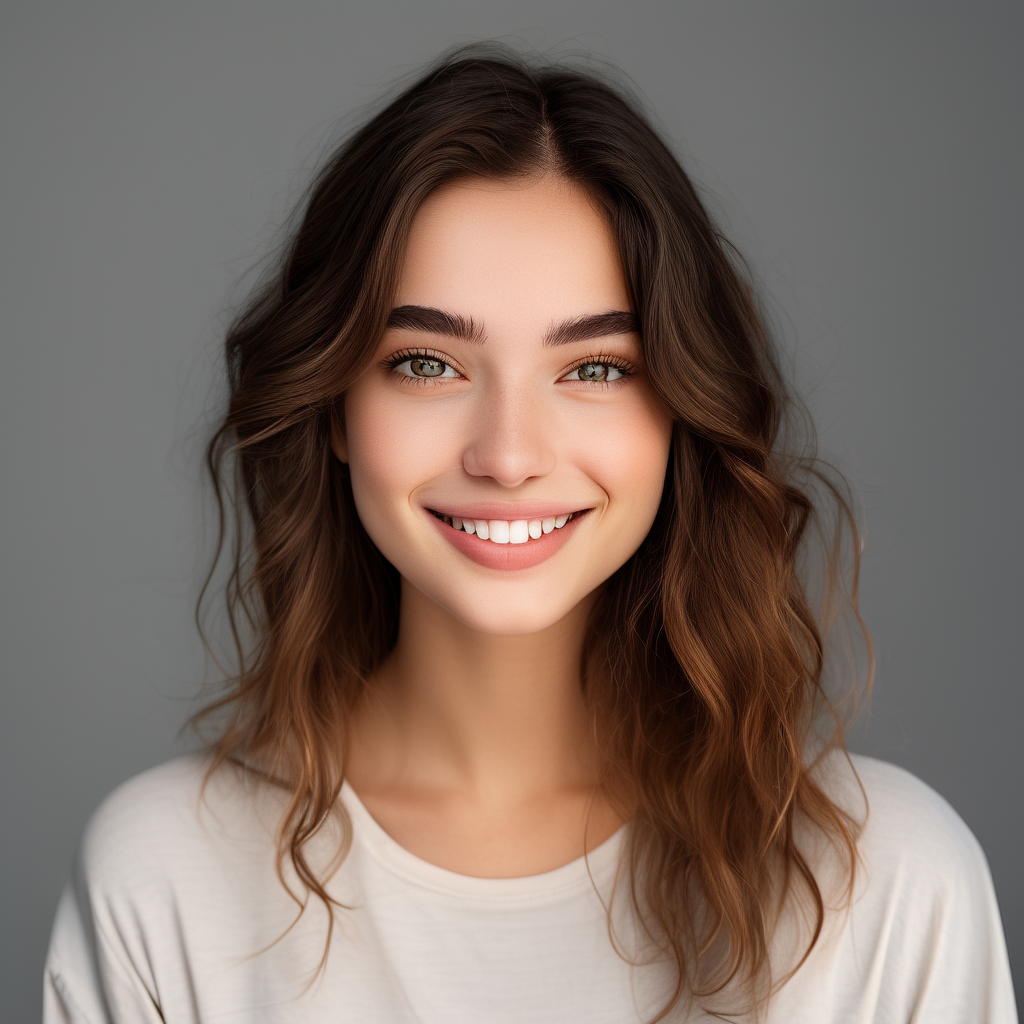
The five routes tested were wiro/wan2-2-effects-extra, pixverse/effects, pixverse/transition, wiro/avatarmotion-with-caption, and wiro/avatarmotion-multi. For broader image-to-video context, see the related base-image API test, the Polaroid animation test, and viral portrait prompts guide.
What each output actually shows
WAN 2.2 Effects Extra
This was the most direct one-photo preset test. Run A used effectType=fluffy-hair and seed=42. The visible result concentrates change around hair and head movement while leaving the framing familiar. Run B used effectType=joker-effect with the same seed. It pushes the face further into a character transformation, which is the point of the preset, but it is less useful when a brand needs a recognisable spokesperson. The model documentation lists many other one-person presets, including jungle, melting, electrify, and camera-controls. The runs here show why a preset label matters: the input does not need a text prompt to explain the visual idea.
PixVerse Effects
PixVerse Effects turns a first-frame URL into a templated clip. The two displayed runs use templateId=302325299651648 for Zombie Mode and templateId=313649491716544 for The Tiger’s Touch. Both use duration 5 seconds, quality 540p, motion mode normal, no watermark, and seed 0. In the Zombie output, the transformation is obvious and immediate. In Tiger’s Touch, the result leans more on a dramatic visual reveal. This is a good choice when a product needs a named template and a reliable five-second format. The tradeoff is less authorship over the motion than a prompt-driven video workflow.
PixVerse Transition v5
Transition differs from Effects because it needs a first and last image. The displayed samples use model v5, 5 seconds, 540p, normal motion, and seed 0. The first prompt was becoming zombie; the second was cyberpunk makeover. The clips show a journey between defined endpoints rather than a single-image surprise. That makes it a stronger fit for a before-and-after edit, outfit swap, or campaign reveal. It also raises the bar for the source pair: mismatched pose, crop, or lighting can make the middle of the transition look less convincing. The v5 documentation limits motion mode to normal, so this test did not compare a fast setting.
AvatarMotion with Caption
AvatarMotion with Caption adds a small promotional text field to a one-person effect. The zodiac sample uses effectType=zodiacmode-woman-zodiac-season, caption 2026, videoMode=standard, outputType=both, and seed 42. The birthday sample uses birthdaymode-woman-birthday-mode and caption SALE with the same other settings. These outputs are the most campaign-like in the group: the effect is paired with a short message rather than relying only on the visual gag. Caption placement and legibility should still be checked in the finished file; short one- or two-word copy is the documented use case.
AvatarMotion Multi
AvatarMotion Multi is the group and paired-subject option. Both samples use two images, seed 42, and the Polaroid family: polaroid_smile and polaroid_victory_sign. The resulting clips are not a strict single-selfie transformation; they test whether separate people can appear in one stylised result. That changes the use case. Pick it for a couple, friends, family photo, or person-and-pet preset. It is a poor substitute for a one-person reaction effect because input count and composition become part of the job.
Timing and cost per output
| Model | Test setup | Output length | Observed elapsed time | Cost shown |
|---|---|---|---|---|
| WAN 2.2 Effects Extra | One image, Fluffy Hair | 6s | 32s | $0.00351 in the available Wiro task record |
| PixVerse Effects | One image, Zombie Mode | 5s | 68s | Not shown in the test record or model docs |
| PixVerse Transition v5 | Two images, Becoming zombie | 5s | 110s | Not shown in the test record or model docs |
| AvatarMotion with Caption | One image, Zodiac Season | 6s | 282s | Not shown in the test record or model docs |
| AvatarMotion Multi | Two images, Polaroid Smile | 6s | 154s | Not shown in the test record or model docs |
These elapsed times are the displayed test runs, not a service-level promise. Queue conditions, resolution, source files, and provider load can change them. The same rule applies to cost: only the WAN task record exposed a total, so the other cells stay explicitly unknown instead of guessing from clip length.
Which viral photo effects API should you pick?
- Pick WAN 2.2 Effects Extra for a one-person transformation with a broad preset menu and a fixed seed option.
- Pick PixVerse Effects for a quick, named social template with one starting image.
- Pick PixVerse Transition when the story needs a deliberate before-and-after between two frames.
- Pick AvatarMotion with Caption for a birthday, zodiac, sale, or short-message creative where the caption is part of the asset.
- Pick AvatarMotion Multi for paired portraits, family scenes, and person-plus-pet presets.
Source material
The underlying WAN family is documented in the official Wan2.2 GitHub repository and its research paper. PixVerse maintains its official product site. Each link returned HTTP 200 when checked for this update.
For an app feature, start with the visual outcome required by the product rather than the most dramatic thumbnail. Use the model pages above to run the same source image, keep the finished assets hosted in the media library, and test the exact preset that matches the intended post.