Skip to content
Prompt Guides

TikTok Trend Effects: 7 Viral Portrait Prompts

TikTok Trend Effects cover

TikTok Trend Effects turns one human portrait into short, vertical social-video treatments without asking for a text prompt. This seven-output test used the same portrait input each time to check three things: whether the subject still reads as the same person, whether the motion fits the selected effect, and how strongly each preset changes lighting, wardrobe, framing, and mood.

What was tested

The run used one human portrait per preset, a 9:16 frame, and the existing output settings recorded with the assets. The model accepts a single portrait for these effects, supports 9:16, 16:9, and 1:1 ratios, and can return video, image, or both. Its duration choices are 5, 10, and 15 seconds. These examples are social-first portrait transformations rather than open-ended text-to-video clips.

Each output below came from the same source portrait. That makes the useful question simple: does the preset add a distinct treatment without losing the face or producing distracting movement?

TikTok Trend Effects: results at a glance

Preset Output setting Observed run time What the result shows
Interview Portrait video 109s Centered framing, restrained movement, and the clearest presenter-like read.
Pop Icon Selfie Portrait video 109s High-gloss color and close selfie framing with a deliberately amplified look.
Laughing Pop Selfie Portrait video 68s A brighter, more animated expression and the most playful movement in this batch.
Sauna Glow Image preview 4s Warm haze and skin-tone shift while the portrait silhouette remains readable.
Steam Frame Portrait video 5s Steam-led framing with a stable face and a cleaner mood treatment.
Golden Steam Portrait video 4s Amber light and stronger contrast without turning the subject into a different person.
Bodega Fur Editorial Portrait video 5s The strongest styling change, with an editorial wardrobe and scene signal.

Observed times varied sharply: 4-5 seconds for the steam and still-preview runs, 68 seconds for Laughing Pop Selfie, and 109 seconds for Interview and Pop Icon Selfie. Those are measurements from these outputs, not promised service times. The model documentation does not state a fixed Wiro price for an output, so no cost has been inferred or added here.

What each output actually shows

Interview

Effect parameter: tiktok+trends-interview. The clip holds the subject in a centered, presenter-friendly composition. Movement stays calm rather than theatrical, which makes this the safest option when a talking-head asset needs polish without a dramatic identity change.

Interview: controlled portrait motion and centered framing.

Pop Icon Selfie

Effect parameter: tiktok+trends-pop+icon+selfie. This result pushes shine, contrast, and close-camera energy. The face remains the anchor, but the treatment is intentionally louder than Interview. It suits a thumbnail-like opening shot or a creator reveal where the visual effect should register immediately.

Pop Icon Selfie: glossy color and tight, high-energy framing.

Laughing Pop Selfie

Effect parameter: tiktok+trends-laughing+pop+selfie. Of the selfie presets tested, this one carries the most obvious sense of motion. The expression-led result feels less posed, so it works better for upbeat edits than for a polished brand introduction.

Laughing Pop Selfie: the liveliest motion of the seven outputs.

Sauna Glow

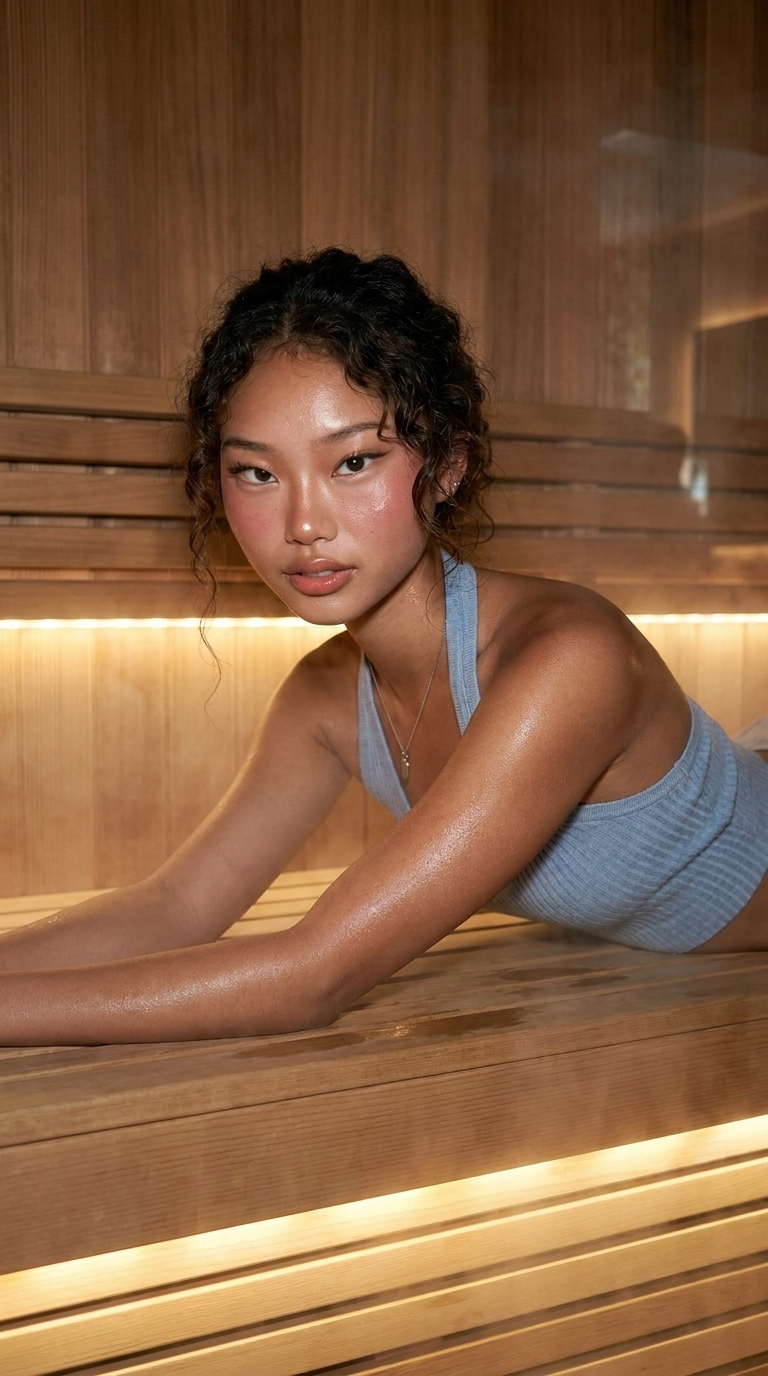
Effect parameter: tiktok+trends-sauna+glow. The still preview makes the tradeoff easy to see: warmth and haze become the main visual idea, while the original face shape remains intact. Pick it when a beauty-forward, soft-lit portrait matters more than visible action.

TikTok Trend Effects sauna glow portrait output
Sauna Glow: a warm, hazy portrait treatment.

Steam Frame

Effect parameter: tiktok+trends-steam+frame. The output uses atmospheric framing but keeps the subject legible. It is the more conservative steam choice: the visual layer adds mood, yet it does not compete heavily with the portrait.

Steam Frame: a crisp portrait inside a restrained atmospheric treatment.

Golden Steam

Effect parameter: tiktok+trends-golden+steam. This preset adds amber light and deeper contrast. It gives the source portrait a more editorial finish than Steam Frame while still preserving the main facial read. Use it for a warm, stylized transition or a fashion-oriented short.

Golden Steam: amber lighting and stronger contrast around the same portrait.

Bodega Fur Editorial

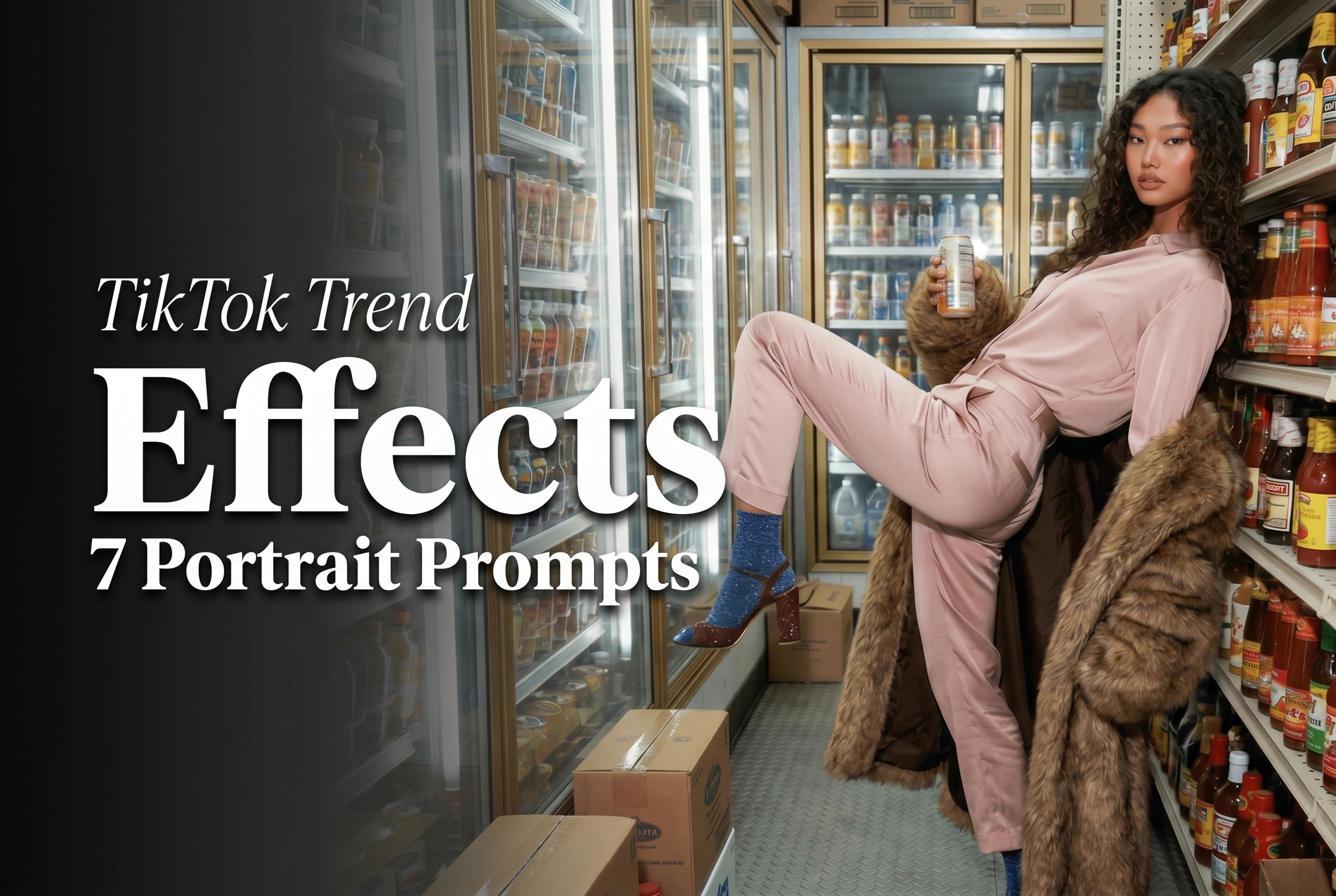
Effect parameter: tiktok+trends-bodega+fur+editorial. This is the least subtle result in the test. Styling, wardrobe cues, and environment take a larger role, so it is best treated as a character-forward effect rather than a faithful portrait enhancement.

Bodega Fur Editorial: the most aggressive style shift in the set.

Which TikTok Trend Effects preset to pick

Pick Interview for explainers, profile clips, and conservative creator intros. Choose Steam Frame when the portrait must remain easy to recognize but needs a cinematic edge. Golden Steam is the better fit for warm fashion or beauty edits. Use Pop Icon Selfie or Laughing Pop Selfie when the goal is a fast, phone-screen-friendly visual hook. Bodega Fur Editorial suits concept content where a large stylized shift is the point.

The fixed preset approach is also its limitation. These effects do not expose free-form prompt control in the documented inputs, and every tested option expects a human portrait. For a pose-focused alternative, see Instagram Pose: 4 Preset Poses From One Photo. For a broader effects comparison, read Top 5 Viral Photo Effects APIs in 2026. For another one-photo animation workflow, see Polaroid Effect: 4 One-Photo Animations Tested.

For the underlying effect-creation context, TikTok maintains Effect House. Run the documented presets on wiro/Tiktok Trend Effects when a quick, preset-driven portrait transformation is the right tool.