Seedream V5 Lite image editing looks strongest when the prompt protects shape, geometry, and lighting instead of asking for a total scene rewrite. This follow-up run pushed the model through seven before and after tests that felt more practical than a generic benchmark: product cleanup, text on packaging, fragrance restyling, relighting, seasonal scene swaps, and spa-style ingredient changes. All outputs below were generated in this run with the same model at 2K resolution and one output per prompt.
If you want the short version first, the model stayed most reliable on clean product scenes and atmosphere edits. It was less convincing when the prompt asked for a bigger composition jump. That lines up with the earlier five-example edit post and the older text and edit quality test, but this batch leaned harder into usable before and after cases.
For a broader setup guide, the Seedream 5.0 Lite guide on fal.ai is a useful reference. The model page on Wiro is the fastest way to run the same workflow.
Test setup
- Model: ByteDance Seedream V5 Lite
- Mode: image to image
- Resolution: 2K
- Outputs per test: 1
- Prompt style: direct instructions with explicit constraints around shape, pose, perspective, and lighting
The biggest goal here was simple. Each prompt tried to change one or two things hard enough to matter, while still telling the model what had to stay stable. That matters with edit models. If the prompt is vague, the result can drift fast.
Seedream V5 Lite image editing results
1) Mug pattern on a warm product background
This was a clean control test. The scene is simple, so the question is whether the model can restyle the mug without breaking the handle, rim, or silhouette.
| Input | Output |
|---|---|
 |
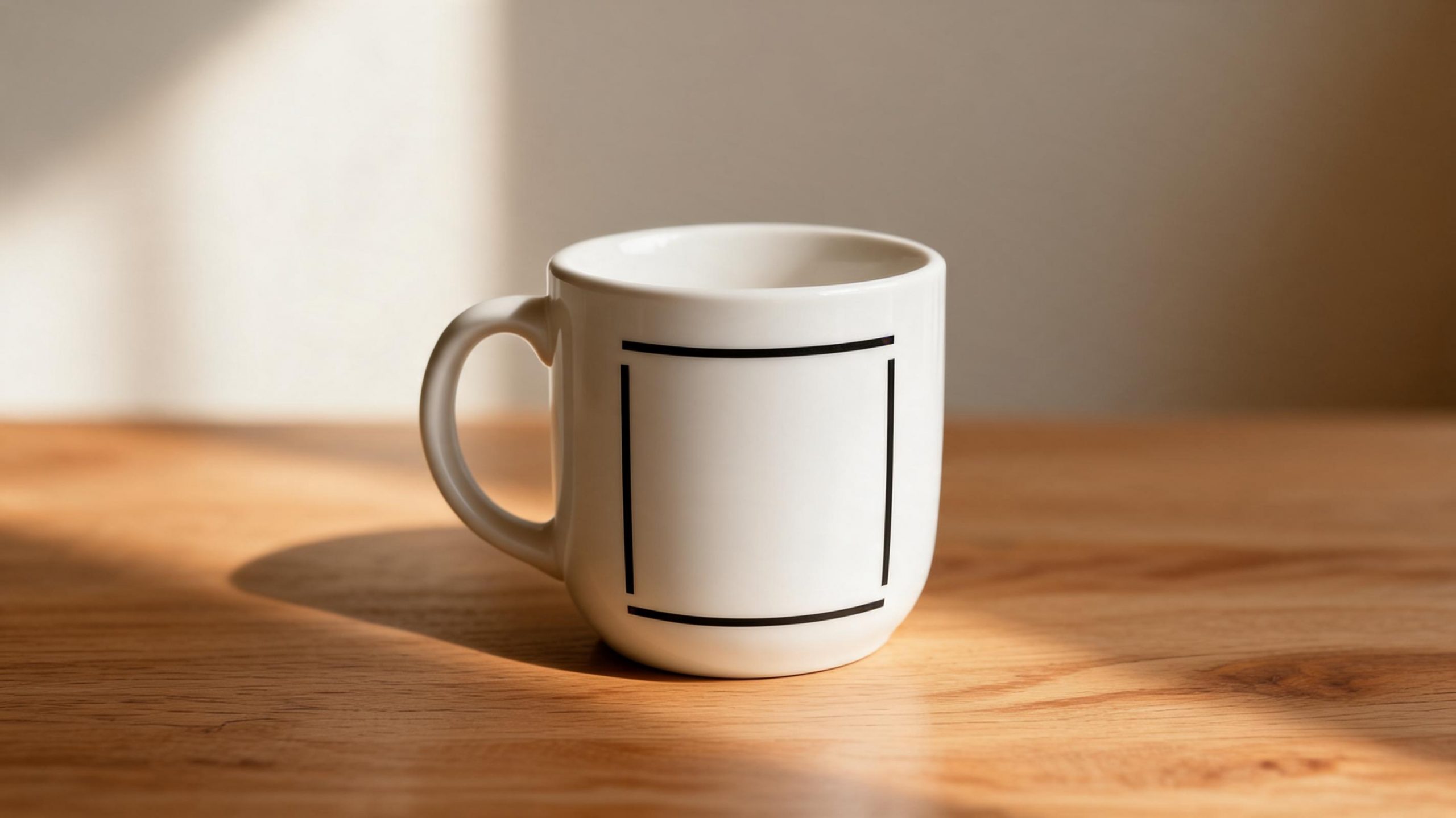 |
Prompt: Turn this plain mug into a premium gift edition. Add a clean black geometric pattern. Replace the background with warm oak wood. Add soft morning window light. Keep the mug shape and handle unchanged. Keep the ceramic texture realistic.
Quick note: This is the type of edit the model handles well. The object stays readable and the lighting shift feels believable.
2) Text on the mug for a cafe-style packshot
Text is where many edit models start to wobble. The instruction here was not long, but it was specific enough to test whether the printed words stay straight and usable.
| Input | Output |
|---|---|
|
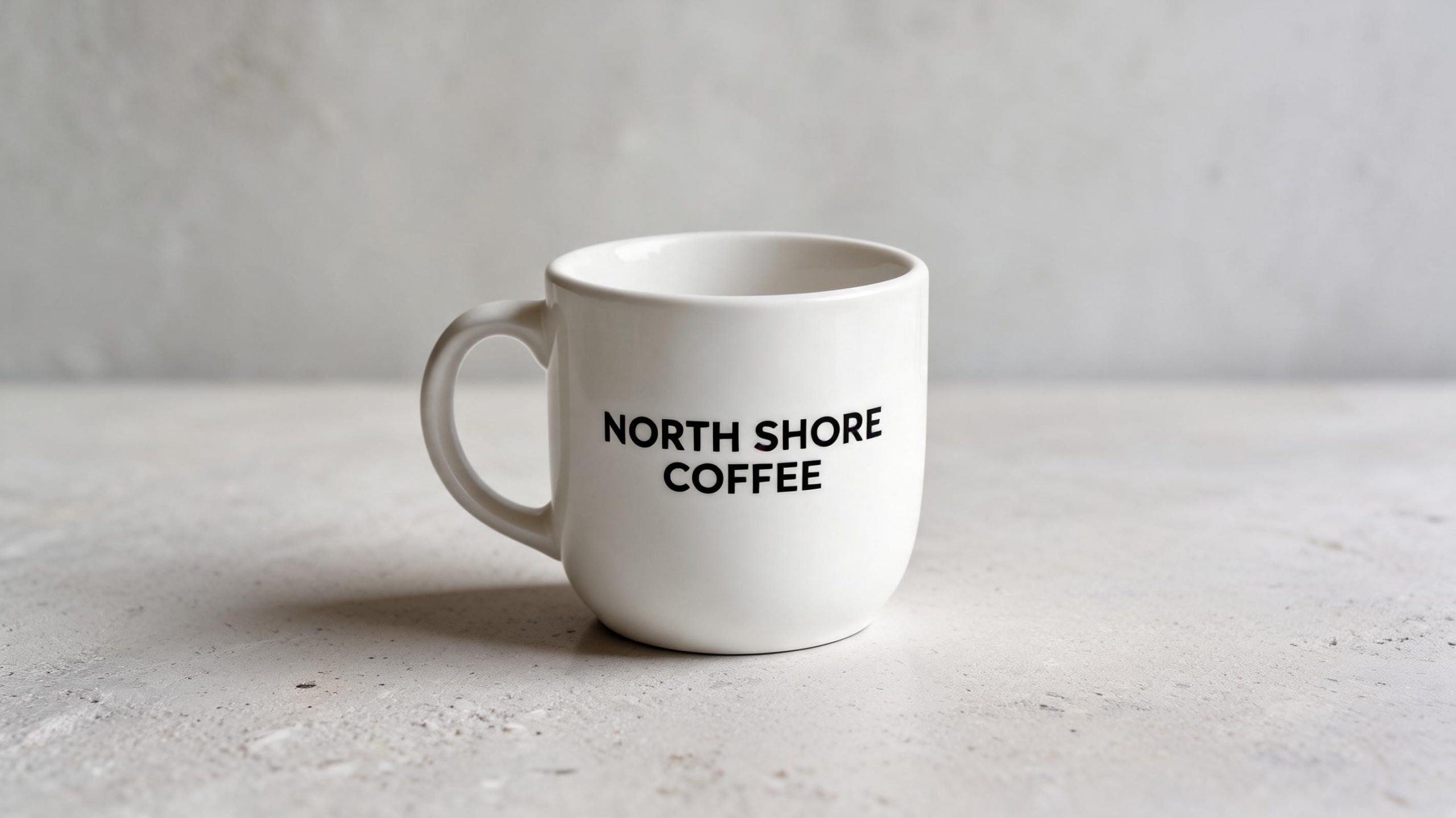 |
Prompt: Change this mug into a minimal cafe product shot. Add the exact printed text NORTH SHORE COFFEE in clean black lettering. Keep the text straight and readable. Replace the background with pale concrete. Add a soft studio shadow. Keep the mug proportions unchanged.
Quick note: The output stayed cleaner than expected. This is a good sign for simple packaging edits and storefront mockups.
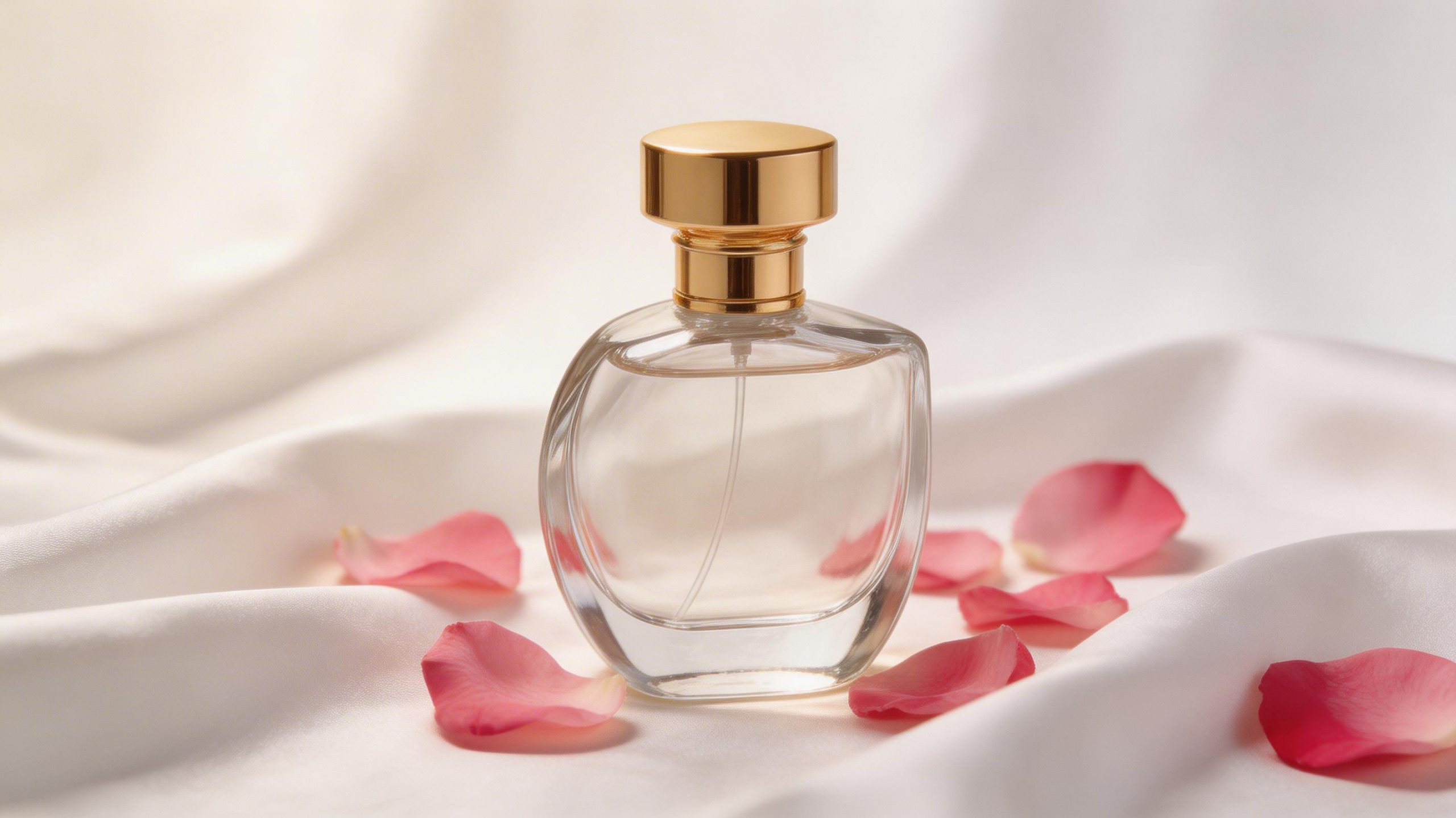
3) Perfume bottle recolor with a darker luxury mood
This test asked for a material change, a prop swap, and a mood shift in one prompt. Those edits usually expose whether reflections stay coherent.
| Input | Output |
|---|---|
 |
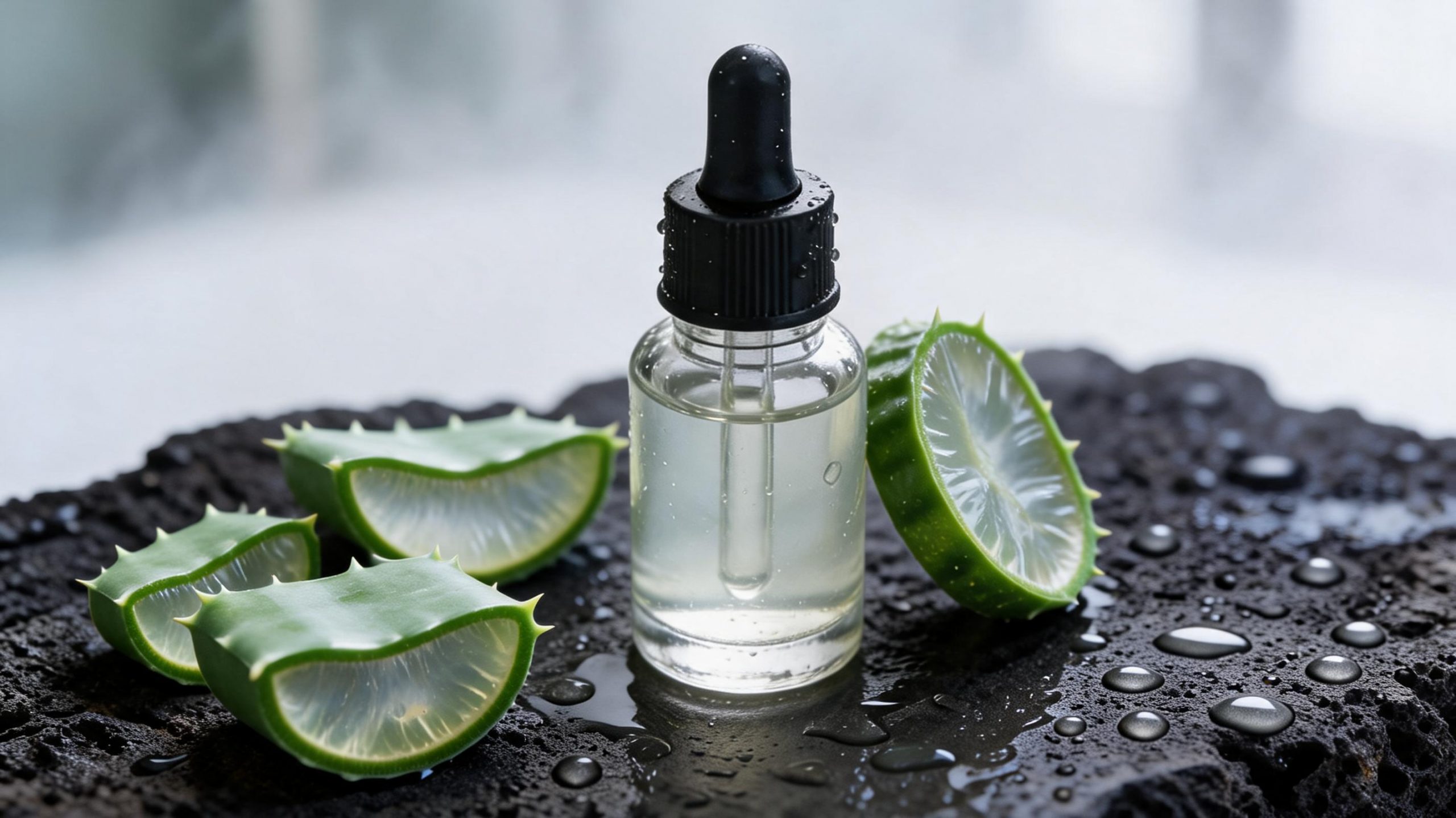 |
Prompt: Change the perfume bottle to deep navy blue glass with silver accents. Replace the rose petals with dried lavender. Add a dark moody backdrop. Keep the bottle shape and cap unchanged. Keep reflections realistic.
Quick note: Product photography remains a strong lane for this model. The scene styling is much stronger here than in the harder city edits.
4) Street scene relit as a rainy evening
Atmosphere edits can look good at first glance, then fall apart when reflections and perspective stop agreeing. This one kept the prompt narrow and focused on weather and light.
| Input | Output |
|---|---|
 |
 |
Prompt: Transform the same street into a rainy evening. Add wet reflections on the pavement. Add warm orange streetlights. Show fewer pedestrians. Keep the buildings and camera angle stable.
Quick note: This was one of the best results in the batch. The mood lands fast, and it looks strong enough for editorial use without much cleanup.
5) The same street as a winter dawn scene
This was a harder follow-up on the same source. Snow, blue-hour light, and a tram add more scene pressure. That is useful because it shows where the edit starts to feel more synthetic.
| Input | Output |
|---|---|
|
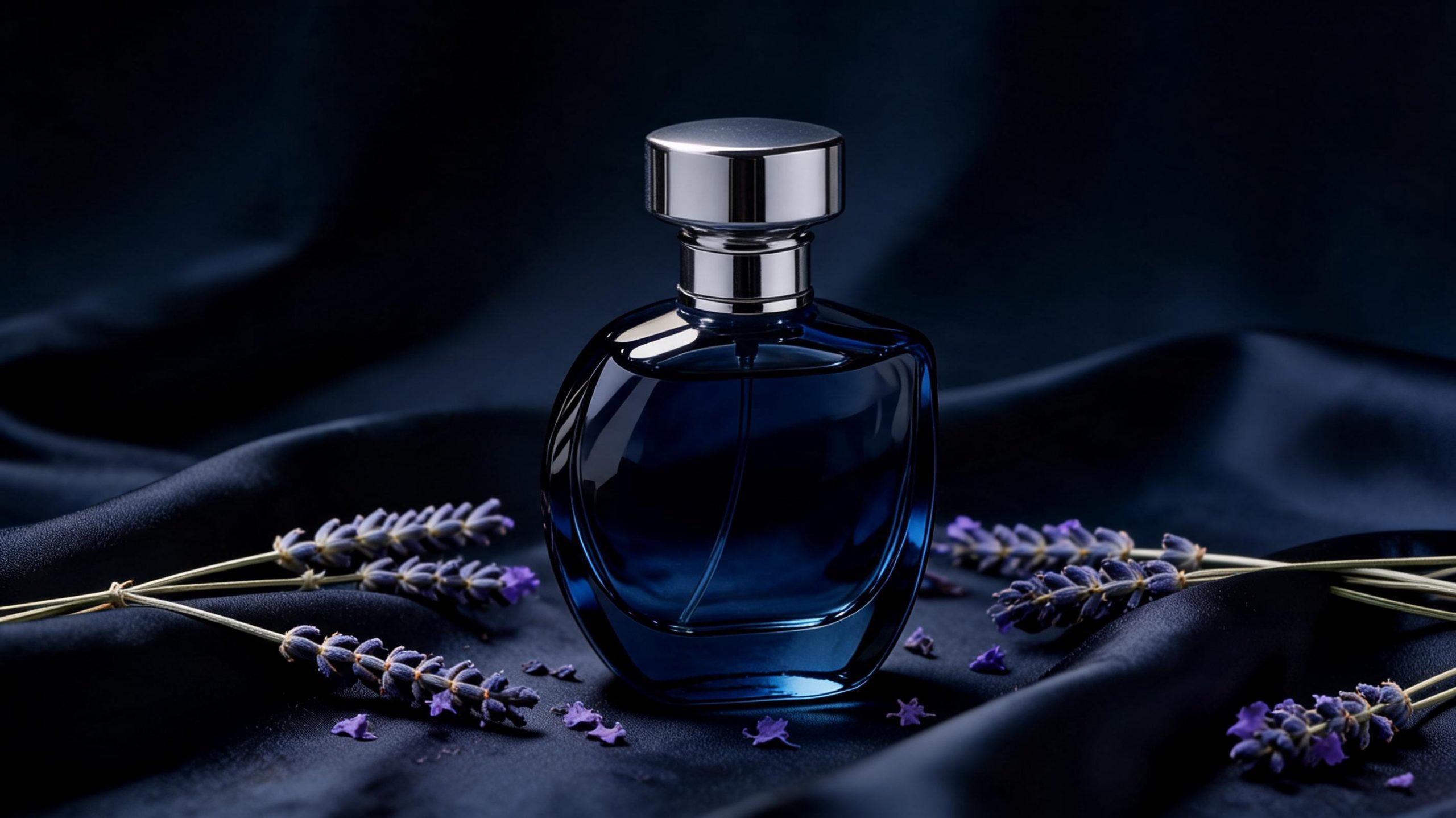 |
Prompt: Turn the same street into a winter dawn scene. Add light snow on rooftops. Add a blue hour sky and one yellow tram in the distance. Keep the storefront layout and building geometry stable.
Quick note: The edit is still usable, but this is where the model starts to feel less controlled. Bigger scene changes cost more realism.
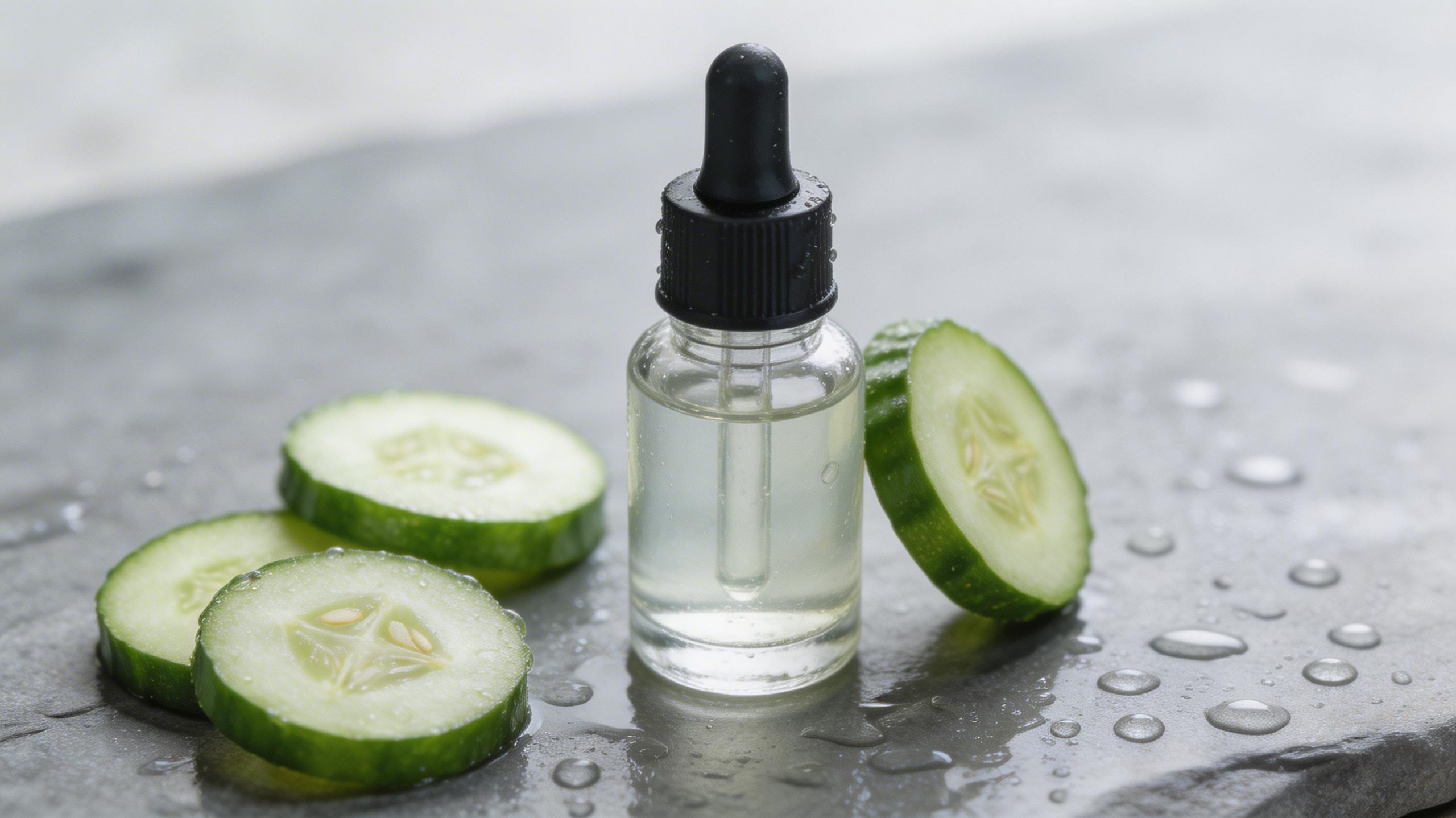
6) Spa ingredient swap from cucumber to aloe vera
Ingredient swaps are practical for beauty and wellness mockups. The challenge is whether the model keeps the table setup stable while changing the hero props.
| Input | Output |
|---|---|
 |
 |
Prompt: Replace cucumber with fresh aloe vera leaves. Change the stone surface to black volcanic rock. Add a light misty spa background. Keep the bottle and towel placement stable.
Quick note: Another solid commercial-style edit. The product remains the anchor and the prop swap reads clearly.
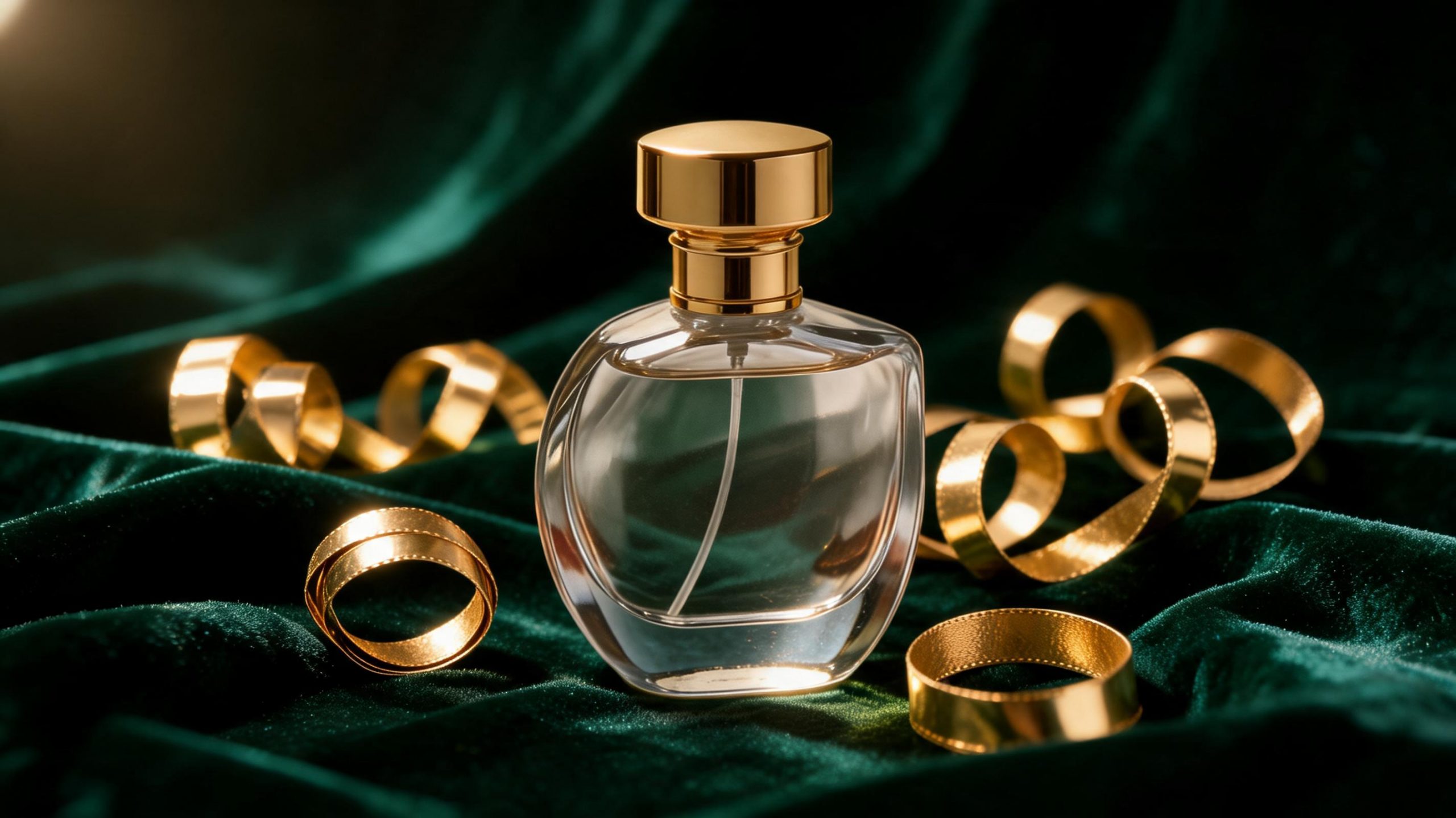
7) Fragrance scene turned into a holiday campaign
The last test pushed art direction more than realism. It asked for richer props and a premium seasonal feel while keeping the bottle silhouette intact.
| Input | Output |
|---|---|
|
 |
Prompt: Turn this fragrance scene into a luxury holiday campaign. Add dark green velvet fabric under the bottle. Replace the loose petals with gold ribbon curls. Add warm spotlight reflections. Keep the bottle silhouette intact.
Quick note: This looks polished enough for concept work. It is less literal than the first perfume edit, but stronger for fast campaign ideation.
Summary table
| Test | What changed | Best sign | Main risk |
|---|---|---|---|
| Mug pattern | Surface design and background | Shape stayed stable | Can look too clean if prompt is vague |
| Mug text | Brand text and product staging | Readable text | Longer text would likely drift more |
| Perfume navy | Color, props, mood | Strong reflections | Glass edits still need inspection |
| Rainy street | Weather and relighting | Great atmosphere | Reflections can overcook fast |
| Winter street | Season and time of day | Good concept speed | Lower realism than the rainy pass |
| Spa aloe vera | Ingredient swap and surface change | Stable layout | Fine edge cleanup may still help |
| Holiday fragrance | Campaign styling and props | Fast premium concepting | Less precise than a strict packshot |
Verdict
Seedream V5 Lite image editing is strongest when the prompt protects the original geometry and asks for a focused material, lighting, or prop change. That makes it a good fit for e-commerce cleanup, product restyling, atmosphere shifts, and fast concept variations. It is less dependable when the prompt asks for a broad scene rewrite with many new elements at once.
The best result in this run was the rainy evening street edit. The most practical wins, though, came from the mug, spa, and fragrance tests. Those are the kinds of before and after jobs that teams can actually reuse in content, mockups, and campaign prep.
If that is the workflow you care about, try Seedream V5 Lite on Wiro and keep the prompt direct. Protect the parts that cannot move. Then change one layer at a time.