Seedream V5 Lite was tested here on the jobs that expose weak image models quickly: short exact text, stacked labels, small diagram callouts, and edits that must change the scene without replacing it. The six outputs below are the original Wiro-hosted model results. This is a practical read of what they show, rather than a claim that a single sample proves a benchmark result.
What this Seedream V5 Lite test set out to check
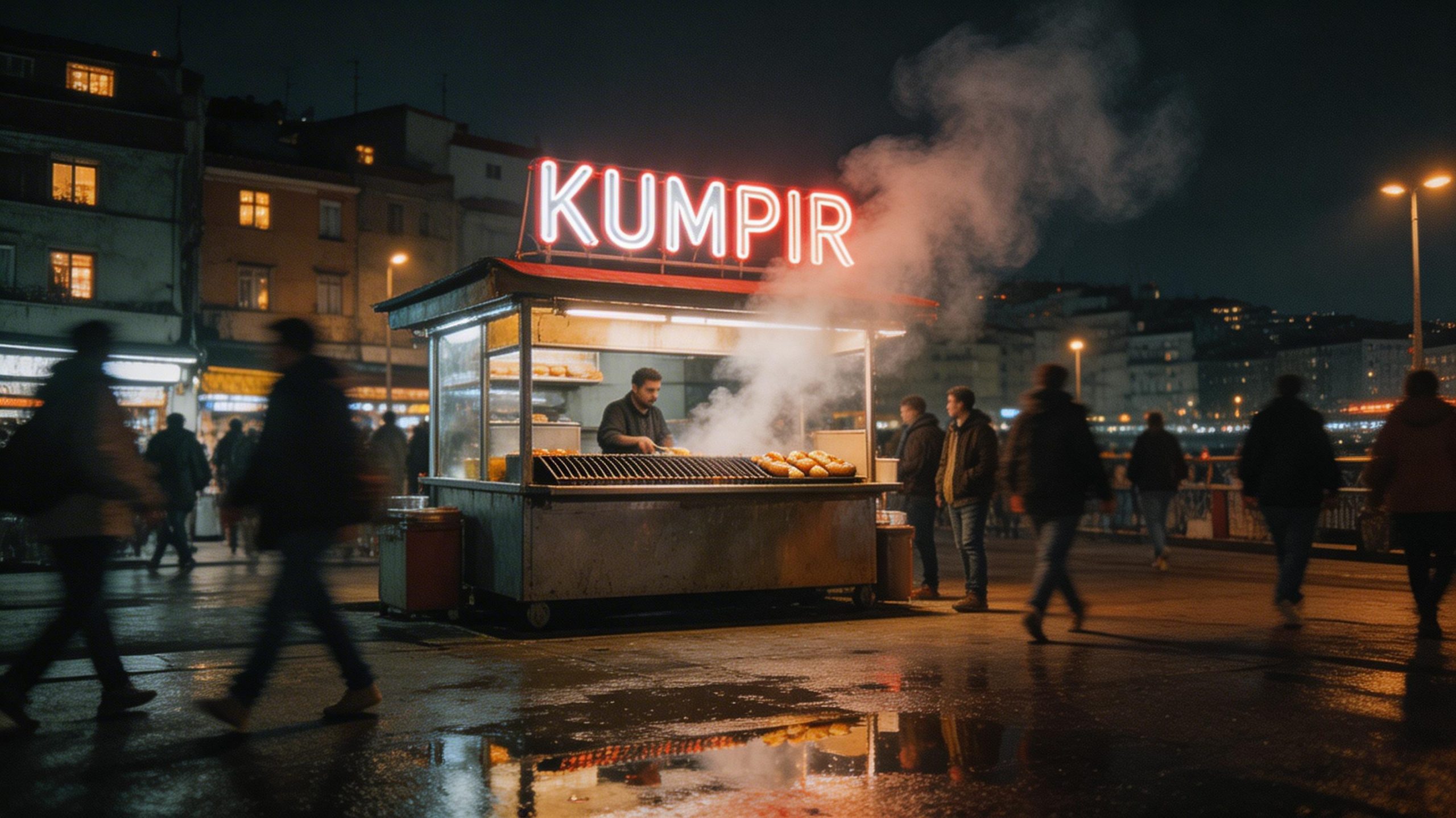
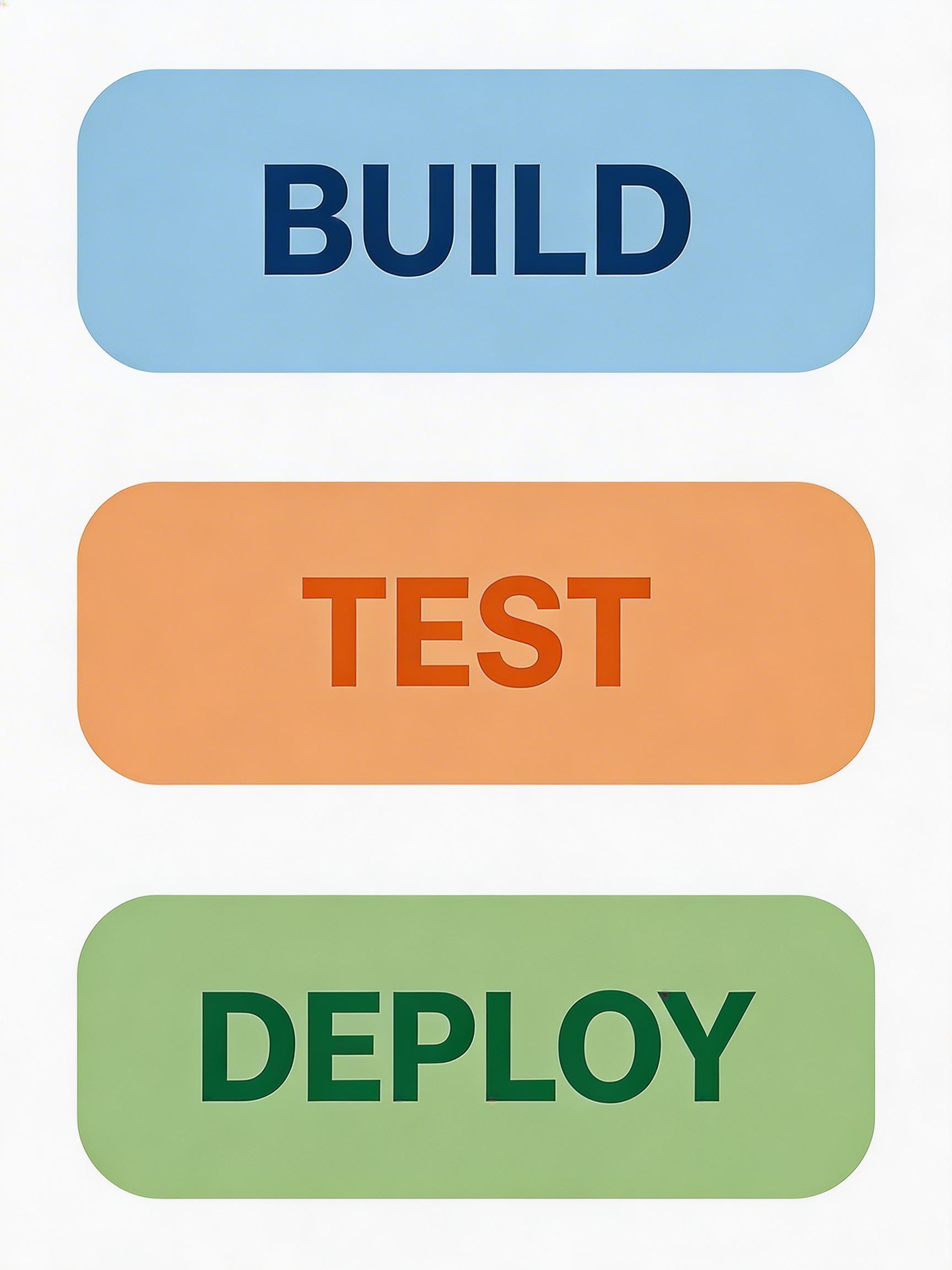
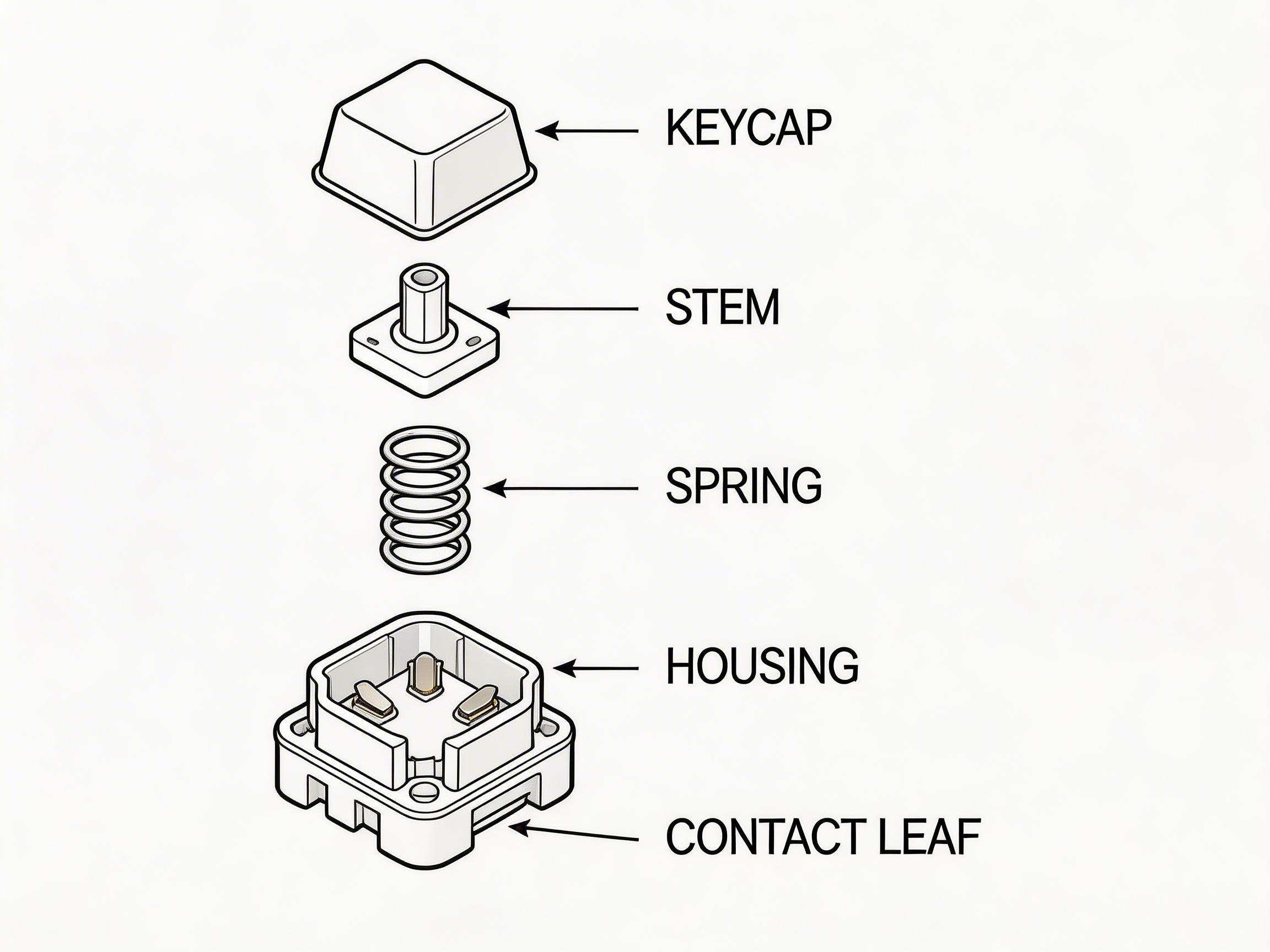
Four text-to-image prompts ask for readable words in increasingly hostile settings. The mug puts text on a curved matte surface. The Istanbul scene puts a single Turkish word into glowing signage with steam, reflections, and moving people competing for attention. The infographic demands three ordered labels and a clean vertical layout. The keyboard-switch drawing asks for five small labels placed next to specific parts.
The final two tests are image-to-image edits. They use a supplied input image and a short change request. The key question is not whether the output looks attractive in isolation. It is whether the mug remains the mug, and whether the street still reads as the same street after a weather and lighting change.
On Wiro, the available controls for this model are input image, prompt, resolution, aspect ratio, maximum images, and watermark. Text-to-image requires a resolution and aspect ratio. Image-to-image can use auto values, which preserve the first input image’s ratio and scale against the documented pixel targets. These six saved outputs use the aspect ratios visible in the results: 3:2 for the mug, 16:9 for the night street, 3:4 for the infographic, 4:3 for the diagram, and the input image ratio for both edits. Each request generated one image.
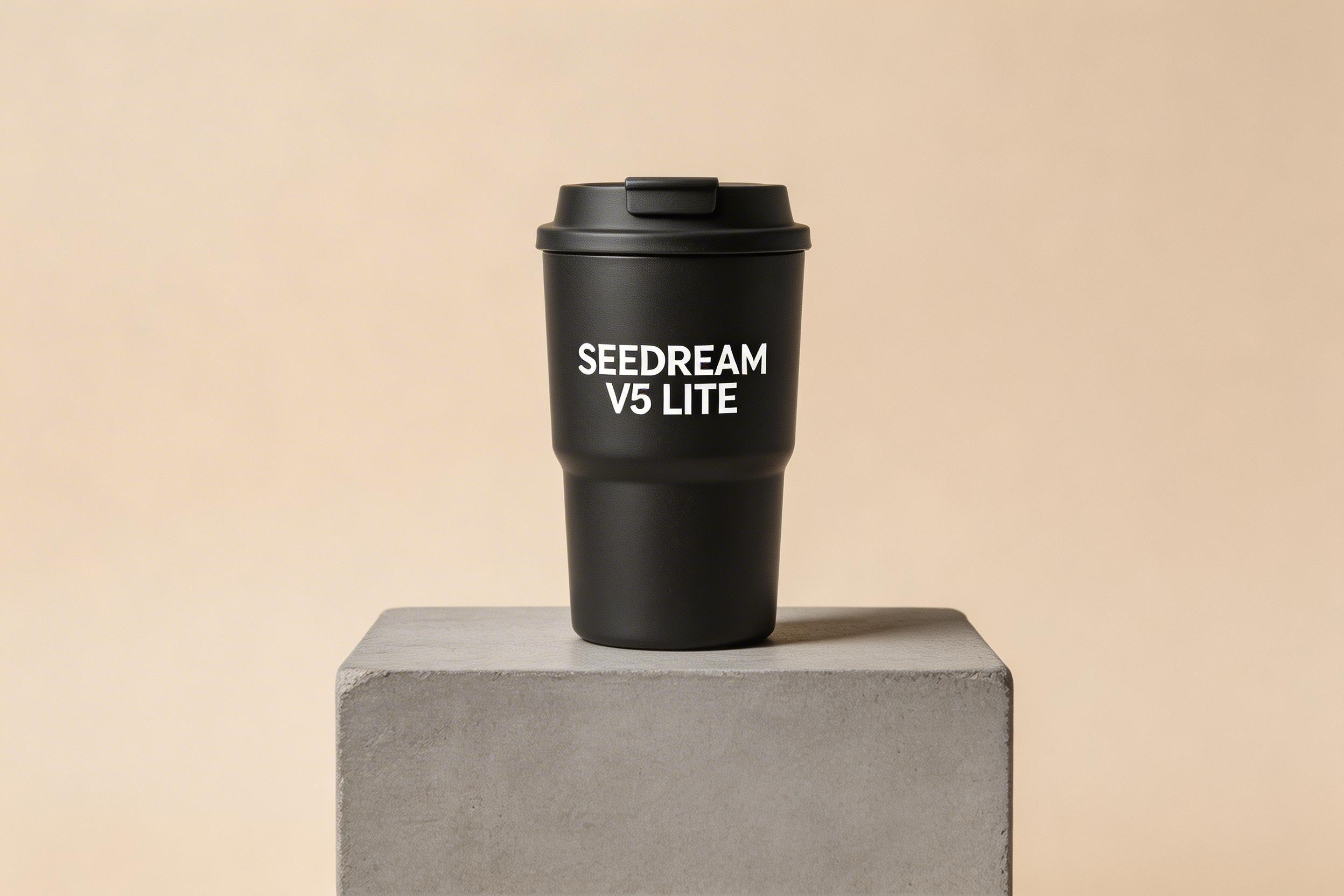
Test 1: a product photo with exact text
The first prompt asks for a matte black travel mug with the exact words “SEEDREAM V5 LITE.” The result keeps the product-photo brief intact: a single mug, quiet beige background, studio-style light, and readable branding on the object. This is the most useful kind of text rendering for ad mockups because the letters have a simple job and enough physical space. The useful lesson is prompt discipline. Put the requested text in capitals, state that it must be legible, and avoid asking the same image to carry a paragraph.
Test 2: one word in a busy night scene
“KUMPIR” has to survive neon tubes, wet pavement, steam, and motion blur. The generated scene shows why single-sign tests matter: there is far less room for a model to hide a spelling error inside decorative copy. The sign remains the visual anchor while the street retains documentary cues. That makes Seedream V5 Lite a sensible first pass for a restaurant concept, travel creative, or mood board. It does not make the output production-ready typography. A brand name, price, legal line, or multilingual campaign still needs human review before publication.
Test 3: an infographic with three ordered labels
The BUILD, TEST, DEPLOY poster checks something different from a sign. It asks the model to keep words short, ordered, color-coded, and centered in separate boxes. The output reads as a compact process graphic rather than a scene with text pasted on top. It is a strong use case for quick internal slides, social concepts, and early visual directions. It is not a substitute for a design system: generated spacing and type details can drift at small sizes, and a final asset with strict accessibility or brand requirements should be rebuilt in a proper editor.
Test 4: a labeled technical diagram
This is the harder information-design test. The prompt needs the model to separate a keyboard switch into recognizable parts and assign KEYCAP, STEM, SPRING, HOUSING, and CONTACT LEAF to the right areas. The output is useful as a concept illustration because the parts are visibly separated and the requested vocabulary guides the composition. It should not be treated as an engineering drawing. Small callouts and exact part geometry are where generated diagrams can still drift. Pick this model for a visual explainer or a rough teaching asset; use authored vector art where correctness matters.
Test 5: mug pattern and background edit
The input gives the model a specific mug to preserve. The edit request changes two variables: a black geometric pattern and a warm wood setting with soft morning light. The output keeps the product as the subject while moving it into a different commercial context. That is the right kind of edit to use when a catalog image needs a new seasonal direction without a full reshoot. The model is less appropriate if the mug’s exact print, dimensions, or retail color must remain contractually exact.
Input

Output

Test 6: weather and lighting without losing the street
The last pair asks for a rainy evening, pavement reflections, warm streetlights, and fewer people. The output changes the atmosphere while retaining the street scene’s basic identity. This is a useful selection for campaign mood changes, storyboards, and a fast before-and-after concept. It is not the choice for documentary work, property imagery, or any task where buildings and crowds must remain factually unchanged.
Input

Output

Runtime and cost: what this test can support
No per-output run time or cost was saved with these six original outputs, so this review does not assign invented numbers to them. The Wiro model documentation includes an example task response showing 6 seconds elapsed and a $0.003510 total cost for a separate canceled sample task. That is documentation metadata, not a result for any image above, so it should not be used as a quote for this test. Check the task details for the actual run when cost or turnaround time affects a production decision.
When to pick Seedream V5 Lite
Pick Seedream V5 Lite when the brief mixes image creation and editing, especially when it needs concise readable text, a simple information layout, or an atmosphere change from an existing image. Use it as an early creative tool, then verify every word and factual diagram detail. For a direct editing comparison, see FireRed Image Edit vs Seedream V5 Lite. For a layout-focused comparison with the larger Seedream variant, see Seedream V5 Pro vs Nano Banana Pro.
ByteDance describes the model’s intended strengths in its official Seedream 5.0 Lite page and its Seedream 5.0 Lite announcement. Try Seedream V5 Lite on Wiro with one short text request and one controlled edit before committing it to a larger batch.