Kling V3 Omni sound-on tests used the same short setup three times: a first-frame image, a five-second clip, 720p output, vertical 9:16 framing, and sound enabled. The aim was not to prove that a single prompt can make a finished commercial. It was to check a narrower, practical question: can a supplied image hold together while the model adds one readable action, one controlled camera move, and a small audio scene?
Kling V3 Omni on Wiro accepts text, a first frame, optional last and reference images, and optional video reference. The three clips below use only a first frame plus prompt. That matters: this is an image-to-video test with native sound, not a test of video editing, multi-shot assembly, or voice-character reference.
What this test set out to check
Each prompt asks for three things at once: subject motion, camera direction, and one or two audible sources. The scenes deliberately vary the difficulty. The mountain clip tests a moving person against a detailed landscape. The convertible asks for fast-moving wheels, reflective metal, and lateral tracking. The dog clip reduces action and checks whether a close portrait can stay calm while the camera moves closer.
The point of holding the settings steady is to make the differences useful. A five-second result can hide problems that become obvious in a longer sequence, but it is enough to judge whether the first frame, core action, and sound brief point in the same direction.
Settings used for all three Kling V3 Omni sound-on tests
| Mode | std (720p) |
|---|---|
| Duration | 5 seconds |
| Ratio | 9:16 |
| First frame | One supplied image per test |
| Sound | on |
| Multi-shot | off |
| CFG scale | 0.5 |
The Wiro model documentation lists std as 720p, with pro at 1080p and a 4K option. It also notes two important limits for this setup: adding a last frame turns sound off, and supplying a video also turns sound off. Neither input was used here. All three clips are single-shot outputs; multi-shot was disabled.
Results: three short image-to-video tests
Test 1: Mountain hike
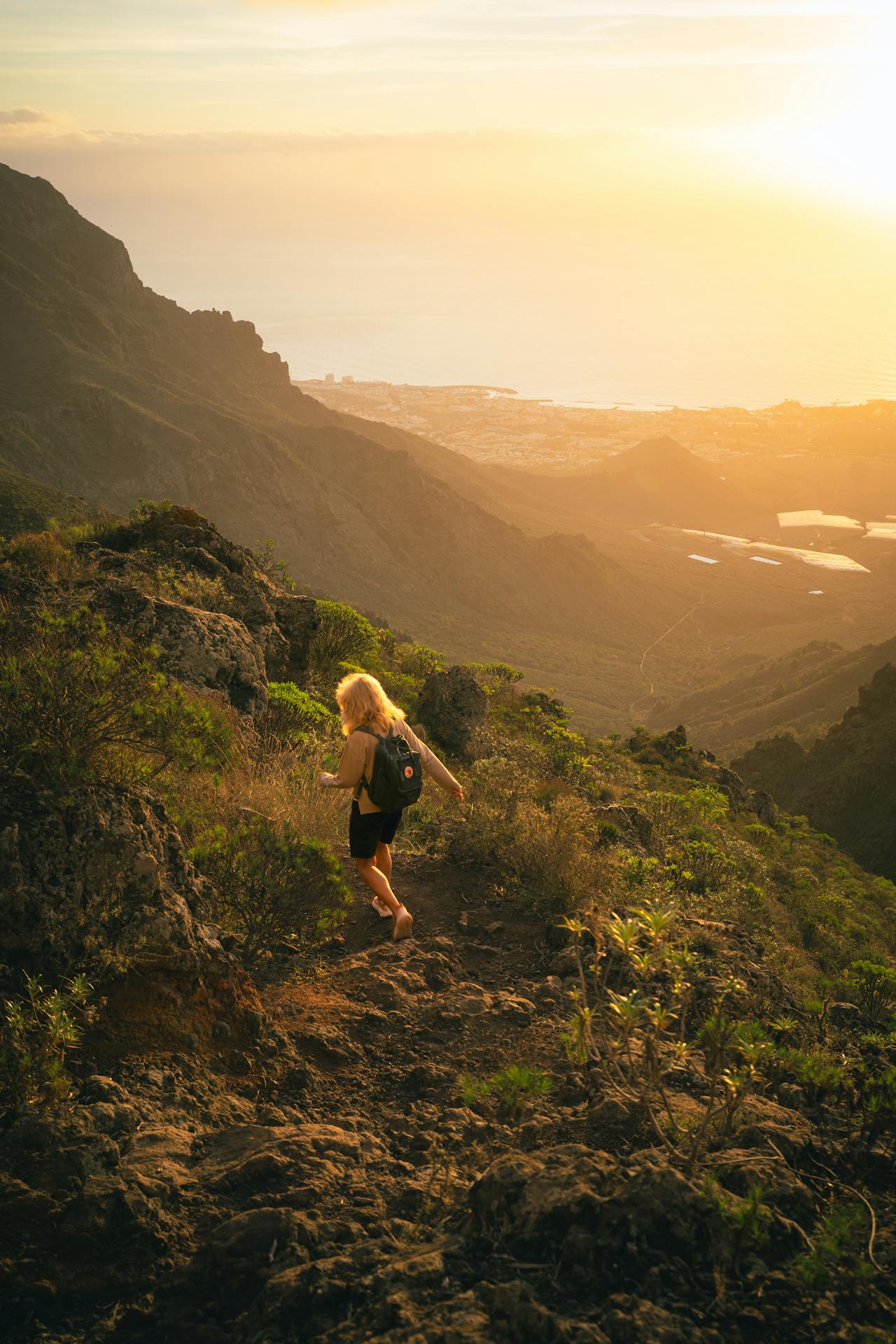
This is the broadest scene in the set. The output shows the hiker descending with a follow-camera treatment, while the frame keeps the rocky foreground, town, and sea as context rather than turning them into separate events. The prompt gives the model one body action and one camera instruction. That restraint is useful: asking for a turn, a stumble, a drone rise, and several environmental changes in five seconds would make it harder to tell which instruction failed.
The audio brief is also narrow. Footstep crunch and wind belong to the image, so they make sense as a test of prompt-to-sound alignment. For travel, outdoor gear, or location mood boards, this is the kind of prompt to use when the atmosphere matters as much as the motion. Keep the character moving in one direction and let the camera follow.
Test 2: Convertible drive
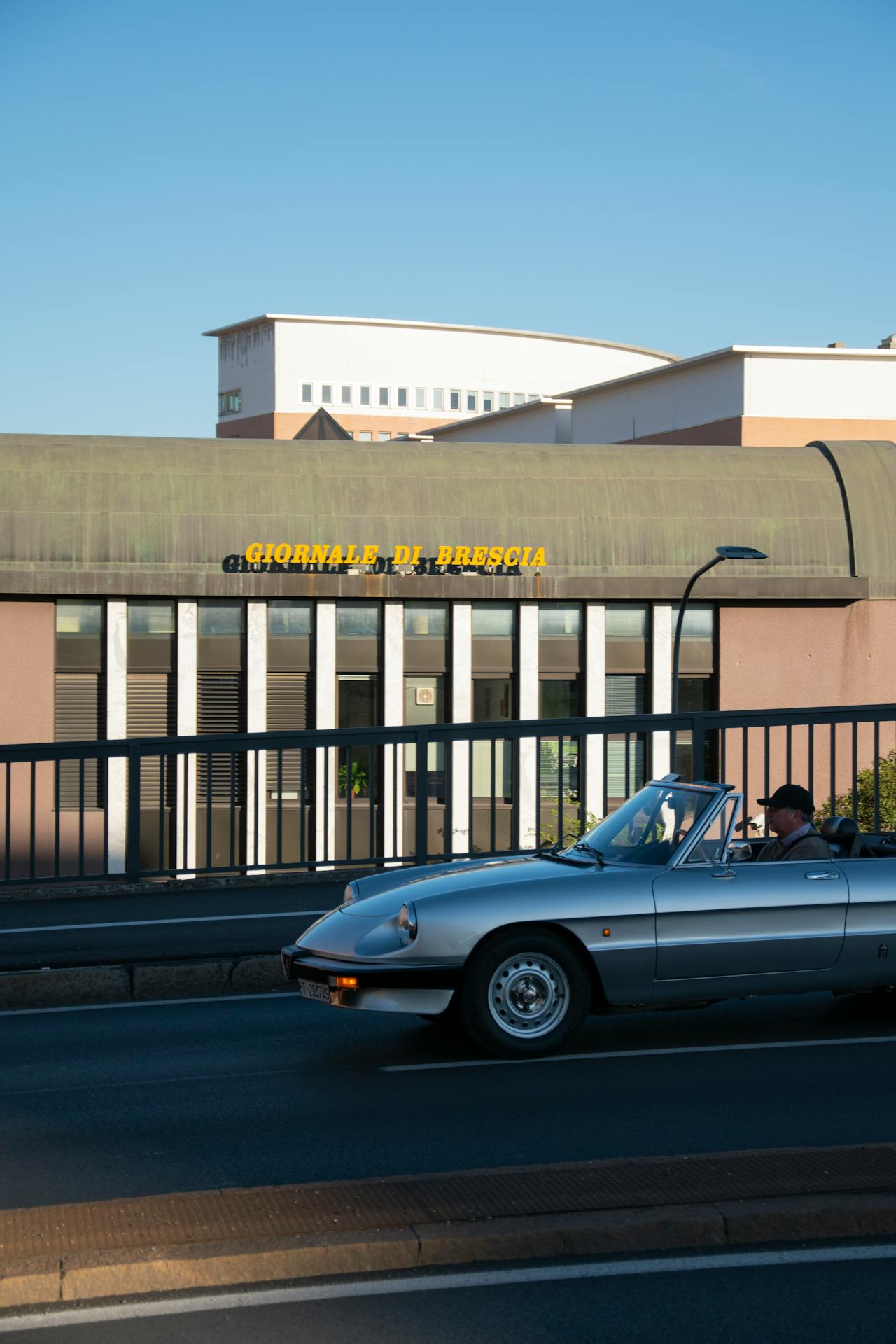
The convertible output is the motion-stress test. It asks for a vehicle to travel laterally, wheels to rotate, chrome to catch changing light, and the road to blur without the car losing its shape. It also uses an audio pair that readers can judge quickly: engine tone plus tires on asphalt. The output is most useful as a template for product or automotive shots where the first frame already establishes the vehicle and the desired result is a single clean pass.
There is a practical prompt lesson here. “Right to left” and “tracking profile” give a clear screen direction. The rest of the prompt adds visual cues, not a second scene. When an object has reflective surfaces or obvious mechanical parts, a single pass is a more honest first test than a complex chase sequence.
Test 3: Dog in snow
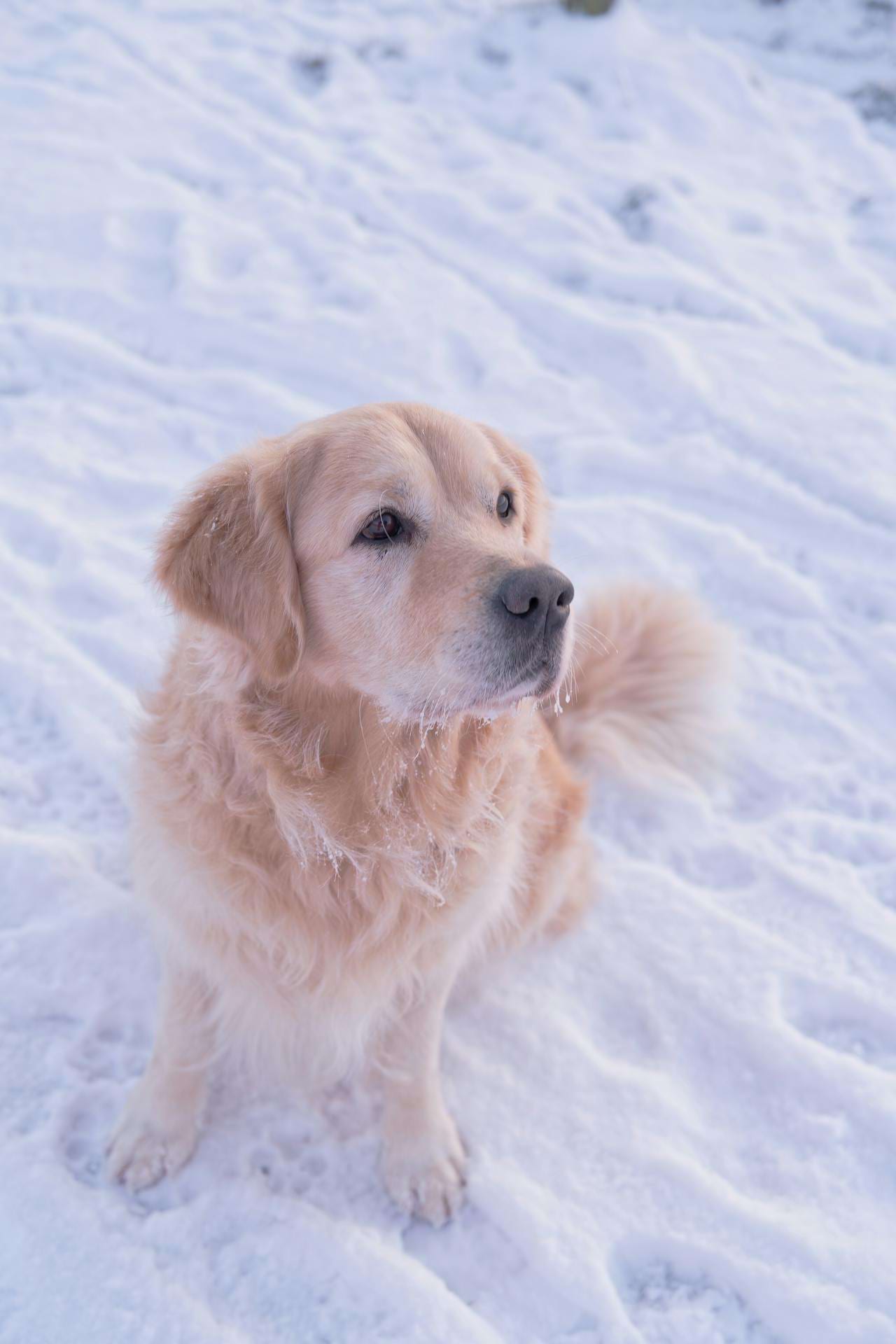
The final output takes the opposite approach: almost no travel, one small head movement, one blink, and a slow push-in. It is the most relevant pattern for portraits, pets, product close-ups, and any frame where preserving the subject matters more than showing speed. The requested breath and collar jingle are small details, but they fit the scene and keep the audio instruction grounded.
Use this slower structure when the source image has a strong face or a detailed focal object. Fewer movements leave less opportunity for the model to reinterpret the subject between frames. It is also a good fit for vertical social clips, where a close subject can read clearly without a wide camera move.
Run time and cost: what this record can support
These three saved outputs are each five seconds long. The model documentation confirms the requested output duration, but it does not publish a Wiro per-run price or a generation wall-clock time for these clips. The original run records were not retained with the post, so no run-time or cost figure is claimed here. A clip duration is not the same thing as generation time, and presenting an estimate as a measured cost would be misleading.
When to pick Kling V3 Omni
Pick Kling V3 Omni when a first image should become a short scene with sound and the brief can be described as one clear shot. It suits a controlled track, push-in, or follow move; a single primary action; and a short list of sound sources that visibly belong in the frame. The model also supports longer output up to 15 seconds and multi-shot controls according to Kling’s official VIDEO 3.0 Omni guide, but those features were outside this fair five-second comparison.
Choose a simpler still-image workflow when motion or sound is not needed. Choose a video-editing workflow when an existing clip must keep its original timing and sound; Wiro’s documentation says the model’s sound setting is off when a video is supplied. For a more direct comparison of text-to-video trade-offs, see LTX-Video vs Kling vs Seedance. For broader selection advice, see Top 5 Text-to-Video APIs in 2026. The separate Kling V3 Motion Control tests cover a different task: transferring movement rather than turning a single first frame into a shot.
Takeaway
The three clips make the same case from different angles: Kling V3 Omni works best when the prompt treats a five-second generation as one shot, not a compressed storyboard. Name the main subject, define one action and one camera move, then add only the sounds that the viewer would expect to hear. That keeps the visual and audio requests aligned and makes the output easier to assess.
Try Kling V3 Omni on Wiro with a first frame and one concise sound-on prompt.