SDXL-Turbo was built to make text-to-image generation fast enough for a one-step workflow. This six-prompt test checks the trade that comes with that speed: can one denoising step still hold composition, materials, faces, small details, and a named sign well enough to use the result?
What this SDXL-Turbo test checked
Each test used one output at 768×768 pixels. The run settings were one inference step, guidance scale 0.0, and EulerDiscreteScheduler. That guidance setting matters: the SDXL-Turbo model card says the model does not use the usual classifier-free guidance setup, and recommends disabling it with guidance scale 0.0. The card also says 512×512 is the preferred size, although larger images can work. These samples deliberately push to 768×768, so they test a practical square asset size rather than the easiest setting.
The six prompts cover common production requests: a studio product shot, readable text, food, a character portrait, a crowded scene, and a flat illustration. They are not a benchmark or a claim of consistency across seeds. Each is one visible result from the stated prompt. That makes the failures useful: a one-step model can be excellent for choosing direction, then the wrong choice for the final frame.
No Wiro runtime or per-output cost was recorded with the original six assets. No number is inferred here. The point of SDXL-Turbo is its low step count, not a promised latency or price; check the live run form for the current rate before budgeting a batch.
Results at a glance
| Test | What it probes | What the output shows | Best use |
|---|---|---|---|
| Headphones | Material, rim light, layout | Clean silhouette and dark studio mood | Mockups and composition exploration |
| Neon sign | Exact lettering | Atmosphere reads; exact text remains risky | Background art with composited type |
| Burger | Gloss, texture, depth | Convincing food cues with some synthetic shine | Concept boards and menu directions |
| Chef | Face, skin, hands | Strong lighting and mood; inspect anatomy | Portrait references and art direction |
| Night market | Many objects and signs | Energy survives; fine detail compresses | Early scene blocking |
| Scooter poster | Flat graphic control | Prompted palette and subject hold; texture can leak in | Fast graphic starting points |
The six one-step outputs
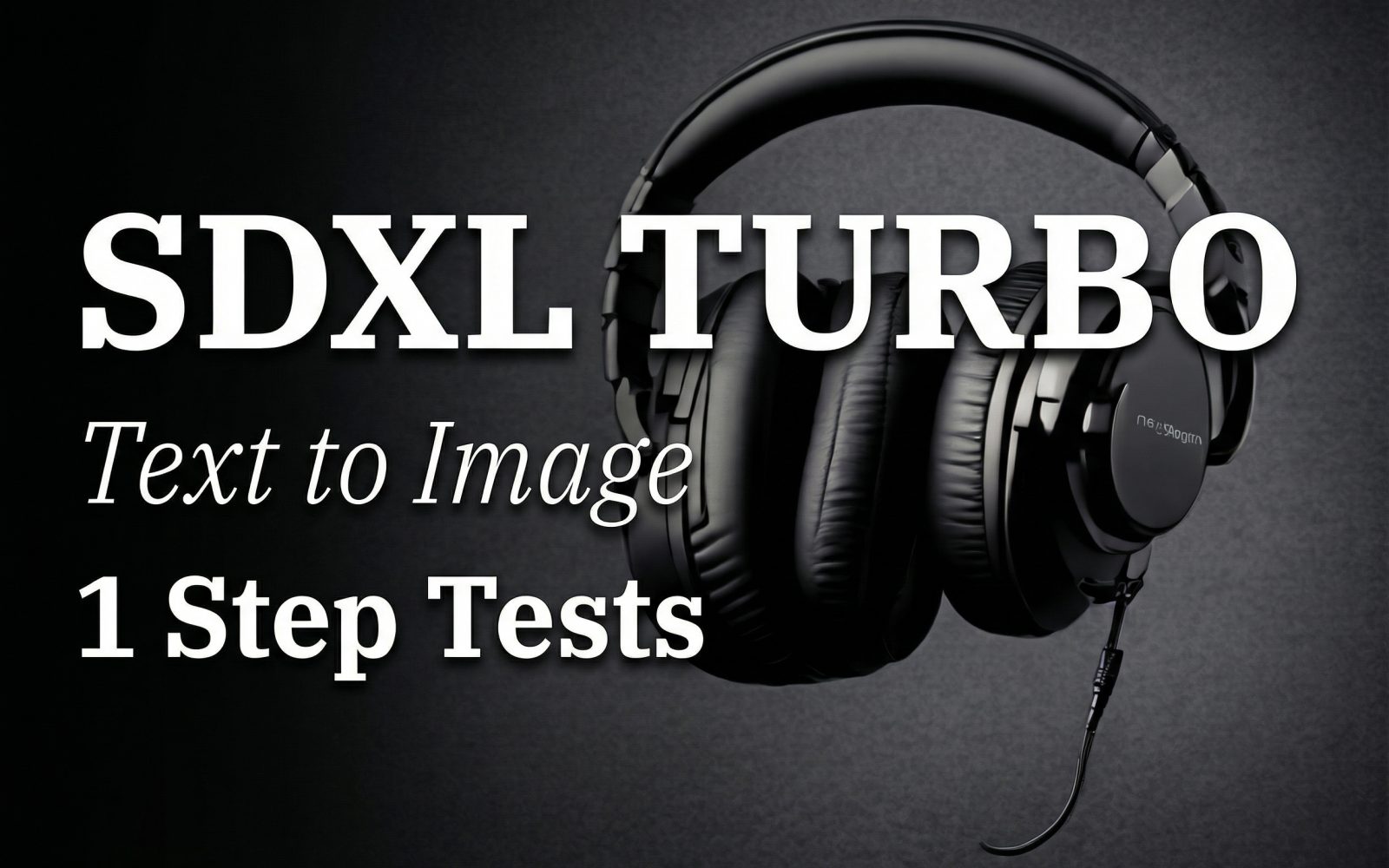
1. Product photo: headphones
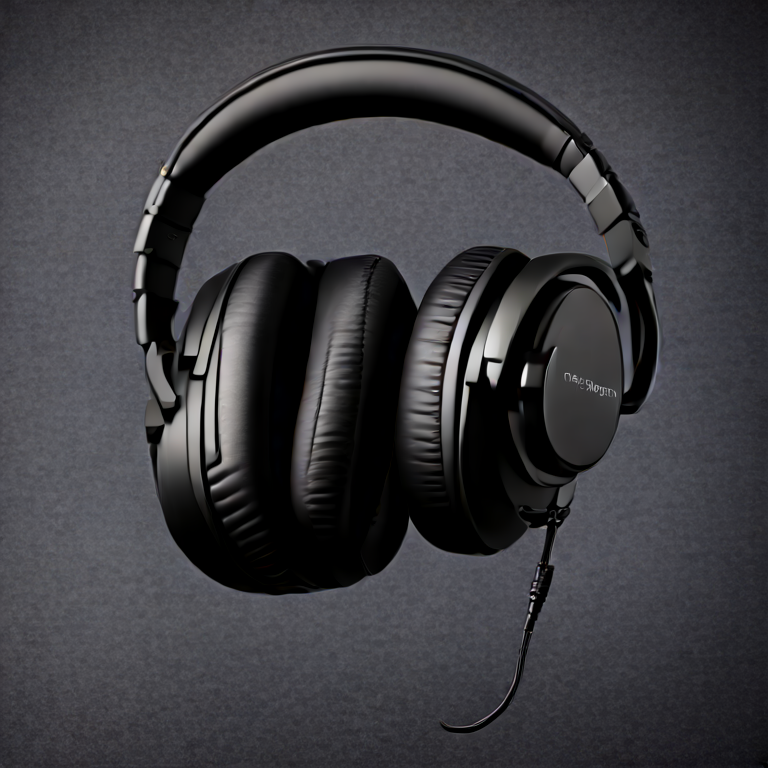
This is the kind of request where the one-step approach earns its place. The output communicates the product category, a controlled charcoal backdrop, rim lighting, and room for copy on the left. Matte-black surfaces are unforgiving because a weak image turns them into featureless blobs. Here, the silhouette and highlight placement create enough separation to read as a studio concept. It should not be treated as a catalog-ready product rendering without checking the headphone geometry. For a pitch deck, mood board, or fast layout decision, it is a productive result.
2. Text rendering: neon sign
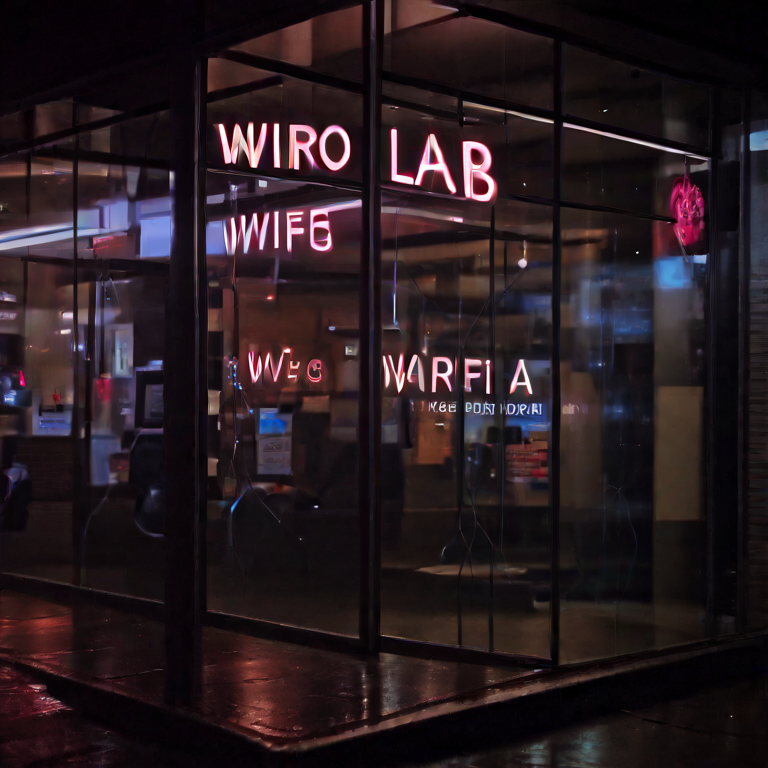
This is the clearest stress test. The prompt asks for a specific two-word sign, uppercase letters, rain, reflections, and a photographic street scene. The result delivers the night-storefront mood and reflected light, but generated lettering should not be assumed correct at one step. That is not a minor production detail: a brand name, price, or legal line must survive exact review. Use the image as the background plate and add approved typography afterward. A model that supports stronger text control is the safer final choice when the words themselves carry the message.
3. Food photography: burger
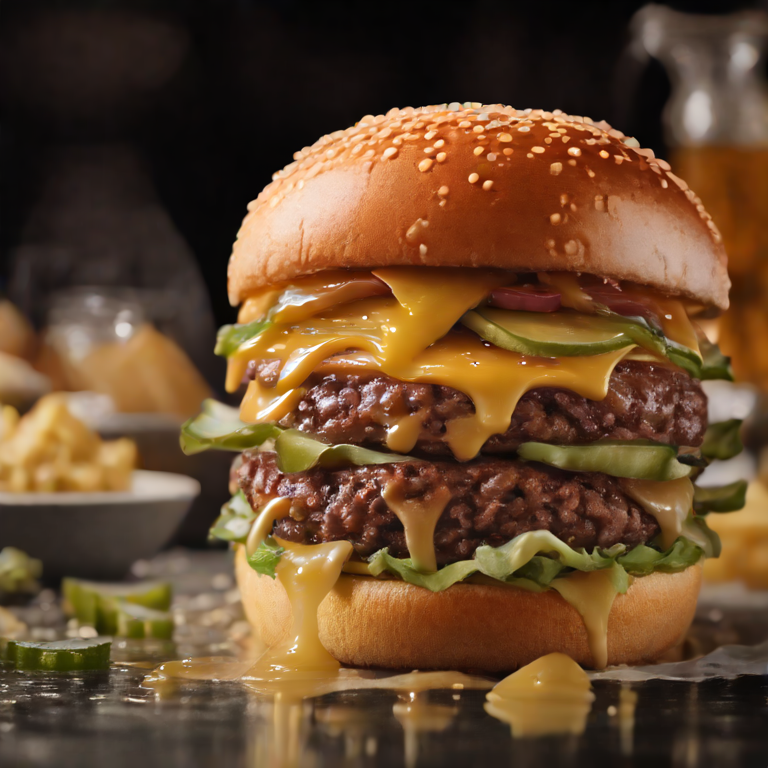
The burger test asks for multiple familiar food-photography signals: melted cheese, bun gloss, steam, selective focus, and studio light. The output reads as food quickly because those broad signals are present. Look closer before using it commercially. Gloss and steam can tip toward an over-smoothed, synthetic look, and a food brand will care about the exact stack, toppings, and texture. SDXL-Turbo works well here as a quick way to explore camera angle and appetite appeal. It is less suitable when the result must depict a real menu item faithfully.
4. Portrait: chef
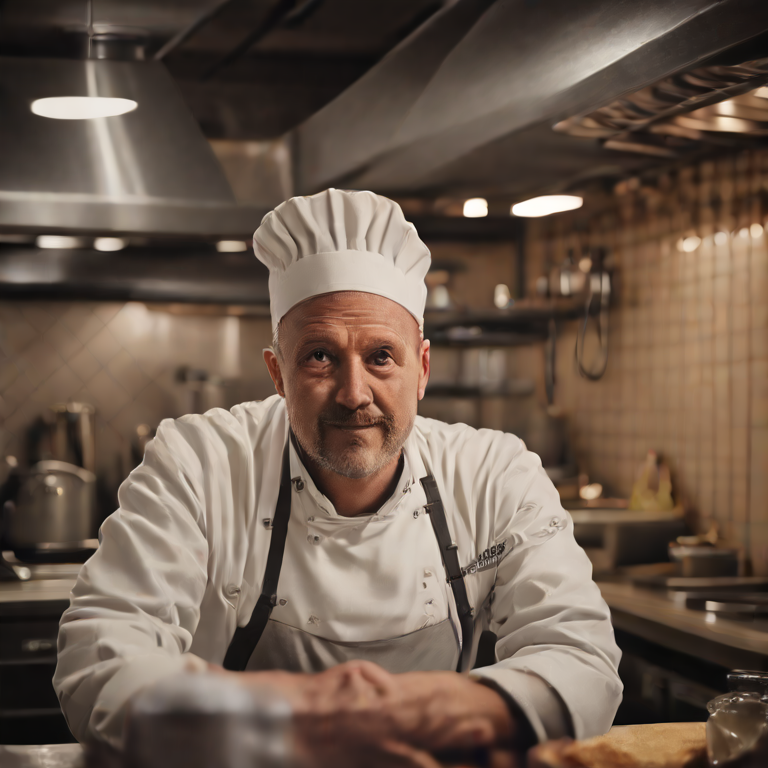
The chef image shows SDXL-Turbo’s strength in broad photographic direction. Warm tungsten light, a small-kitchen setting, and an 85mm-style portrait mood all come through without a long sampling chain. The limitation is precision. Faces, ears, fingers, and background utensils deserve a close pass, especially if the image will run large. Pick this model when the question is “which portrait mood fits?” Pick a higher-fidelity model or a multi-step workflow when anatomy and identity cues need final approval.
5. Complex scene: night market
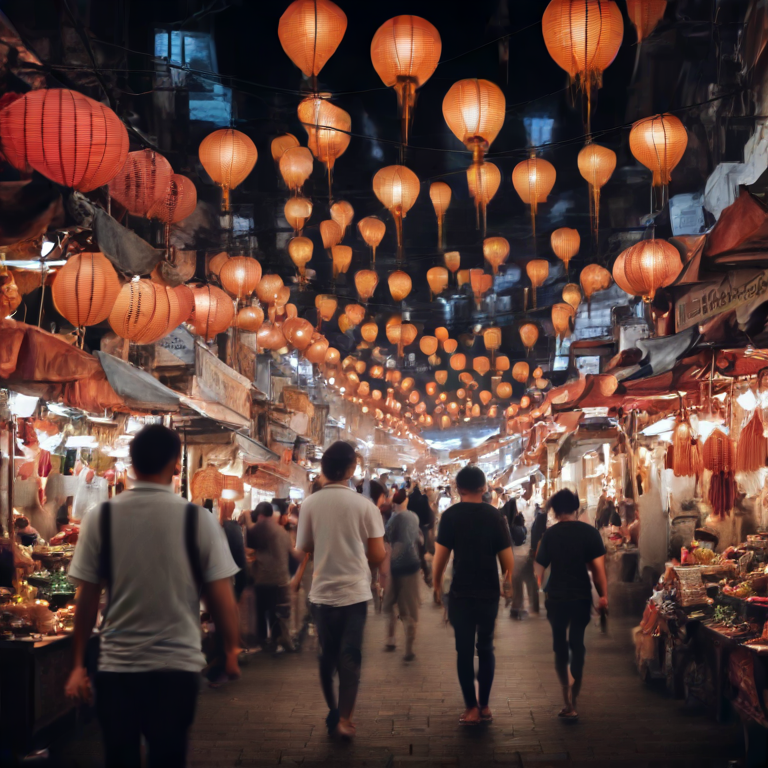
A night market is a tough one-step request because it combines crowds, signs, smoke, lanterns, stalls, and motion. The output keeps the overall density and color energy, which is enough to judge the visual direction. Small objects and signage are where the compression shows. They can merge, repeat, or lose clear structure. That is acceptable for thumbnail ideation, concept art briefs, and storyboards. It is not the right tool for a scene where a client needs to inspect individual products, people, or storefront text.
6. Style control: scooter poster
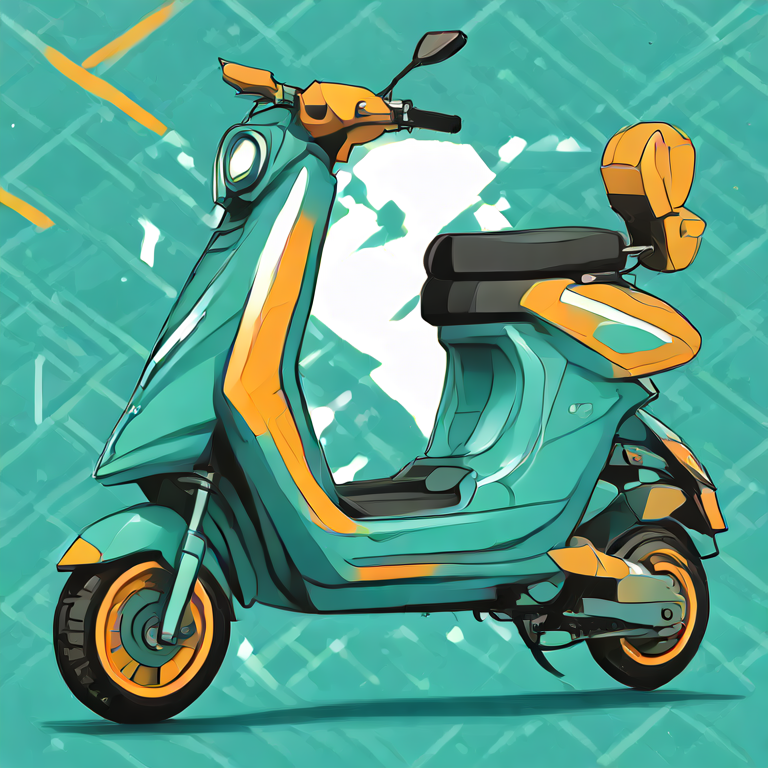
This prompt tests whether the model can stop behaving like a camera. The result follows the scooter, centered layout, teal-and-orange palette, and simplified poster instruction. It can still introduce tonal texture or lighting that a strict vector brief did not ask for. For a designer, that is a usable starting image, not finished vector artwork. Choose SDXL-Turbo for a fast visual direction, then redraw or refine when clean paths and repeatable brand colors matter.
When to choose SDXL-Turbo
Choose SDXL-Turbo when iteration speed matters more than pixel-level certainty. It is a good fit for prompt exploration, campaign mood boards, rough product scenes, composition tests, and deciding whether a direction is worth a more expensive pass. Keep prompts concrete: subject, setting, lighting, framing, and desired medium. The model card describes SDXL-Turbo as a distilled SDXL 1.0 model trained with Adversarial Diffusion Distillation for one-to-four-step sampling, which matches the practical result here: fast visual decisions, with fewer opportunities to correct detail.
Do not choose this one-step route as the final tool for exact typography, regulated product depictions, intricate hands, or crowded scenes that must hold up at full size. Those cases benefit from a model with more room to resolve detail or from a staged workflow. For another Stable Diffusion reference point, compare these findings with Stable Diffusion 3.5 Large: 6 Prompt Tests (1024px). For a different approach to structured layouts, see HiDream I1 Full: 5 Prompt Tests for Structured Layouts.
Sources and a practical takeaway
Stability AI’s SDXL Turbo announcement describes the move from roughly 50 sampling steps to one. The SDXL-Turbo model card on Hugging Face documents one-step generation, guidance scale 0.0, and the preferred 512×512 size. Those claims explain the test settings; the six images above show the practical limits.
Run the same prompts, then decide at the right point in the workflow: use SDXL-Turbo to get to a visual answer quickly, and switch when the final asset needs exact text or fine structural detail.