
For intimate apparel ecommerce, “uncensored” should not mean careless. It means a product team can test legitimate fashion briefs—sheer layers, swimwear, fitted bodysuits, hosiery and body-led compositions—without a generic refusal or a prompt being silently watered down. This review compares the three model outputs already used in this post: Seedream V5 Lite Uncensored, Seedream V4.5 Uncensored, and FLUX.2 Klein 4B.
The test was deliberately commercial rather than provocative. It asked whether the models could turn a clear art direction into usable starting points for campaign creative: believable fabric, a readable silhouette, sensible lighting, and enough compositional control for a merchandiser or designer to take the next step. These are concept images, not substitute product photography. They should never be used to make claims about garment construction, sizing, fit, colour accuracy, or the real appearance of a SKU.
What this test checked
Each prompt specifies the product category, the setting, lighting, material treatment and a practical compositional constraint. The first two tests use the uncensored Seedream variants because the brief includes transparent or close-fitting apparel. The third uses FLUX.2 Klein 4B for a product-led still life with headline room. The goal was not to crown a universal winner. It was to identify the point in a retail image workflow where each model is most useful.
- Apparel realism: Does the output suggest seams, drape, lace, satin or knit texture rather than a flat painted surface?
- Prompt adherence: Does the image keep the requested setting, garment category and composition?
- Retail usefulness: Is there room for crop, copy, retouching or reuse in a campaign layout?
- Operational clarity: Are the documented controls enough to reproduce the setup without inventing an unavailable parameter?
Output 1: sheer beach cover-up campaign
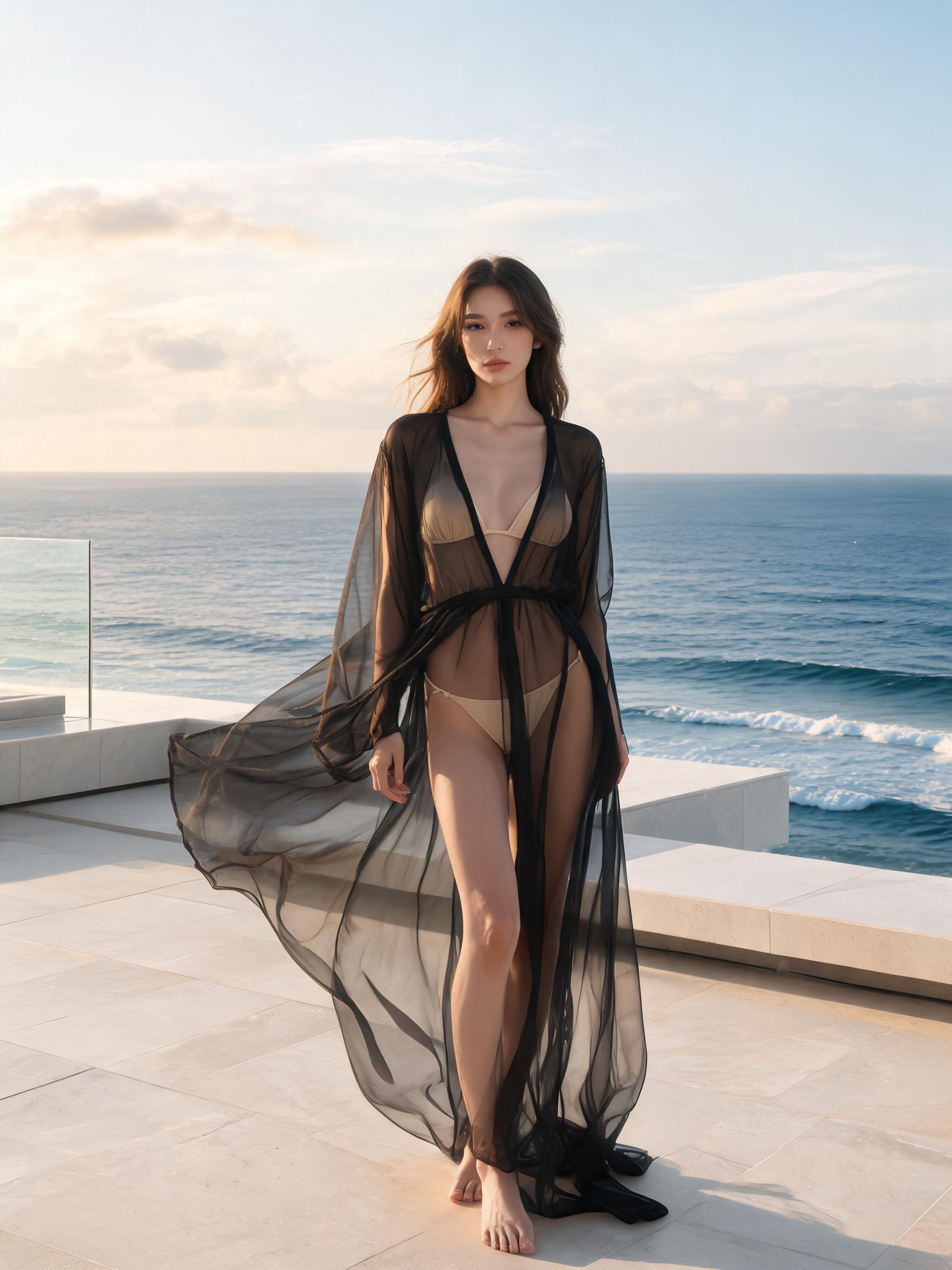
This image shows why Seedream V5 Lite Uncensored is a sensible first pass for a campaign concept. The output keeps the requested terrace-and-sea setting while making the cover-up read as a distinct outer layer rather than disappearing into the body. The composition is editorial: it sells a mood more than it documents a garment. That makes it useful for a landing-page hero, lookbook direction or a creative brief, but not for a PDP where the exact cut and transparency of the real item must be verifiable.
The documented text-to-image controls used for this kind of setup are prompt, resolution, aspectRatio, maxImages and watermark. V5 Lite supports 2K or 3K and includes a 3:4 option (1728×2304 at 2K), which suits the vertical fashion treatment shown here. Use one output per run when assessing art direction, then change just one variable—location, lens language, garment colour, or camera distance—on the next run. The documentation contains an illustrative completed task with elapsedseconds of 6 seconds, but it does not provide a dependable price per generated image for this exact configuration. That sample is not a speed or cost guarantee, so no per-output cost is claimed here.
Output 2: satin bodysuit studio shot
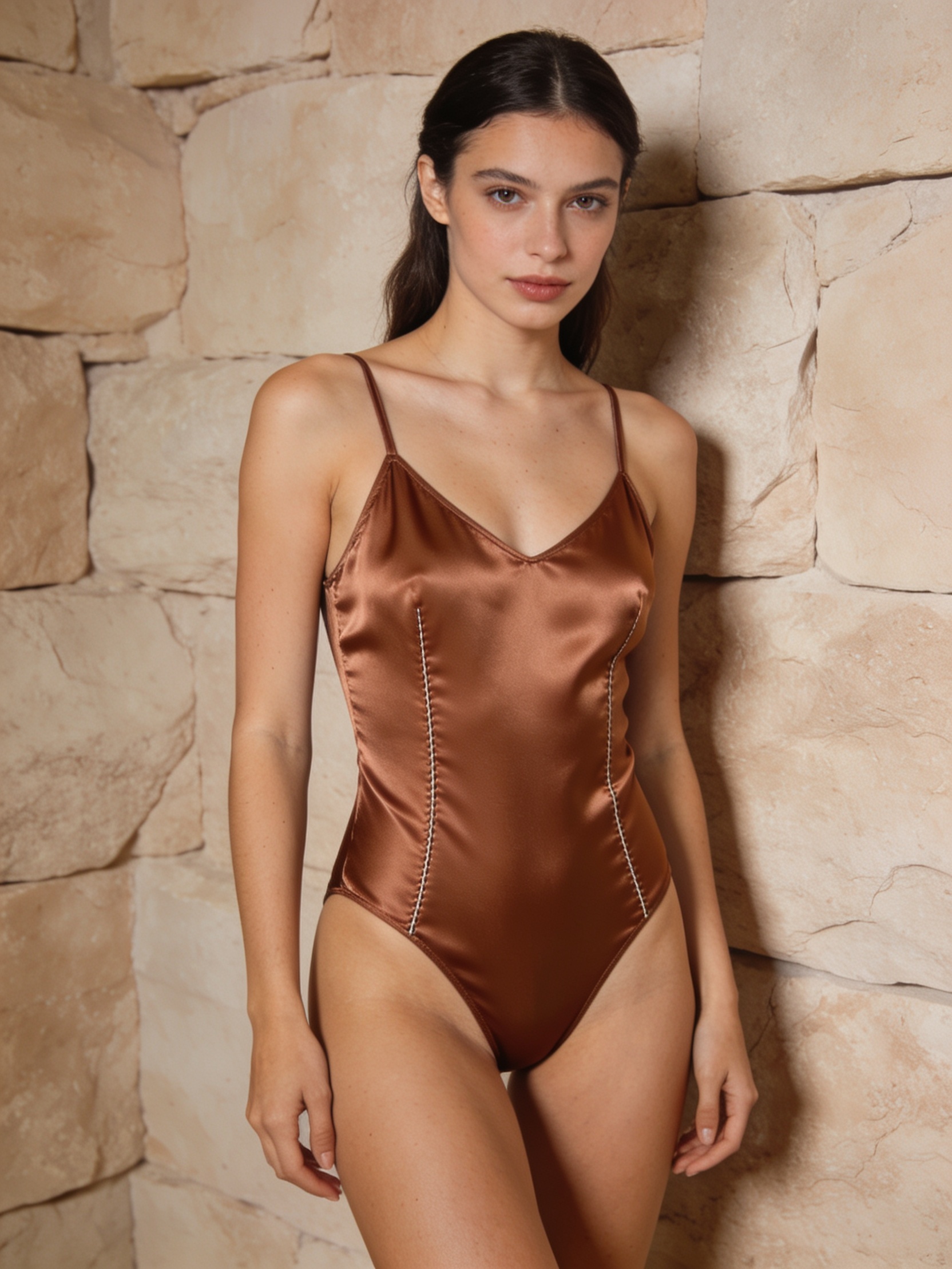
The second output is more controlled and more practical for a studio-led campaign. The warm backdrop and beauty lighting create separation between model and garment, while the request for negative space keeps the composition from becoming an all-over editorial crop. What it actually demonstrates is not perfect garment fidelity: it demonstrates a credible premium studio direction with a legible bodysuit silhouette and surface sheen. Check hands, edges, straps, closures and reflected highlights before using any generated frame beyond ideation; those details are where fashion images can look plausible at first glance yet fail close review.
Seedream V4.5 Uncensored documents the same core controls, with 2K and 4K options and additional ratios including 4:5 and 5:4. A useful repeatable setup is resolution: 2k, aspectRatio: 4:5, maxImages: 1, and watermark: false, with the supplied prompt carrying the art direction. The existing output uses a tall studio composition consistent with a 3:4 framing. The documentation again includes an example task record at 6 seconds but publishes no configuration-specific price per final image. Treat that elapsed time as an example record, not a benchmark. Pick V4.5 when the creative brief is mostly about a clean studio image, defined palette and copy-safe space; move to a real shoot or approved product render when the customer must judge the item itself.
Output 3: hosiery flat lay with copy room
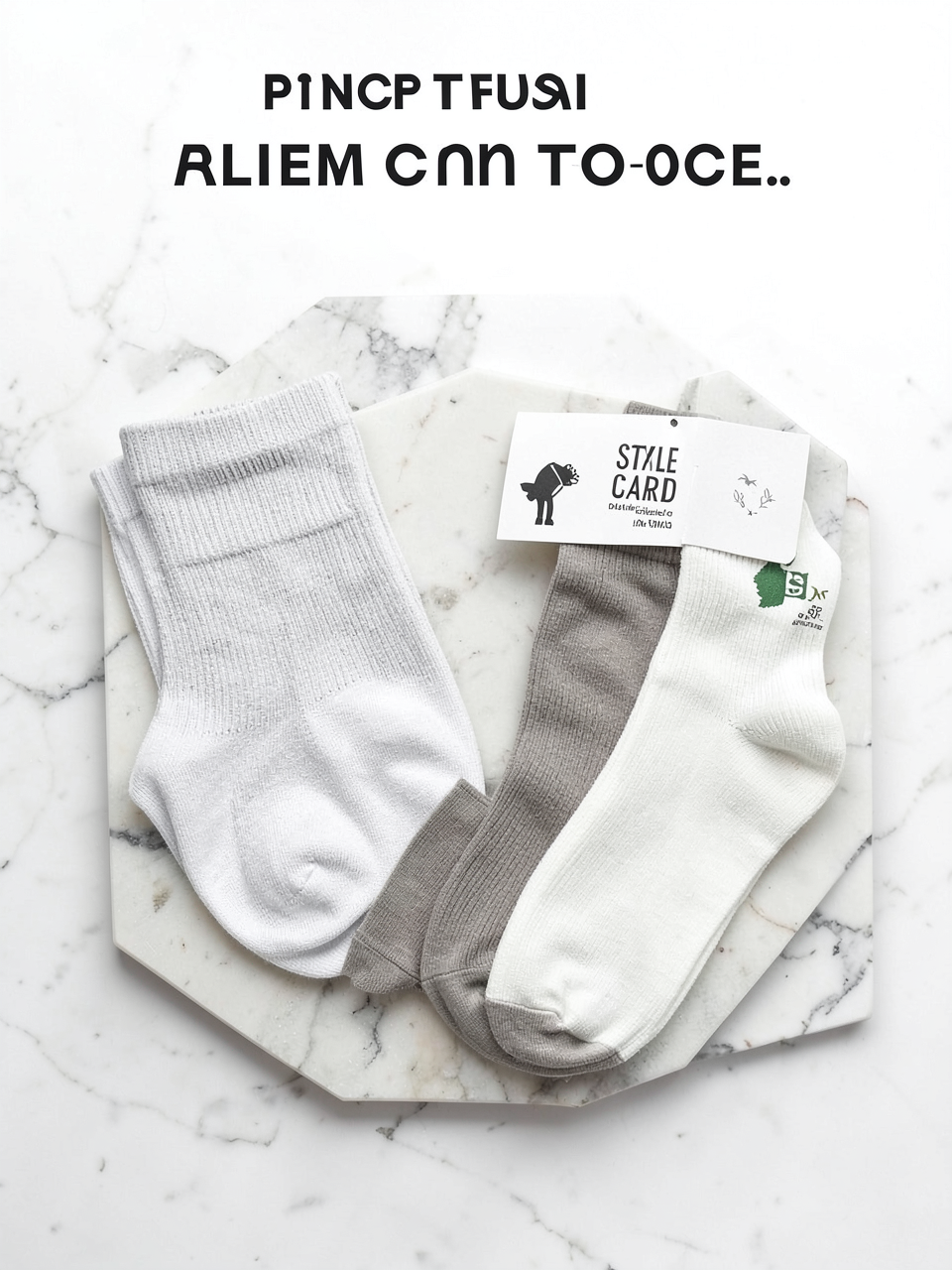
This output changes the job from model-and-garment styling to layout planning. It gives the hosiery, socks and placeholder card a clear hierarchy, with intentional empty space for a headline. That is often more useful for an email or paid-social mock-up than another portrait. It does not solve branded text: the prompt correctly asks for no readable text, and the final typography should be added in a design tool. It also should not be treated as a photographed inventory image without checking every item count, shape and texture against the real products.
FLUX.2 Klein 4B exposes more low-level controls: steps (documented default 4), scale (default 1), samples, seed, width and height (both documented at 1024 by default), alongside an optional reference image. For this kind of flat lay, start with one sample, 1024×1024, steps 4, scale 1 and a fixed seed once the direction is close; that makes prompt revisions easier to compare. The documentation’s example task response also shows 6 seconds, but no reliable price per output. Choose Klein 4B when layout, negative space, simple product grouping or reference-guided changes matter more than an uncensored fashion portrait.
How to choose the model
| Model | Best starting point | Documented controls relevant here | Use with care |
|---|---|---|---|
| Seedream V5 Lite Uncensored | Campaign concepts with sheer layers, swimwear or atmospheric locations | 2K/3K, aspect ratio, output count, watermark | Do not infer exact fabric behaviour or fit from the concept image |
| Seedream V4.5 Uncensored | Studio-led bodysuit and intimate-apparel directions with copy space | 2K/4K, broad aspect-ratio set, output count, watermark | Inspect construction details before any customer-facing use |
| FLUX.2 Klein 4B | Flat lays, retail compositions, prompt iteration and reference-based edits | Steps, scale, samples, seed, width and height | Add final branded typography outside the image model |
A practical workflow for ecommerce teams
Start with one commercial brief and one output per model. Keep the prompt specific: product class, fabric, pose or layout, lighting, background, crop, and whether there must be copy room. Reject rather than patch an image that gets the core garment wrong. Once a direction works, create controlled variations by changing one element at a time. Then hand the selected concept to a designer or retoucher, who can add verified product cut-outs, legal copy, price messaging and accessible alt text. This division of labour is faster and safer than expecting a single generation to become a finished catalog asset.
For more prompt angles, see our swimwear product marketing prompts with Seedream V5 Lite Uncensored. For a closer look at the older studio model, read Seedream V4.5 Uncensored: 6 prompt tests. And for a broader comparison set, see Best NSFW AI API in 2026.
Sources and verdict
The Seedream family has published research context in the Seedream 2.0 paper, which discusses bilingual image generation, text rendering and prompt-following. That paper is background rather than a claim that these later hosted variants share every behaviour or benchmark.
The useful answer is a workflow, not an “anything goes” label. Pick Seedream V5 Lite Uncensored for location-driven fashion concepts; pick Seedream V4.5 Uncensored for controlled studio direction and flexible vertical crops; pick FLUX.2 Klein 4B for layout-first merchandising concepts and iterative control. All three can accelerate ideation. None should replace product photography, fit checks, consent, brand review or retail compliance.