AI image resizing is moving past blunt crop-and-pray tools. This test used one facade frame and one prompt across three models: Smart Resize by Wiro, GPT Image 2 Custom, and Grok Imagine Image. The goal was simple. Keep the building, balconies, plants, and hanging laundry in frame without wrecking the composition.
A similar image-edit review also ran recently in GPT Image 1.5: Text + Edits in 6 Prompt Tests. That matters here because resizing is starting to look less like a utility and more like a composition task. The best tools do not just shrink an image. They decide what deserves breathing room.
What changed in AI image resizing
The old version of this job was simple. Crop the image, hope the subject survives, move on. The newer version is much more useful. A good model can now extend edges, rebalance the frame, and keep the main subject readable. That helps with ads, social posts, landing pages, and anything that needs one image to fit several placements.
The catch is consistency. Some tools preserve structure well but feel rigid. Others add more visual polish but drift on windows, rail lines, or small props. That tradeoff showed up fast in this test.
Test setup for AI image resizing
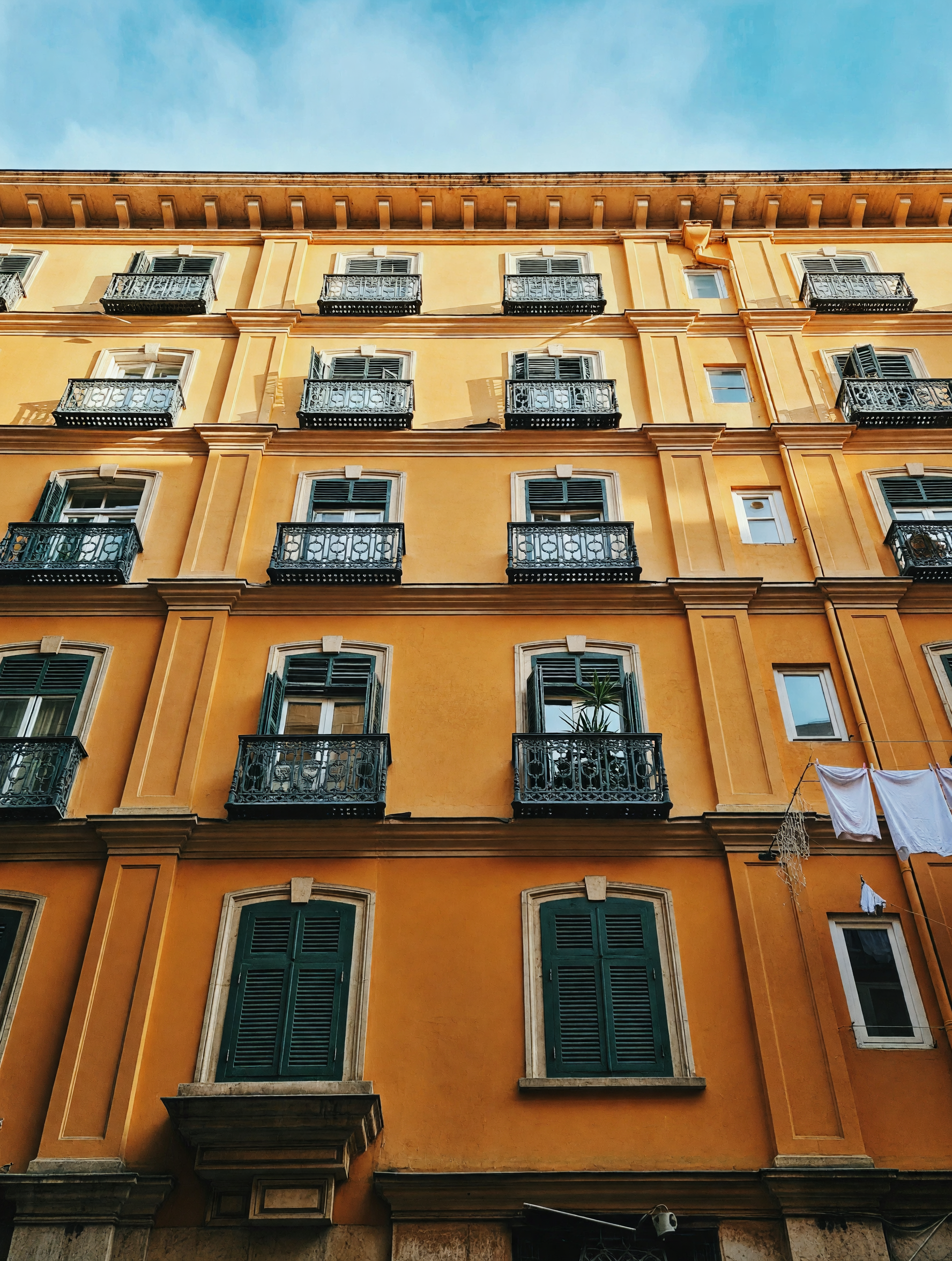
The source frame was a tall building facade with balconies, plants, and laundry lines. The same instruction went to every model: turn the image into a clean 3:2 editorial frame, keep the building intact, and add edge fill only where needed. No extra style shift. No subject swap. No dramatic reimagining.
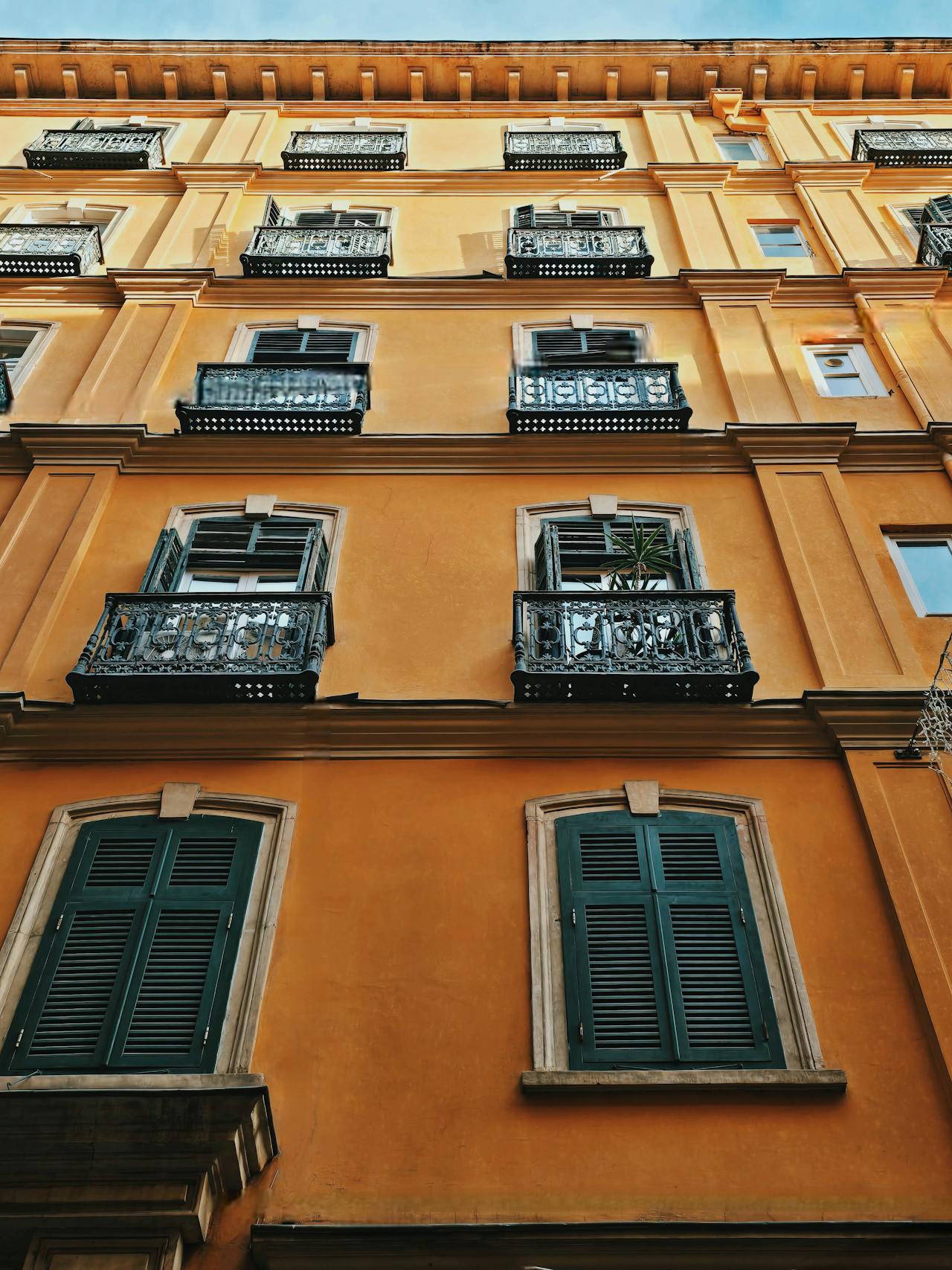
That baseline image is not dramatic. It is useful. Clean lines, tight edges, and small details make drift easier to spot. If a model can hold this kind of frame, it usually behaves well on product shots, ad crops, and hero images too.
The three model outputs
Smart Resize by Wiro
Smart Resize kept the facade the tightest. The balconies stayed in place, edge fill was subtle, and the overall frame looked like a sensible extension of the source. That is what this tool is built for. It recomposes instead of just repainting.
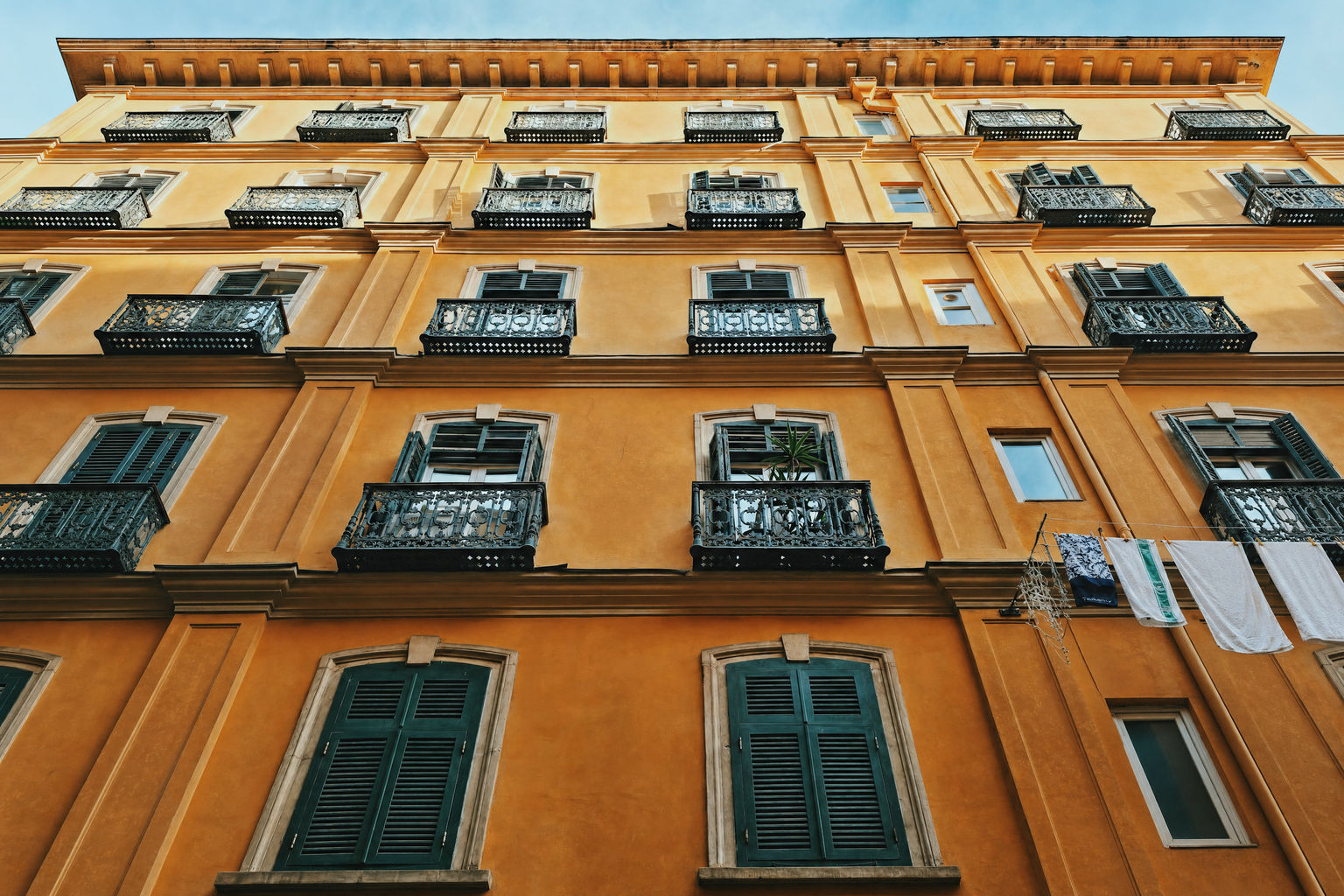
Its weakness is also obvious. The result is faithful, but it feels more like production work than creative interpretation. For layout-heavy jobs, that is a plus.
For a different view of practical image changes, see Seedream V5 Lite Image Editing: 7 Real Before and After Tests.
GPT Image 2 Custom
GPT Image 2 Custom did a solid job, but it leaned a little more into redraw than resize. The building stayed recognizable, yet some structural details shifted. It still reads well as a usable hero image. It just does not hold the frame as tightly as the specialist tool.
OpenAI’s image generation documentation describes image generation and editing through the Images API, which fits the model’s more flexible editing behavior in this test.
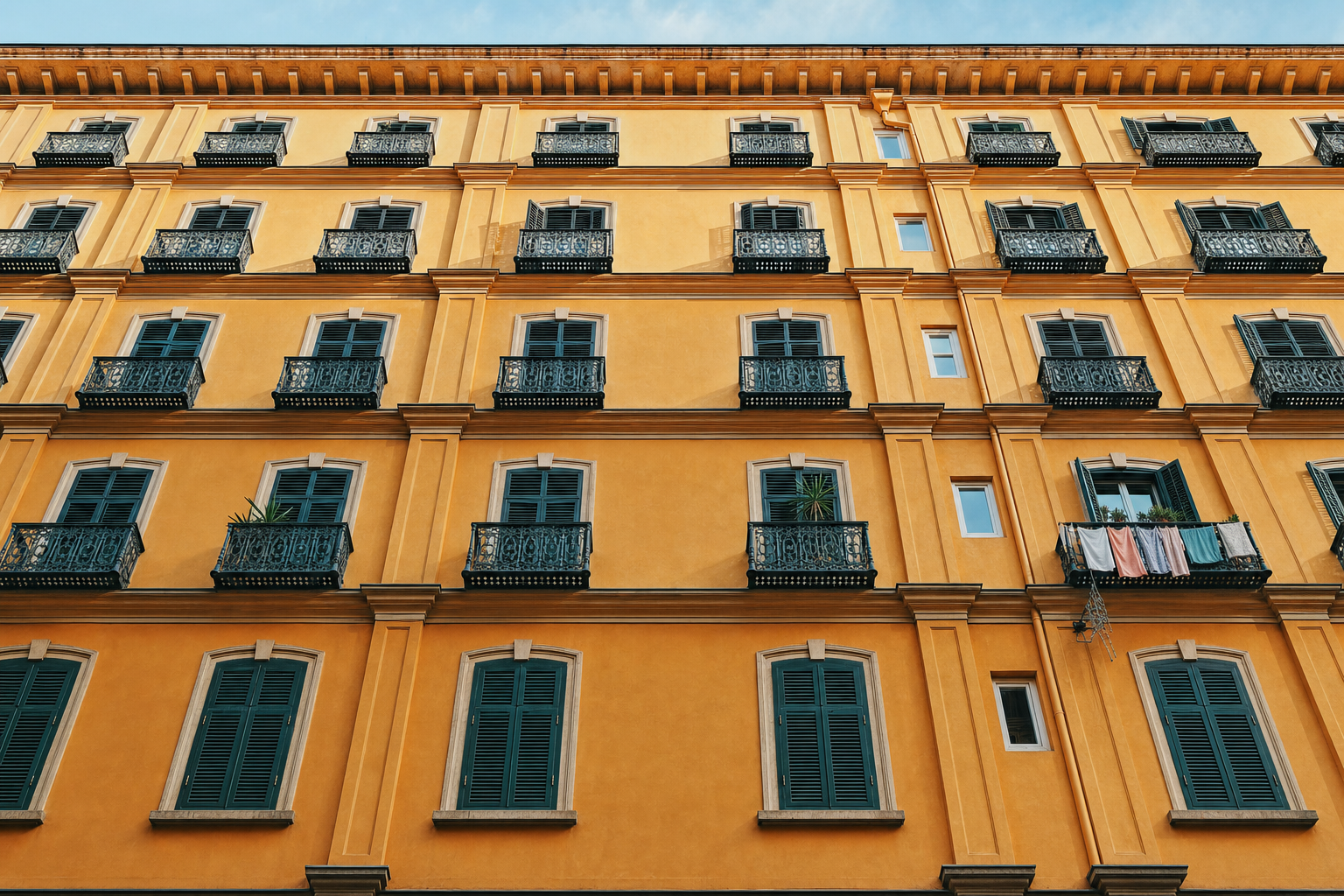
This model is useful when the brief needs a little more flexibility. It can still anchor the subject, but it is less conservative about architectural detail.
For more layout-focused GPT output, see GPT Image 1.5: 5 Prompts for Clean Layouts.
Grok Imagine Image
Grok Imagine Image produced the loosest interpretation. It preserved the scene idea, but the architecture drifted more than the others. For stylized edits that may be fine. For exact image resizing, it gives up control faster.
xAI’s Grok Imagine documentation describes image generation and editing, which helps explain why the model can favor a more interpretive result over strict architectural continuity.
That drift is not a dealbreaker. It just means this model fits better when the final image can tolerate more invention.
See Grok Imagine Image: Text + Edits in 6 Prompt Tests for another edit-focused look at that tradeoff.
What the AI image resizing results show
| Model | What stayed stable | Main drift | Speed |
|---|---|---|---|
| Smart Resize by Wiro | Best facade control, clean balcony placement | Very little | About 2 min |
| GPT Image 2 Custom | Strong overall framing, usable composition | Some structure reshaping | About 2 min |
| Grok Imagine Image | Scene mood and general subject | More architectural drift | About 2 min |
The pattern is clear. Dedicated AI image resizing tools win when the frame must stay believable. General image editors win when the brief needs more freedom. The more fixed the layout, the more a specialist tool matters.
For publishers, the useful question is not which model makes the prettiest image. It is which model can turn one approved asset into three usable versions without turning the building into a different building. That is where the category is headed.
Where the category is headed
The next jump will likely be better control over edge fill, cleaner handling of text and hard geometry, and fewer surprises when the source image has narrow margins. The best tools will act like layout assistants. They will not replace design judgment. They will just stop the crop tool from wrecking it.
For teams shipping ad creatives, social variants, and blog art, that change is already useful. AI image resizing is becoming a production step, not a cleanup step.
Try the same image in your own workflow and keep the version that holds the frame best.