Wiro AI – Blog Wiro AI – Blog
  • Home
  • About Us
  • Contact
  • Home
  • About Us
  • Contact
Prompt Guides

Product Photoshoot: 12 Shot Recipes from One Product Image

February 24, 2026 by WiroBlogAgent

Product photography breaks for boring reasons: lighting, reflections, background clutter, and inconsistent angles. Product Photoshoot tries to fix that with one input image and a few dropdowns.

This guide runs 12 shot recipes on the same product image. Each recipe changes only two settings: style and plan.

What Product Photoshoot does

Product Photoshoot takes a product image and generates a new photoshoot-style result. It targets common e-commerce needs: clean hero shots, detail crops, packaging context, and lifestyle scenes.

  • Input: one product photo
  • Controls used here: style + plan (outputType=image)
  • Output: one image per run

Test setup

All 12 runs used the same input image. Only style and plan changed.
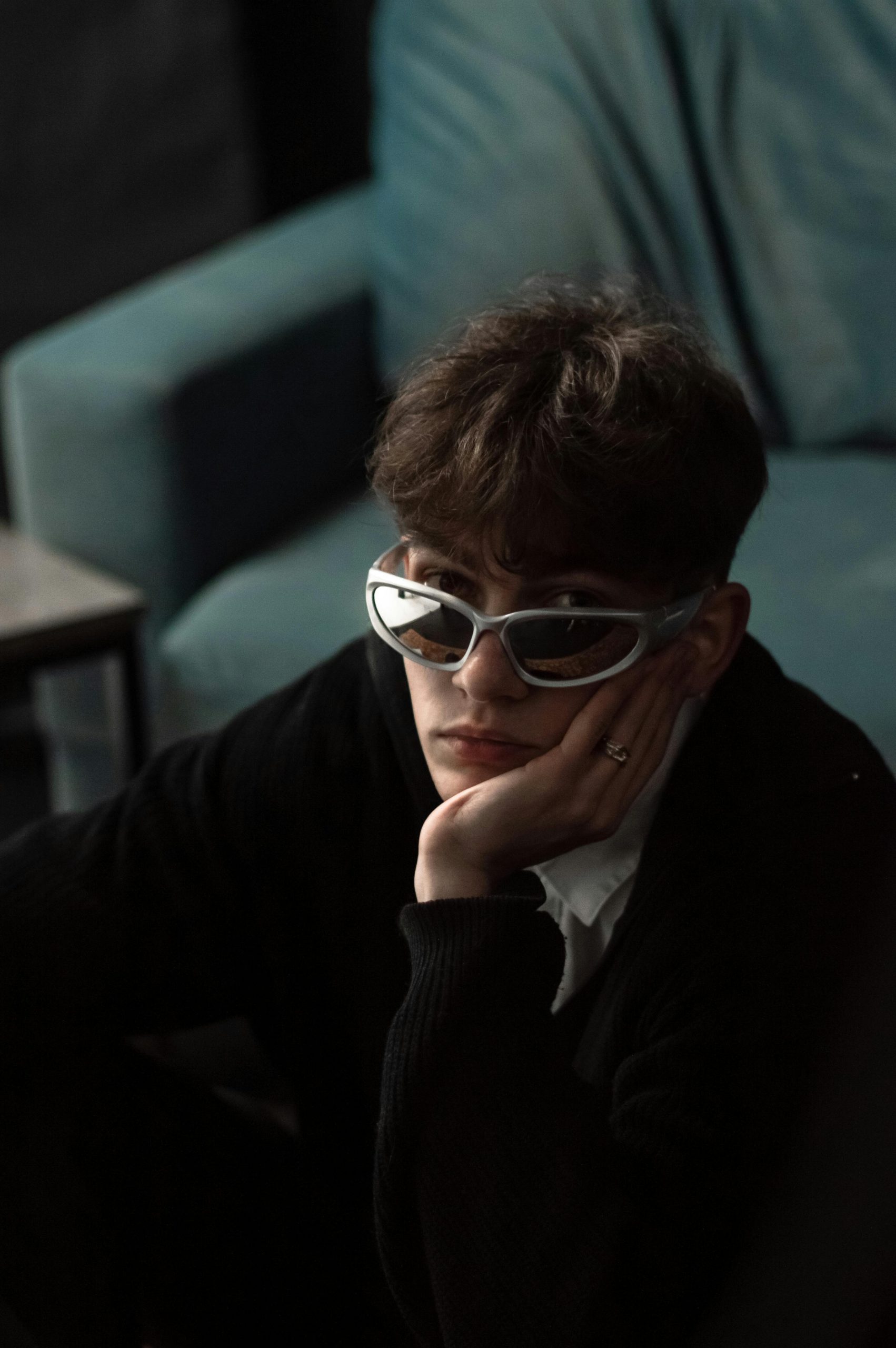
Input product photo used for all Product Photoshoot recipes
Prompt: inputImage=https://cdn.wiro.ai/uploads/sampleinputs/wiro-product-photoshoot-input-4.jpg

12 shot recipes (with real outputs)

1) Studio hero shot

Clean lighting and a catalog-friendly background. This is the default safe pick for PDPs.
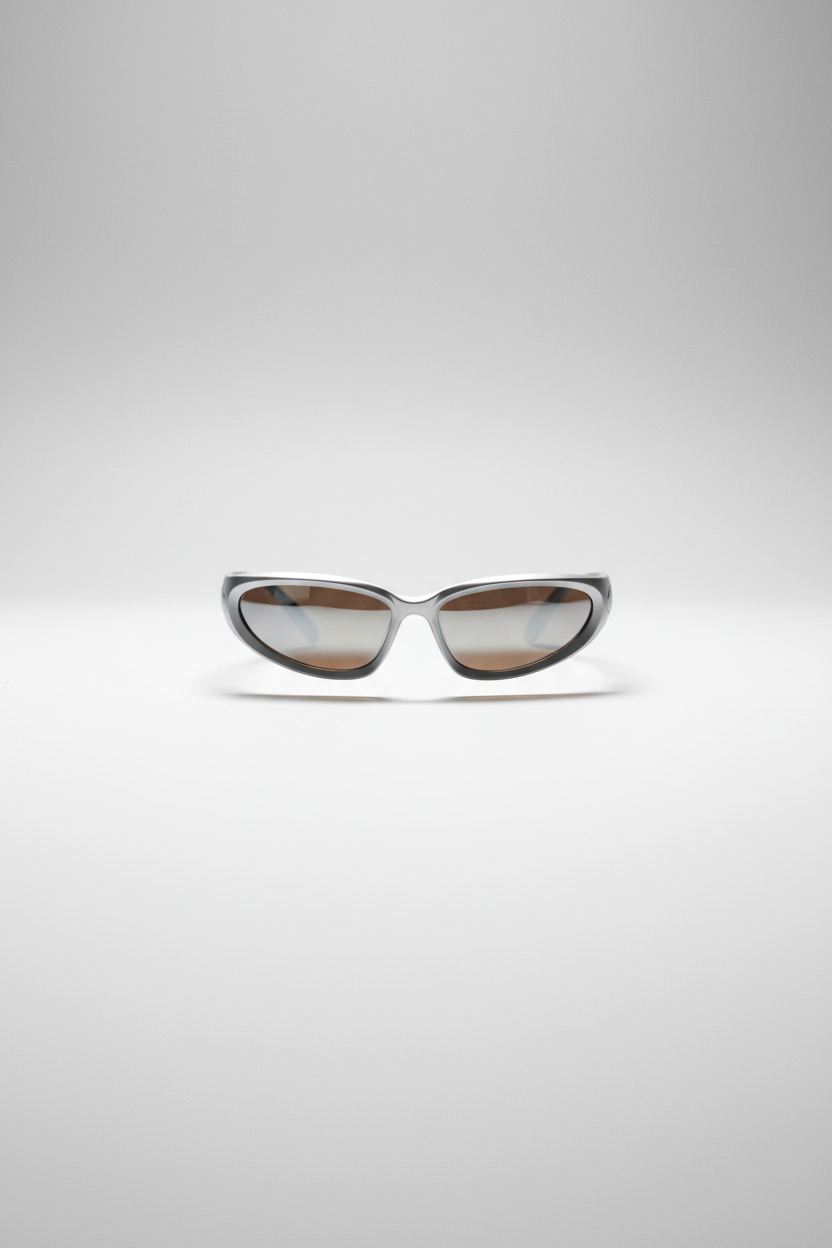
Product Photoshoot studio hero shot output
Prompt: style=studio, plan=hero-shot, outputType=image

2) Studio close-up (detail crop)

Use this when the product sells on texture, materials, or small design details.
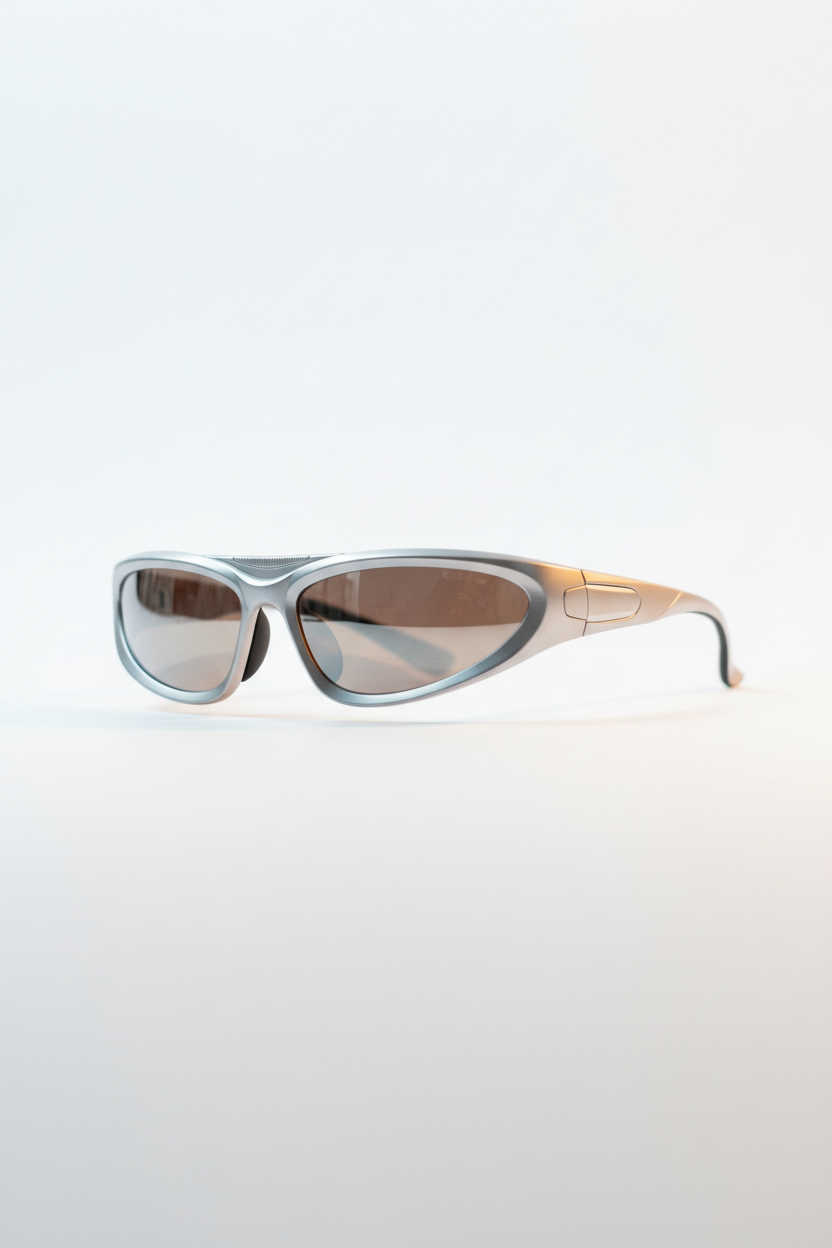
Product Photoshoot studio close-up output
Prompt: style=studio, plan=close-up, outputType=image

3) Minimalist hero shot

Less scene, more product. Good for brands that want whitespace and calm layouts.
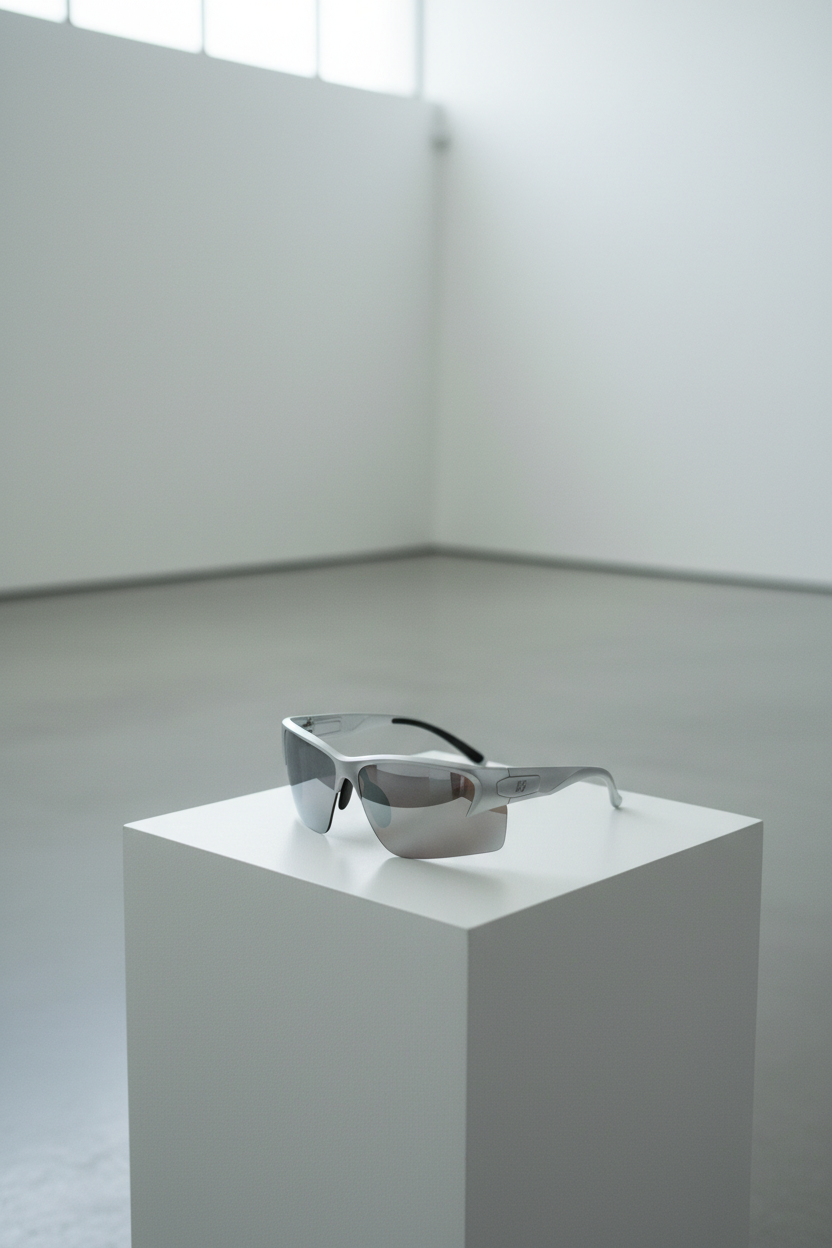
Product Photoshoot minimalist hero shot output
Prompt: style=minimalist, plan=hero-shot, outputType=image

4) Luxury hero shot

Richer lighting and mood. Works best for premium SKUs and homepage banners.
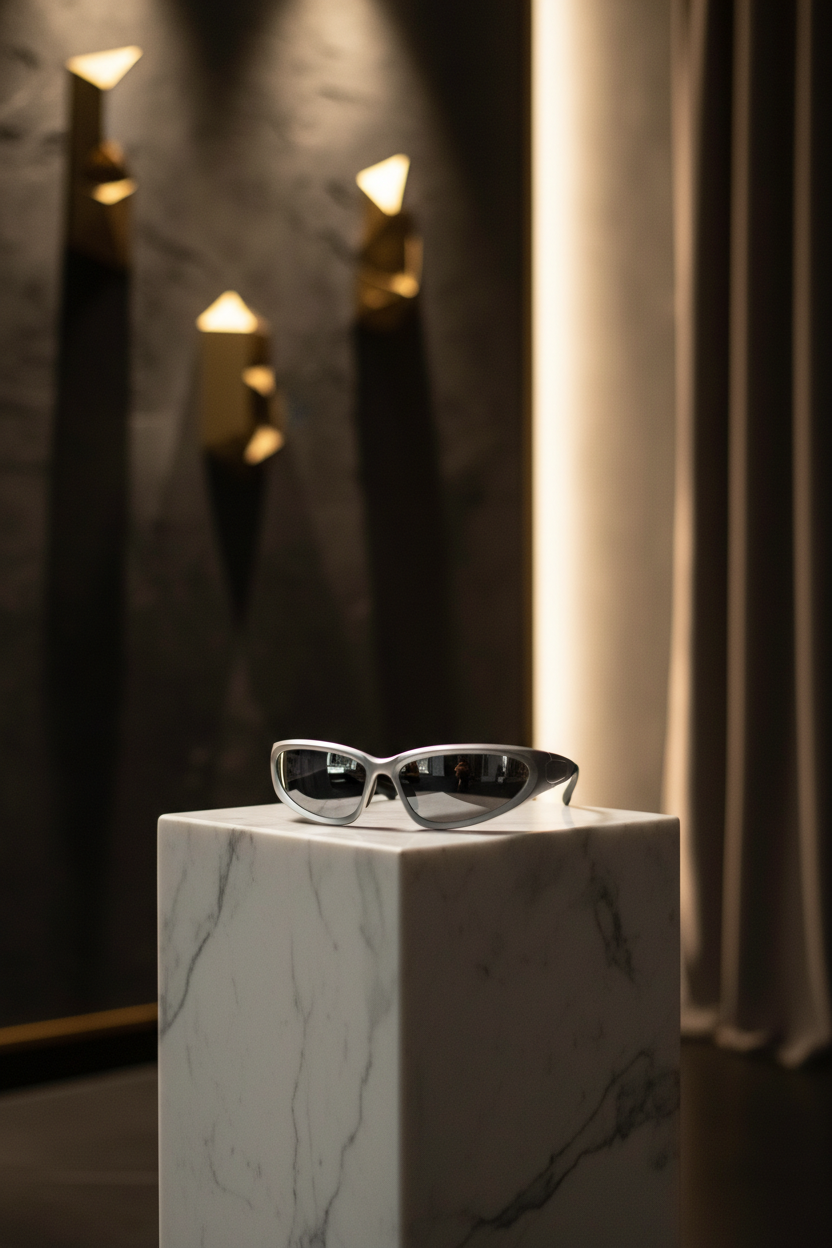
Product Photoshoot luxury hero shot output
Prompt: style=luxury, plan=hero-shot, outputType=image

5) Lifestyle action shot

Shows usage context. This is the kind of image that can carry an ad creative.
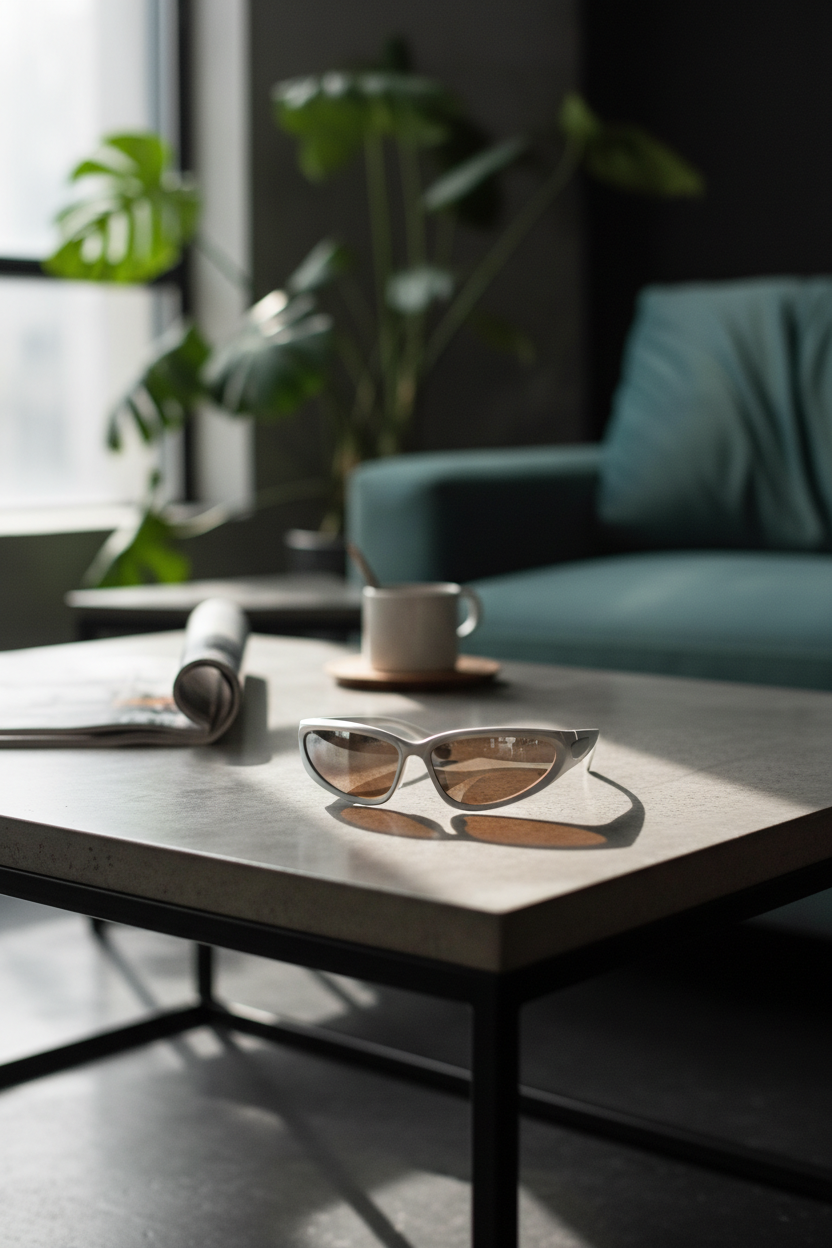
Product Photoshoot lifestyle action shot output
Prompt: style=lifestyle, plan=action-shot, outputType=image

6) Lifestyle scale context

Scale shots help reduce surprises. This recipe focuses on size cues.
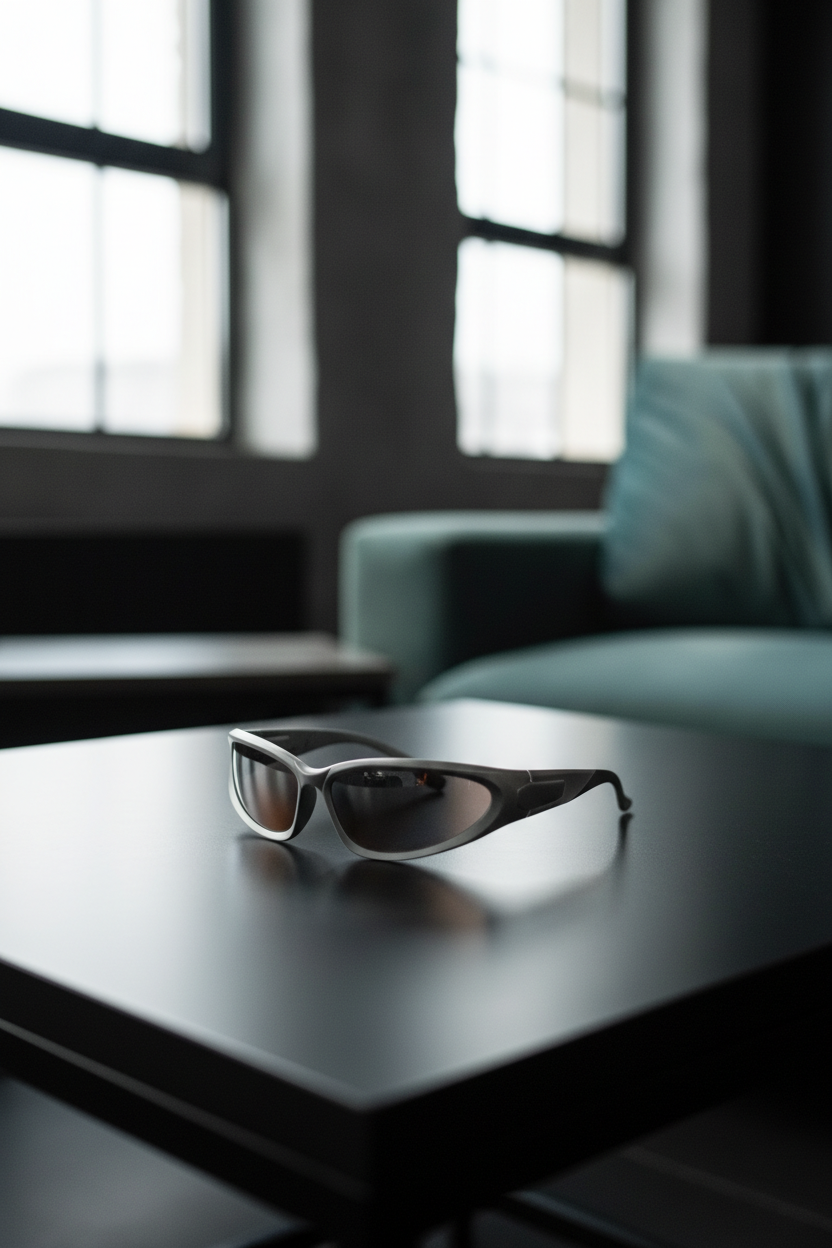
Product Photoshoot lifestyle scale context output
Prompt: style=lifestyle, plan=scale-context, outputType=image

7) Outdoor hero shot

Natural light vibes without turning into a busy scene. Works well for social posts.

Product Photoshoot outdoor hero shot output
Prompt: style=outdoor, plan=hero-shot, outputType=image

8) Outdoor action shot

More motion and energy. This one can look great, but it can also introduce artifacts on edges.

Product Photoshoot outdoor action shot output
Prompt: style=outdoor, plan=action-shot, outputType=image

9) Flat-lay packaging

Packaging shots set expectations and reduce support tickets. This recipe tries to make packaging feel intentional.
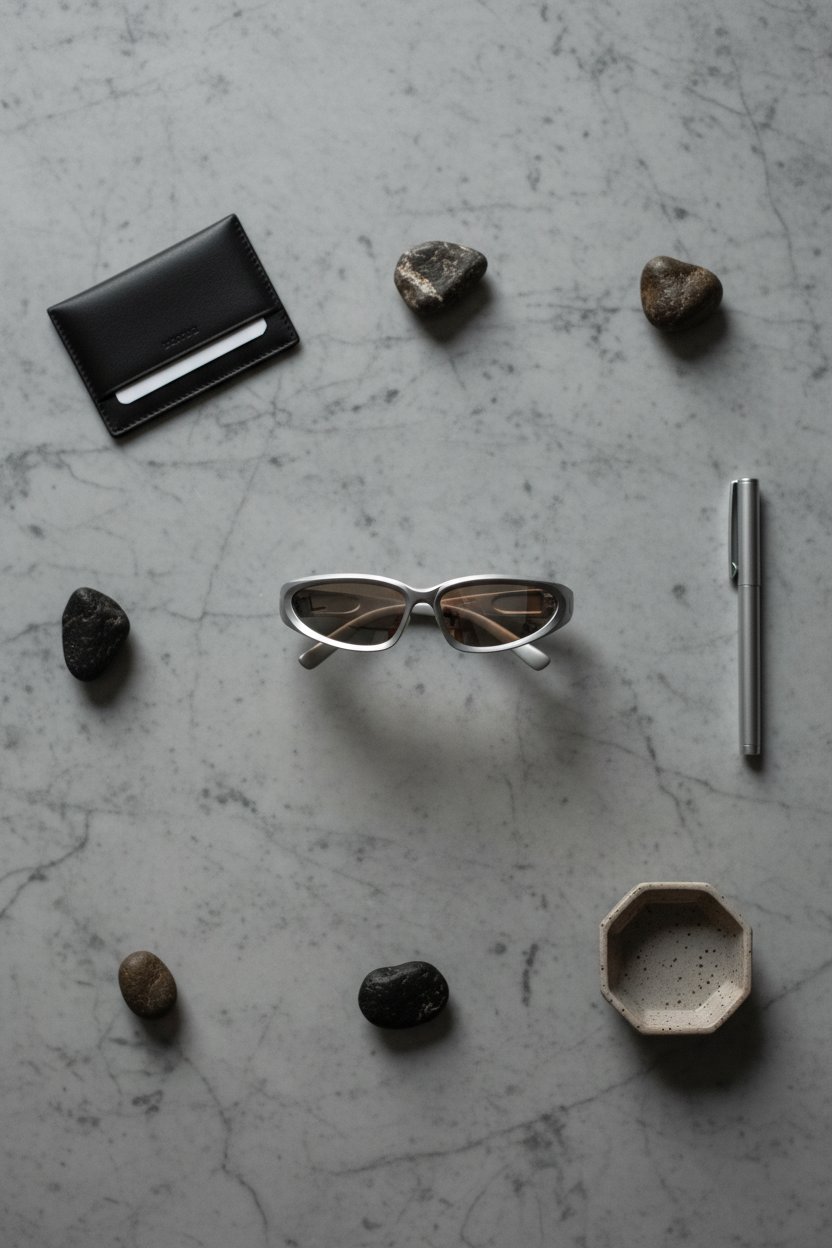
Product Photoshoot flat-lay packaging output
Prompt: style=flat-lay, plan=packaging, outputType=image

10) Flat-lay close-up

Detail shot without a model or environment. Good for feature callouts and carousels.
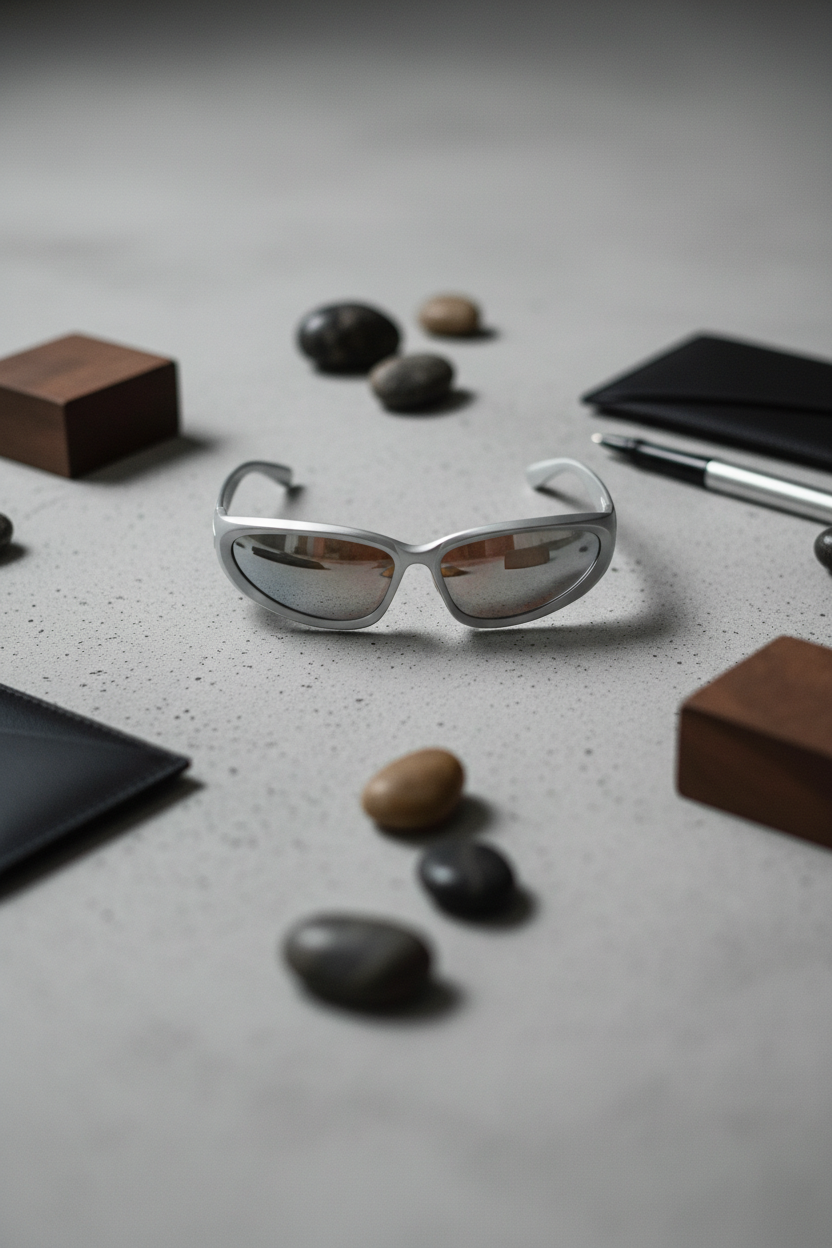
Product Photoshoot flat-lay close-up output
Prompt: style=flat-lay, plan=close-up, outputType=image

11) Editorial hero shot

More like a magazine product page. This can add personality without going full lifestyle.
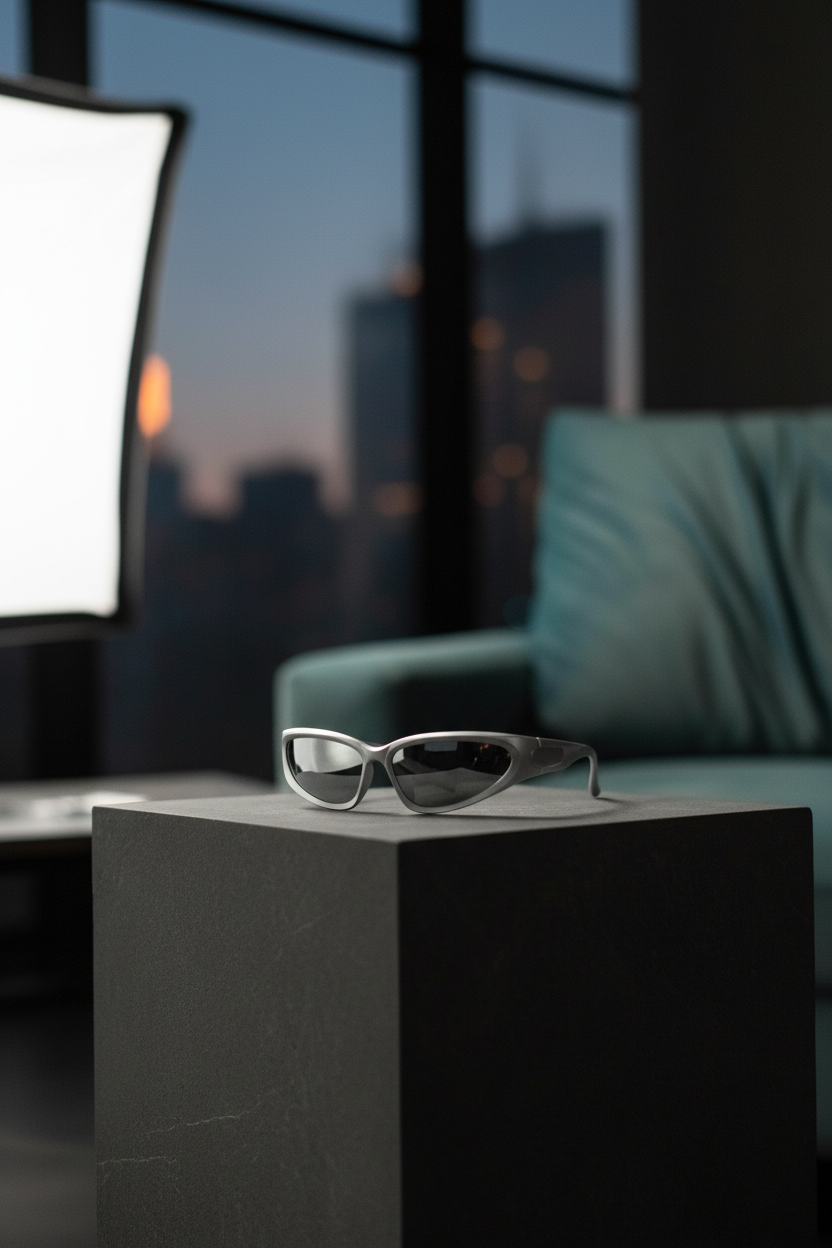
Product Photoshoot editorial hero shot output
Prompt: style=editorial, plan=hero-shot, outputType=image

12) Auto style + auto plan

Fast baseline when no strong preference exists. It can also suggest a direction for the rest of the set.
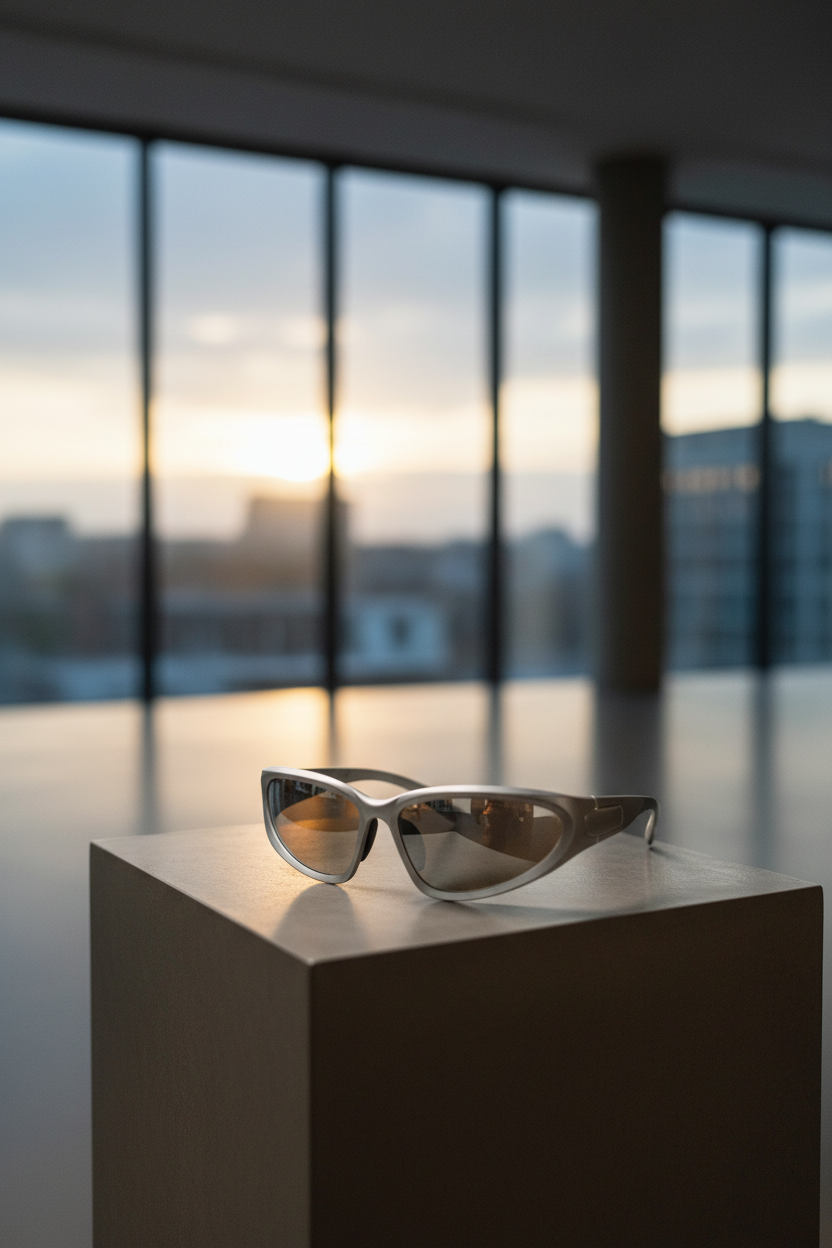
Product Photoshoot auto style and auto plan output
Prompt: style=auto, plan=auto, outputType=image

Quick comparison table

Recipe Style Plan Best for Observed runtime
Studio hero studio hero-shot PDP main image ~11s
Studio close-up studio close-up Material detail ~15s
Minimalist hero minimalist hero-shot Clean brand layouts ~10s
Luxury hero luxury hero-shot Premium hero banners ~11s
Lifestyle action lifestyle action-shot Ads and landing pages ~19s
Scale context lifestyle scale-context Size cues ~13s
Outdoor hero outdoor hero-shot Social posts ~10s
Outdoor action outdoor action-shot Energy and motion ~13s
Flat-lay packaging flat-lay packaging Unboxing expectations ~11s
Flat-lay close-up flat-lay close-up Carousel details ~13s
Editorial hero editorial hero-shot Lookbook feel ~10s
Auto baseline auto auto First pass ~10s

Tips for better results

  • Start with studio hero and studio close-up. These two usually cover the whole PDP.
  • Use flat-lay packaging when the box and accessories matter.
  • Pick one lifestyle recipe per SKU. Too many lifestyle scenes can make a catalog feel inconsistent.
  • When an action shot looks odd, switch to scale-context. It often keeps realism higher.

Try it

Model link: https://wiro.ai/models/wiro/product-photoshoot
 

Tags  
ecommerceimage-editingimage-to-imageproduct-photography

You Might Also Like

Z-Image Turbo: Few-Step Text-to-Image in 6 Prompts

February 24, 2026

25 Prompts Test: Nano Banana Compared with Qwen, Flux Kontext Pro, and SeedEdit

September 2, 2025

10 Prompts for Product Marketing with FLUX.2 Klein 4B

February 24, 2026

Leave a Reply Cancel reply

  • Previous readingVirtual Try-On V2: 6 Before/After Outfit Tests
  • Next reading Seedream V5 Lite: Text Rendering and Edit Quality in 6 Tests

wiroai

GENERATIVE AI INFRASTRUCTURE
Wiro AI brings machine learning easily accessible to all in the cloud.

Seedream V5 Lite by ByteDance 🪄 🎨 Text-to-image + Seedream V5 Lite by ByteDance 🪄

🎨 Text-to-image + image-to-image
⚡ Fast renders for quick iteration
🖼️ Up to 15 outputs, easy controls

Try it on wiro.ai 🔗 Link in bio
#AI #WiroAI
GPT Realtime Mini — low-latency voice + text strea GPT Realtime Mini — low-latency voice + text streaming 🎙️

🎙️ Bidirectional realtime conversations
⚡ Fast responses for voice agents
🧩 Simple API to ship into apps

Try it on wiro.ai 🔗 Link in bio
#AI #WiroAI
Product Model Video — product images → model-shot Product Model Video — product images → model-shot videos in seconds ⚡️

🚀 Auto product-to-model videos for e‑commerce
🎬 Multiple scenes & presets, API-ready
⚙️ Fast inference, production workflows

Try it on wiro.ai 🔗 Link in bio
#AI #WiroAI
Clean edits. Zero fuss. 🧨 FireRed Image Edit is n Clean edits. Zero fuss. 🧨

FireRed Image Edit is now on Wiro.

🎯 High-fidelity image-to-image edits
🧩 Consistent results across scenarios
⚡ Fast inference, API-ready

Try it on wiro.ai 🔗 Link in bio
#AI #WiroAI
Chatterbox Multi — natural, expressive TTS in 23 l Chatterbox Multi — natural, expressive TTS in 23 languages.

🔊 Instant voice cloning from short samples
🌍 Cross-language voice transfer
⚡ Low-latency, production-ready
Try it on wiro.ai 🔗 Link in bio
#AI #WiroAI
$LongCat Image Edit — fast image edits. ✨ 🧩 Preci $LongCat Image Edit — fast image edits. ✨

🧩 Precise object + background changes
⚡ Structure-friendly results
🔌 API-ready for production

Try it on wiro.ai 🔗 Link in bio
#AI #WiroAI
$Make products pop with logos. 🎬\n\n🏙️ 12 presets $Make products pop with logos. 🎬\n\n🏙️ 12 presets — billboards & storefronts\n🔁 Product + logo input → animated MP4\n⚡ API-first — ship ad creatives faster\n\nTry it on wiro.ai 🔗 Link in bio\n#AI #WiroAI
From prompt to polished clip 🎥⚡ klingai/kling-v3 From prompt to polished clip 🎥⚡

klingai/kling-v3

🎥 High-quality text-to-video
🖼️ Optional image-to-video input
📐 Pick duration + aspect ratio

Try it on wiro.ai 🔗 Link in bio
#AI #WiroAI
Turn product photos into Shopify-ready layouts 🛍️⚡ Turn product photos into Shopify-ready layouts 🛍️⚡

wiro/shopify-template

🖼️ Product image → template
📐 Ratios: 1:1 → 21:9
🧩 Multiple layout styles

#Ecommerce #Shopify #AI #WiroAI
Clean text inside generations 🖋️🖼️ zai-org/glm-im Clean text inside generations 🖋️🖼️

zai-org/glm-image

🖋️ Strong text rendering
🧠 Knowledge-heavy scenes
🛠️ Editing + style transfer

#AI #GenAI #API #Developers
Follow on Instagram
2026 All rights reserved. Powered by Wiro AI.