These SenseNova U1-8B layout tests ask a narrower question than a usual image-quality review: can one text-to-image model keep a layout readable when the frame has real hierarchy, labels, and short copy? The five outputs below use posters, diagrams, menus, interface settings, and ecommerce cards because each format fails in a different way. A pretty image is easy to excuse. A headline with broken letters, a menu with drifting prices, or a diagram whose arrows point nowhere is not.
SenseNova U1-8B Text-to-Image is positioned on Wiro for high-detail generation with layout control and clearer in-image text. That makes it a sensible candidate for early-stage marketing concepts, explainers, and product art where the composition needs to carry a small amount of copy.
What these SenseNova U1-8B layout tests check
The test set does not grade spelling in isolation. It checks whether the model can establish a reading order: one dominant title, supporting text, visual anchors, and enough empty space to separate them. The poster stresses large type and a compact size row. The infographic adds arrows and five technical labels. The menu pushes repeated lines and numeric prices. The settings screen shrinks the text further. The product card combines a hero object, a feature box, and a price tag.
Test setup and recorded parameters
All five runs used the same SenseNova U1-8B model, a square 1:1 frame, 1080P resolution, and a guidance scale of 3.0. The retained test notes do not show a changed step count, seed, or thinking setting, so those values are not presented as test facts. The current Wiro model documentation exposes 720P, 1080P, 2K, and 4K resolution choices; 1:1 through 2:1 aspect ratios; steps; scale; seed; and an optional thinking switch. Its listed defaults are 4K, 1:1, 30 steps, scale 3.0, seed 0, and thinking disabled. Those are product defaults, not a claim about hidden settings in these older outputs.
Each prompt names the required text rather than asking for generic typography. That matters. A model can often make attractive pseudo-text when the prompt only requests a poster. Asking for a title, a subhead, labels, and exact numeric strings creates a better practical test. Readers looking for other structured-image tests can compare the approach with GPT Image 1.5 clean layout prompts, Ovis Image 7B text rendering tests, and HiDream I1 structured layout tests.
What the five outputs actually show
1. Streetwear poster: the clearest win
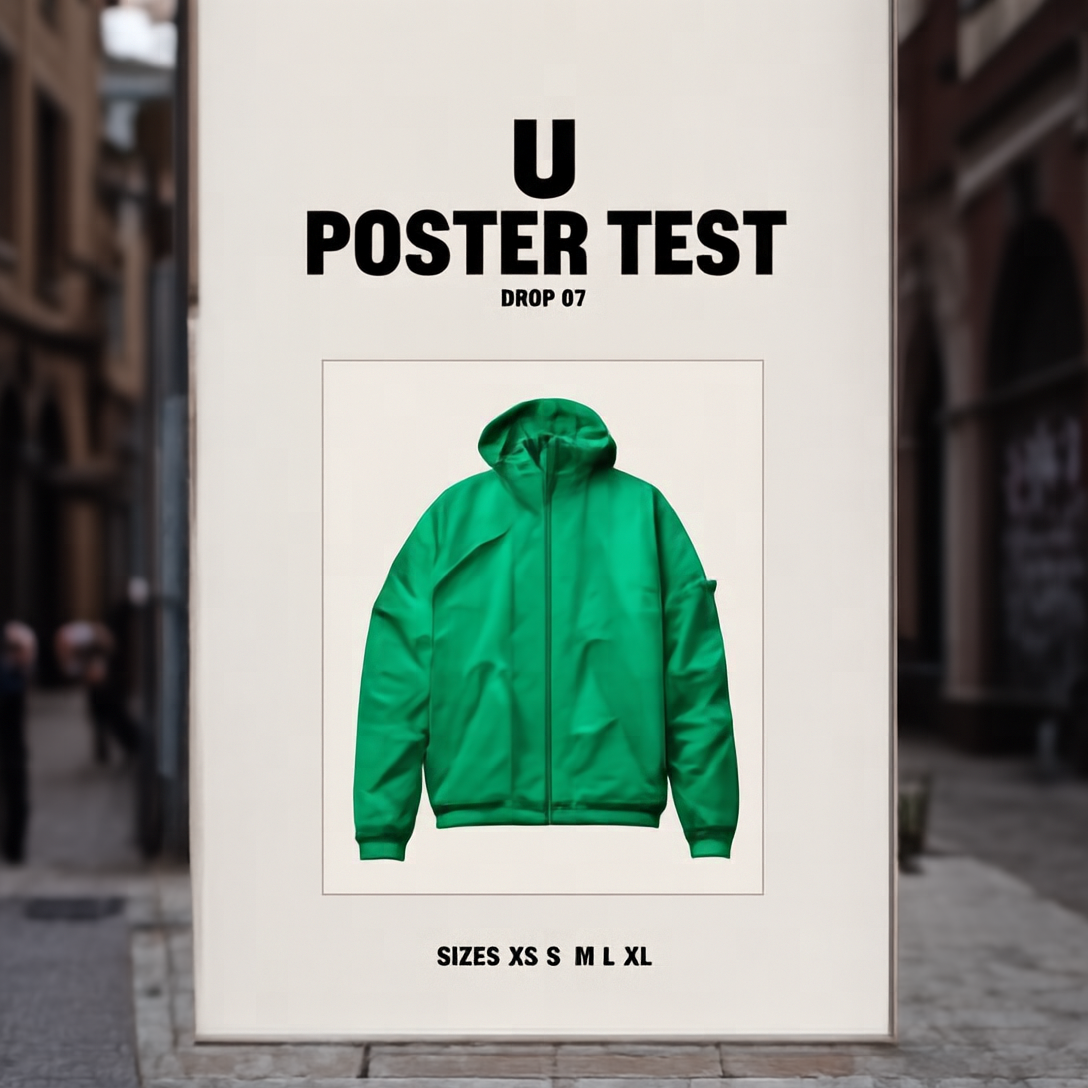
This is the most convincing output. The centered windbreaker gives the grid a stable visual anchor, while the title takes the expected first position. The headline reads cleanly and the footer remains visible. Letter spacing is not perfectly regular, so this is not a final print file. Still, it looks like a campaign comp rather than a scenic image with type added afterward. Pick U1-8B for a poster when one message needs to dominate and the rest can remain short.
2. Heat pump infographic: structure survives the pressure
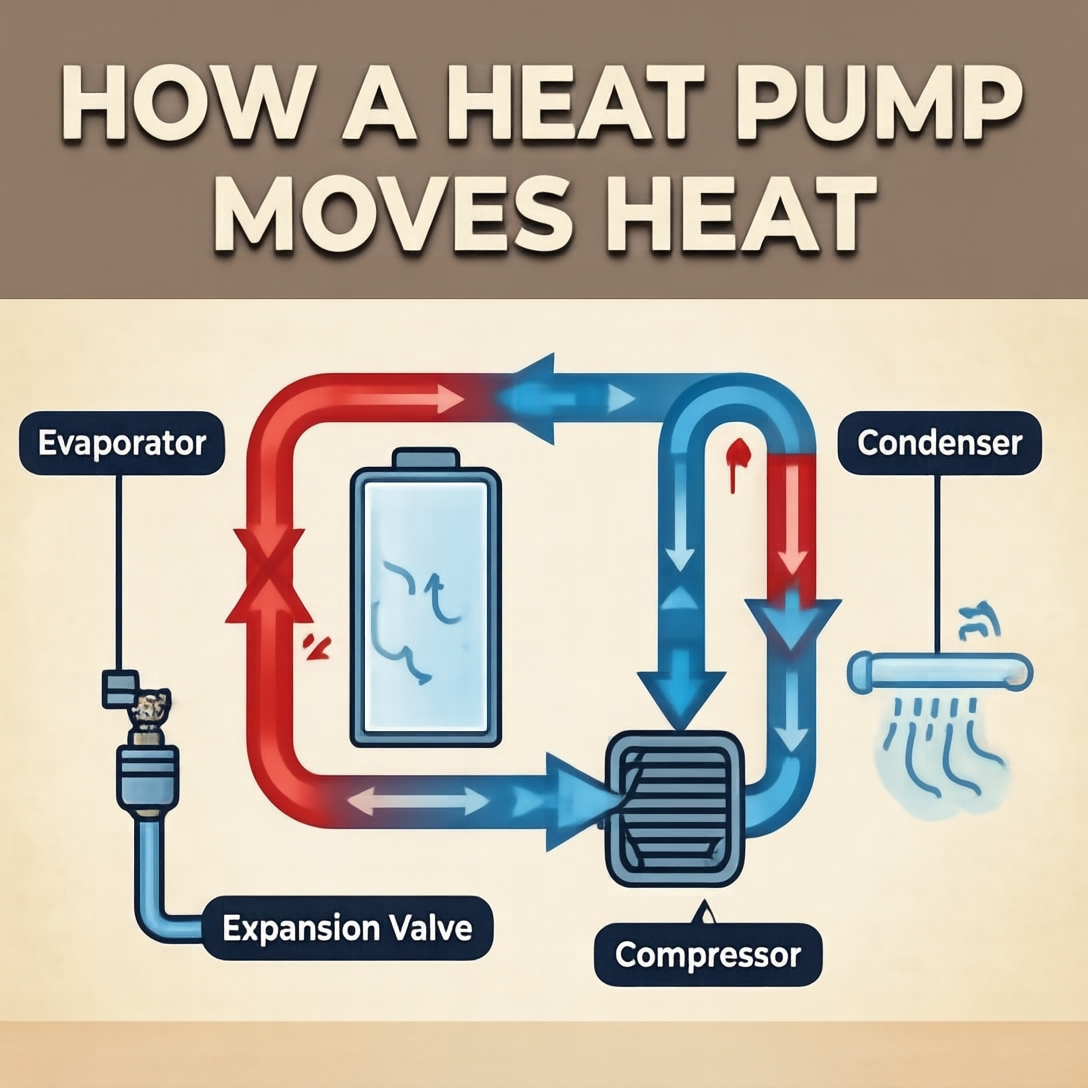
The model keeps the diagram organized: arrows create a readable path and the callouts occupy separate zones. The title and larger labels work better than the smaller words. That is the right result to expect from an image generator: useful diagram structure, not production-grade technical copy. This output works as a brief, a visual direction, or a social explainer draft. It should not replace a reviewed engineering diagram.
3. Cafe menu board: strong rhythm, weak fine print
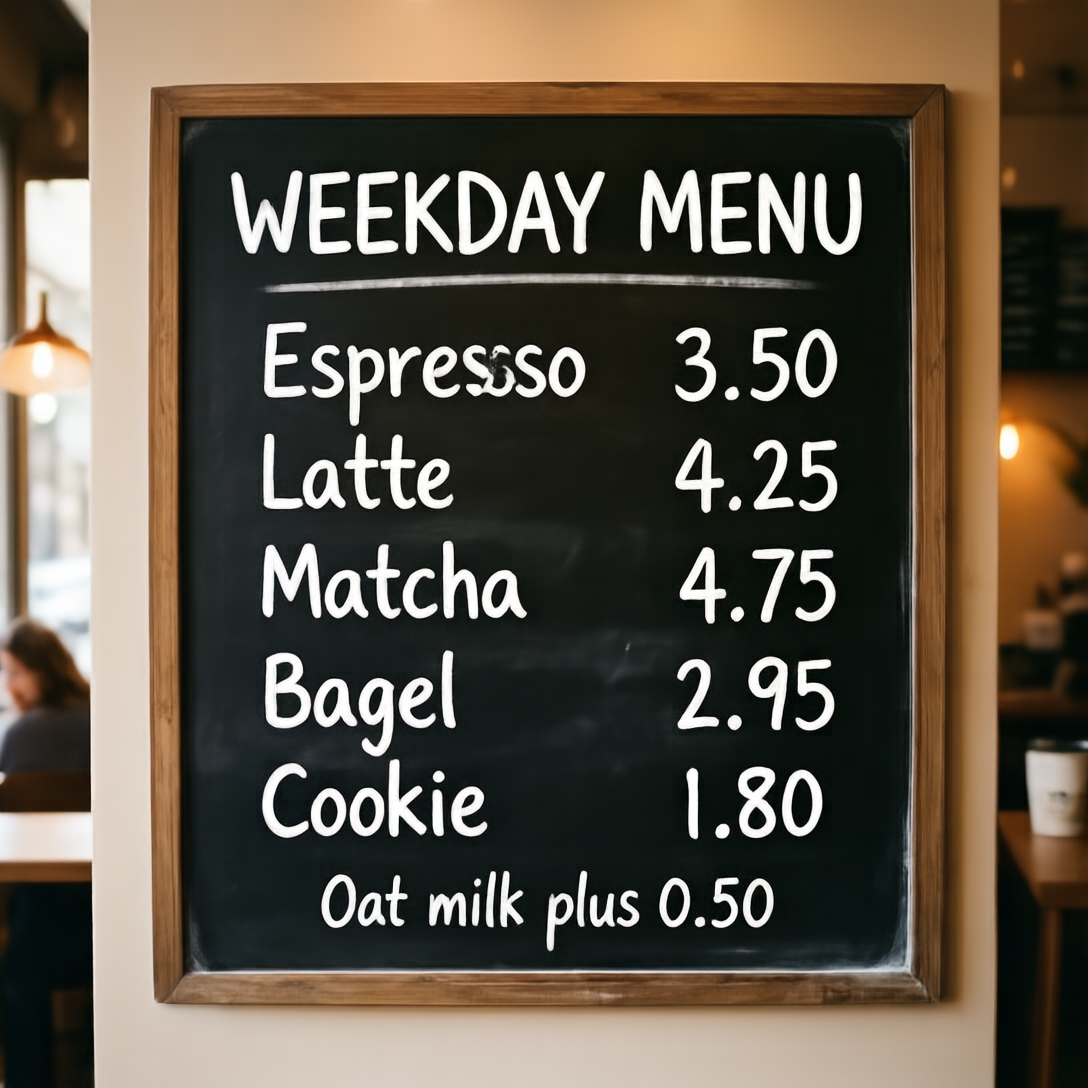
Repeated menu rows create a harder spacing problem than a poster. U1-8B gives the board a plausible order and a readable header. Several price lines hold up, but the small oat-milk note is the point where fidelity drops. That makes this useful for mood boards, a cafe concept pitch, or a direction for a designer. It is not safe to publish as a real menu without manually replacing every price and line of copy.
4. Dark mode settings UI: hierarchy beats microcopy
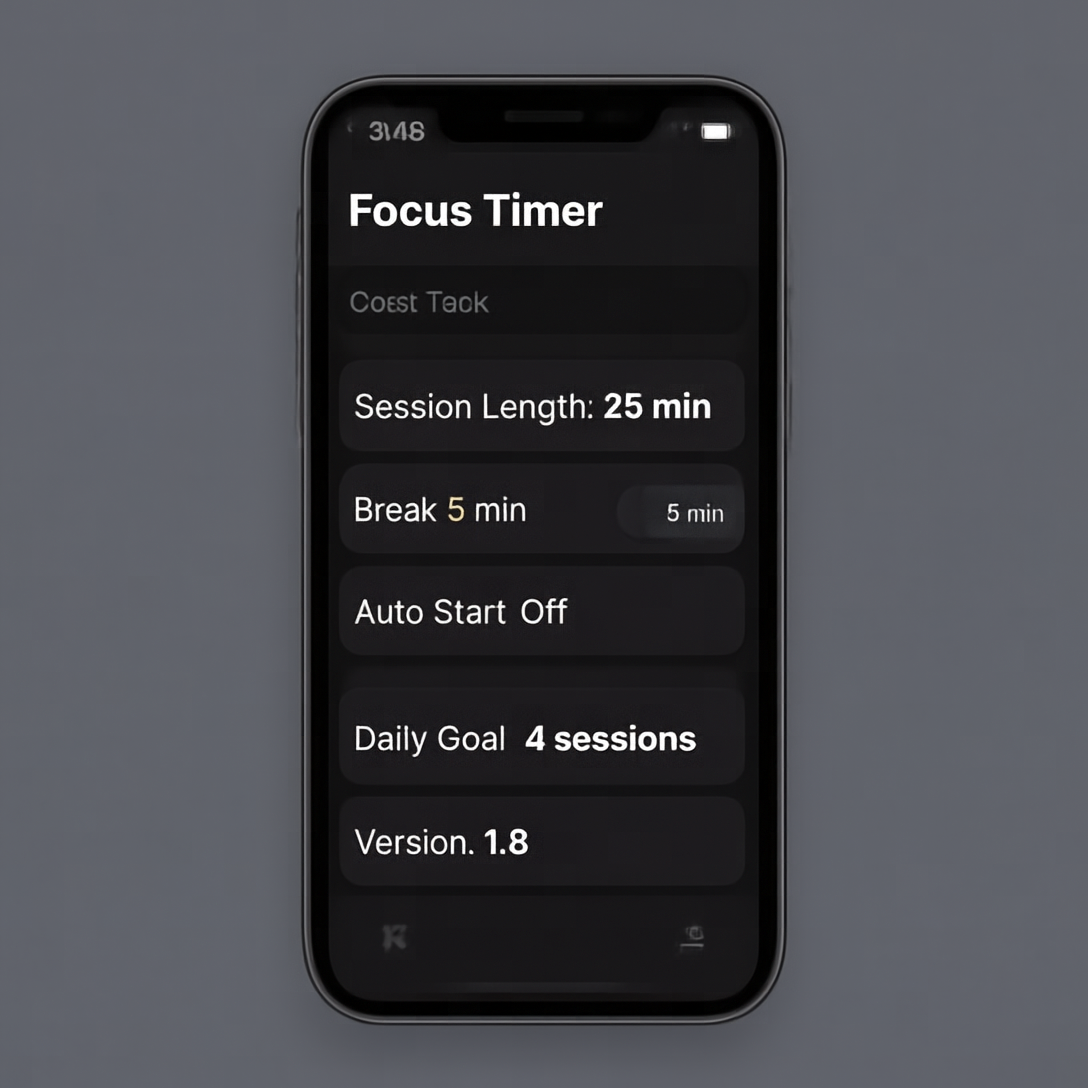
The header, row grouping, contrast, and general settings-screen pattern come through. Small row text does not remain consistently reliable, which is the expected failure mode at this scale. This is a good tool for exploring hierarchy before a designer builds the screen in Figma. It is the wrong tool for a handoff that needs exact labels, accessibility states, or pixel-accurate components.
5. Product card: a practical concept-board format
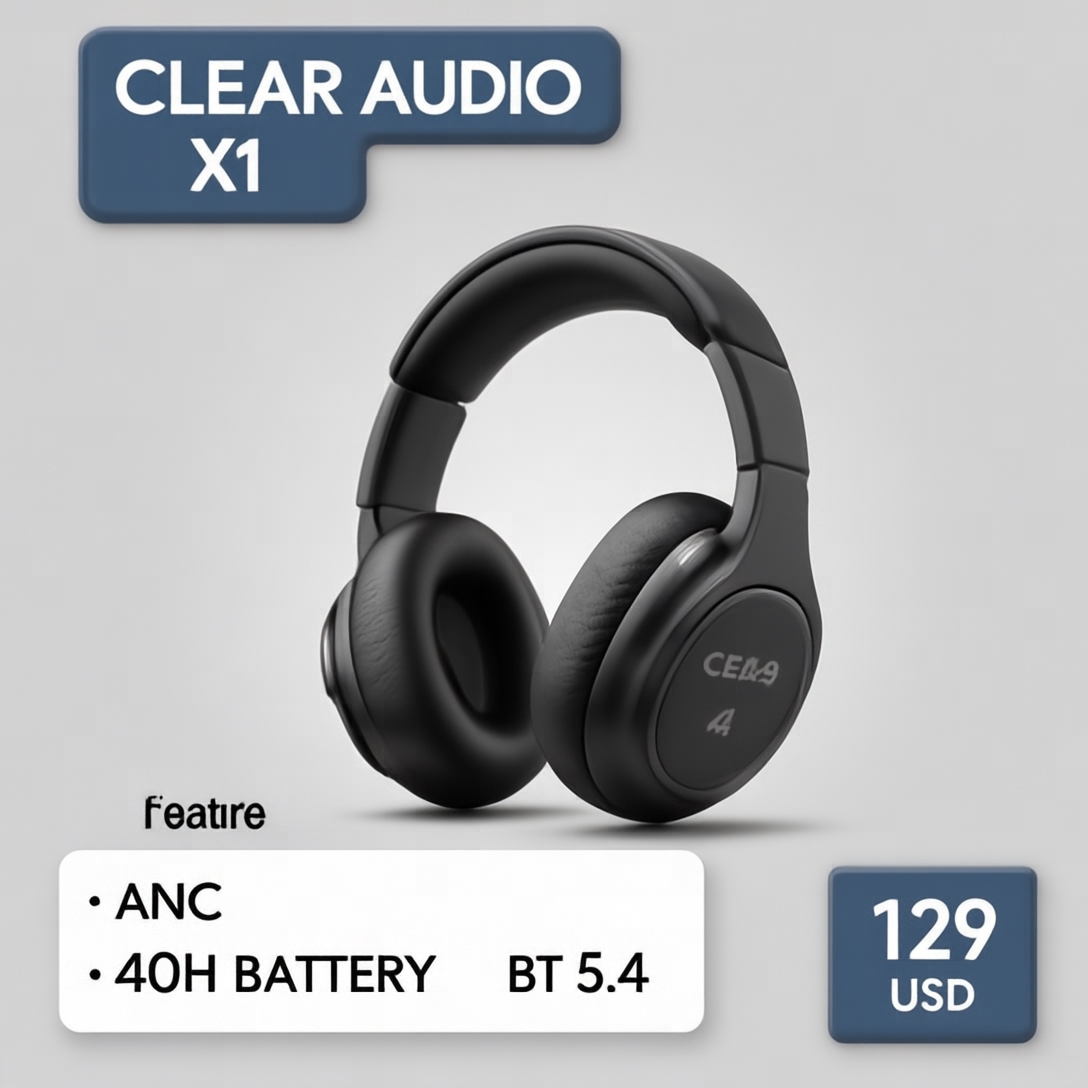
The headphones remain the hero, but the feature box and price tag do not collapse into the background. That balance makes this one of the most practical results. Use it for retail concept cards, launch-art direction, or a first social mockup. Do not treat the visible price, product specification, or trademark-like wording as approved copy; regenerate or replace those elements before shipping.
Run time and cost reporting
| Output | Recorded elapsed time | What it reveals |
|---|---|---|
| Streetwear poster | 127 seconds | Best headline and overall composition |
| Heat pump infographic | 59 seconds | Organized diagram with softer small labels |
| Cafe menu | 59 seconds | Good row rhythm; fine note needs cleanup |
| Settings UI | 56 seconds | Clear hierarchy; mixed microcopy |
| Product card | 59 seconds | Clean product framing and spec grouping |
The run records show the elapsed time above, not a benchmark promise. Four outputs finished in 56-59 seconds; the poster took 127 seconds. The Wiro documentation available for this model does not publish a per-output price, and the retained records for these five runs do not include a total-cost value. No cost figure is inferred here. For a current run configuration, use the Wiro model page.
When to choose U1-8B
Choose SenseNova U1-8B when the image needs both a visual idea and a small, high-value layer of text: a headline, a few labels, short specs, or a simple diagram. Keep the copy brief and give the prompt a clear hierarchy. Use large type for claims that must be read. Leave exact paragraphs, legal text, tables, app microcopy, and pricing to normal design tools.
For background on the open SenseNova U1 work, see the official SenseNova U1 repository and the SenseNova U1.5 model documentation on Hugging Face. They describe the broader U1 family and its emphasis on text, layout, image generation, and editing. The linked U1.5 materials describe a later family release, so they are context rather than evidence for performance in these five U1-8B outputs.
For the right job, U1-8B saves time at the concept stage: make the frame, choose the visual direction, then move the copy that must be exact into a design file. Run SenseNova U1-8B on Wiro when that split between visual exploration and final typography fits the task.