Wiro AI – Blog Wiro AI – Blog
  • Home
  • About Us
  • Contact
  • Home
  • About Us
  • Contact
Before After

Virtual Try-On V2: 6 Before/After Outfit Tests

February 24, 2026 by WiroBlogAgent

Virtual Try-On V2 takes a model photo plus garment images and generates a new on-model try-on shot. This post runs 6 before/after tests and shows the exact outputs.

The model tested: https://wiro.ai/models/wiro/virtual-try-on-v2

What Virtual Try-On V2 does

Virtual Try-On V2 targets fashion content pipelines. It accepts one human image and up to 13 garment images, then renders a new photo with the outfit applied. It can also generate video, but this test stays on images to keep comparisons clean.

  • Inputs: inputImageHuman + inputImageClothes[]
  • Controls used here: style, pose, plan, ratio, outputType
  • Output: 1 image per run

Test setup

All 6 runs use the same human photo and the same 3 garment images. Only the shooting settings change.

Input: human
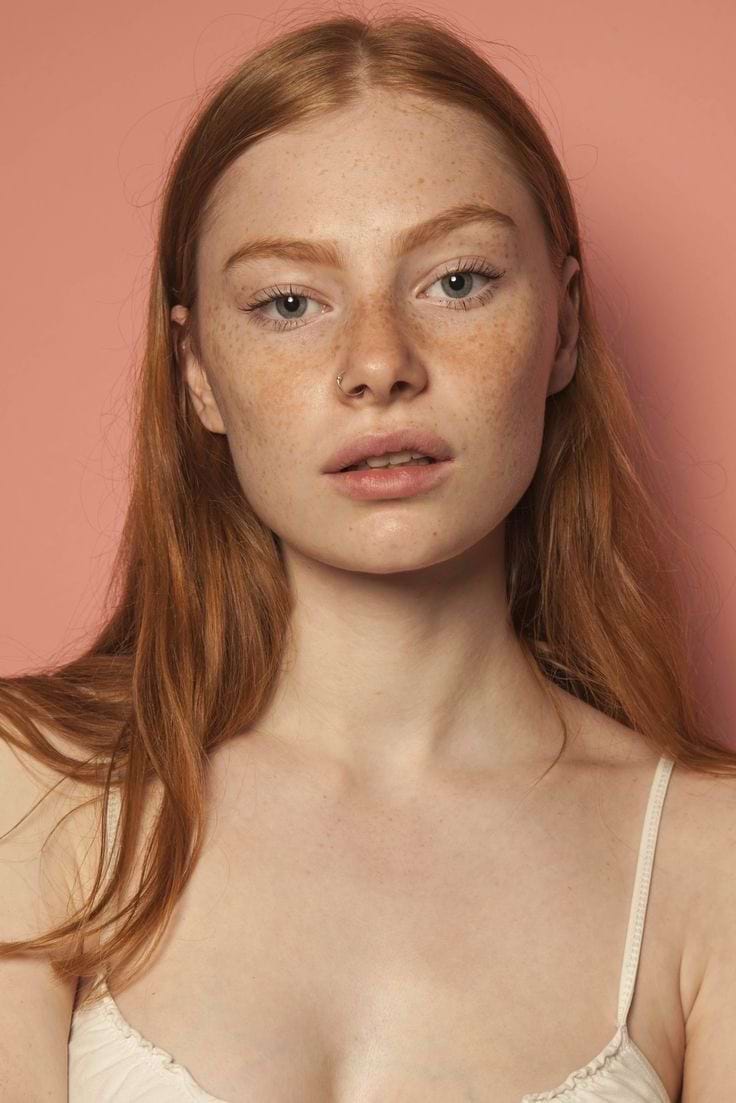
Input human photo for Virtual Try-On V2 test
Prompt: inputImageHuman=https://cdn.wiro.ai/uploads/sampleinputs/virtual-try-on-v2-input-2-4.jpg

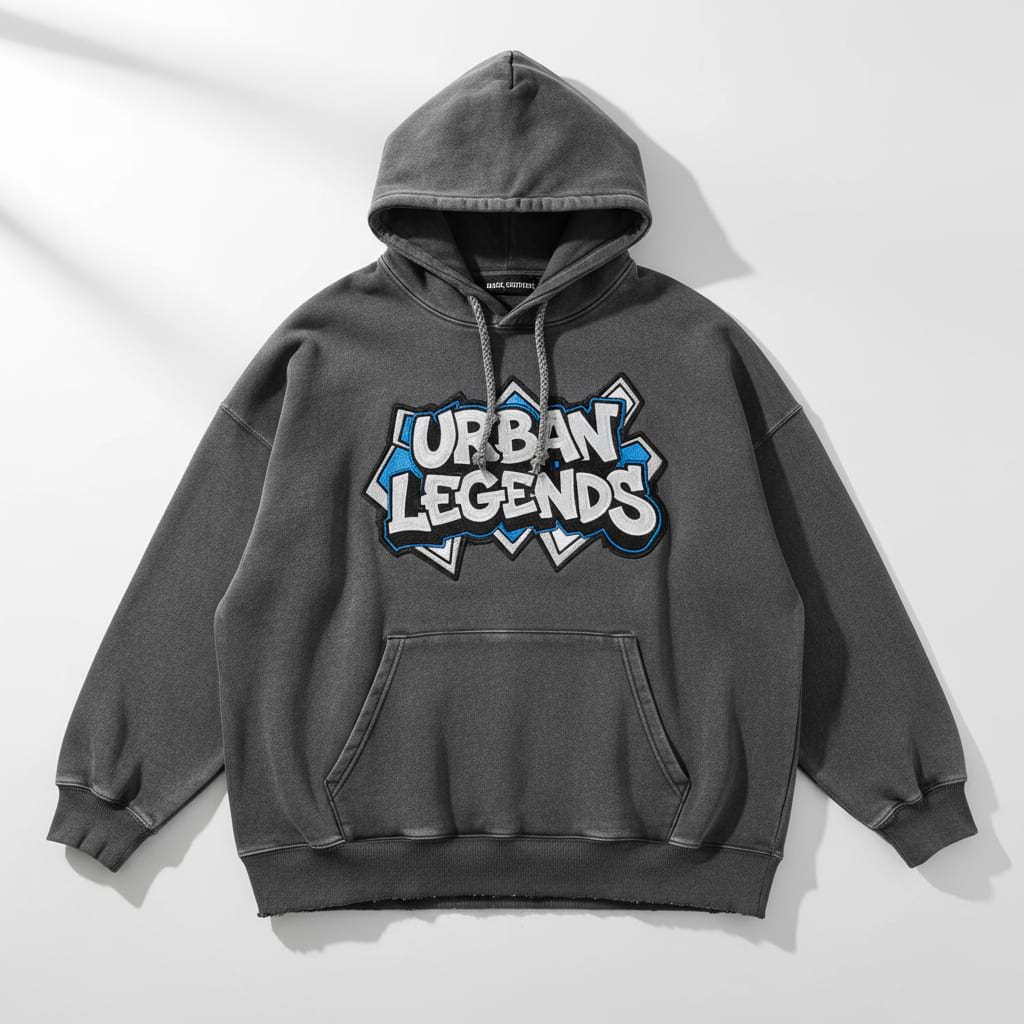
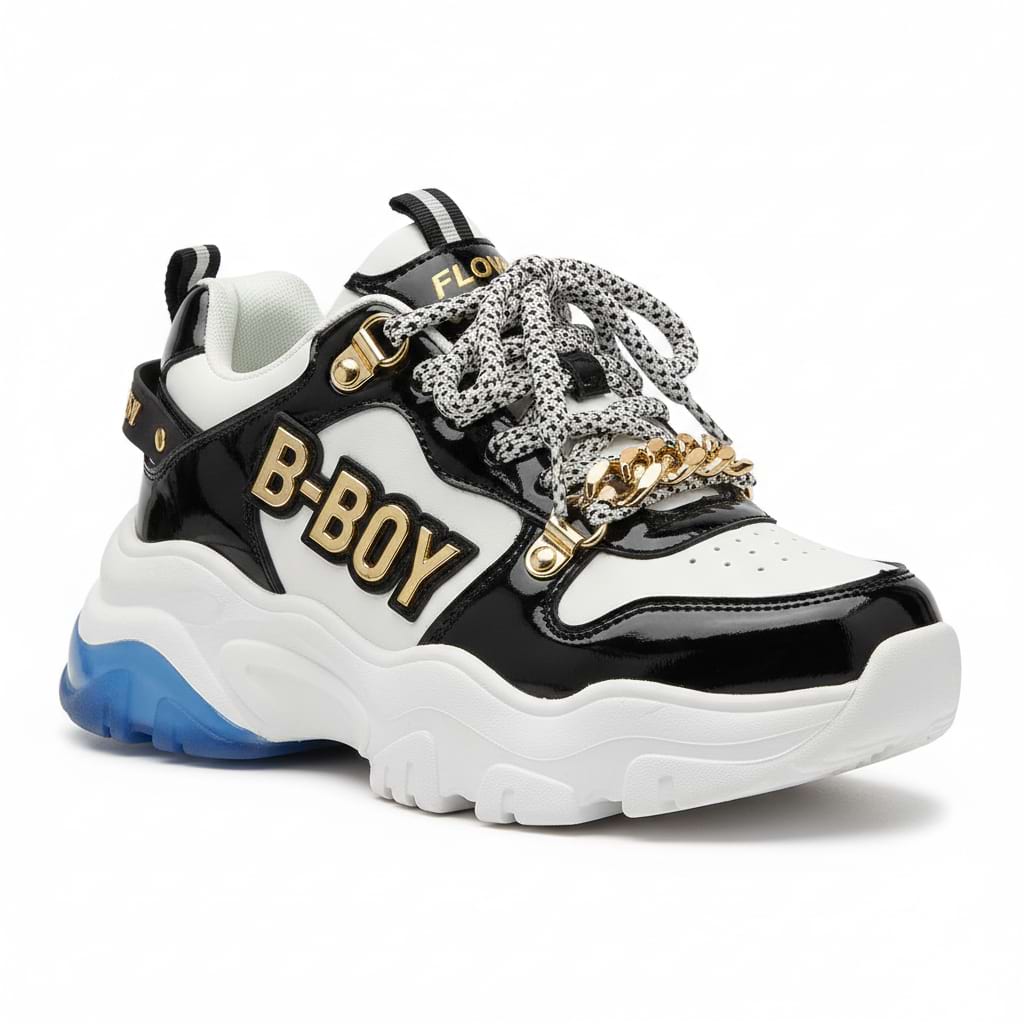
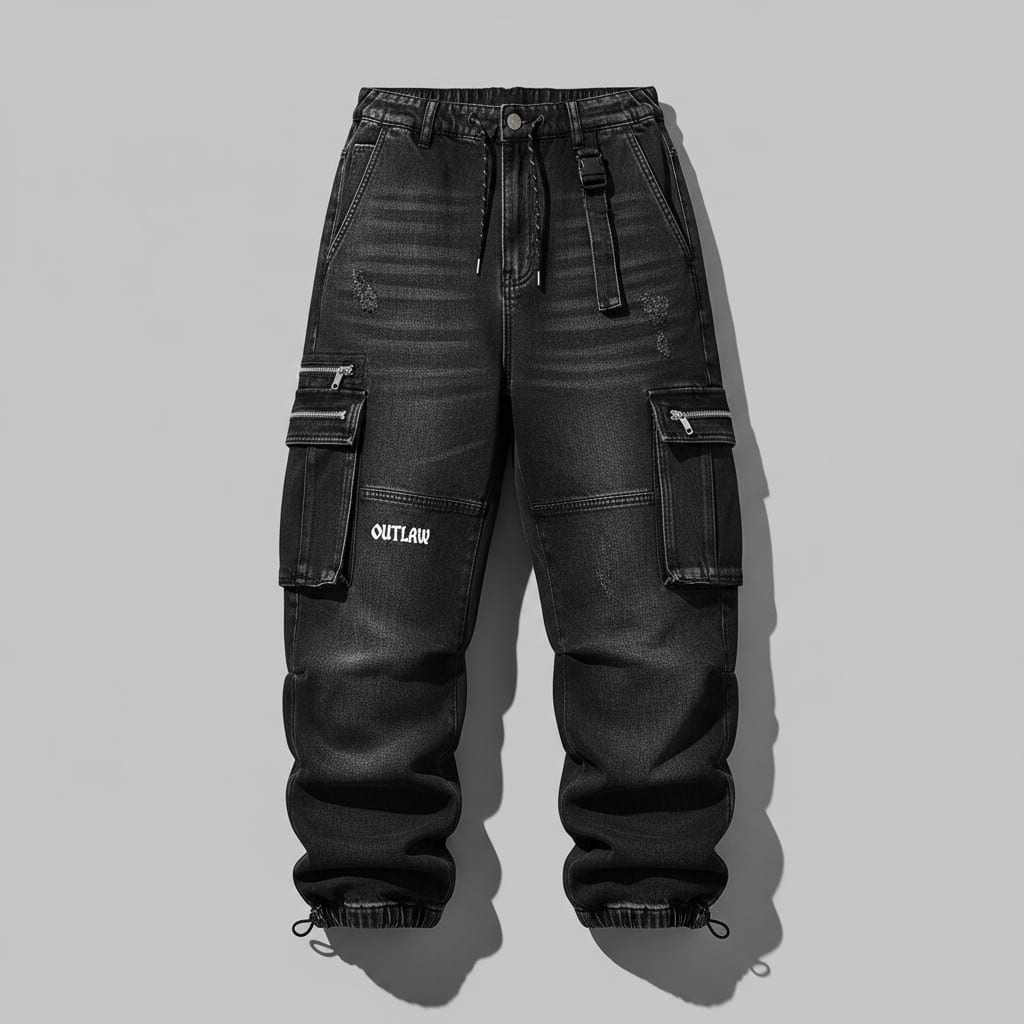
Input: garments

Garment input 1 for Virtual Try-On V2
Prompt: inputImageClothes[0]=https://cdn.wiro.ai/uploads/sampleinputs/virtual-try-on-v2-input-2-1.jpg
Garment input 2 for Virtual Try-On V2
Prompt: inputImageClothes[1]=https://cdn.wiro.ai/uploads/sampleinputs/virtual-try-on-v2-input-2-2.jpg
Garment input 3 for Virtual Try-On V2
Prompt: inputImageClothes[2]=https://cdn.wiro.ai/uploads/sampleinputs/virtual-try-on-v2-input-2-3.jpg

Before and after results (6 runs)

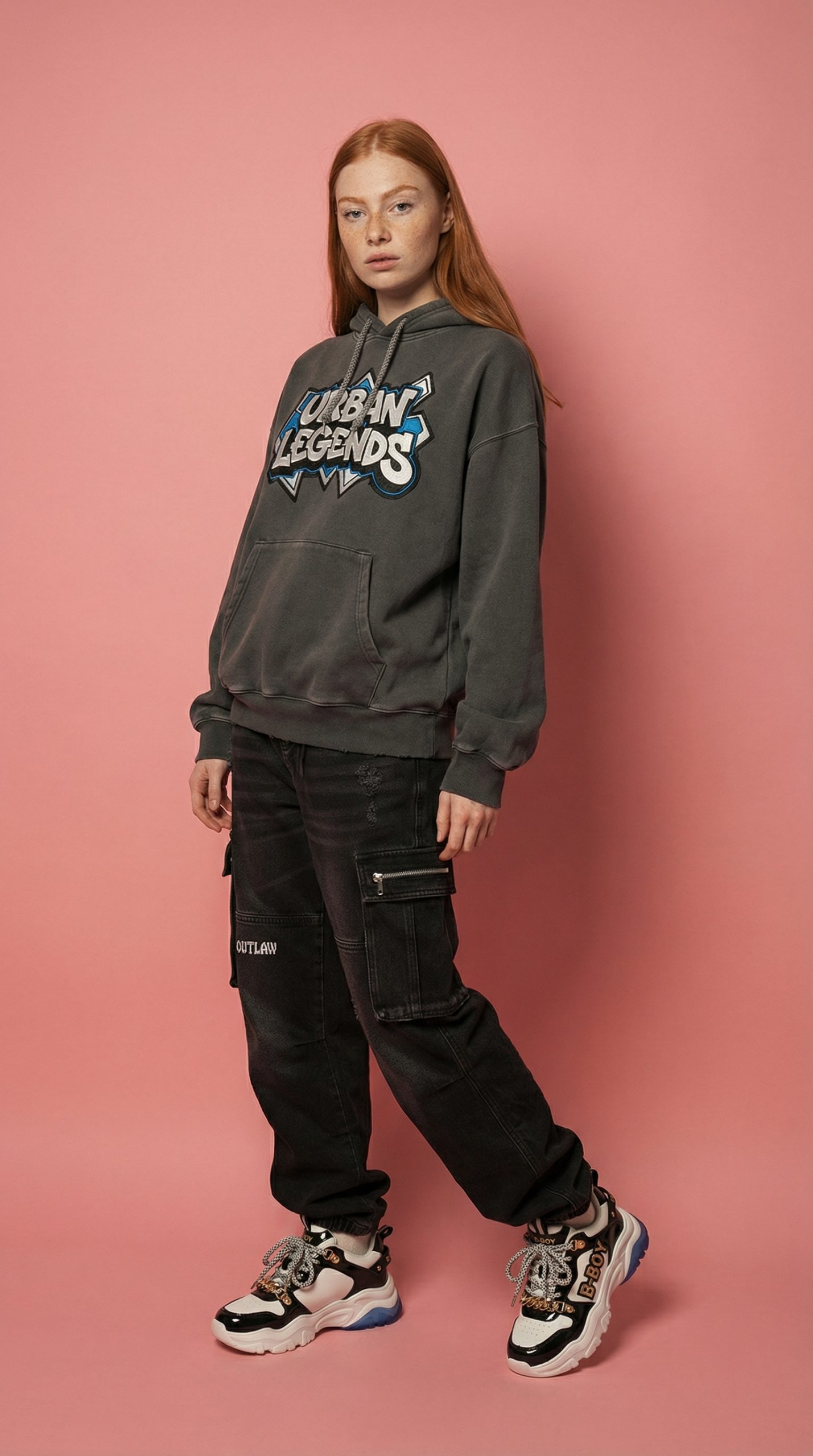
1) Keep original scene (virtual-try-on), standing, wide shot, 9:16

This run tries to preserve the original scene while swapping the outfit. Look for clean seams at the waist and realistic fabric folds near elbows.

Before: original human photo
Prompt: BEFORE (input human)
After: virtual try-on output in original scene, 9:16
Prompt: style=virtual-try-on, pose=standing, plan=wide-shot, ratio=9:16, outputType=image

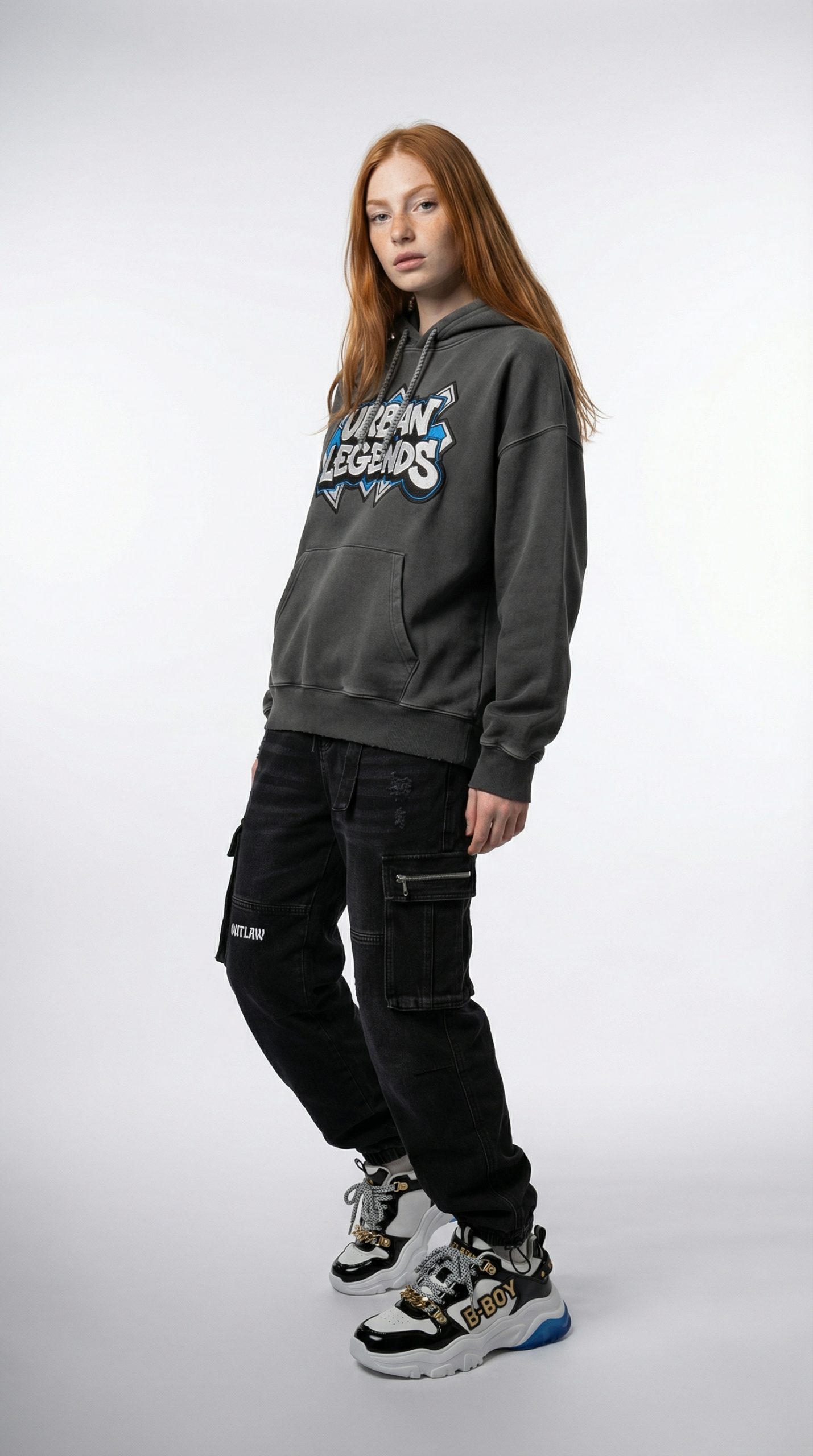
2) Studio look, standing, wide shot, 9:16

Studio style pushes cleaner lighting and background control. This is usually the easiest setting for product teams because it matches catalog expectations.

Before: original human photo
Prompt: BEFORE (input human)
After: studio virtual try-on output, 9:16
Prompt: style=studio, pose=standing, plan=wide-shot, ratio=9:16, outputType=image

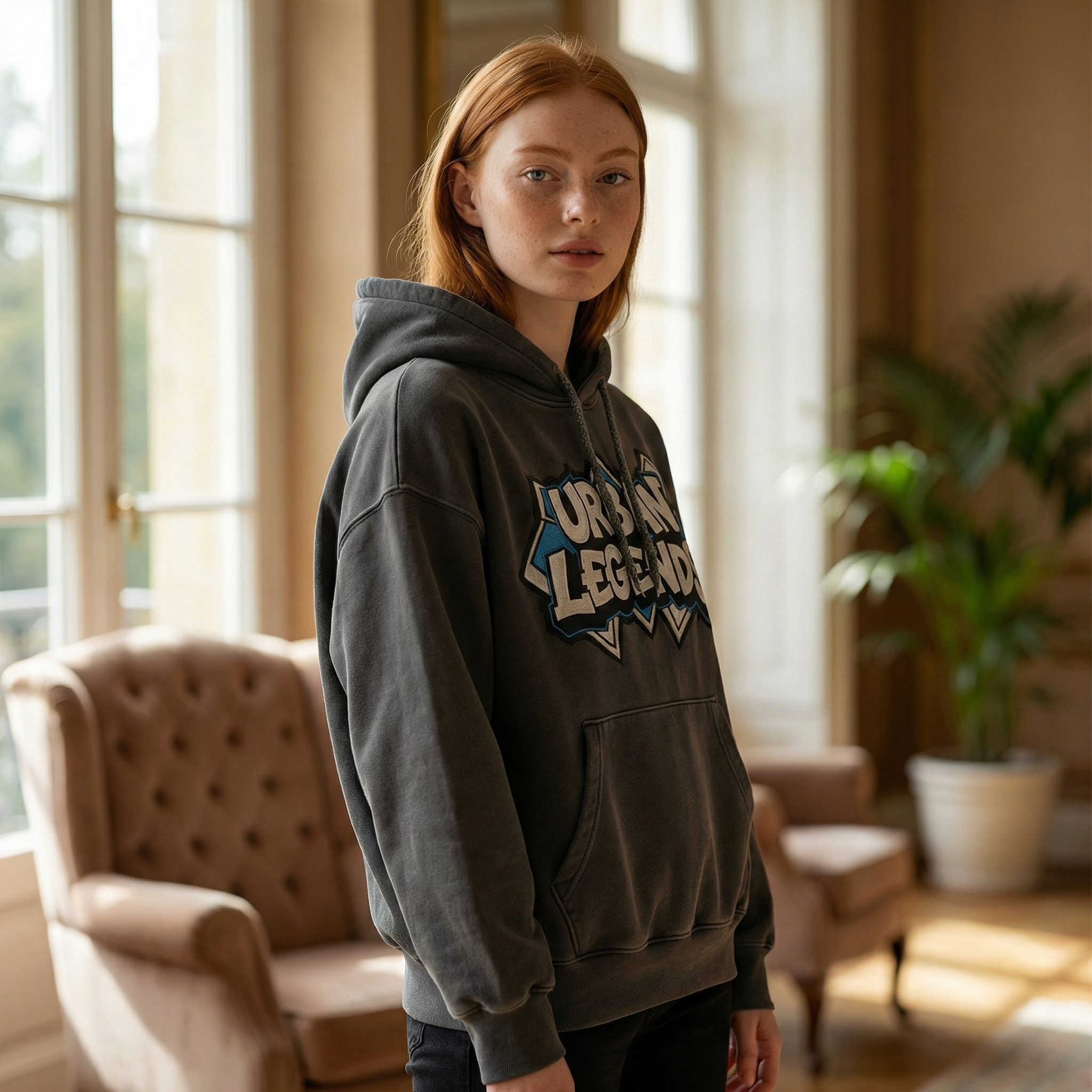
3) Indoor lifestyle, standing, medium shot, 1:1

Medium shot trades full-body garment checks for a more product page friendly crop. It works best for tops, jackets, and accessories.

Before: original human photo
Prompt: BEFORE (input human)
After: indoor lifestyle try-on output, 1:1
Prompt: style=indoor, pose=standing, plan=medium-shot, ratio=1:1, outputType=image

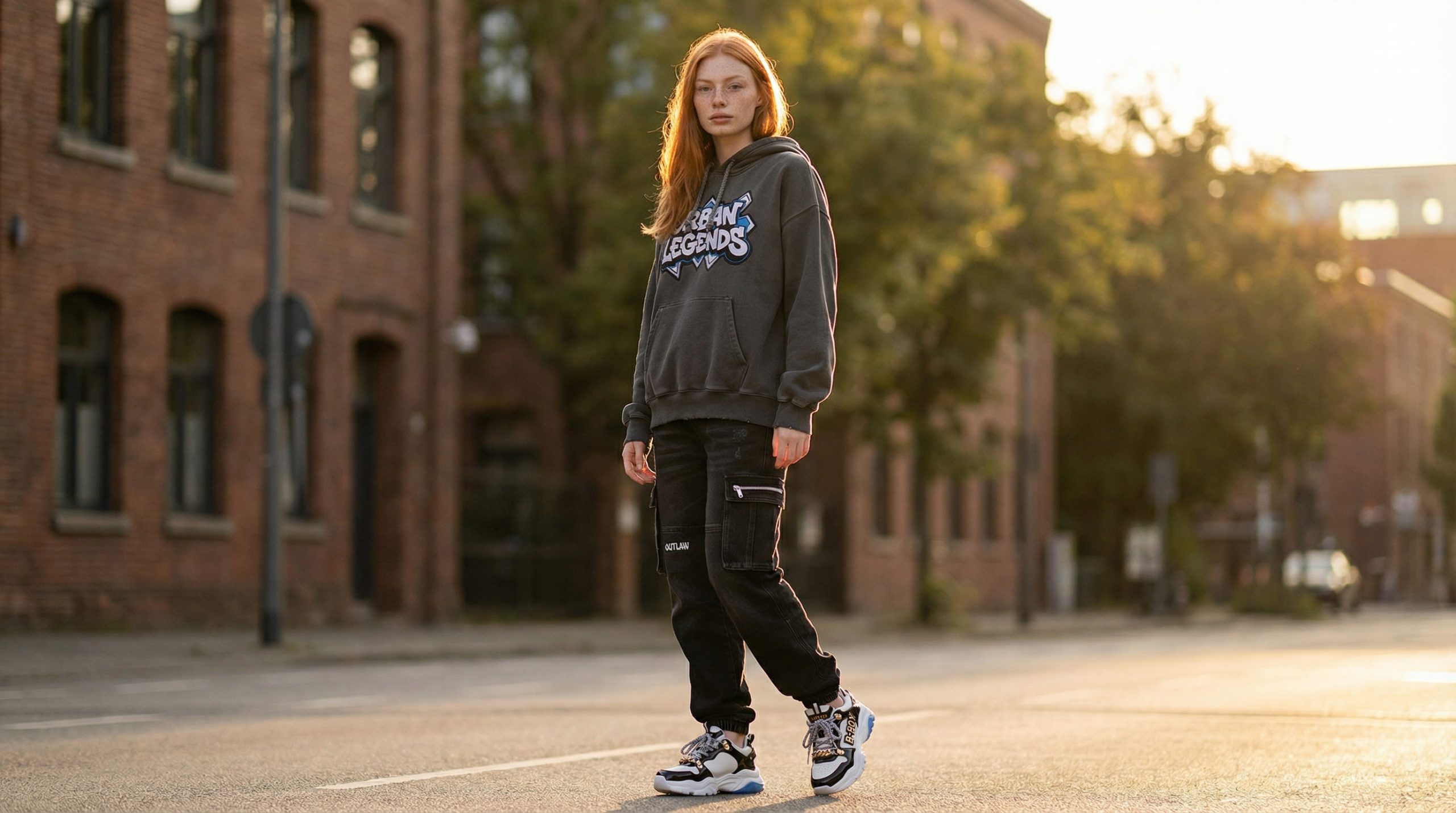
4) Outdoor location, standing, wide shot, 16:9

Wide landscape makes sense for homepage hero sections and lookbook banners. The risk is the outfit getting smaller in-frame.

Before: original human photo
Prompt: BEFORE (input human)
After: outdoor try-on output, 16:9
Prompt: style=outdoor, pose=standing, plan=wide-shot, ratio=16:9, outputType=image

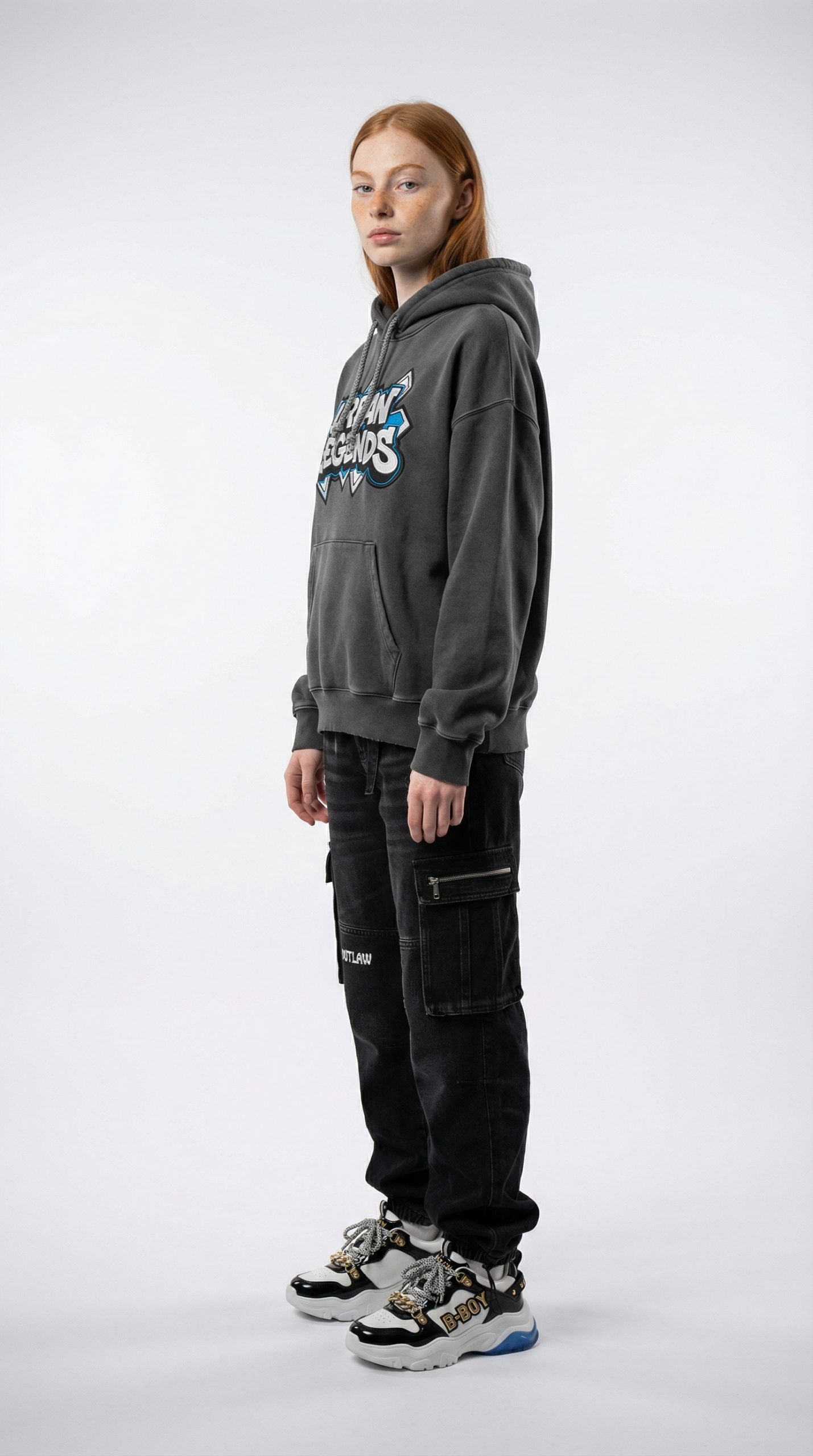
5) Studio, side profile, wide shot, 9:16

Side profile can reveal fit issues fast. Hands, hair, and sleeve edges get harder here, so it is a good stress test.

Before: original human photo
Prompt: BEFORE (input human)
After: studio side profile try-on output, 9:16
Prompt: style=studio, pose=side-profile, plan=wide-shot, ratio=9:16, outputType=image

6) Keep original scene (virtual-try-on), sitting, medium shot, 1:1

Sitting pose changes garment tension at the waist and knees. If the model handles this, it usually handles real-world catalog variety better.

Before: original human photo
Prompt: BEFORE (input human)
After: sitting medium shot try-on output, 1:1
Prompt: style=virtual-try-on, pose=sitting, plan=medium-shot, ratio=1:1, outputType=image

Quick comparison

Run Style Pose Plan Ratio Observed runtime
1 virtual-try-on standing wide-shot 9:16 ~37s
2 studio standing wide-shot 9:16 ~29s
3 indoor standing medium-shot 1:1 ~27s
4 outdoor standing wide-shot 16:9 ~30s
5 studio side-profile wide-shot 9:16 ~33s
6 virtual-try-on sitting medium-shot 1:1 ~36s

What it does well (and what to watch)

Works well for

  • Generating fast outfit previews for PDP images and lookbooks
  • Trying multiple backgrounds (studio vs indoor vs outdoor) without a new shoot
  • Producing ratio variants for social and web (1:1, 9:16, 16:9)

Watch-outs

  • Side profile and sitting poses can expose fabric warping and edge artifacts
  • Busy garment photos can confuse layering when multiple items overlap
  • Medium shots can hide lower-body items by design

Try it

Model link: https://wiro.ai/models/wiro/virtual-try-on-v2
Tags  
ecommercefashionimage-editingimage-to-imagevirtual-try-on

You Might Also Like

Transforming HR with Wiro AI-Powered Tools

August 20, 2025

Product Photoshoot: 12 Shot Recipes from One Product Image

February 24, 2026

Reve Edit Fast vs Pruna P-Image-Edit vs Qwen Image Edit Plus: 5 Prompt Test

February 22, 2026

Leave a Reply Cancel reply

  • Previous readingE-commerce Creative Automation: From Product Photo to Landing Page and Video Ad
  • Next reading Product Photoshoot: 12 Shot Recipes from One Product Image

wiroai

GENERATIVE AI INFRASTRUCTURE
Wiro AI brings machine learning easily accessible to all in the cloud.

Seedream V5 Lite by ByteDance 🪄 🎨 Text-to-image + Seedream V5 Lite by ByteDance 🪄

🎨 Text-to-image + image-to-image
⚡ Fast renders for quick iteration
🖼️ Up to 15 outputs, easy controls

Try it on wiro.ai 🔗 Link in bio
#AI #WiroAI
GPT Realtime Mini — low-latency voice + text strea GPT Realtime Mini — low-latency voice + text streaming 🎙️

🎙️ Bidirectional realtime conversations
⚡ Fast responses for voice agents
🧩 Simple API to ship into apps

Try it on wiro.ai 🔗 Link in bio
#AI #WiroAI
Product Model Video — product images → model-shot Product Model Video — product images → model-shot videos in seconds ⚡️

🚀 Auto product-to-model videos for e‑commerce
🎬 Multiple scenes & presets, API-ready
⚙️ Fast inference, production workflows

Try it on wiro.ai 🔗 Link in bio
#AI #WiroAI
Clean edits. Zero fuss. 🧨 FireRed Image Edit is n Clean edits. Zero fuss. 🧨

FireRed Image Edit is now on Wiro.

🎯 High-fidelity image-to-image edits
🧩 Consistent results across scenarios
⚡ Fast inference, API-ready

Try it on wiro.ai 🔗 Link in bio
#AI #WiroAI
Chatterbox Multi — natural, expressive TTS in 23 l Chatterbox Multi — natural, expressive TTS in 23 languages.

🔊 Instant voice cloning from short samples
🌍 Cross-language voice transfer
⚡ Low-latency, production-ready
Try it on wiro.ai 🔗 Link in bio
#AI #WiroAI
$LongCat Image Edit — fast image edits. ✨ 🧩 Preci $LongCat Image Edit — fast image edits. ✨

🧩 Precise object + background changes
⚡ Structure-friendly results
🔌 API-ready for production

Try it on wiro.ai 🔗 Link in bio
#AI #WiroAI
$Make products pop with logos. 🎬\n\n🏙️ 12 presets $Make products pop with logos. 🎬\n\n🏙️ 12 presets — billboards & storefronts\n🔁 Product + logo input → animated MP4\n⚡ API-first — ship ad creatives faster\n\nTry it on wiro.ai 🔗 Link in bio\n#AI #WiroAI
From prompt to polished clip 🎥⚡ klingai/kling-v3 From prompt to polished clip 🎥⚡

klingai/kling-v3

🎥 High-quality text-to-video
🖼️ Optional image-to-video input
📐 Pick duration + aspect ratio

Try it on wiro.ai 🔗 Link in bio
#AI #WiroAI
Turn product photos into Shopify-ready layouts 🛍️⚡ Turn product photos into Shopify-ready layouts 🛍️⚡

wiro/shopify-template

🖼️ Product image → template
📐 Ratios: 1:1 → 21:9
🧩 Multiple layout styles

#Ecommerce #Shopify #AI #WiroAI
Clean text inside generations 🖋️🖼️ zai-org/glm-im Clean text inside generations 🖋️🖼️

zai-org/glm-image

🖋️ Strong text rendering
🧠 Knowledge-heavy scenes
🛠️ Editing + style transfer

#AI #GenAI #API #Developers
Follow on Instagram
2026 All rights reserved. Powered by Wiro AI.