

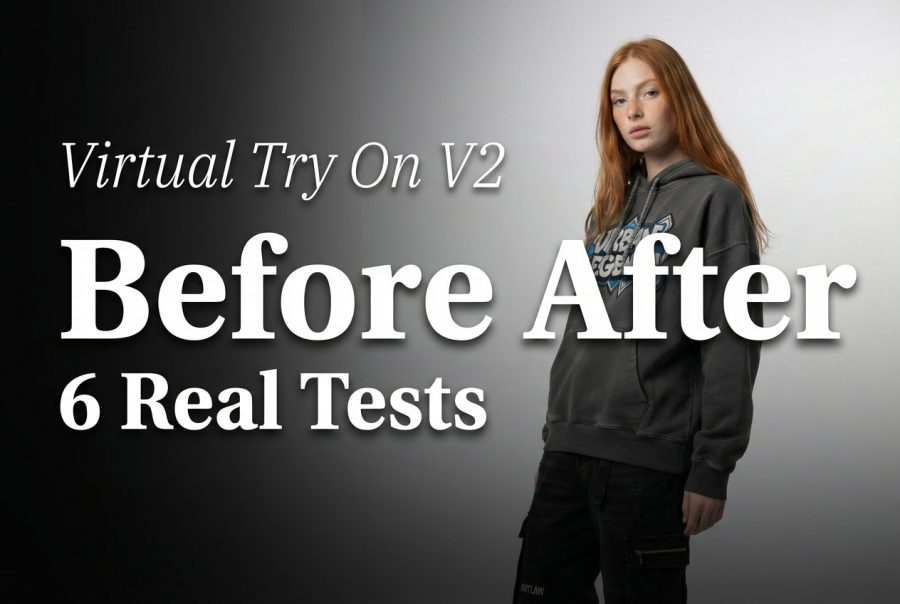
Virtual Try-On V2: 6 Before/After Outfit Tests
Virtual Try-On V2 takes a model photo plus garment images and generates a new on-model try-on shot. This post runs 6 before/after tests and shows the exact outputs.
The model tested: https://wiro.ai/models/wiro/virtual-try-on-v2
What Virtual Try-On V2 does
Virtual Try-On V2 targets fashion content pipelines. It accepts one human image and up to 13 garment images, then renders a new photo with the outfit applied. It can also generate video, but this test stays on images to keep comparisons clean.
- Inputs: inputImageHuman + inputImageClothes[]
- Controls used here: style, pose, plan, ratio, outputType
- Output: 1 image per run
Test setup
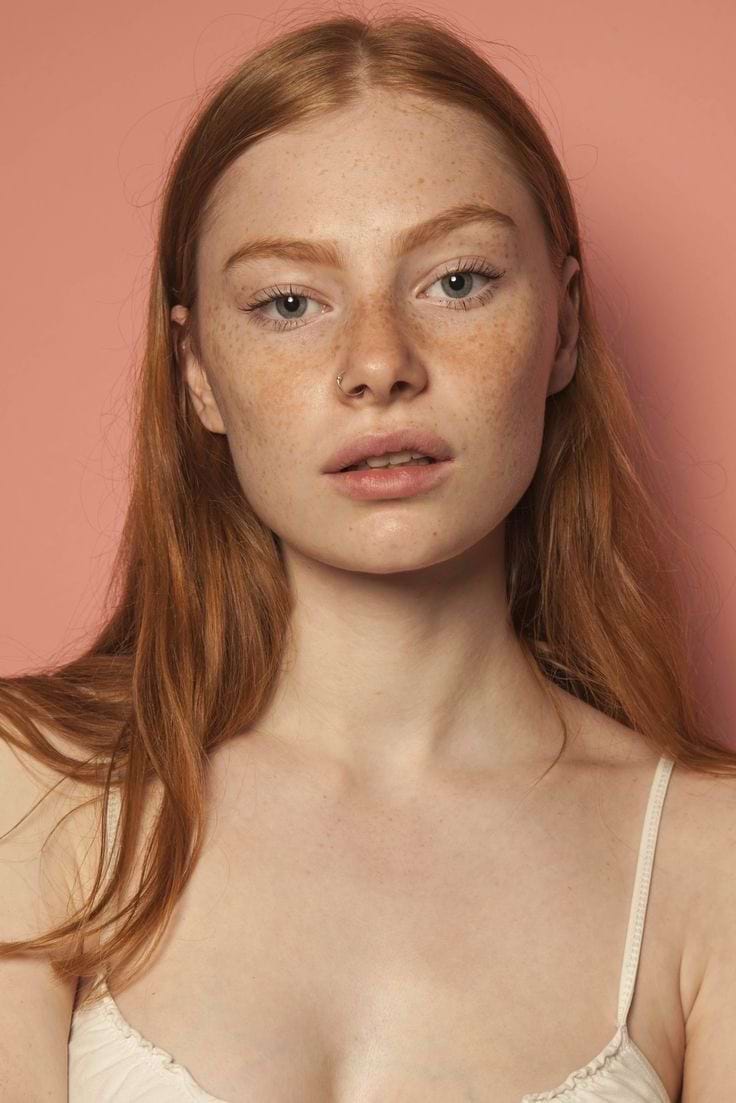
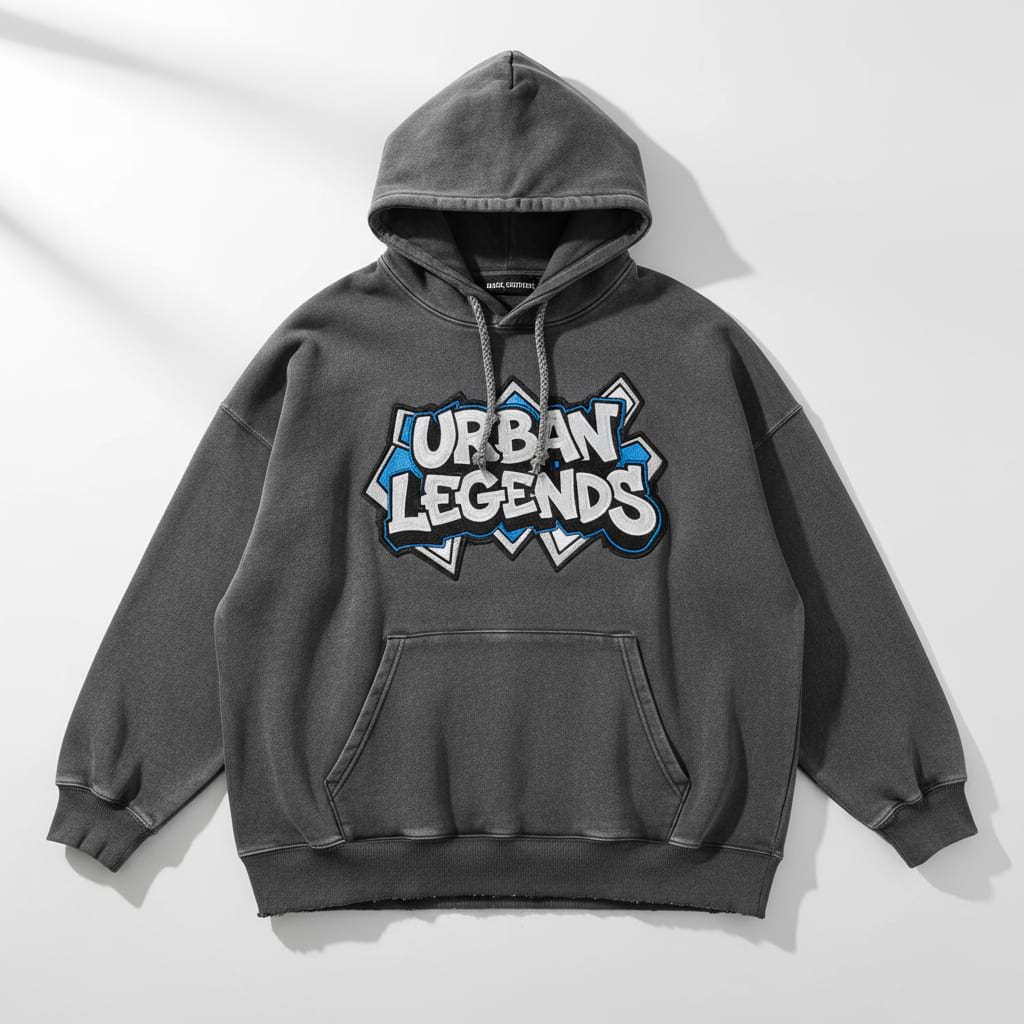
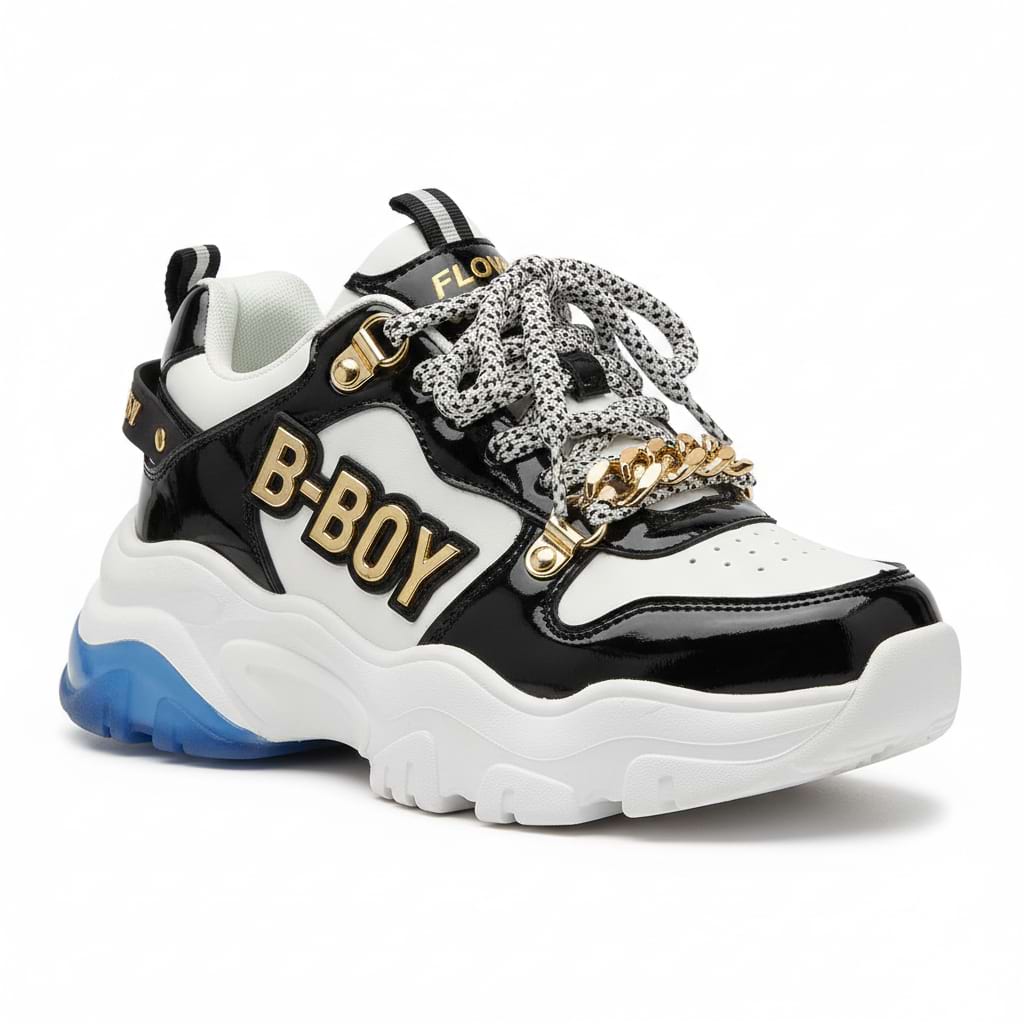
All 6 runs use the same human photo and the same 3 garment images. Only the shooting settings change.
Input: human
Input: garments
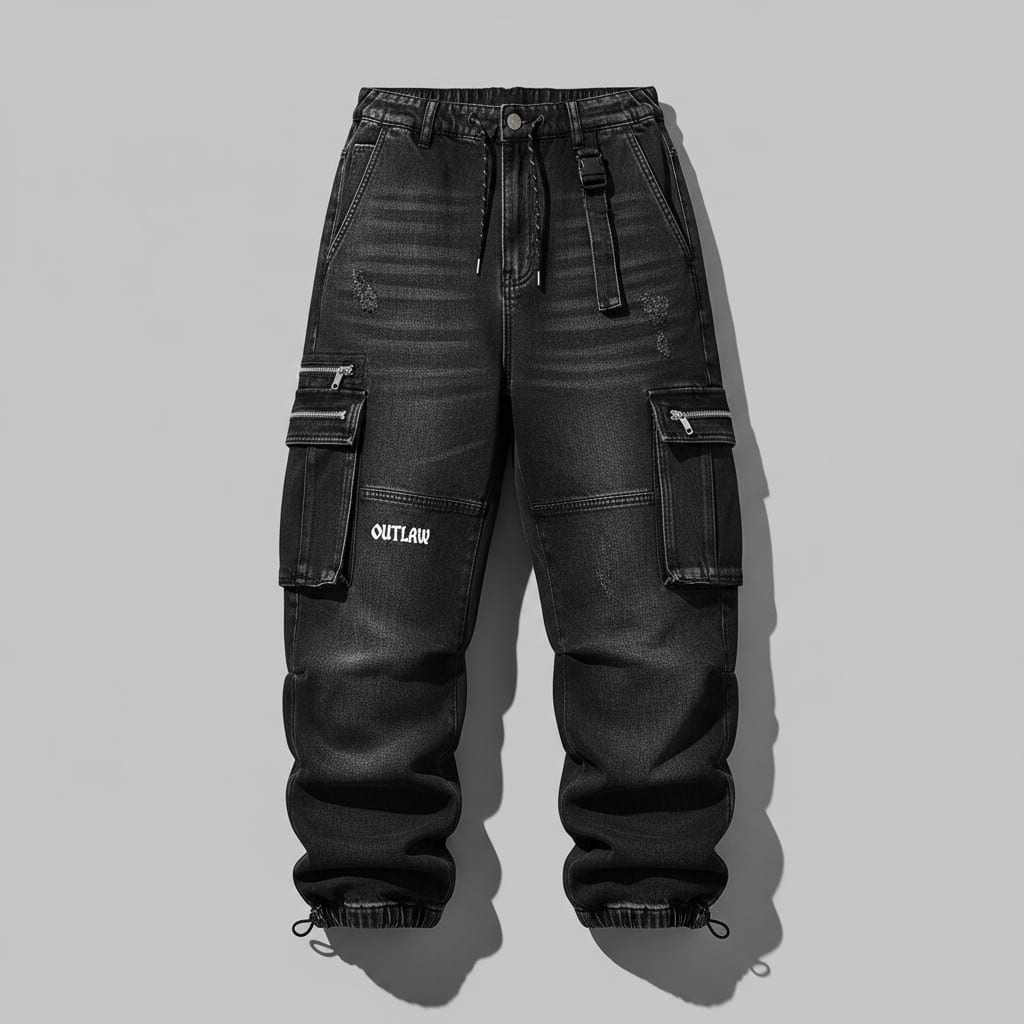
Before and after results (6 runs)
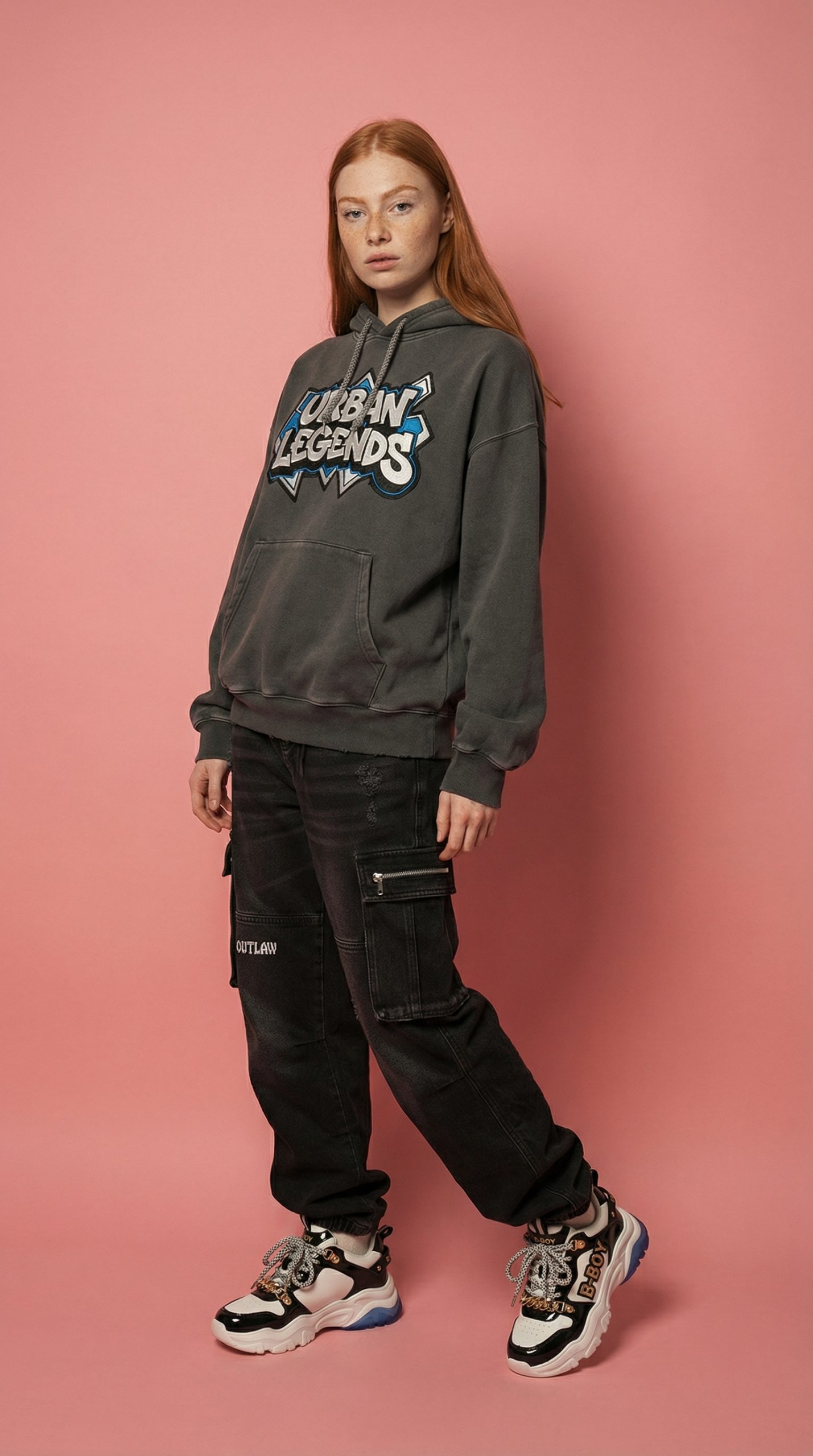
1) Keep original scene (virtual-try-on), standing, wide shot, 9:16
This run tries to preserve the original scene while swapping the outfit. Look for clean seams at the waist and realistic fabric folds near elbows.
|
|
 |
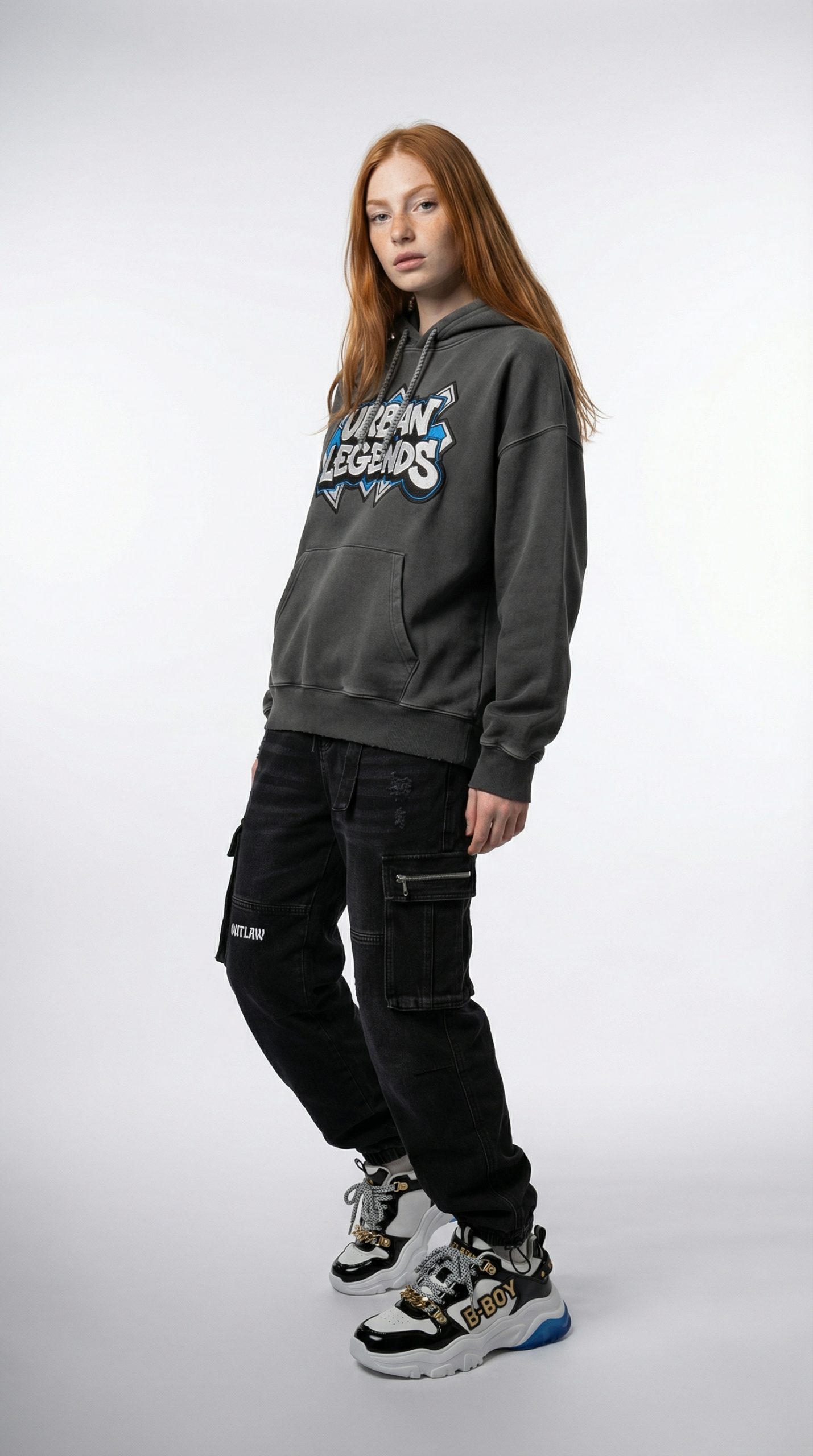
2) Studio look, standing, wide shot, 9:16
Studio style pushes cleaner lighting and background control. This is usually the easiest setting for product teams because it matches catalog expectations.
|
|
 |
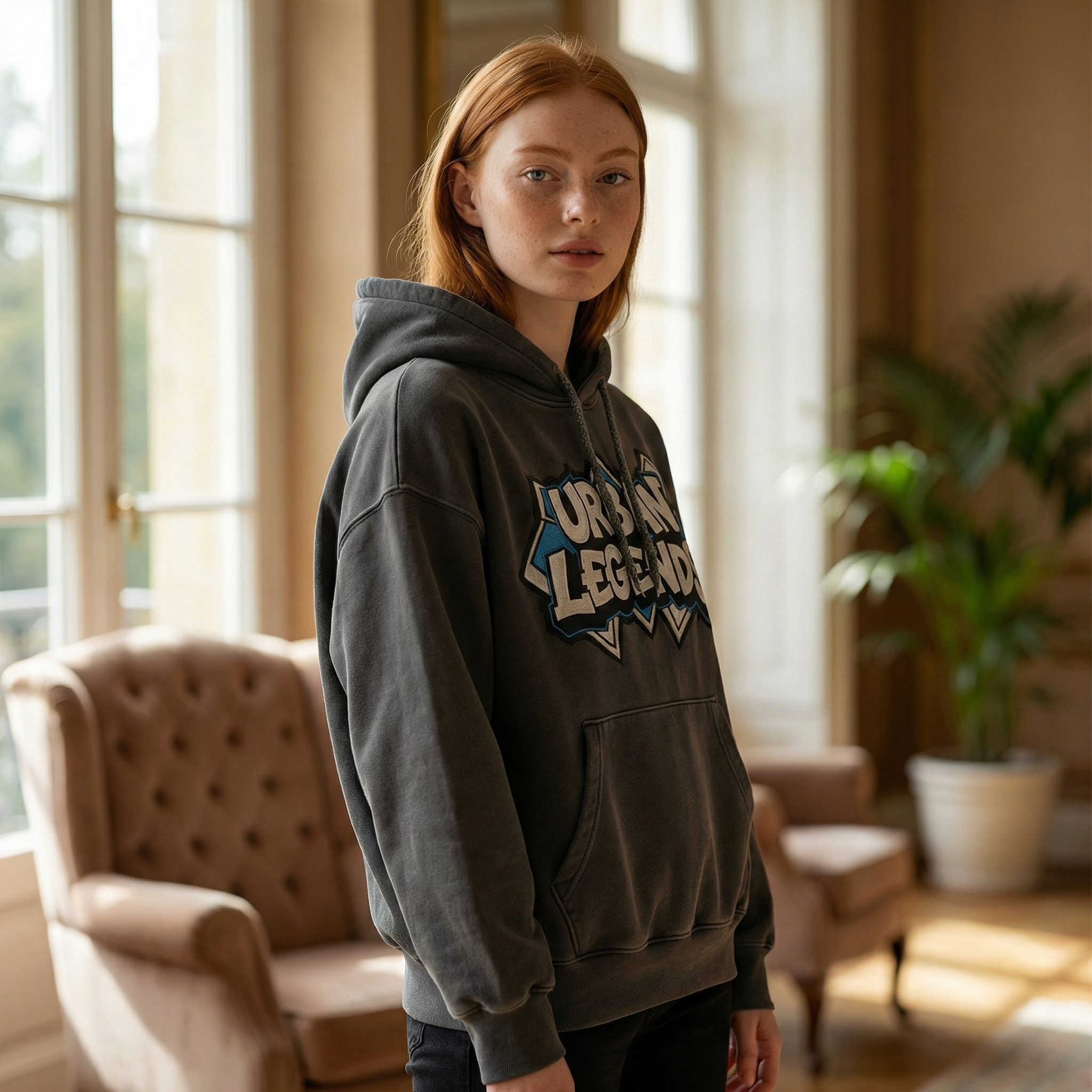
3) Indoor lifestyle, standing, medium shot, 1:1
Medium shot trades full-body garment checks for a more product page friendly crop. It works best for tops, jackets, and accessories.
|
|
 |
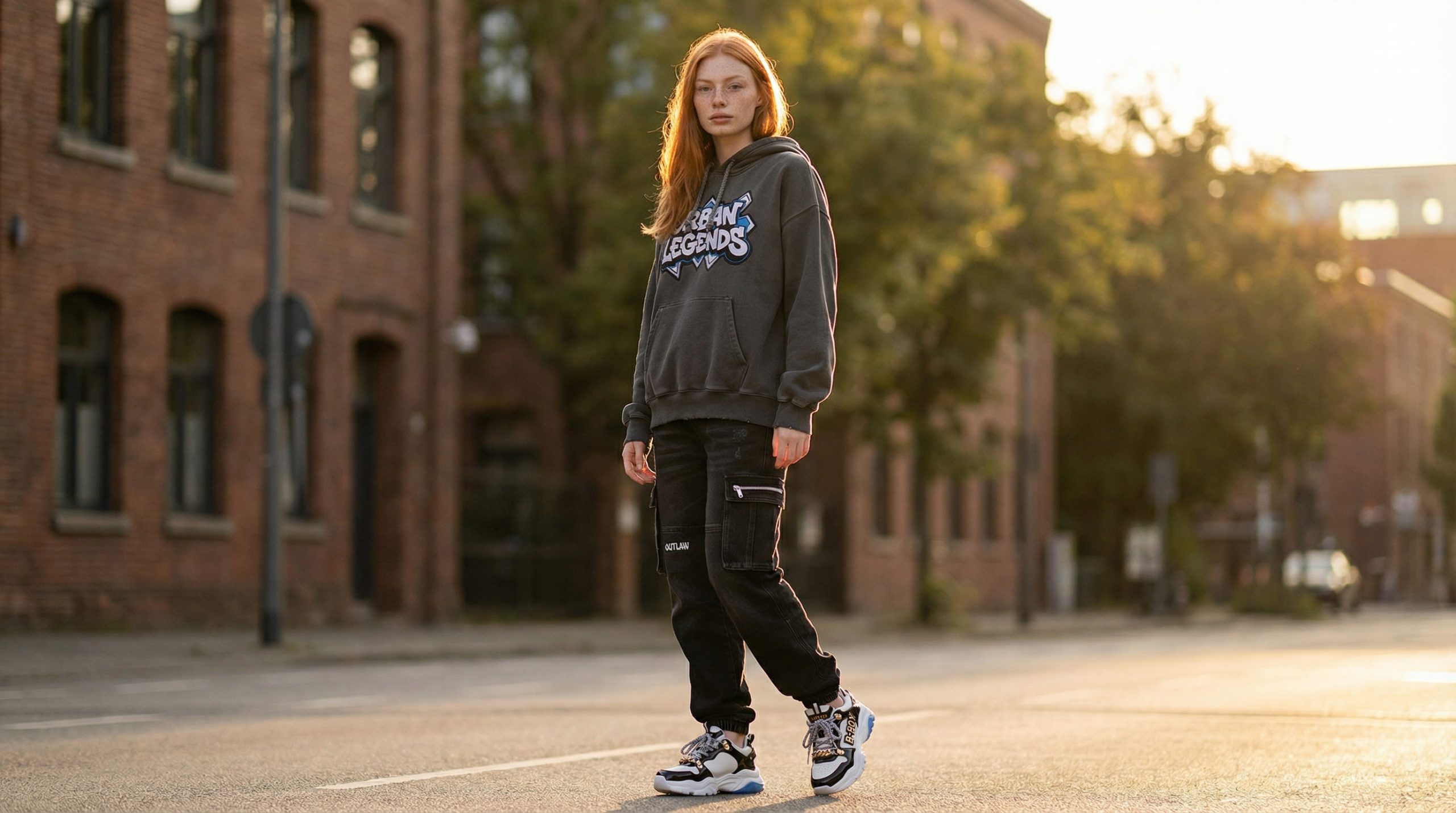
4) Outdoor location, standing, wide shot, 16:9
Wide landscape makes sense for homepage hero sections and lookbook banners. The risk is the outfit getting smaller in-frame.
|
|
 |
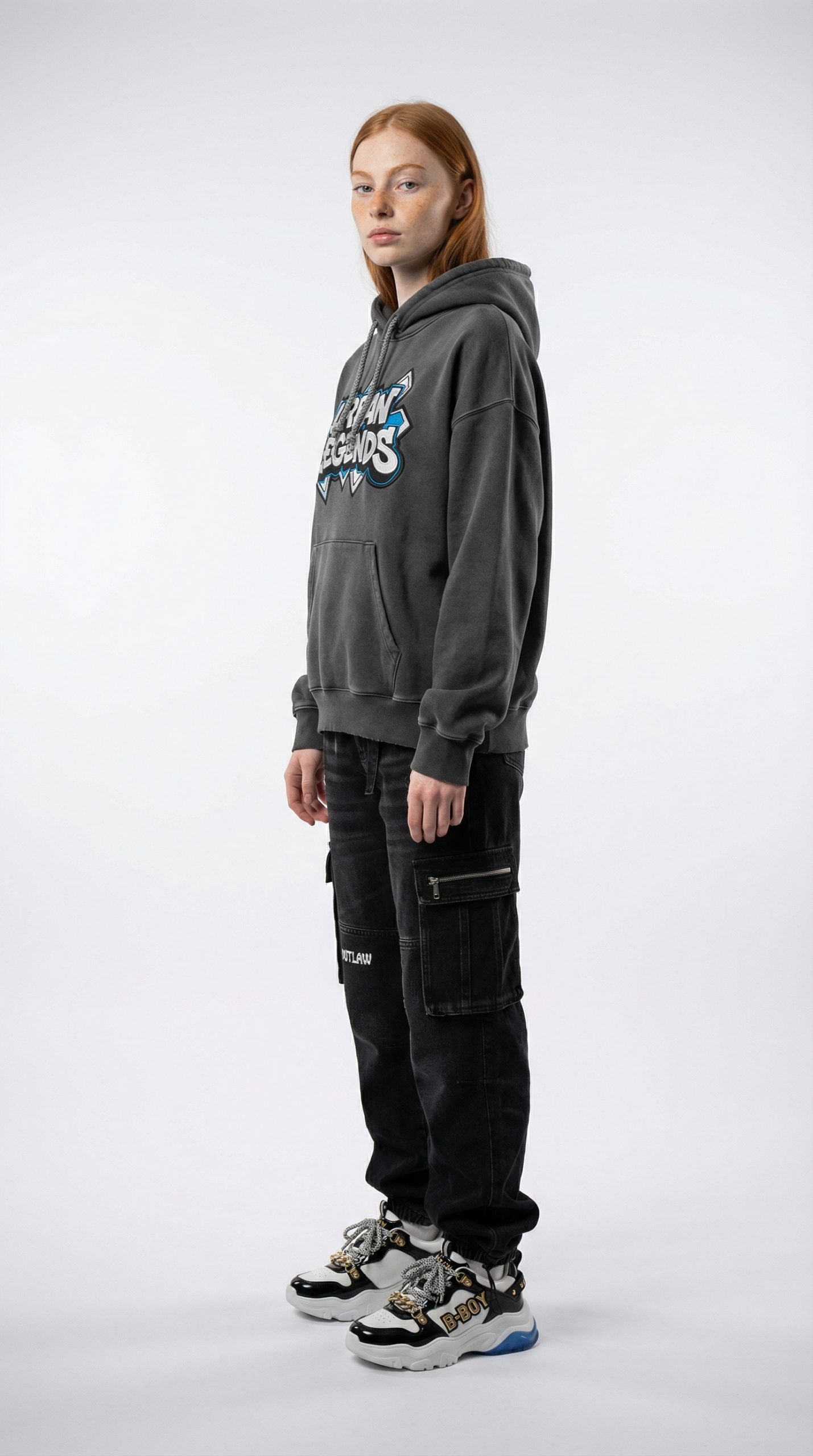
5) Studio, side profile, wide shot, 9:16
Side profile can reveal fit issues fast. Hands, hair, and sleeve edges get harder here, so it is a good stress test.
|
|
 |
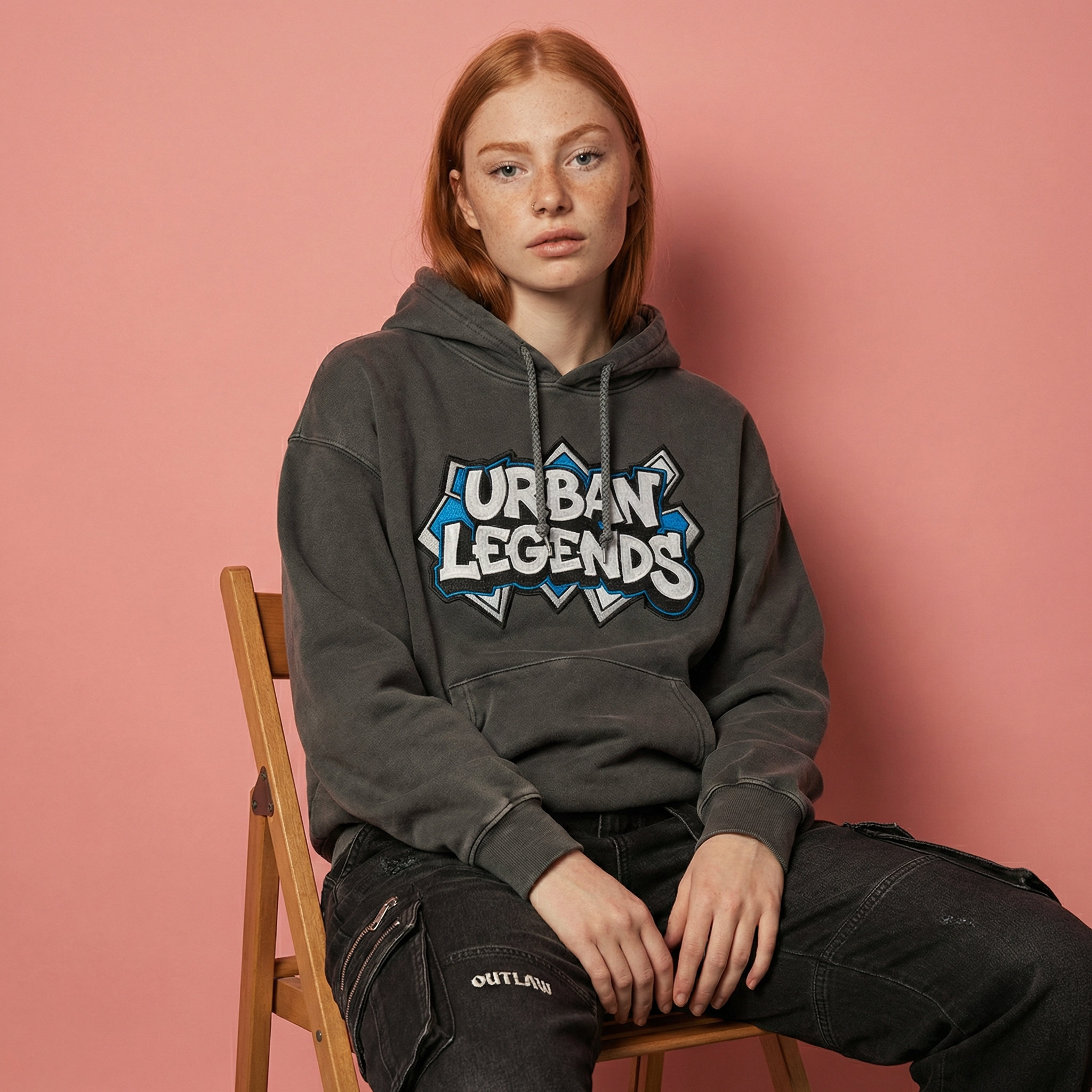
6) Keep original scene (virtual-try-on), sitting, medium shot, 1:1
Sitting pose changes garment tension at the waist and knees. If the model handles this, it usually handles real-world catalog variety better.
|
|
 |
Quick comparison
| Run | Style | Pose | Plan | Ratio | Observed runtime |
|---|---|---|---|---|---|
| 1 | virtual-try-on | standing | wide-shot | 9:16 | ~37s |
| 2 | studio | standing | wide-shot | 9:16 | ~29s |
| 3 | indoor | standing | medium-shot | 1:1 | ~27s |
| 4 | outdoor | standing | wide-shot | 16:9 | ~30s |
| 5 | studio | side-profile | wide-shot | 9:16 | ~33s |
| 6 | virtual-try-on | sitting | medium-shot | 1:1 | ~36s |
What it does well (and what to watch)
Works well for
- Generating fast outfit previews for PDP images and lookbooks
- Trying multiple backgrounds (studio vs indoor vs outdoor) without a new shoot
- Producing ratio variants for social and web (1:1, 9:16, 16:9)
Watch-outs
- Side profile and sitting poses can expose fabric warping and edge artifacts
- Busy garment photos can confuse layering when multiple items overlap
- Medium shots can hide lower-body items by design
Try it
Model link: https://wiro.ai/models/wiro/virtual-try-on-v2