LongCat Image Edit was tested here as a narrow text-replacement tool, not as a general redesign model. The question was simple: can one short instruction replace selected words while leaving the product, lighting, layout, and nearby copy alone? Six prepared images put that constraint under pressure: a curved can label, a street sign, a menu, a price tag, a badge, and a poster.
What this LongCat Image Edit test checks
Text editing inside an image is harder than it looks. A useful result has to change the requested characters, retain the other words, and keep the replacement aligned with the original design. That is why every prompt names the text to replace and the text that must stay unchanged. The test does not claim OCR accuracy or typography matching beyond these six examples. It checks visual preservation on short English labels.
The LongCat Image Edit model page describes an image-editing version of LongCat-Image. Its Wiro inputs are an image, a text prompt, steps, guidance scale, sample count, and seed. The documentation lists defaults of 28 steps, scale 4.5, one sample, and seed 0. These six saved outputs used one sample each, guidance scale 4.5, 50 steps, and seeds 2101 through 2106. Raising the step count from the listed default made this a deliberately conservative preservation test, not a speed test.
Test settings and reporting limits
- Input: one prepared image for each case.
- Instruction: replace only the named text and preserve specified neighboring copy.
- Steps: 50 for every edit.
- Guidance scale: 4.5 for every edit.
- Samples: 1 output per prompt.
- Seeds: 2101 to 2106, one fixed seed per case.
No run log for these original six tasks is attached to the post, so there is no honest per-output runtime or charge to report. The Wiro documentation includes a separate API example that finishes in 6 seconds, but that example is not one of these outputs and should not be used as a benchmark. It also does not publish a fixed price for this test configuration. Runtime and cost can vary with worker availability, image handling, and the selected parameters.
Before and after text replacement results
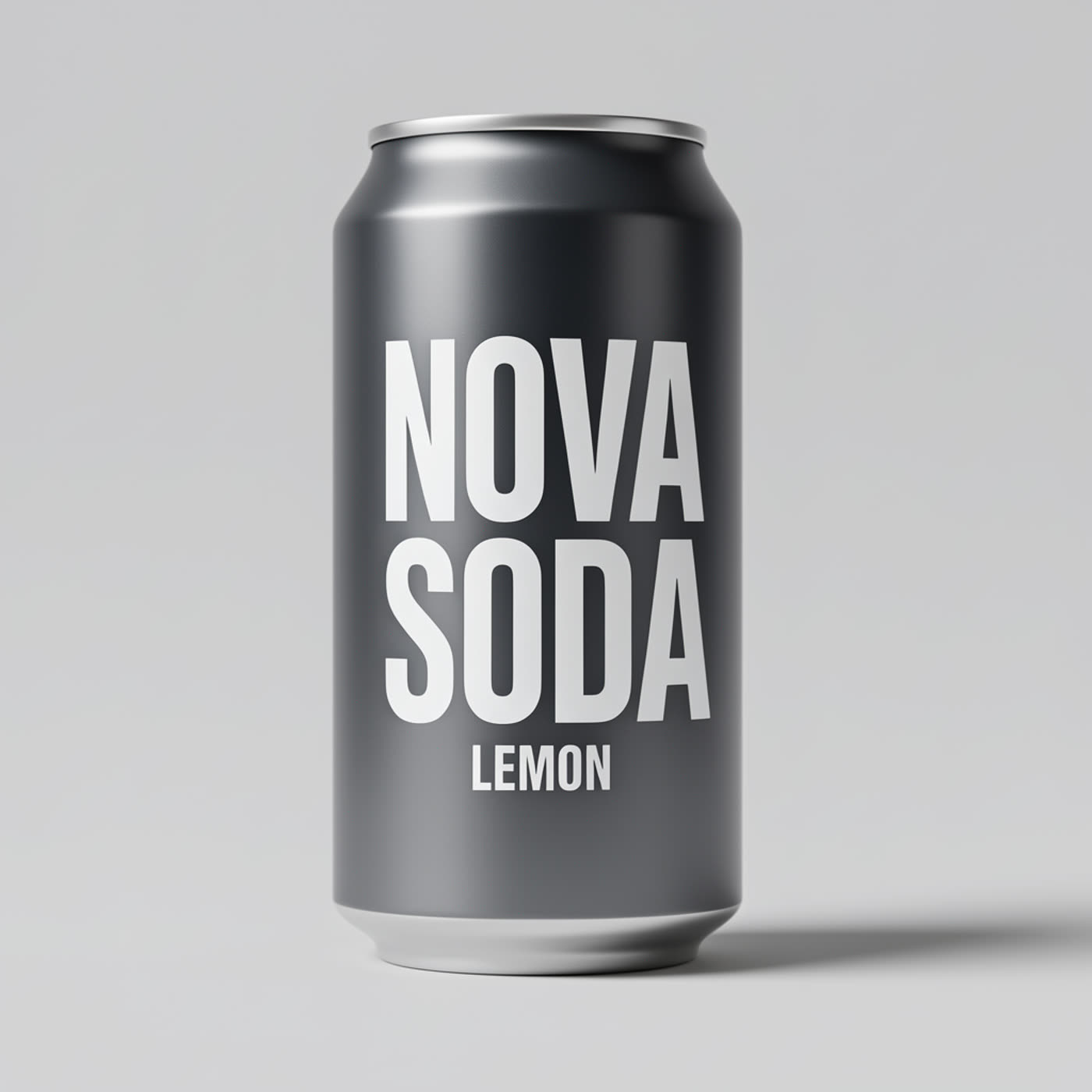
1. Can label: SODA to ZERO
 |
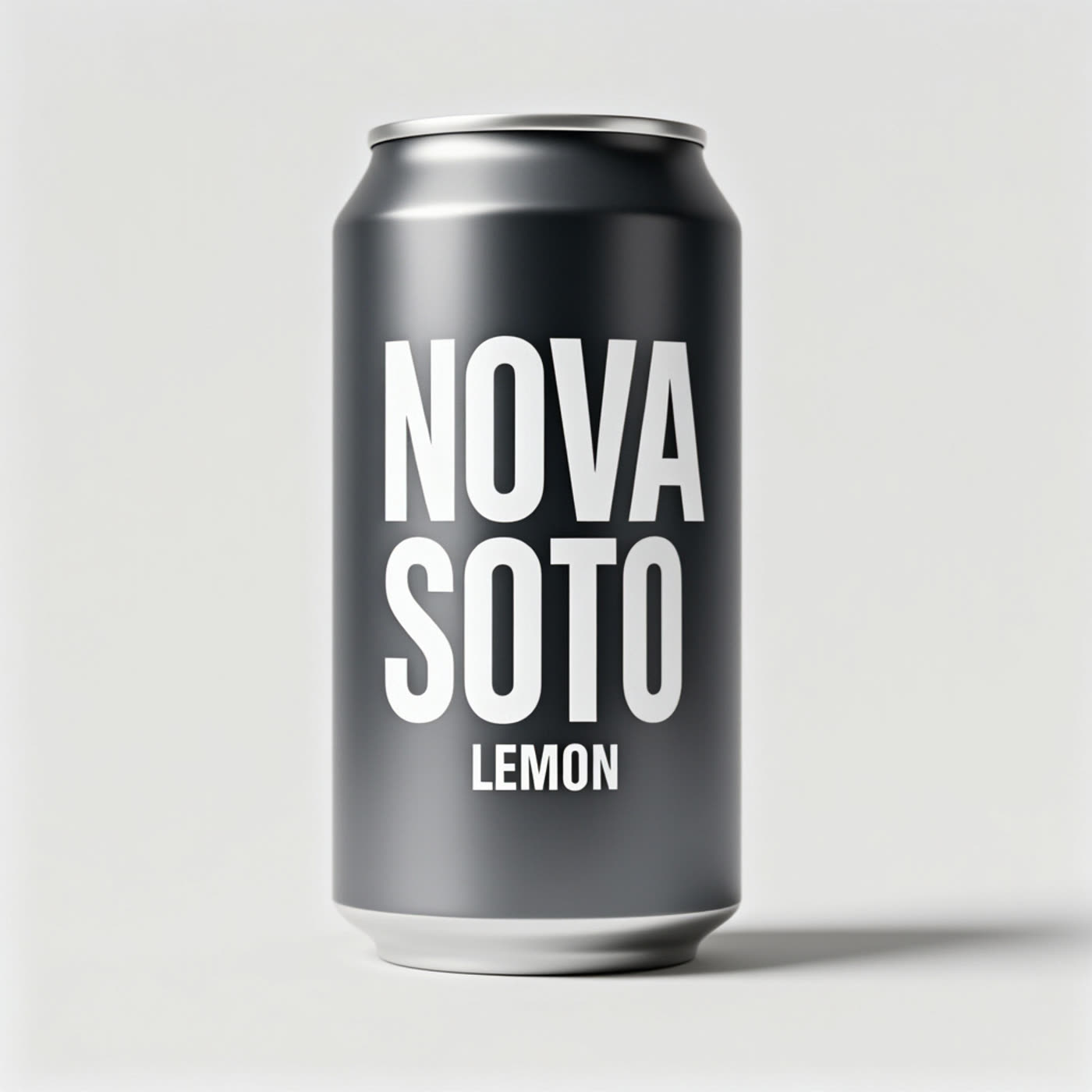 |
The output shows the intended word change while retaining the surrounding NOVA and LEMON text. This is the most useful kind of edit for a packaging mockup: the prompt narrows the editable area and names the copy that cannot move.
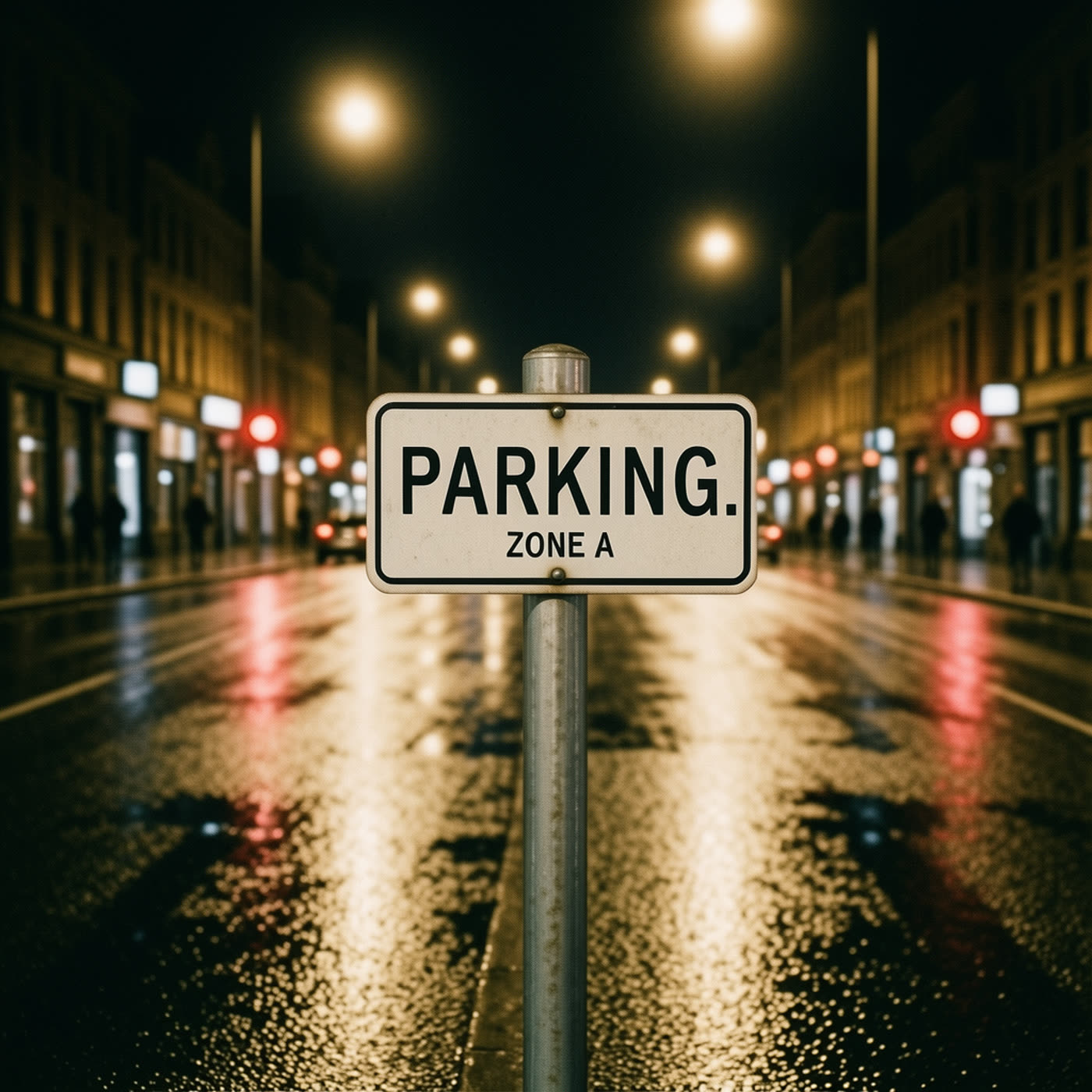
2. Street sign: PARKING to NO PARKING
 |
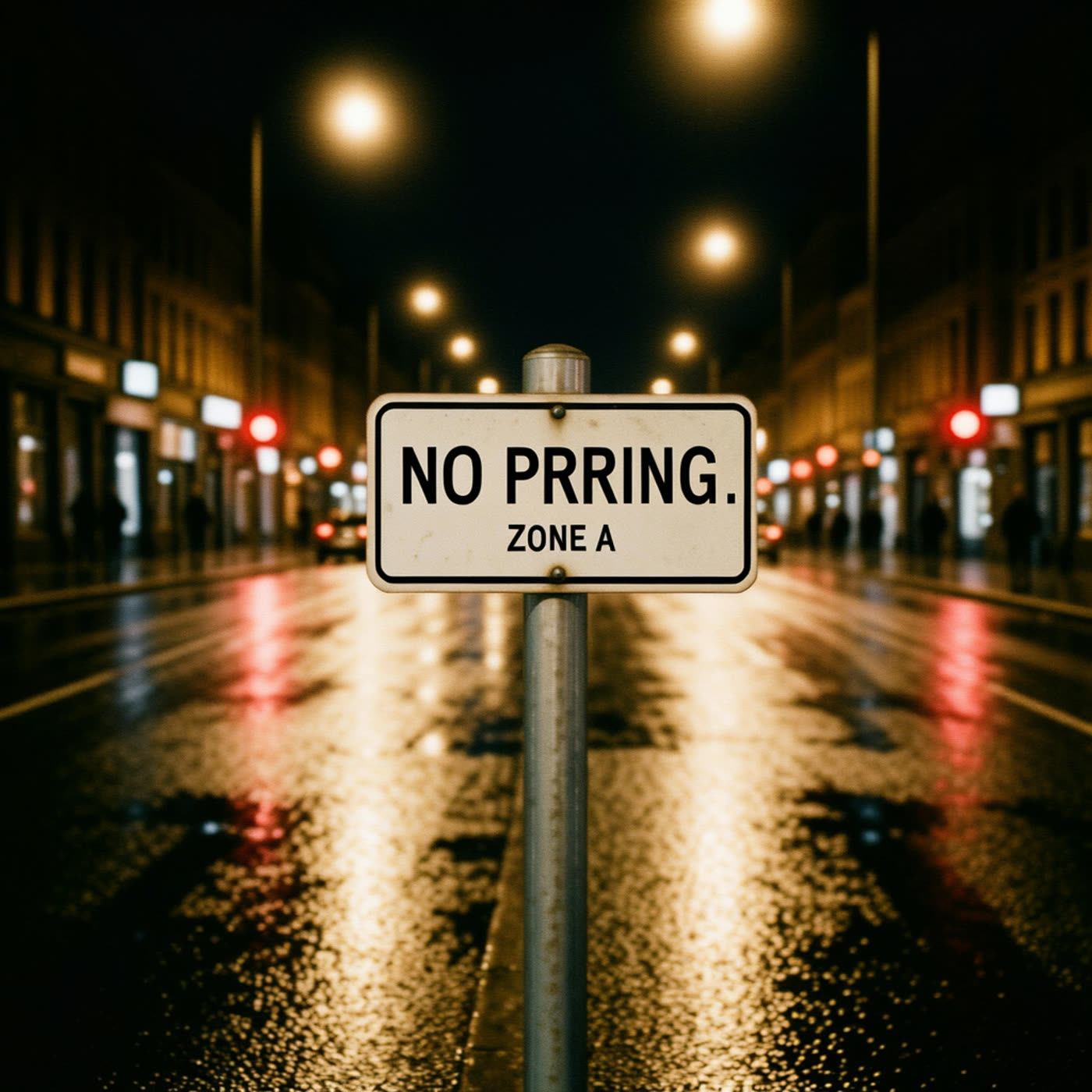 |
This case changes the word count on the first line. The output is useful because ZONE A remains the control text. For signage, prompt the model line by line and explicitly name any line that must remain untouched.
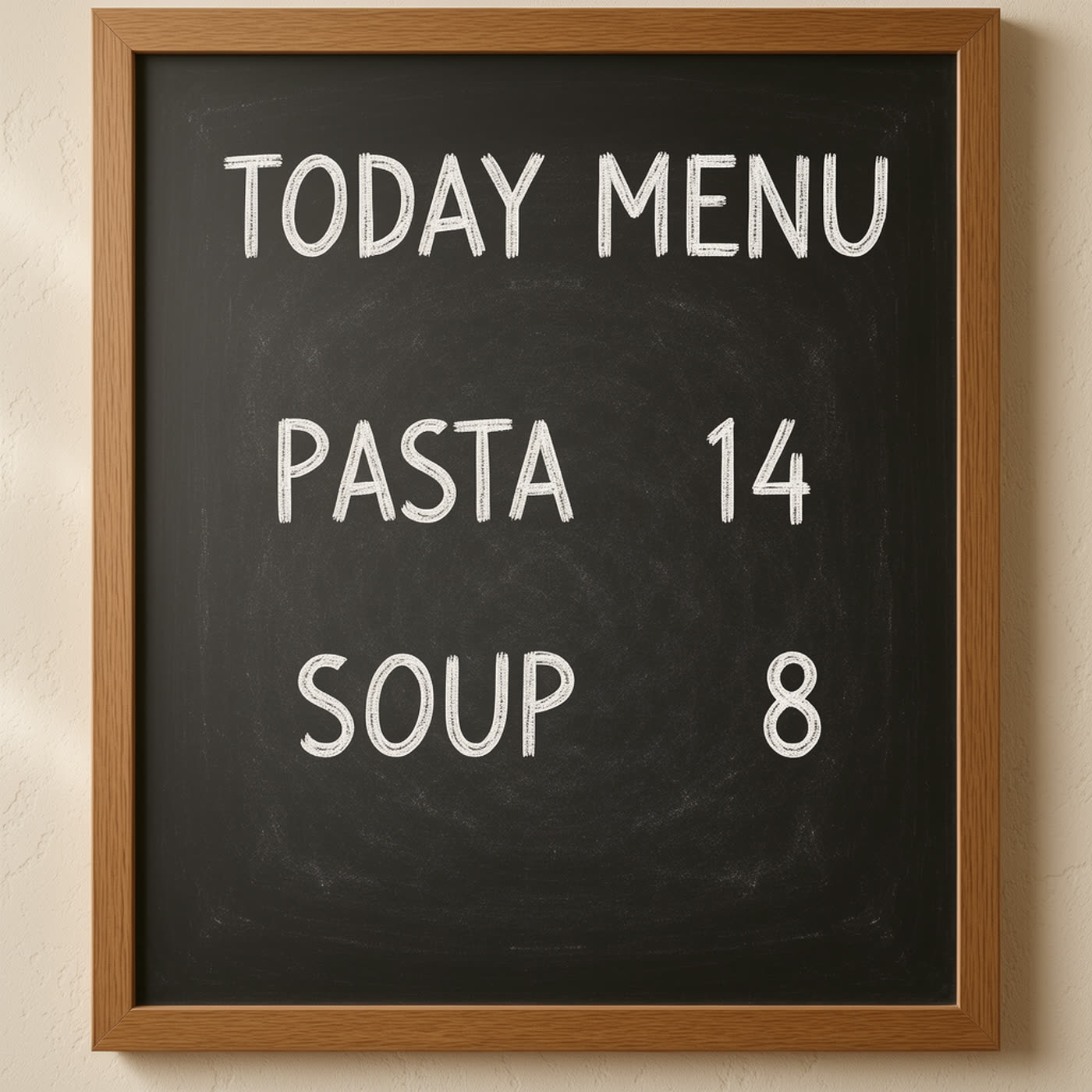
3. Menu price: PASTA 14 to PASTA 12
 |
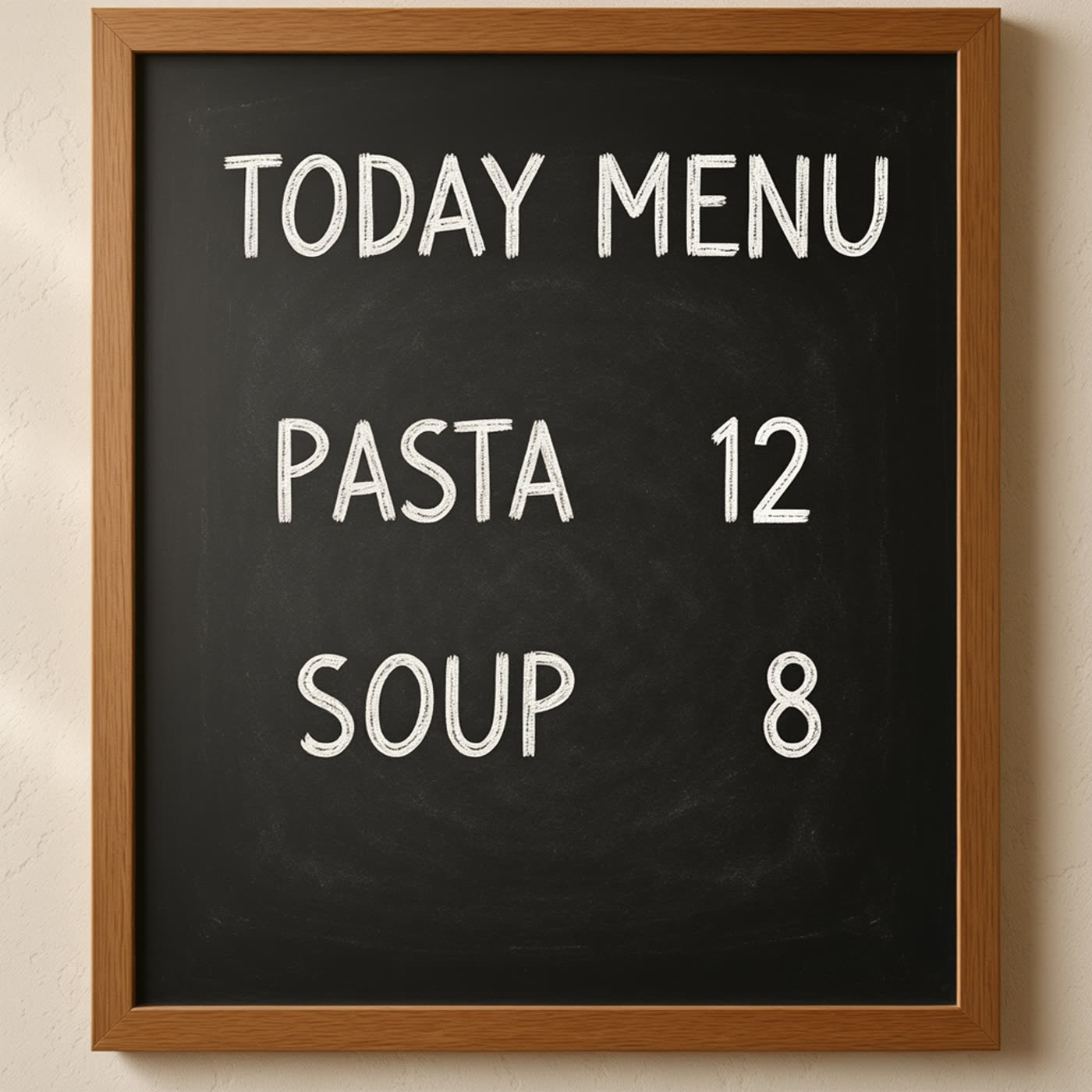 |
The result isolates a small numerical correction without asking the model to redraw the whole menu. It is the closest match to a practical last-minute price correction. Small text leaves little room for error, so it helps to include the unchanged menu items in the instruction.
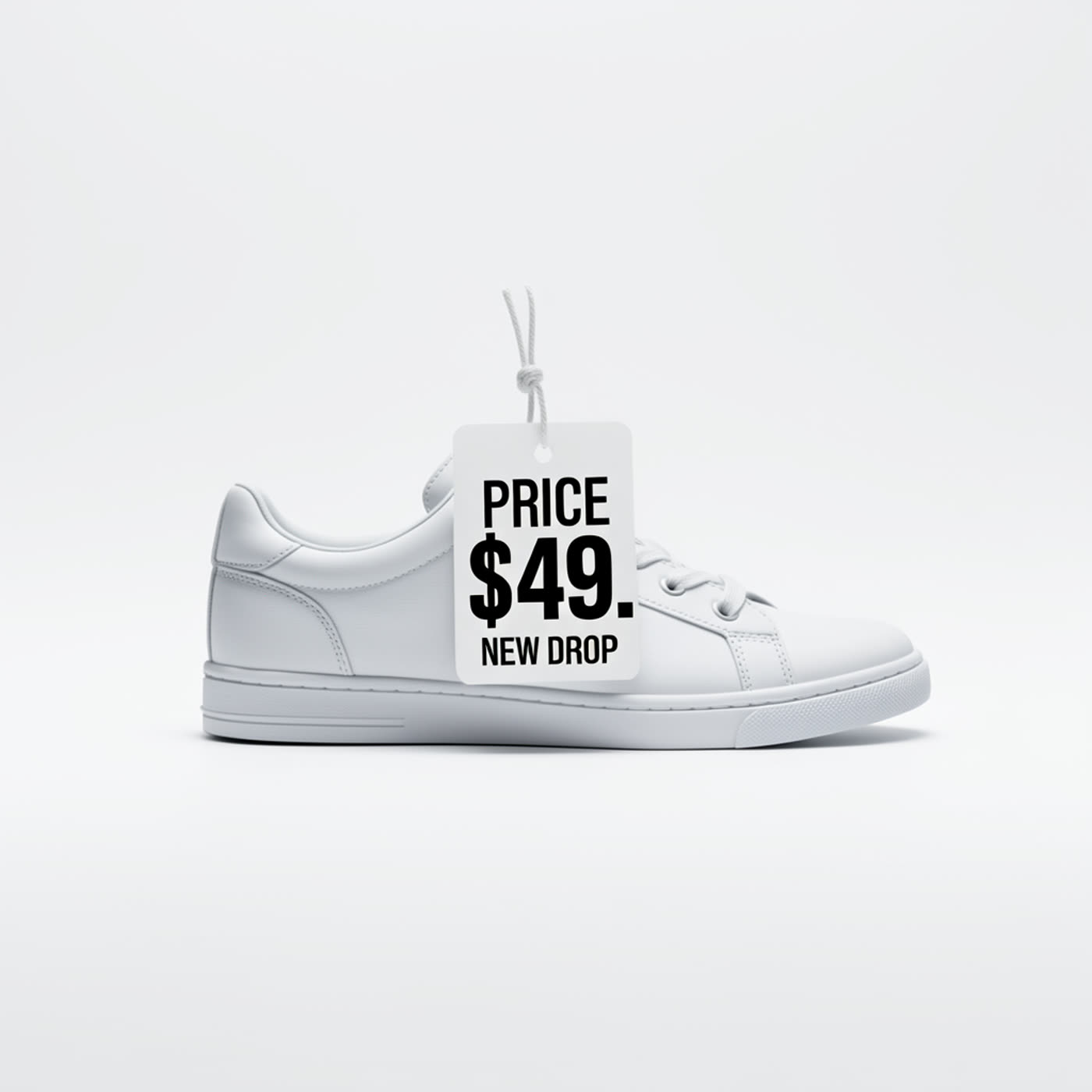
4. Price tag: $49 to $29
 |
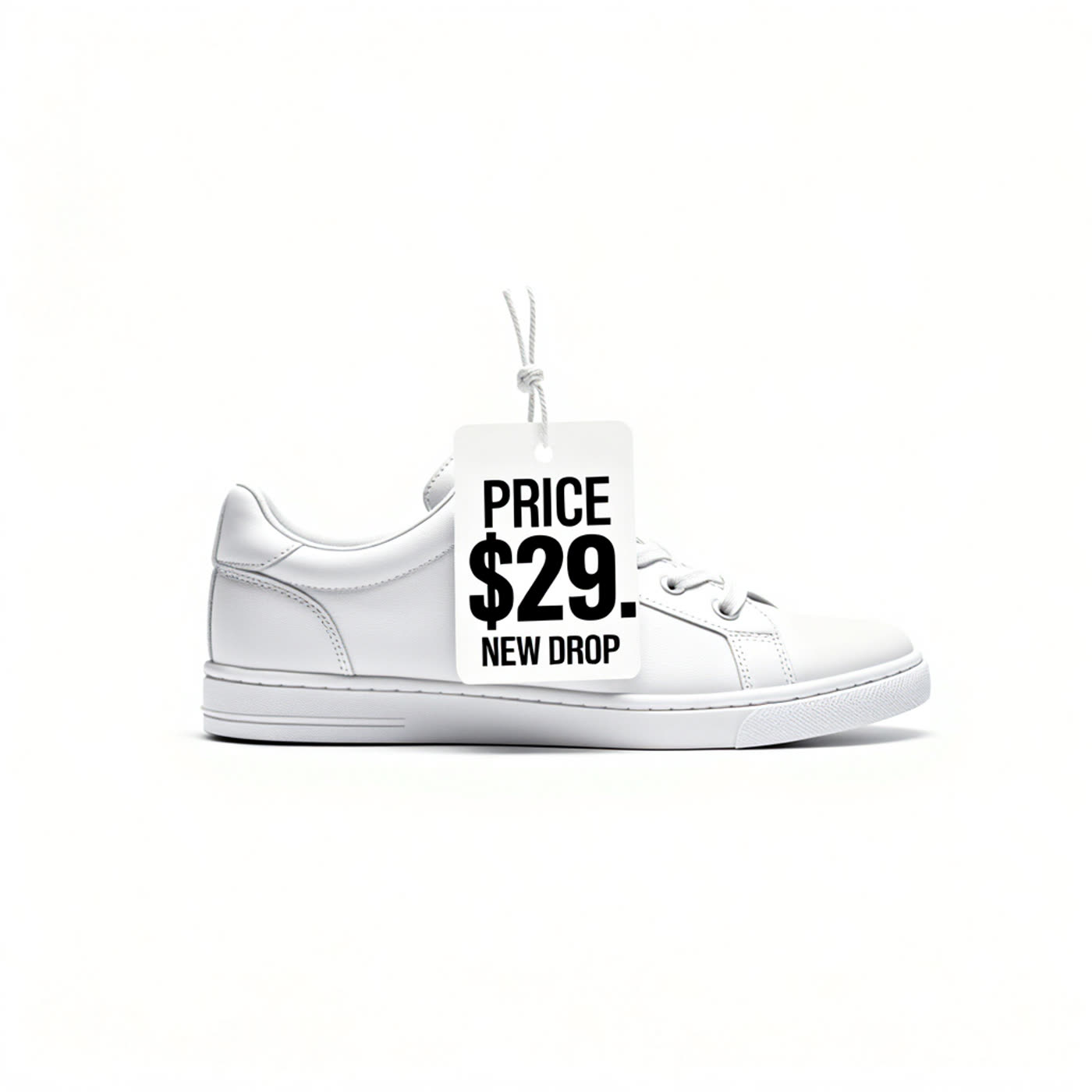 |
Here the change is only two digits. That makes it a good preservation test: the tag should stay a tag, rather than becoming a newly generated graphic. The output demonstrates why short, bounded instructions are better than a broad request to update the design.
5. Badge: GUEST to SPEAKER
 |
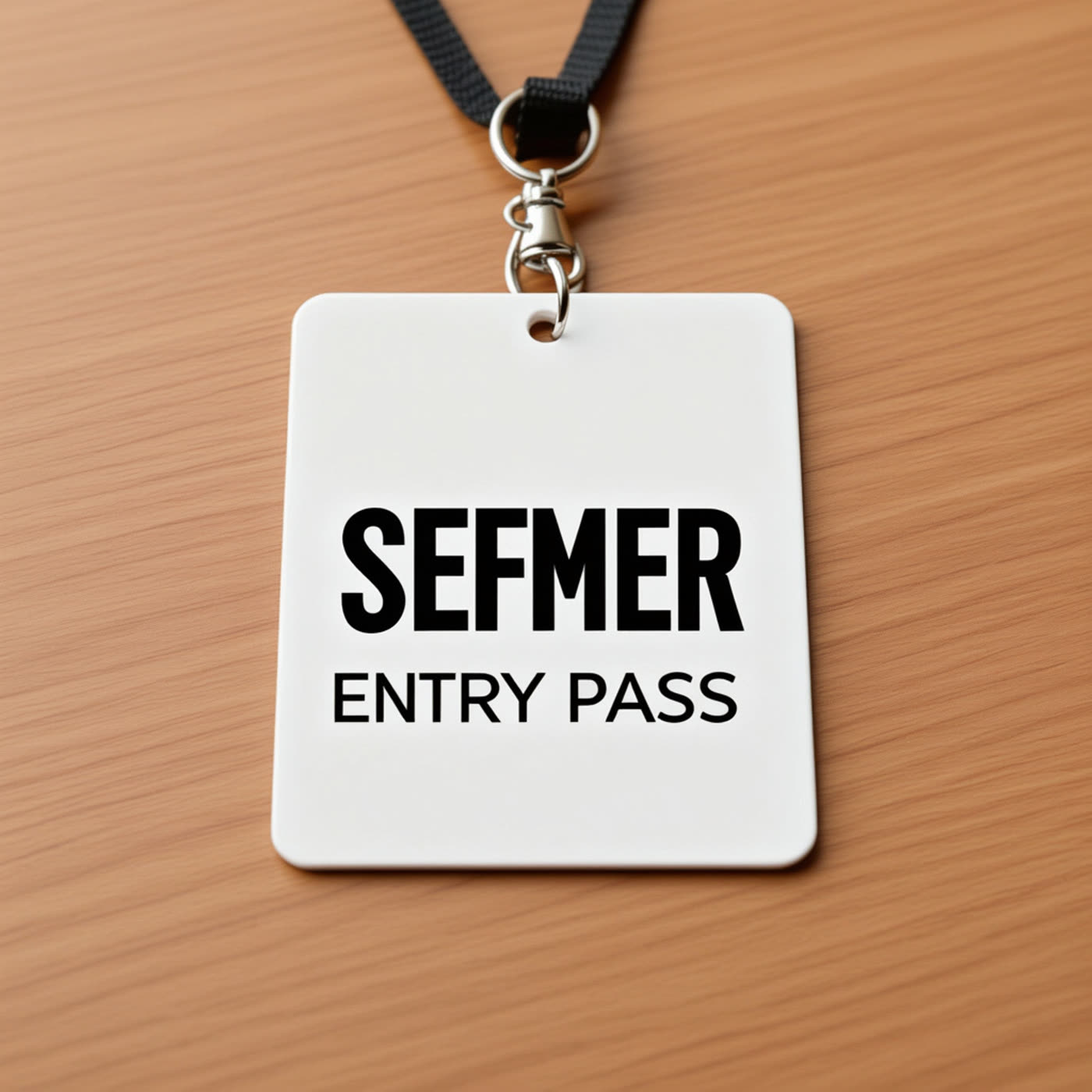 |
The replacement is longer than the original word. This is a useful edge case because it tests whether the model can fit a longer role label without disturbing the rest of the pass. For event graphics, check the final letter spacing at full resolution before sending the badge to print.
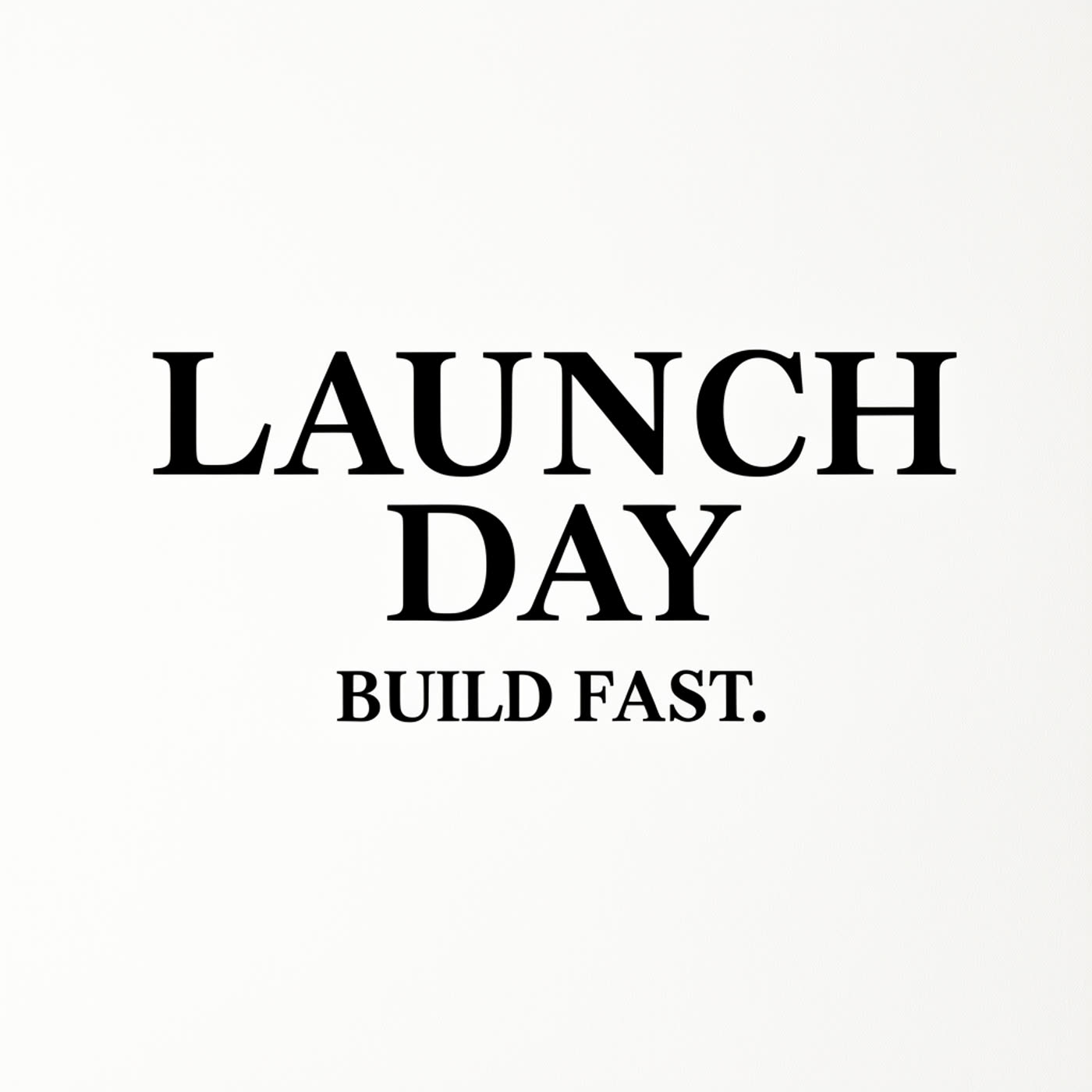
6. Poster title: LAUNCH to BETA
 |
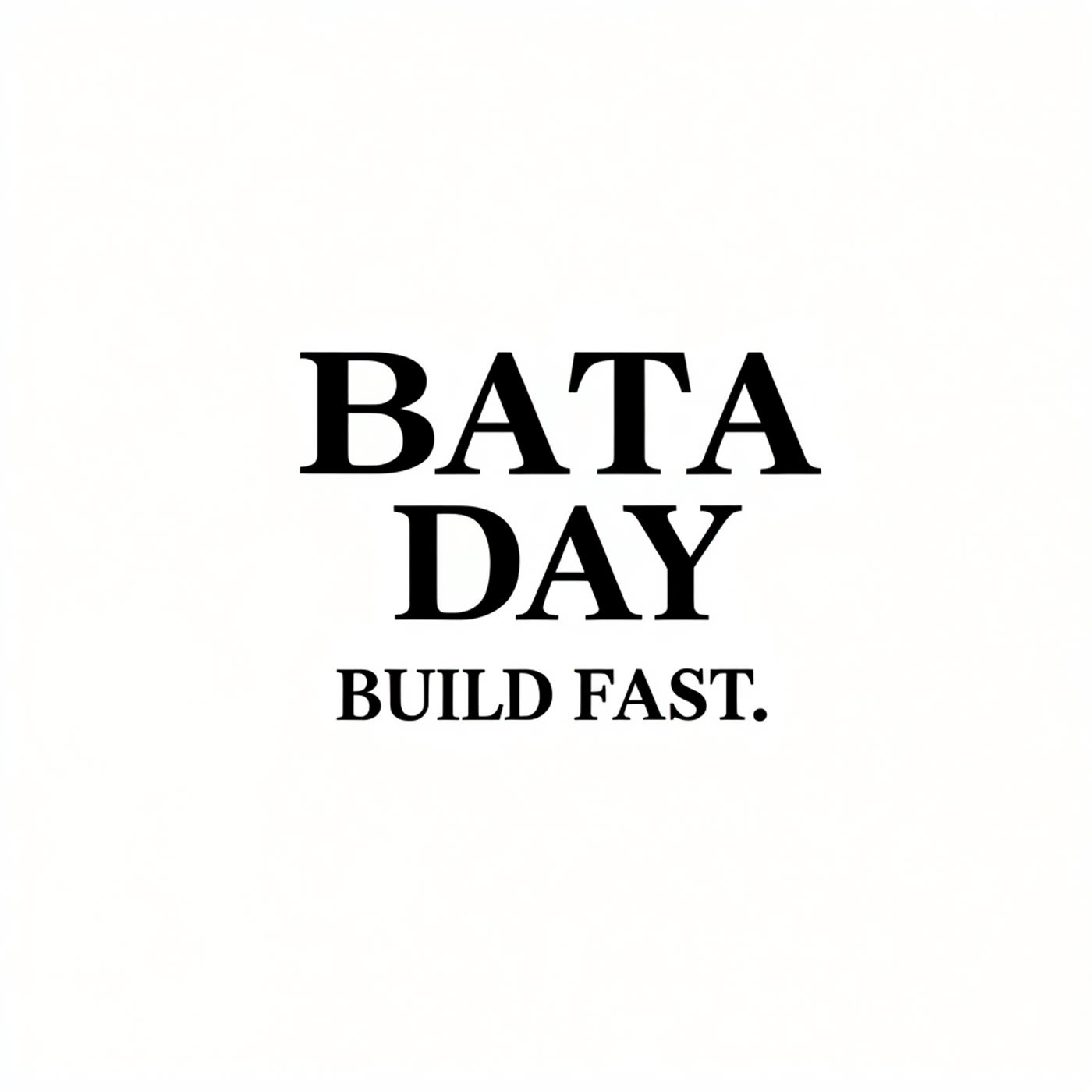 |
The poster case tests a headline rather than utility copy. The output keeps BUILD FAST as the fixed reference. Headline edits are a good fit when the goal is one campaign variation, but a design with dense effects or tight tracking deserves manual review.
When to choose LongCat Image Edit
Choose LongCat Image Edit when the source image already works and only a few words need to change. It suits price updates, role swaps, short campaign variations, and product-label drafts. Use a precise prompt that says what to replace, what must remain, and whether layout should stay unchanged. It is less suitable for a full poster rewrite, a large paragraph, or a job that needs guaranteed production typography. Those cases need a source design file or a manual text pass after generation.
For more image-editing tests, see FireRed Image Edit vs Seedream V5 Lite, Seedream V5 Lite Image Editing tests, and Grok Imagine Image text-edit tests. The six examples here make the case for constrained prompts: ask for one local change, protect the neighboring text, and inspect the final pixels.