Easy OCR extracts text from images. The hard part is the input. This post runs five layout tests and shows the raw outputs.
Model
5 layout tests with real outputs
Test 1: Receipt (numbers and totals)
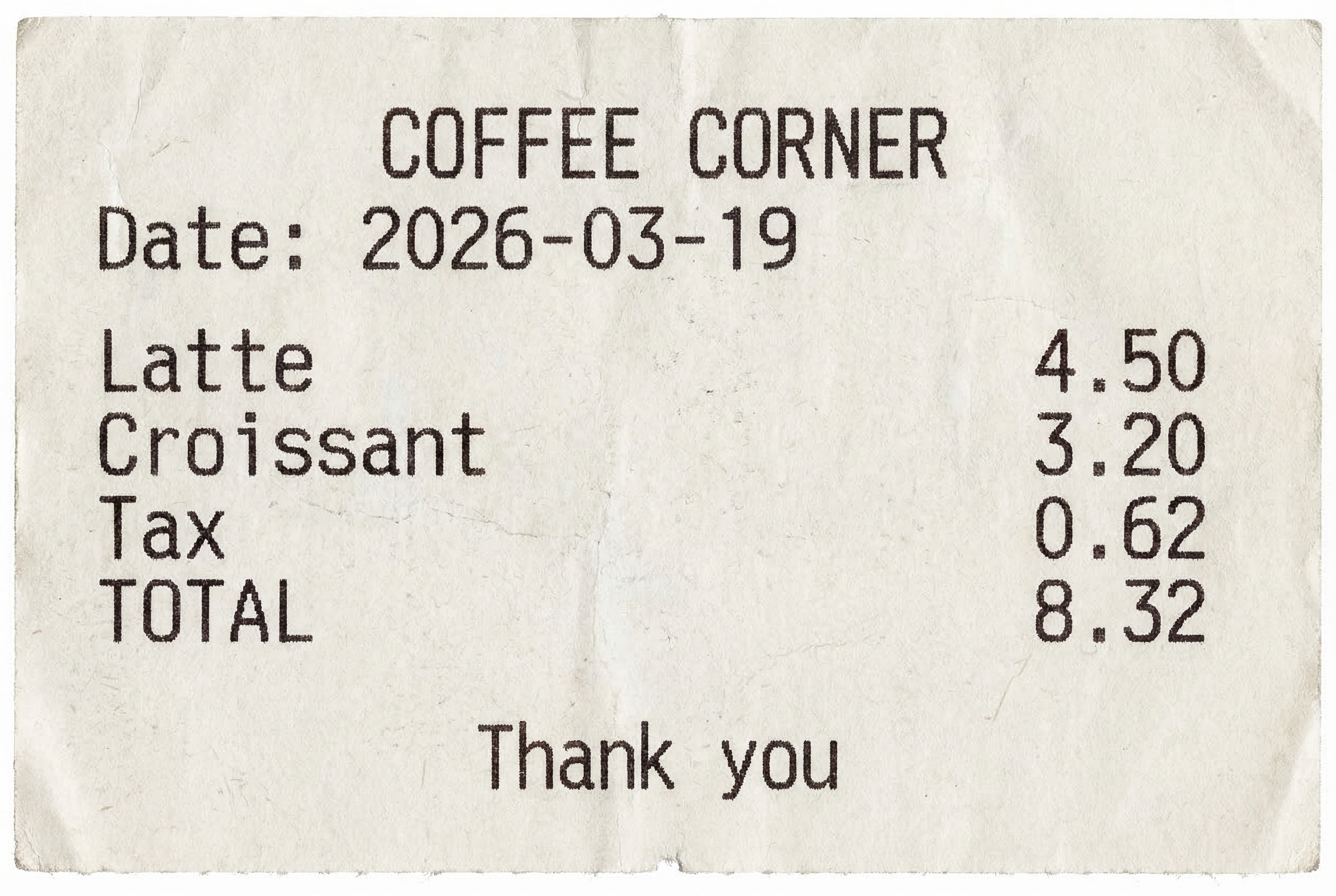
COFFEE CORNER
Date: 2026-03-19
Latte 4.50
Croissant 3.20
Tax 0.62
TOTAL 8.32
Thank you
Easy OCR output
COFFEE
CORNER
Date:
2026-03-19
Latte
4
50
Croissant
3
20
Tax
0
62
TOTAL
8
32
Thank
you
Digits often split into separate tokens. That shows up in totals and prices.
Test 2: Table (rows and commas)
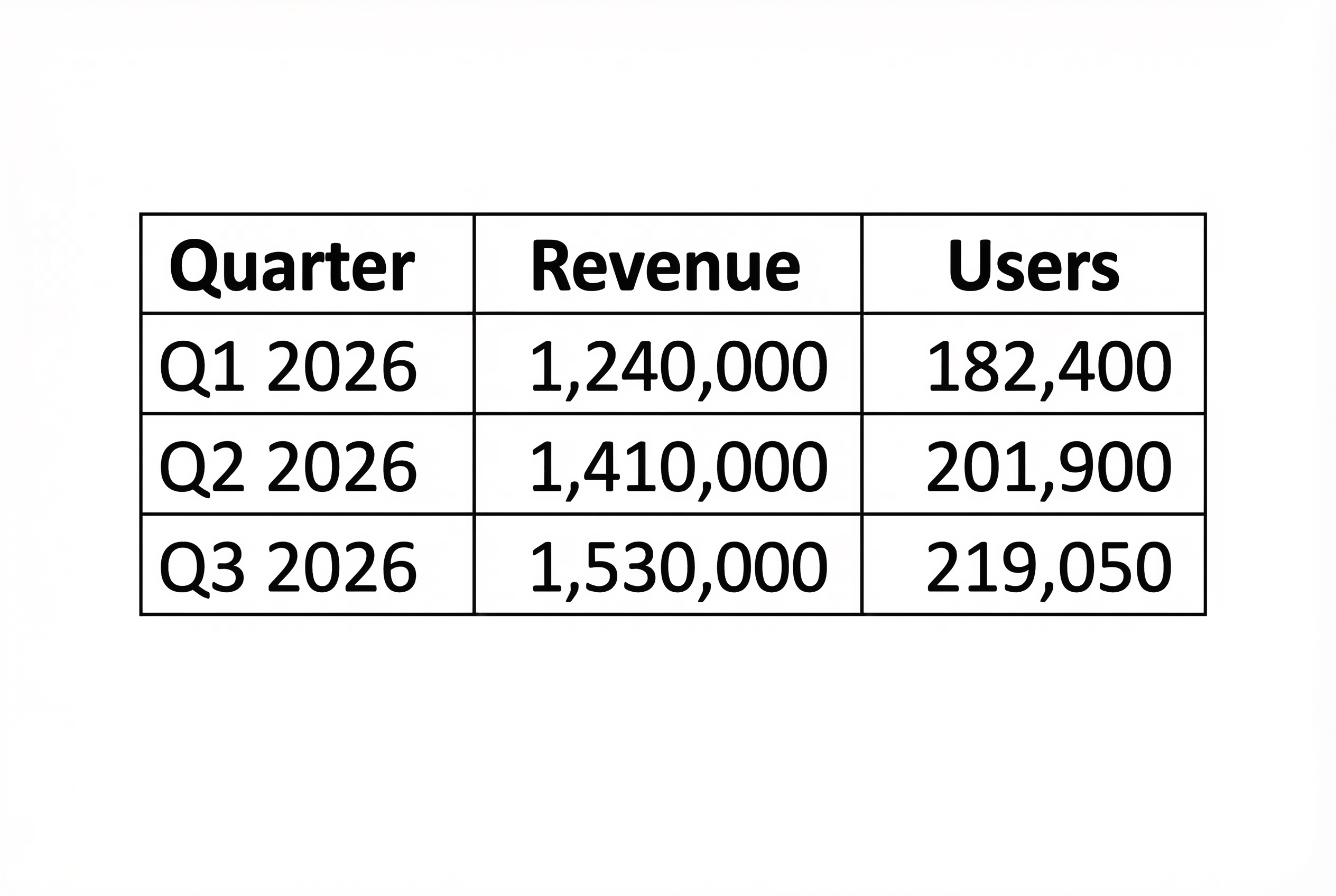
Quarter | Revenue | Users
Q1 2026 | 1,240,000 | 182,400
Q2 2026 | 1,410,000 | 201,900
Q3 2026 | 1,530,000 | 219,050
Easy OCR output
Quarter
Revenue
Users
Q1 2026
1,240,000
182,400
Q2 2026
1,410,000
201,900
Q3 2026
1,530,000
219,050
Tables work well when lines are crisp and spacing is consistent.
Test 3: Shipping label (mixed casing)
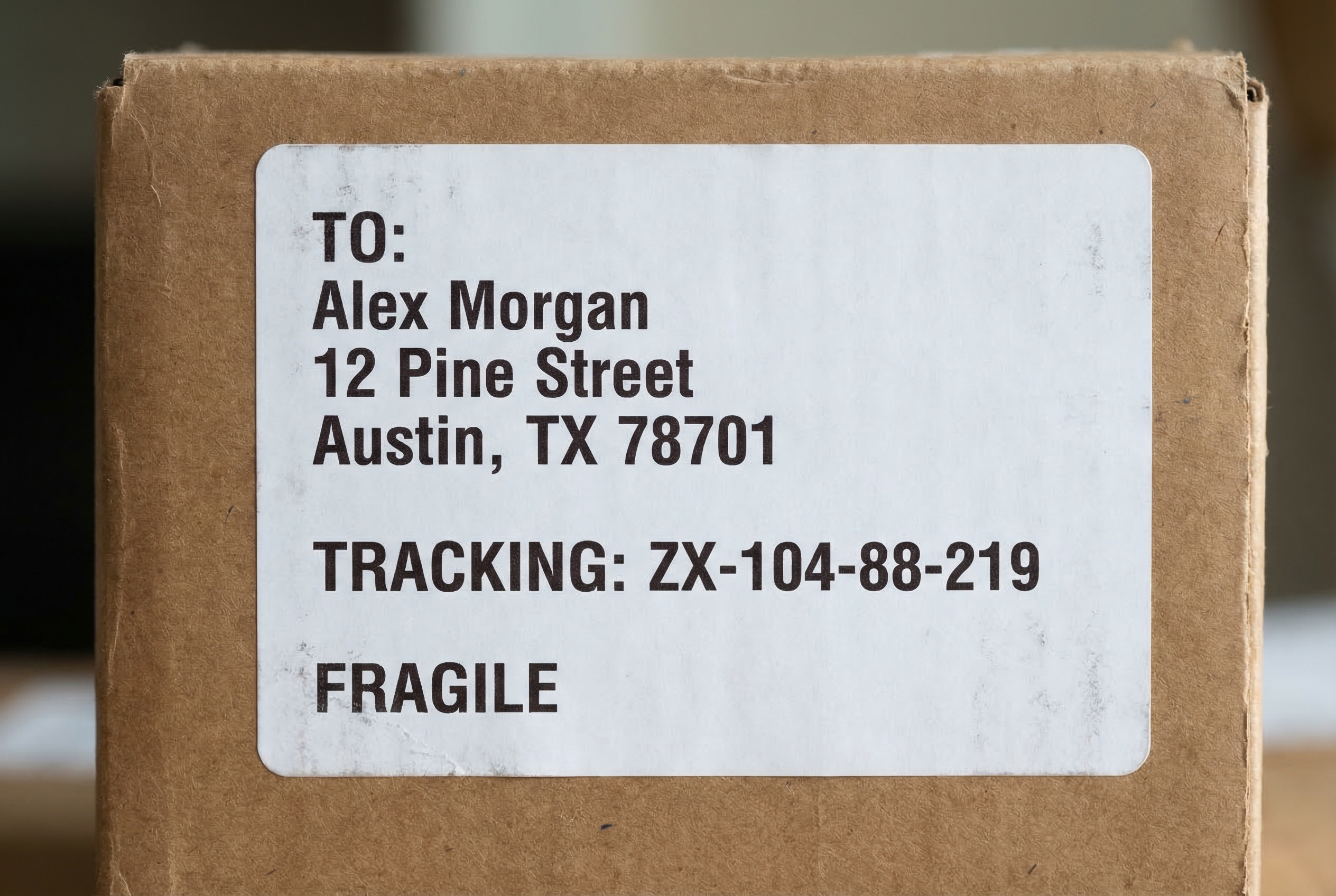
TO:
Alex Morgan
12 Pine Street
Austin, TX 78701
TRACKING: ZX-104-88-219
FRAGILE
Easy OCR output
TO:
Alex Morgan
12 Pine Street
Austin, TX 78701
TRACKING: ZX-104-88-219
FRAGILETest 4: Handwriting (hard mode)
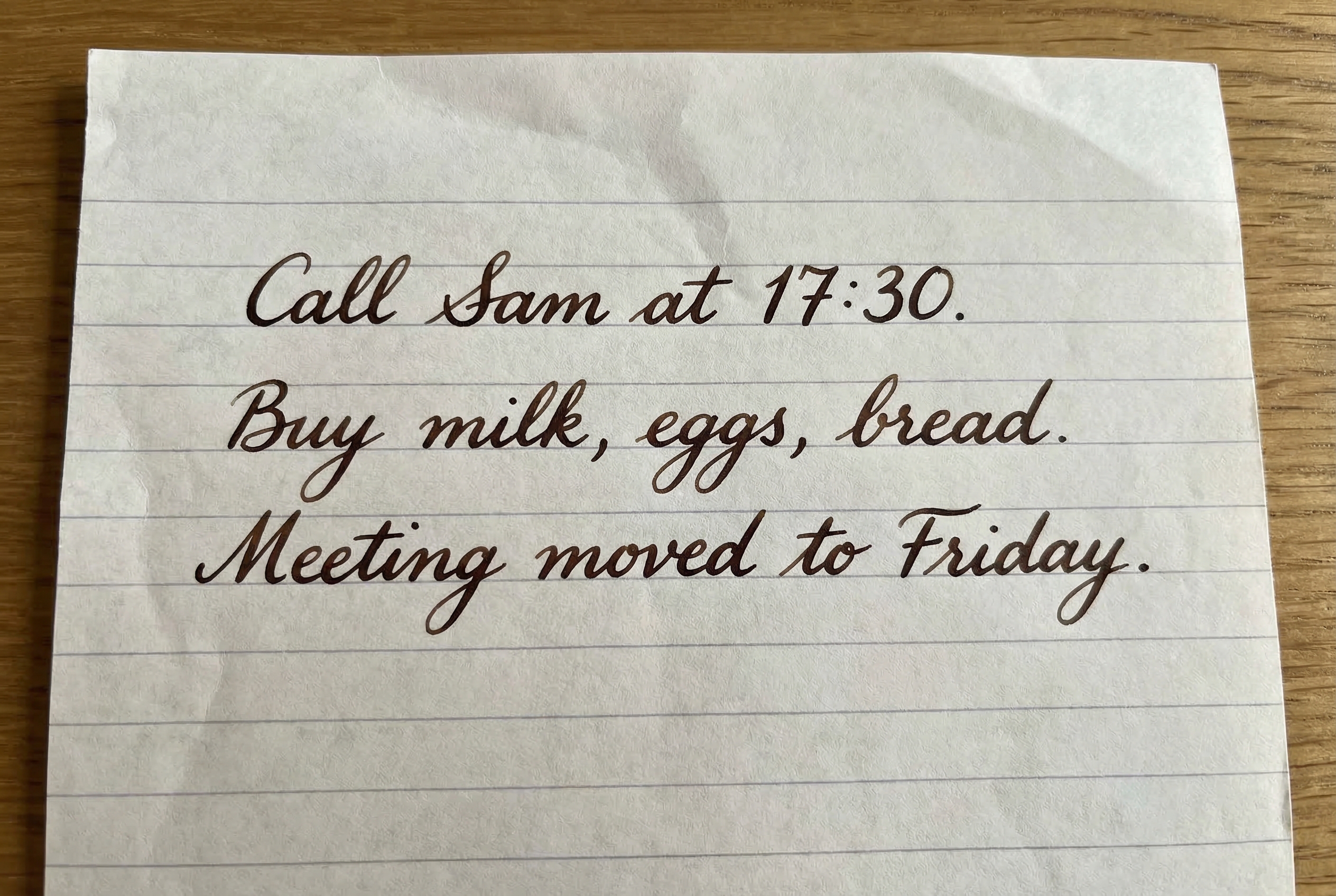
Call Sam at 17:30.
Buy milk, eggs, bread.
Meeting moved to Friday.
Easy OCR output
Cale_Xam at 1F:30.
mile , %9s , Giead.
moved to
puy
Meeting
Fiiday
Handwriting stays the hardest case. Expect errors unless handwriting is very clean.
Test 5: Code screenshot (UI noise)
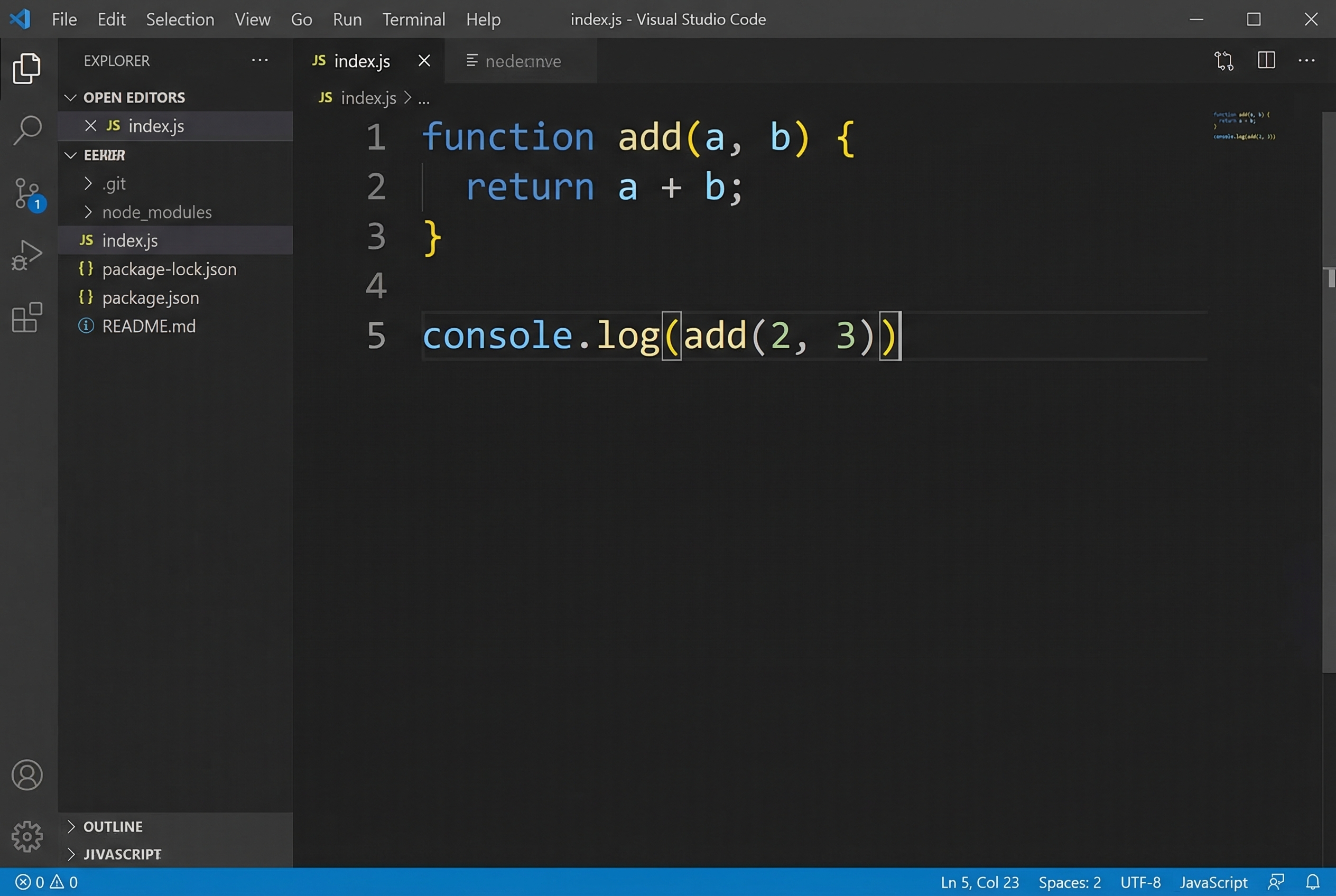
function add(a, b) {
return a + b;
}
console.log(add(2, 3));
Easy OCR output
File
Edit
Selection
View
Go
Run
Terminal
Help
indexjs
Visual Studio Code
EXPLORER
JS indexjs
= nedennve
OPEN EDITORS
JS
indexjs
ta
Totor
JS indexjs
1
function
add(a,
b) {
tele klela
EEKWR
git
2
return
a + b;
node_modules
JS indexjs
3
{} package-lockjson
{} package json
4
READMEmd
5
console.
I(add ( 2 ,
3)V
OUTLINE
JIVASCRIPT
0 ^ 0
Ln 5, Col 23
Spaces: 2
UTF-8
JavaScript
8j
logl
UI chrome adds noise. Cropping to the code region helps a lot.
Quick tips
- Crop tight. Remove UI bars, side panels, and borders.
- Boost contrast. Black text on white background still wins.
- Prefer printed text over handwriting when accuracy matters.
- For receipts, post-process numbers. OCR can split digits across lines.
Try it
Run Easy OCR on Wiro: https://wiro.ai/models/wiro/easy-ocr