LTX-2.3 text-to-video tests put one question first: can a short 1080p clip carry a clear subject, a requested camera move, and an atmosphere effect without turning into visual noise? Five six-second outputs were made with deliberately different demands: reflective product work, dense snow, a crowded rain-soaked street, miniature-scale motion, and a character performance. The point was not to make five pretty clips. It was to see where the model holds together and where a prompt needs less ambition.
What was tested
Every test used LTX-2.3 on Wiro as text-to-video. The set keeps duration, resolution, and frame shape fixed so the scene design does the work. No source image or end image was supplied, even though the model accepts optional start and end image inputs. That matters: these are tests of text interpretation rather than image-guided animation.
| Parameter | Value | Why it matters |
|---|---|---|
| Duration | 6 seconds | Long enough to judge a camera move and motion continuity. |
| Resolution | 1080P | The target delivery size for this test set. |
| Aspect ratio | 16:9 | Used for all five landscape scenes. |
| Input image / end image | None | Each clip starts from the written prompt alone. |
| Seed | Varied per test | Outputs were not forced to one repeatable seed. |
| Image strength | 1.0 default | The documented optimization-layer setting was left at its default. |
The published model documentation lists 6, 8, 10, and 20 second duration options, plus 1080P, 1440P, and 2160P output choices. This article deliberately stays with six seconds at 1080P. It makes the results easier to compare and avoids pretending that a short test says everything about long-form continuity.
How the five LTX-2.3 text-to-video tests read
1. Macro splash: controlled reflections and one physical event
Prompt: Macro product shot of a matte black perfume bottle on wet glass. A single drop hits the surface and ripples outward. Slow motion splash, tight focus, studio lighting, cinematic contrast.
This is the cleanest test because the hierarchy is simple. The bottle remains the anchor while the water supplies motion. Highlights and reflections stay mostly attached to the product, and the tight framing limits background changes. Watch the edges of the bottle rather than the splash alone: that is where a product clip often gives away instability. Here, the result reads as a usable mood shot, though it should still be reviewed frame by frame before cutting into paid product work.
2. Snowy cabin: depth and particle load
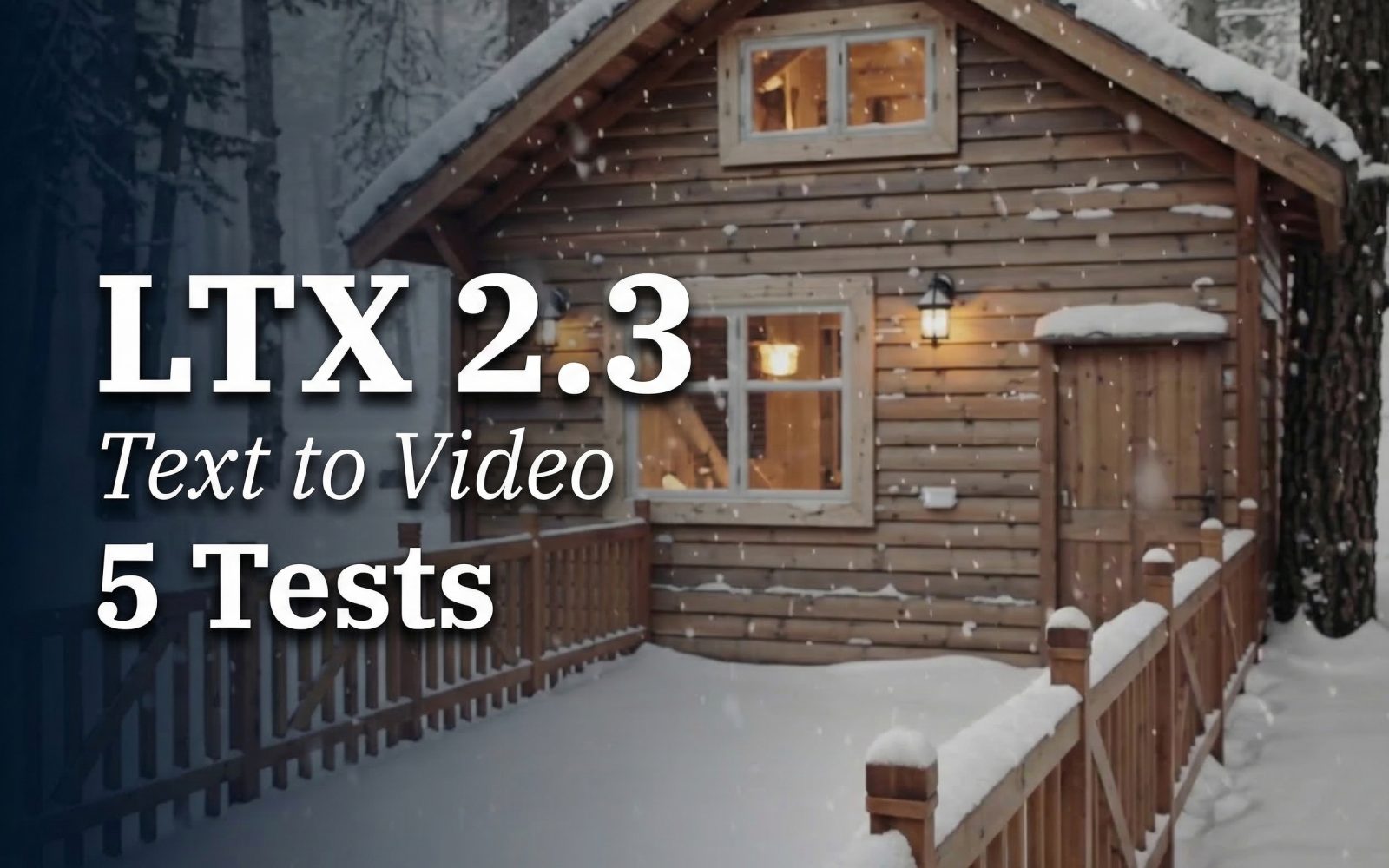
Prompt: Cozy wooden cabin in a pine forest during heavy snowfall. Warm window light. Slow camera push in along a snowy path, snow particles drifting past the lens, soft depth of field, realistic.
The cabin clip tests depth more than action. The warm windows stay a convincing focal point against the cool snow, while the push-in gives the scene a clear direction. The snow helps sell distance when it moves at different apparent speeds across the frame. It also creates a risk: too many particles can make the camera path feel uncertain. This output stays readable because the cabin is large, stationary, and strongly lit. For this kind of shot, name the destination of the camera move and keep the main building visually distinct.
3. Night market: the hard test for busy motion
Prompt: Neon night market alley after rain. Reflections on the pavement. Handheld camera walk-through, steam from food stalls, bokeh lights, fast but stable motion, cinematic.
This is the most revealing result. The clip has several moving systems at once: camera shake, reflective pavement, steam, lights, and implied foot traffic. The overall walk-through remains legible, and the wet ground gives the scene a strong visual payoff. Fine signs and small details are less dependable than the broad composition, which is expected in a packed scene with motion. Pick LTX-2.3 for this kind of atmospheric establishing clip when the edit can favor the strongest second or two. Do not depend on it for readable small signage or exact background continuity.
4. Miniature city: camera geometry versus tiny moving objects
Prompt: Tilt shift miniature city at sunrise with tiny cars moving. Slow top down crane move into a three quarter angle. Light fog, sun rays, crisp details, playful.
The requested crane move comes through quickly, and the tilt-shift styling makes the model’s simplification work in its favor. The city reads as a crafted miniature rather than a literal aerial survey. Small cars are the weak point. Their movement can wobble or lose clean paths because they occupy few pixels and share the frame with fog and changing perspective. This is a good use case for stylized openers, playful map-like transitions, and scenes where tiny imperfections feel part of the handmade look. Keep micro-actions sparse.
5. Clay dragon: a short character beat
Prompt: Animated clay style dragon in a messy craft studio. The dragon blinks and smiles, then waves at the camera. Slight stop motion jitter, warm desk lamp lighting, shallow depth of field.
The clay style is a sensible match for a short generated performance. Slight jitter supports the stop-motion brief instead of looking like an error. The blink, smile, and wave are modest actions, so the character has a better chance of keeping a consistent face and silhouette. This does not prove reliable dialogue or long character acting. It does show that a simple, well-sequenced gesture can work when the style permits texture and motion irregularities.
Runtime and cost notes
| Test | Recorded generation time | Cost per output |
|---|---|---|
| Macro splash | 216 seconds | Not available in the saved task result. |
| Snowy cabin | 239 seconds | Not available in the saved task result. |
| Night market | 245 seconds | Not available in the saved task result. |
| Miniature city | 255 seconds | Not available in the saved task result. |
| Clay dragon | 244 seconds | Not available in the saved task result. |
The five recorded runs range from 216 to 255 seconds. No per-output price was retained with these original test records, and the current model documentation does not state a price. A number has not been estimated or back-filled. For budgeting, run a representative prompt in the intended project and use the task result shown for that run rather than treating these timing measurements as a price quote.
When to pick LTX-2.3
Choose LTX-2.3 when the shot has a single visual idea: a product reveal, a slow move toward a building, a stylized miniature transition, or one character gesture. It works best when the prompt names a subject, a camera move, and one or two environmental cues. The perfume and cabin examples show why this structure helps.
Use a different approach when the job depends on precise text, a busy crowd maintaining exact identities, or many small objects following exact trajectories. The market and miniature-city clips are useful because they expose those limits without hiding them. If image control matters more than pure text generation, LTX-2.3 also provides optional input and end-image fields that can give a shot clearer visual anchors.
Related reading and source
- LTX-Video vs Kling vs Seedance: the same-prompt comparison
- LTX-2 Distilled: image-to-video motion tests
- WAN 2.7 Video: five prompt tests
- Lightricks LTX-Video official open-source repository
Run LTX-2.3 on Wiro with a small, testable prompt first. If the motion breaks, remove competing actions before changing the visual style.