Trellis-2 image-to-3D tests asked a practical question: how much usable 3D information can one clean reference image carry into a downloadable GLB? The three inputs deliberately cover different problem types: simple furniture with broad planes, a mechanical object with repeated hard edges, and an organic form with a face-like silhouette. Each run produced a GLB hosted on this blog, so the files can be inspected in Blender, Unity, or another GLB viewer instead of judging the result from a marketing render.
What was tested
Trellis-2 on Wiro takes one image and returns a textured 3D asset. The Wiro controls expose three resolution pipelines: 512 for speed, 1024 as the recommended setting, and 1536 for the highest detail. The original test record specifies the 1024 pipeline and 4096-pixel texture maps for all three outputs. It does not preserve seeds, face-count targets, or the sparse-structure, shape, and texture sampling values, so this update does not pretend those settings are known.
That matters for repeatability. The Wiro documentation lists a random seed when set to 0, a default decimation target of 1,000,000 faces, and separate diffusion-step and guidance controls for structure, shape, and texture. Those are available controls, not confirmed settings for these historical runs. A new test intended for strict A/B comparison should record every field, including seed and decimation target.
Parameters, timing, and cost
| Test | Recorded settings | What can be stated honestly |
|---|---|---|
| Chair | 1024 pipeline; 4096 texture map | The saved GLB is available below. Exact seed, face target, elapsed run time, and charged amount were not retained with the post. |
| Gear assembly | 1024 pipeline; 4096 texture map | The saved GLB is available below. Exact seed, face target, elapsed run time, and charged amount were not retained with the post. |
| Sculpted bust | 1024 pipeline; 4096 texture map | The saved GLB is available below. Exact seed, face target, elapsed run time, and charged amount were not retained with the post. |
There is no trustworthy per-output invoice or task log attached to these three runs, so no exact Wiro cost is assigned to them. Wiro’s model documentation shows example per-run prices of $0.25, $0.30, and $0.35, but it does not identify which configuration each example uses. Those figures should not be reverse-mapped to the chair, gear, or bust. For a rough speed reference only, the model maker reports about 17 seconds for 1024-cubed generation on an NVIDIA H100; that is not a measured Wiro wall-clock time, and upload, queue, mesh cleanup, and GLB packaging can change the observed duration.
Test 1: chair to 3D
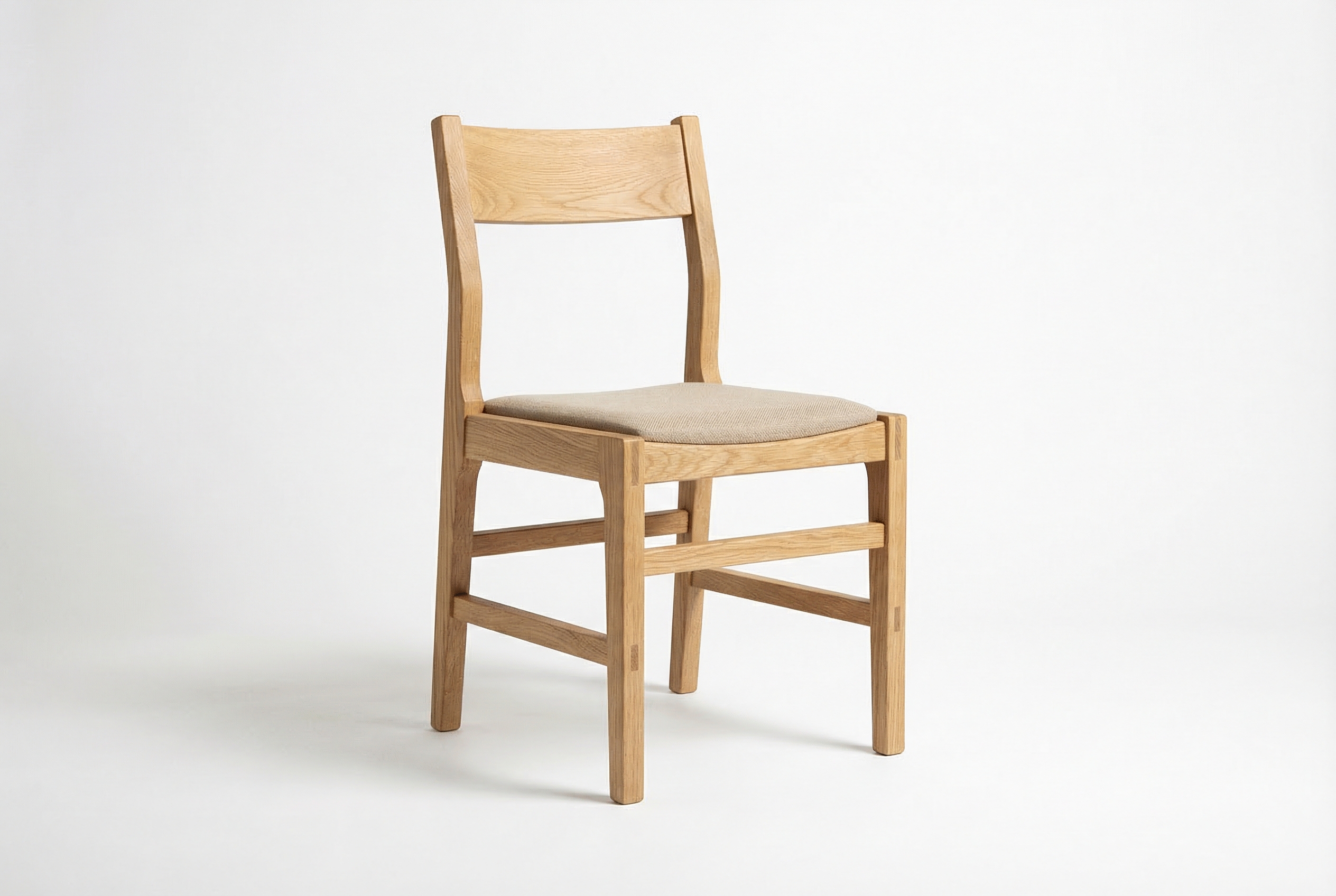
The chair is the cleanest test of silhouette recovery. It has separated legs, a seat, and a backrest, but few small details to confuse the reconstruction. The output delivered for this test is the GLB below, not a staged render. That distinction is useful: opening the file lets a reviewer inspect whether the far side, underside, and leg spacing are plausible rather than inferred from a single thumbnail.
This is the best sort of source image for a quick asset blockout. Product photos with one object, clear separation from the background, and visible side planes give the model the strongest visual evidence. It is a weaker fit for manufacturing geometry. A single image cannot prove hidden joinery, exact measurements, or unseen back surfaces.
Test 2: gear assembly to 3D
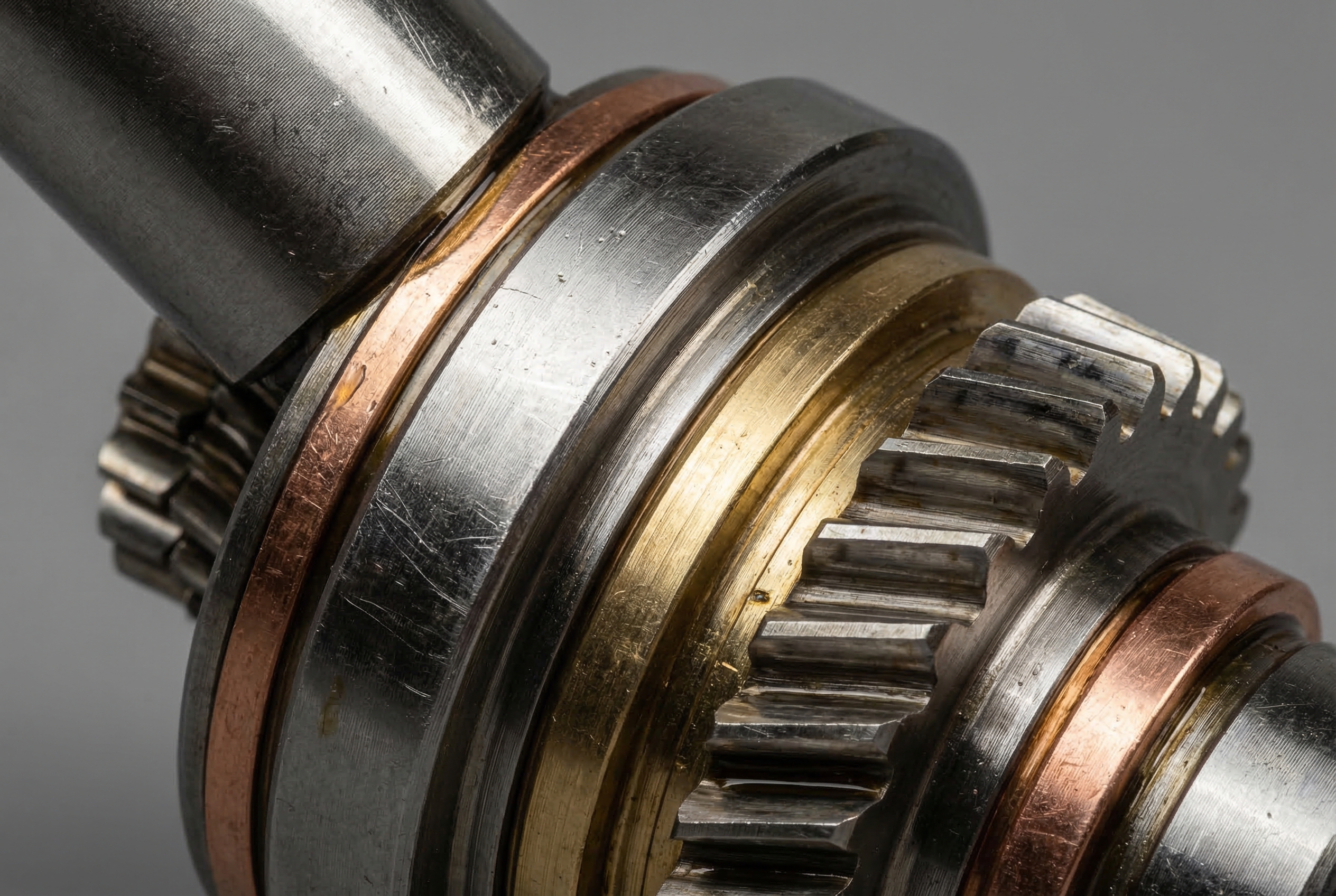
The gear assembly pushes on repeated teeth, tight gaps, reflective metal, and occlusion. Those are useful stress points because the visible image can suggest depth without revealing every mechanical relationship. The downloadable output is the evidence for this test; it should be inspected for tooth continuity, intersections, and whether the material reads as metal under a different light.
Use this type of conversion for concept meshes, scene dressing, and early game or visualization work. Do not treat it as a CAD reconstruction. The original photo has no dimensional reference, and single-view image-to-3D cannot establish gear tolerances or internal shafts. The 4096 texture setting was appropriate here because surface appearance helps sell the close-up object, though it also increases asset weight compared with 1024 or 2048 maps.
Download the gear assembly GLB
Test 3: sculpted bust to 3D
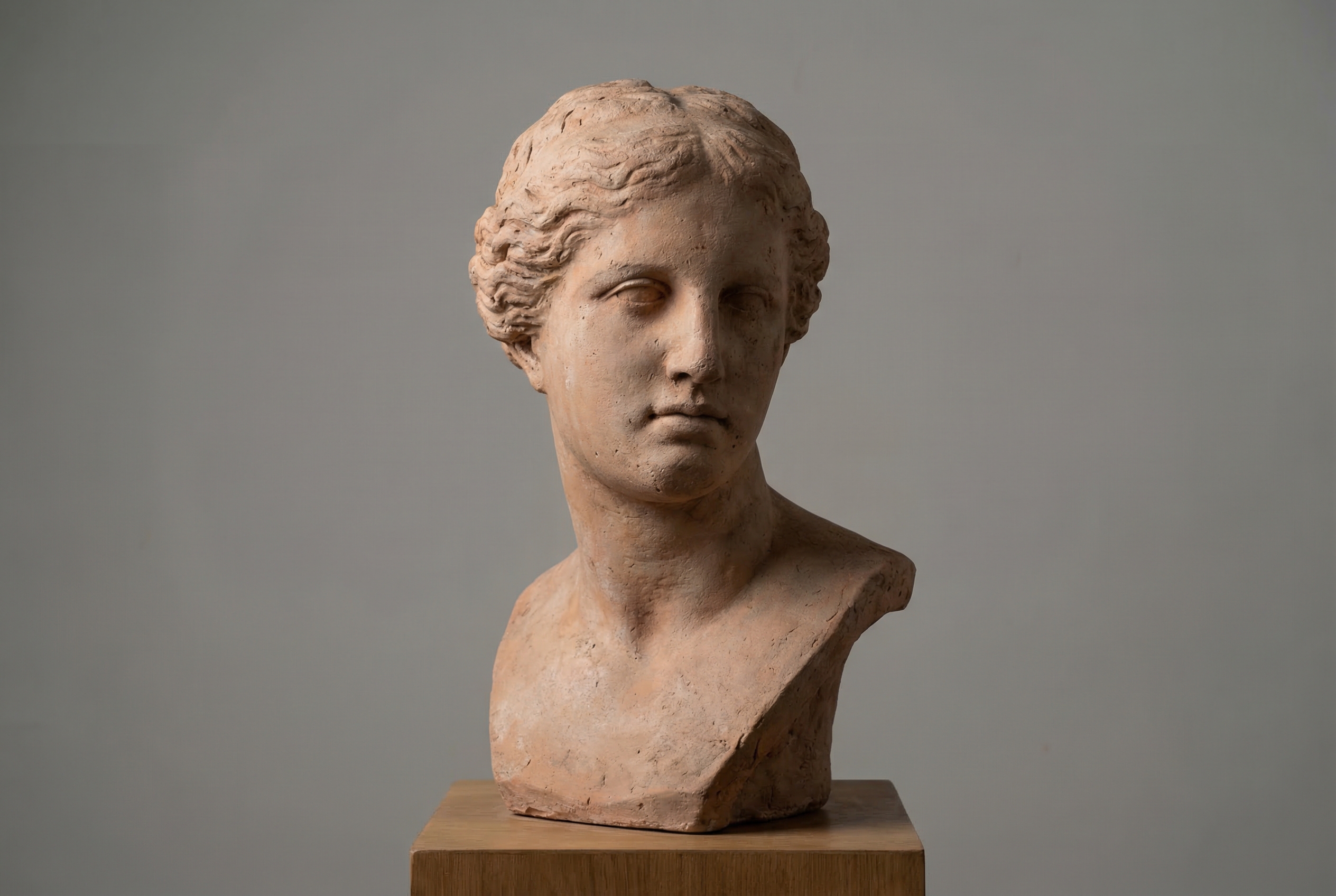
The bust checks a different failure mode: smooth organic volume. A bust has gradual facial planes, soft transitions around the neck, and a back side that the input does not show. It is a sensible test for reference-driven props or digital sculpture starting points, but it also makes the limits of one-image reconstruction clear. Any hidden ear, rear hair shape, or back-of-head volume remains an informed guess.
Here, inspect the GLB at several angles before deciding that the result is ready for close camera work. A 3D asset can look convincing from its source view while revealing stretched texture, open areas, or uncertain topology when turned. For background characters, museum-style visualizations, and rough art direction, that tradeoff may be fine. For facial animation, scans, or 3D printing, plan on retopology and manual repair.
Download the sculpted bust GLB
When to choose Trellis-2
Pick Trellis-2 when the job starts with a strong single reference image and needs a real textured asset quickly. Choose 512 when iteration speed matters more than fine geometry. Choose 1024 for a balanced default; it is the documented recommended pipeline and the setting used in this test set. Move to 1536 when the reference includes fine structure worth preserving and the additional compute time is acceptable. Texture size should follow the final camera distance: 1024 or 2048 is often enough for distant props, while 4096 makes more sense for inspected product assets.
Use a different workflow when accuracy is the requirement. Multi-view capture, photogrammetry, CAD, or a manual model remains the better choice for scale-critical parts, hidden geometry, consistent anatomy, or watertight printing meshes. Trellis-2 is best treated as fast reference-to-asset generation, followed by review in a 3D tool.
Sources and related reads
- Microsoft Research’s TRELLIS.2 project page
- TRELLIS.2-4B on Hugging Face
- 3D Text Animations: 8 EffectType Presets for Kinetic Typography Videos
- Stable Diffusion 3.5 Large: 6 Prompt Tests
- 25 Prompts Test: Nano Banana Compared with Qwen, Flux Kontext Pro, and SeedEdit
Open the three GLBs, rotate them away from the source view, and judge them for the target use. That is the useful test.