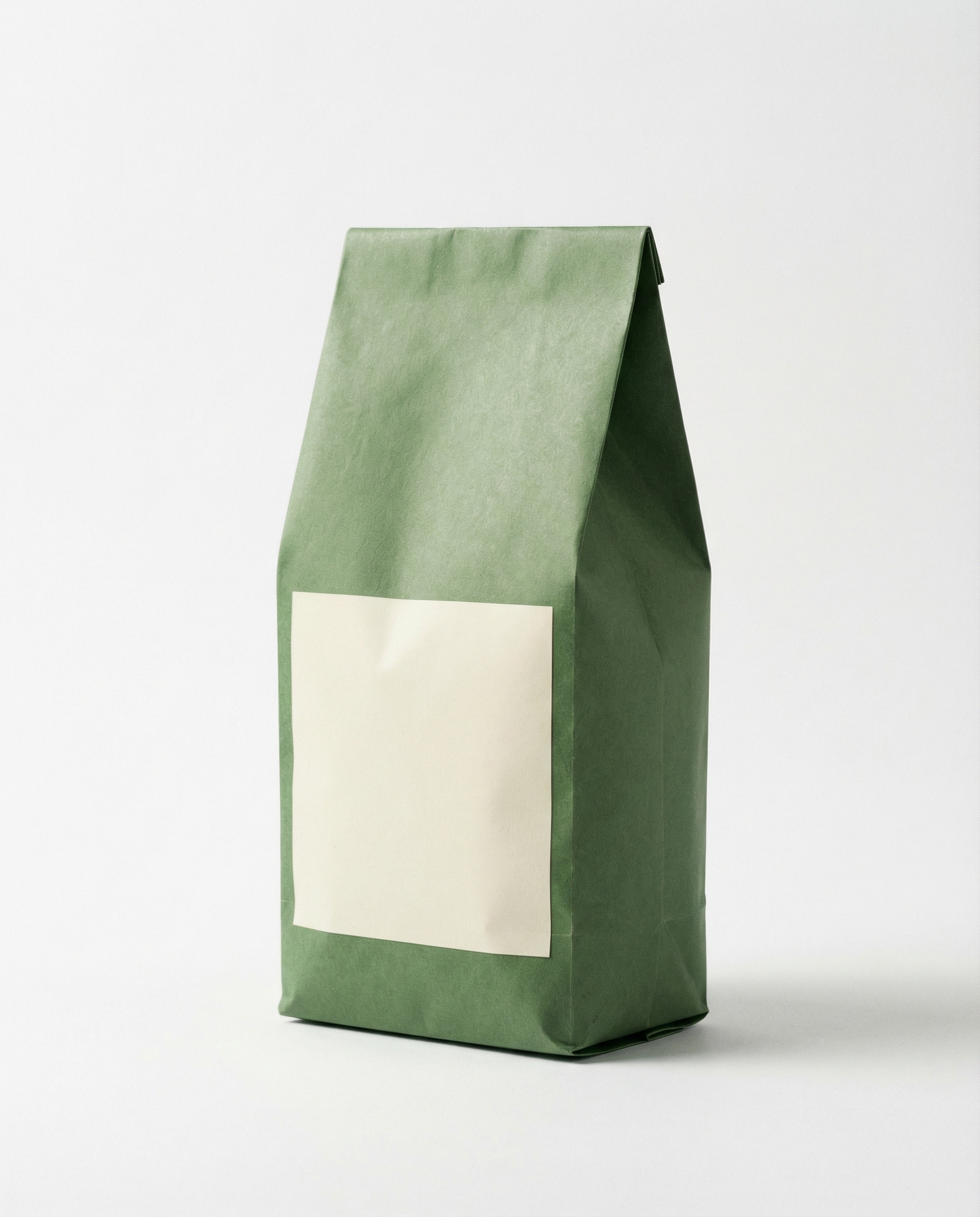
Product Ads with Logo was tested to answer a practical question: how much does the preset change the ad when the inputs stay fixed? The test uses one coffee-bag product photo and one Northpeak logo, then sends that same pair through three preset scenes. The result is not a test of copywriting, motion direction, or brand strategy. It is a close look at product placement, logo treatment, scene fit, and the kinds of checks a team should make before publishing a generated short video.
Product Ads with Logo on Wiro takes two source images: a product image and a logo image. The current model page lists 12 presets across billboard, retail, food-and-drink, and surreal scenes. It also exposes three ratios: 16:9, 9:16, and 1:1. The documented default is 9:16, but the saved run record for these three videos does not state the selected ratio, so this post does not assume one.
What this Product Ads with Logo test checks
Each output starts with the same coffee bag and logo. That controls the most important variable: if a placement looks stronger or weaker, the preset is the likely cause. The review checks four things. First, does the product remain recognizable? Second, does the logo read as an intentional part of the scene rather than a pasted graphic? Third, does the setting make sense for coffee? Finally, does the frame leave enough visual room for an ad caption or a call to action added later?
This is a preset-driven tool. There is no free-text scene prompt in the documented interface. The useful controls are the two images, effectType, and ratio. That makes input preparation matter more than ornate prompting. A clean product shot with distinct edges gives the system a clearer subject. A simple, high-contrast logo is easier to recognize once perspective, reflections, or motion enter the scene.
Test inputs and recorded parameters
| Parameter | Value |
|---|---|
| Model | wiro/Product Ads with Logo |
| Inputs | One coffee-bag image plus one Northpeak logo image |
| Output count | One video per preset |
| Ratio | Not recorded for these saved outputs; model documentation lists 9:16 as the default |
| Tested effect types | Logo In Cappuccino With Object; Billboard Panel In Urban Street With Logo; Golden Storefront Logo |
Preset 1: Logo In Cappuccino With Object
effectType: logo-and-product-logo-in-cappuccino-with-object
This is the most category-aware result of the three. Coffee is not simply inserted into a generic ad environment; the preset puts the logo into a cappuccino treatment while keeping the bag as the physical product. That pairing gives the video a clear food-and-beverage read in the first moment. It works because the subject and the metaphor agree: coffee product, coffee surface, coffee-shop visual language.
Use this preset for beans, cafes, drink launches, or any product that can credibly sit near a cup. It is less useful for a software logo or a product with no food connection, because the cappuccino image would become a decorative mismatch. Check the logo carefully before shipping. Fine letterforms can soften when the mark becomes foam art, and a long wordmark may be harder to read than a compact symbol.
Preset 2: Billboard Panel In Urban Street With Logo
effectType: logo-and-product-billboard-panel-in-urban-street-with-logo
The billboard version separates the two brand assets more clearly. The product has room to act as the hero object while the logo belongs on the large street panel. That is useful for ads where the logo must stay legible at a glance. The urban setting also gives the result more scale than the other two presets, which can help when the aim is an announcement, a launch tease, or a social cut that needs to stop a scroll.
The tradeoff is relevance. A city billboard is broadly commercial, not coffee-specific. The scene may fit a beverage brand, but it could also suit apparel, an app, or a consumer launch. Pick it when logo visibility matters more than category storytelling. Review the panel for warped text, odd edges, and contrast changes as the camera moves. Any tiny packaging copy should be treated as visual texture, not production-ready copy.
Preset 3: Golden Storefront Logo
effectType: logo-and-product-golden-storefront-logo
The storefront preset gives the coffee bag a retail context. It reads less like an editorial food shot and more like a branded window display. The gold treatment pushes the result toward premium, giftable, or seasonal positioning. That can work for a specialty roast, a subscription launch, or a retail promotion where the product needs to feel established rather than casual.
It is also the easiest preset to overuse. Gold light and storefront styling can make a simple product look more formal than the brand intends. Use it when the identity already supports warm, polished, premium cues. Avoid it for a minimal, utilitarian brand unless that contrast is intentional. Check that the product label keeps enough contrast against the glowing background; dark packaging can lose small details when the scene gets visually busy.
Run time and cost: what is actually documented
The saved videos do not include task receipts, so a separate run time or charge cannot be honestly assigned to any of the three outputs. Wiro’s full model documentation includes a task-detail example with elapsedseconds set to 6.0000. It also includes a separate cancelled-task example that shows totalcost of 0.003510000000. Those examples document fields returned by Wiro; they do not prove the duration or cost of these three published clips. The table therefore keeps the evidence separate from the test assets.
| Output | Recorded run time | Recorded cost | Evidence |
|---|---|---|---|
| Logo In Cappuccino With Object | Not recorded | Not recorded | Published output has no task receipt |
| Billboard Panel In Urban Street With Logo | Not recorded | Not recorded | Published output has no task receipt |
| Golden Storefront Logo | Not recorded | Not recorded | Published output has no task receipt |
| Documentation example | 6 seconds | 0.003510000000 in a cancelled-task example | Wiro model documentation |
Which Product Ads with Logo preset should you pick?
- Pick Logo In Cappuccino With Object when the product belongs in food or beverage and the campaign benefits from a direct product metaphor.
- Pick Billboard Panel In Urban Street With Logo when the logo must be easy to spot and the campaign needs a broad launch or city-advertising feel.
- Pick Golden Storefront Logo when the brand needs a premium retail mood and the packaging can hold up against warm, detailed lighting.
For all three, start with a product image that has a clean silhouette and readable primary label. Use a logo with simple shapes and strong contrast. Then inspect the generated clip at full size before adding paid spend or publishing. These presets can create a fast visual starting point, but they do not replace brand review, legal checks, or final typography work.