Sana 1600M (1024px) was tested here as a practical text-to-image model for concept work, stylized scenes, and photographic lighting studies. The point was not to hunt for a single hero image. The six prompts put pressure on different weak spots: small text, rigid style direction, blended composition, poster layout, exact object counts, and detailed natural texture. Those are the moments where a polished-looking image can still fail a production brief.
The model page on Wiro offers several Sana 1600M checkpoints, including 1024px, 2K, and 4K variants. This post uses Efficient-Large-Model/Sana_1600M_1024px_BF16_diffusers on Wiro. Sana’s original technical report describes a deeply compressed autoencoder, linear attention, and an efficient sampling design aimed at high-resolution generation. The implementation and checkpoints are also documented in the official Sana GitHub repository and the Sana research paper.
What the Sana 1600M (1024px) test checked
- Checkpoint: Efficient-Large-Model/Sana_1600M_1024px_BF16_diffusers
- Canvas: 1024 x 1024 pixels
- Samples: one output per prompt
- Steps: 25 for the product test; 22 for tests two through six
- Guidance scale: 3.5
- Negative prompt: bad, ugly, low quality, watermark, blurry, deformed
These settings matter. At 1024px, the model has enough room to show material detail and layout, but it still has to decide how to spend that detail. Lower guidance can leave more room for the model’s own visual choices; it also means exact wording and strict counts should be treated as instructions to test, not guarantees. The Wiro model documentation lists the available inputs and their defaults, but it does not publish a current per-output run time or cost for this checkpoint. No timing or cost figure is claimed here rather than turning an example task record into a price promise.
Test 1: Studio product shot and a simple label
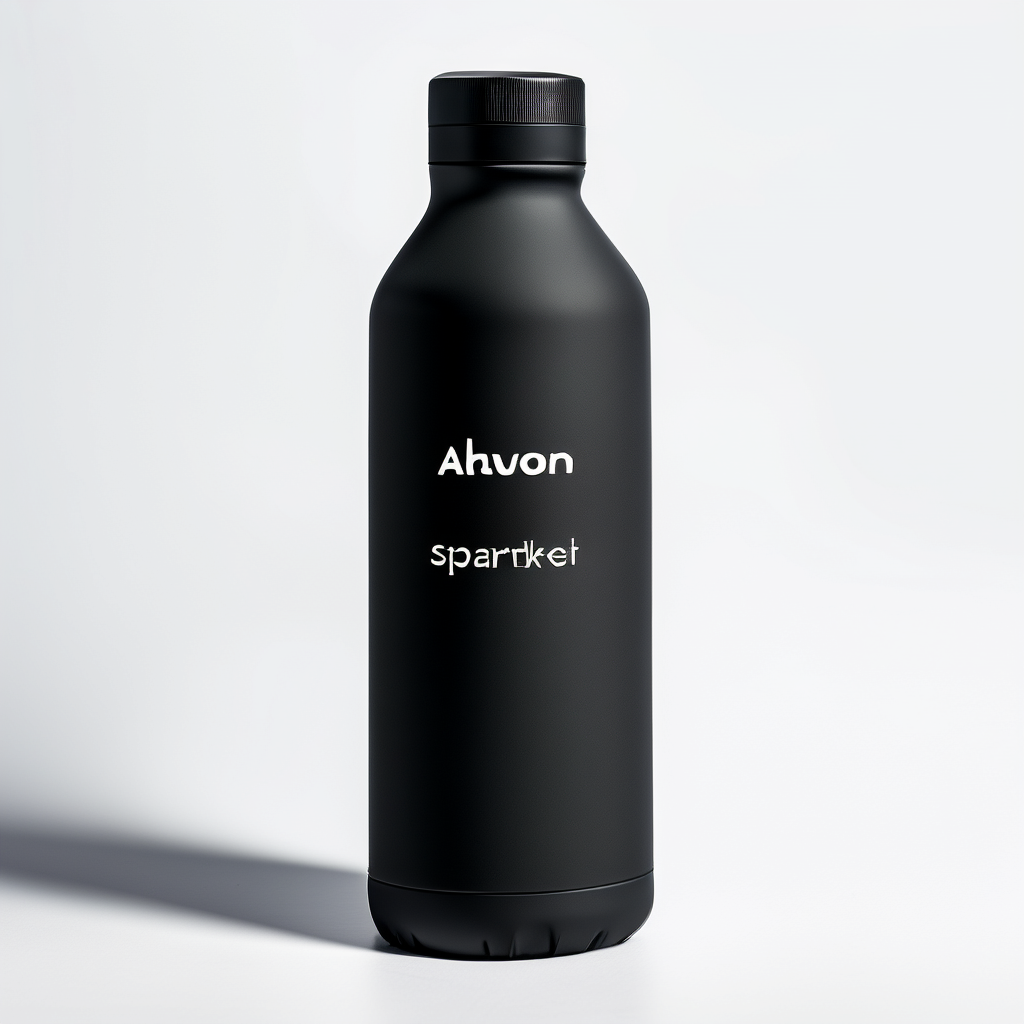
The output tests two separate jobs at once: product-lighting realism and exact label text. The bottle, pale background, and softbox reflection direction make the image read as a usable product concept. The label sits in a plausible place, which is useful when the goal is an art-directed comp. The fragile part is the lettering. The prompt asks for two exact lines, but generated letters can soften, substitute characters, or look almost correct at a glance. Pick Sana 1600M (1024px) for bottle shapes, material cues, and a first layout. Add final packaging copy in a design tool.
Test 2: Pixel art scene for style control
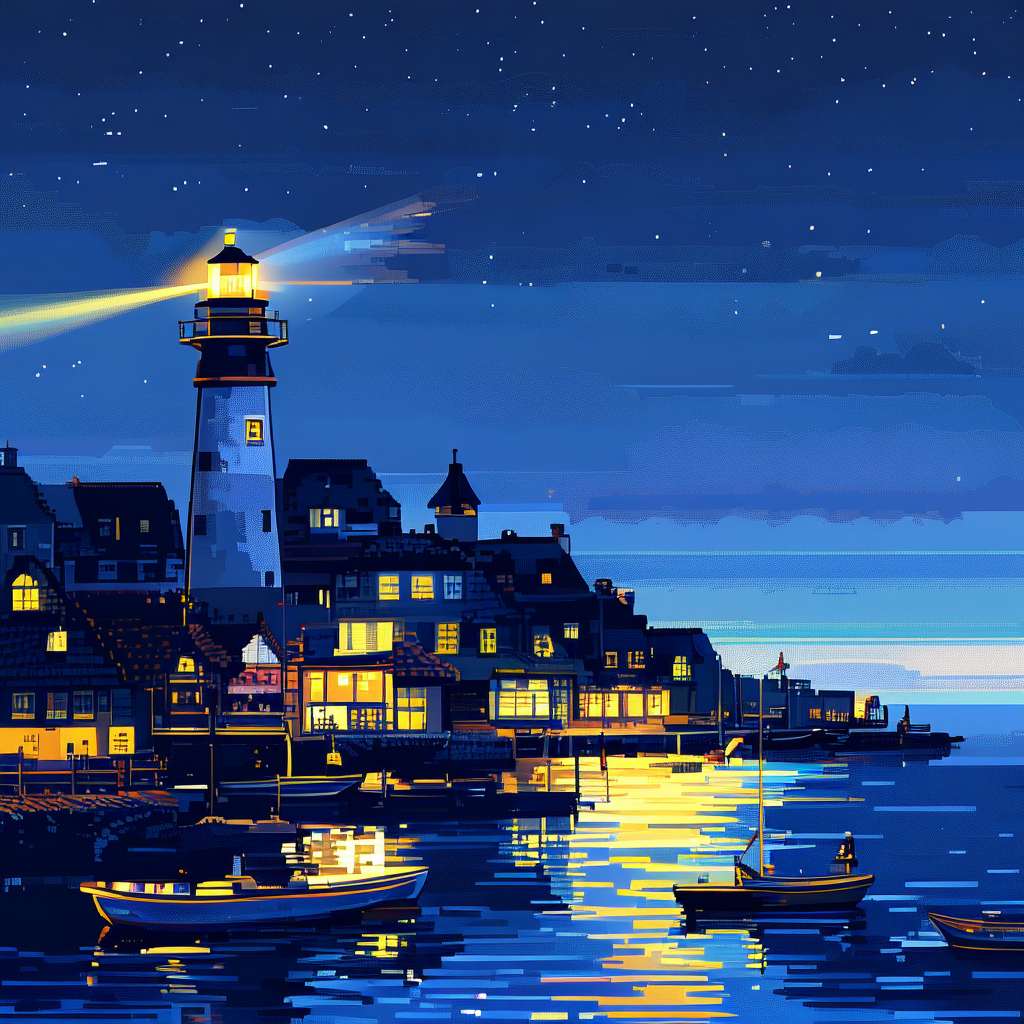
This is a tighter test of style language. The output uses the requested night palette, small-town subject, lighthouse beam, and blocky visual vocabulary well enough to read as a 16-bit-inspired scene. It also shows why constraints help: the limited colors and simple shapes give the model fewer chances to drift into a painted illustration. The risk appears when a pixel-art brief asks for photographic lighting, tiny signage, or too many separate objects. Use this checkpoint for game mood boards, scene studies, and background ideas. For sprite sheets or grids that need consistent tiles, verify each cell by hand.
Test 3: Double exposure portrait and blended composition
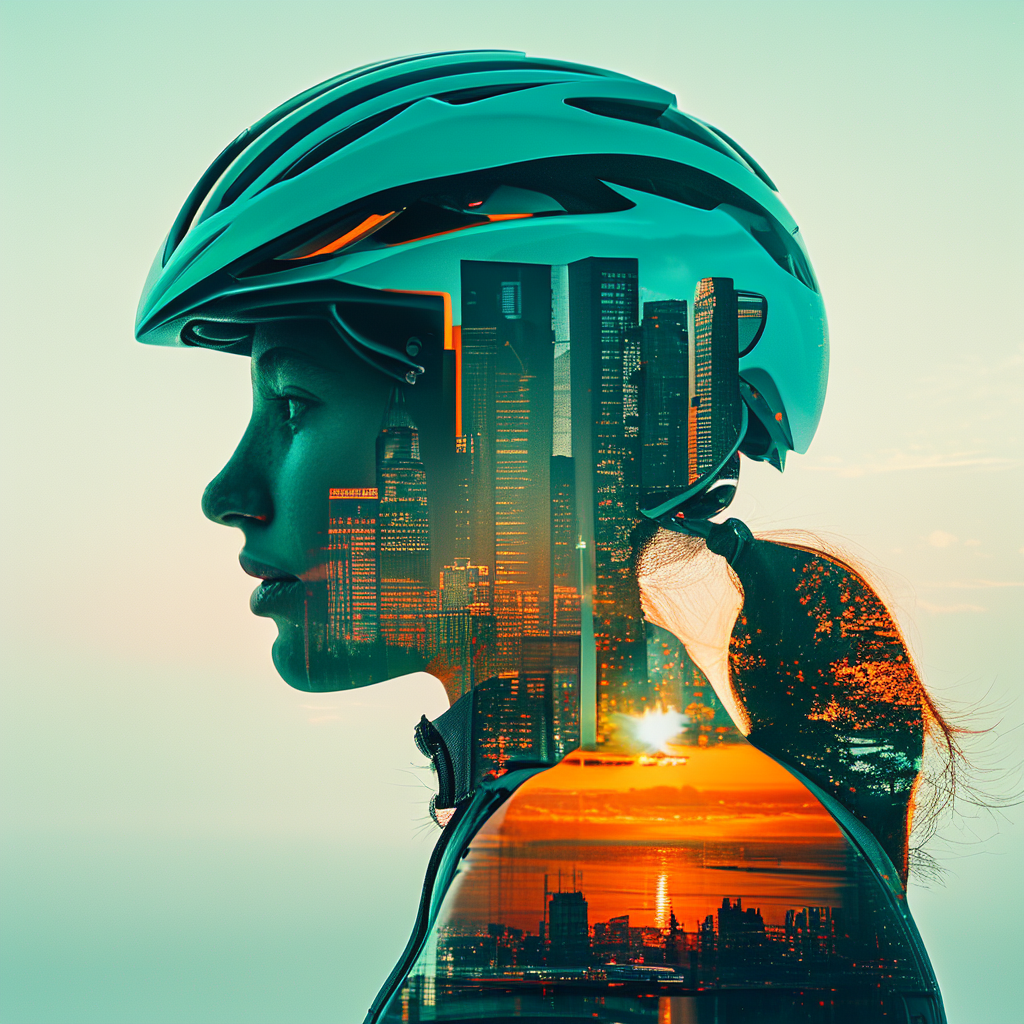
Double exposure asks the model to preserve a readable outer silhouette while merging a second scene inside it. The cyclist outline and internal skyline make the intended idea legible, while the teal-and-orange treatment keeps both image layers in one visual family. That is a better result than a generic portrait because the prompt states the compositing logic clearly. Still, this is not a precise masking workflow. If a campaign needs a specific skyline to end exactly at a helmet edge, use Sana for a direction and finish the composite with layers and masks.
Test 4: Minimal poster and typography
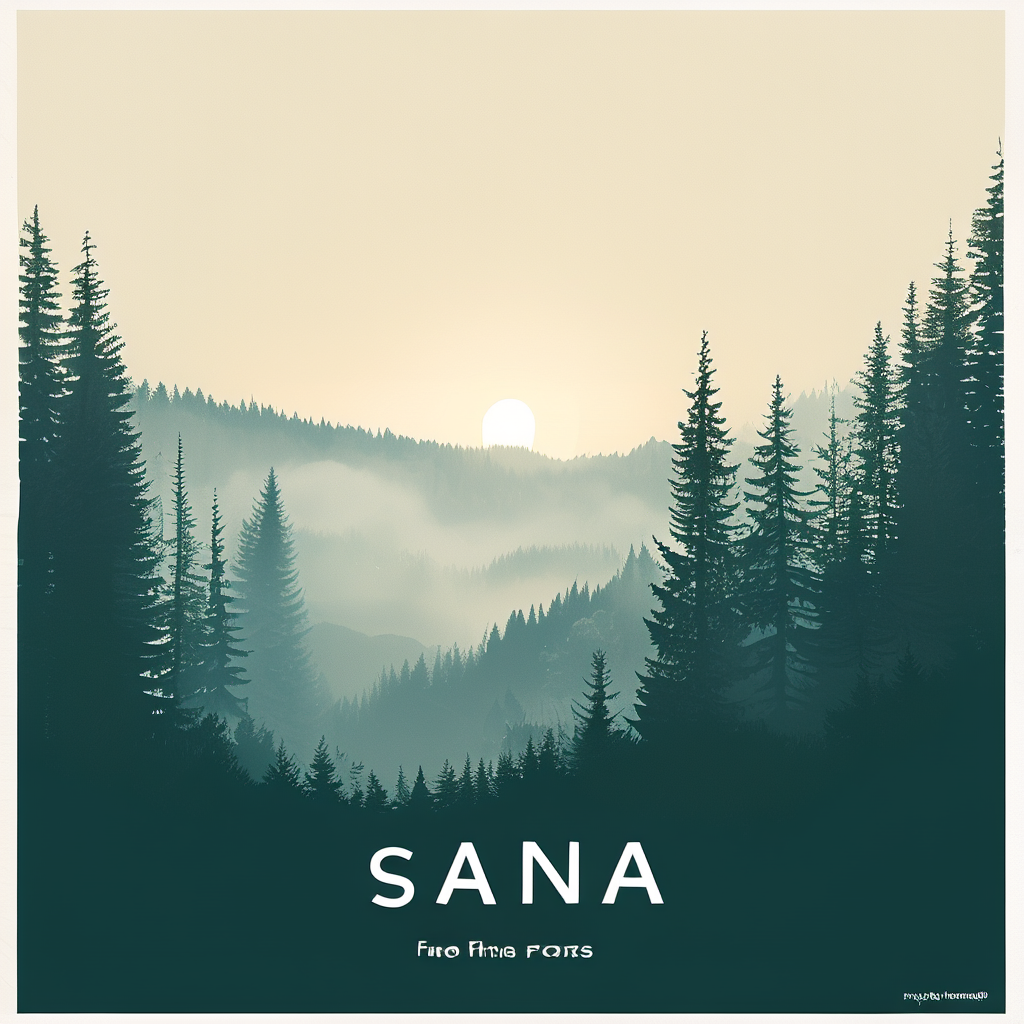
The foggy forest, centered structure, restrained palette, and paper-like mood show that the model understands poster direction. The hard requirement is the type. A short title and short tagline are easier than dense copy, yet image generation still cannot be trusted for release-ready letterforms. This output is useful as a background plate or art-direction reference, not a finished key art file. Readers comparing layout behavior may also want the GPT Image 1.5 layout test and the SenseNova readable-text test.
Test 5: Exact counts in a breakfast flat lay
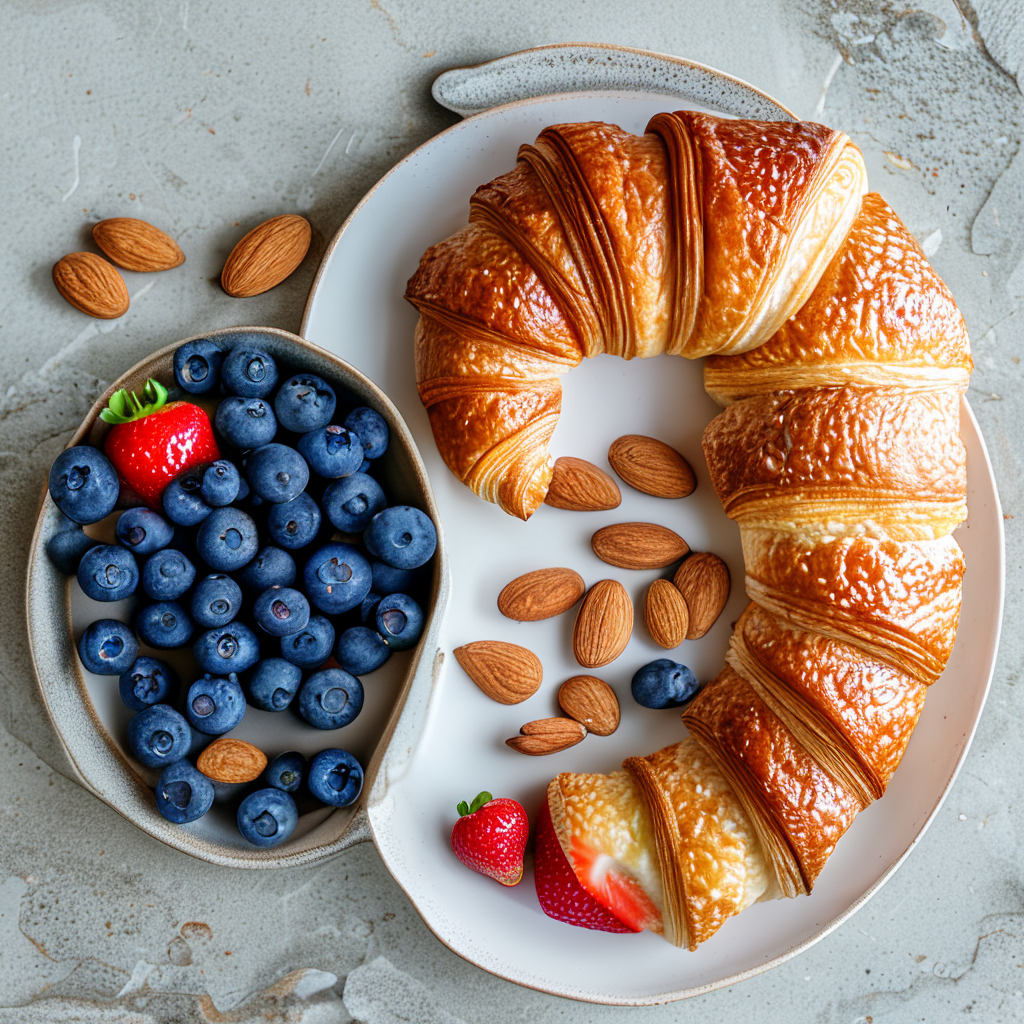
The image looks like a coherent top-down food composition, which makes it a useful test of surface, light, and arrangement. Exact counting is the catch. Repeated small objects such as berries and almonds are easy for a generative model to duplicate, hide, or merge. A result can look balanced while missing the requested inventory. Keep the objects large, separated, and easy to inspect when count matters. For ecommerce or menu work, treat this as a sketch and validate every required object before it reaches a client.
Test 6: Cinematic wildlife texture and directed light
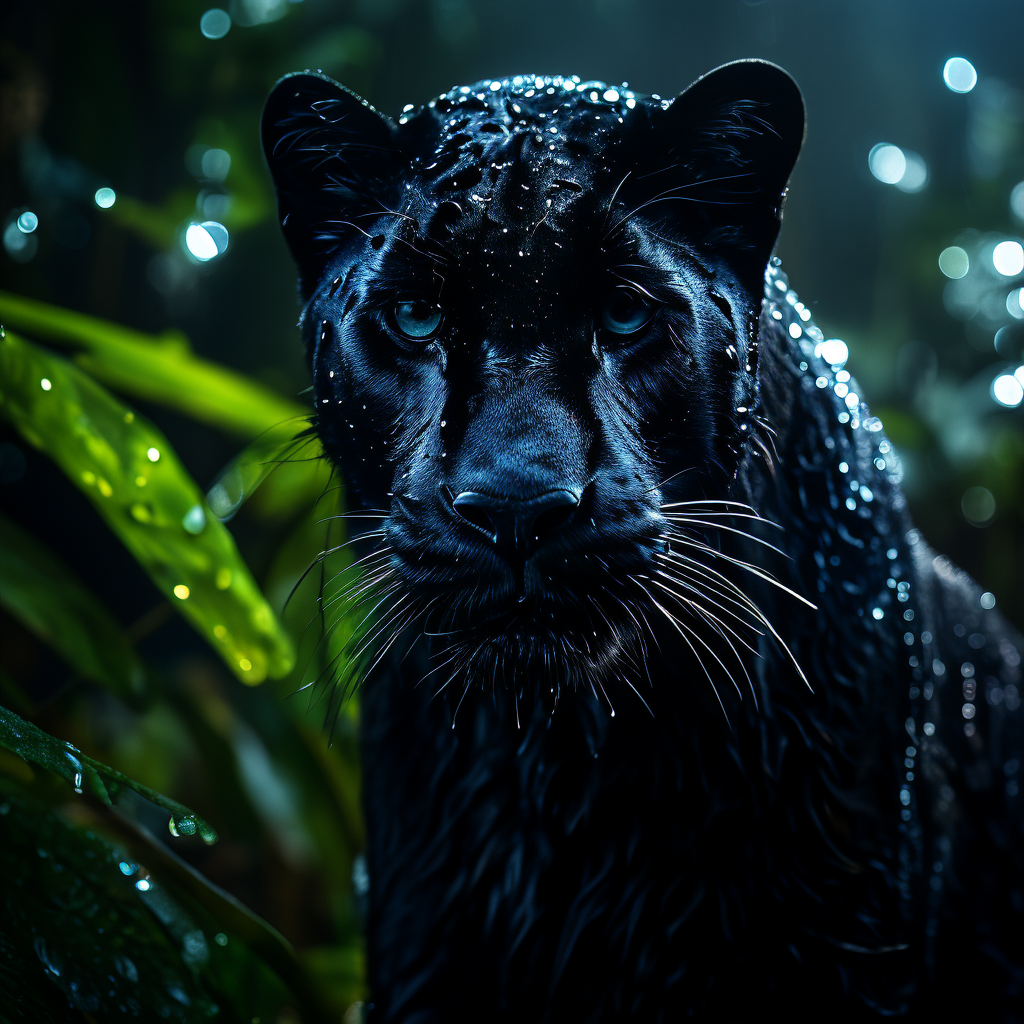
This is the cleanest fit for Sana 1600M (1024px). One dominant subject, a dark setting, rim light, and shallow depth of field give the model a clear hierarchy. The panther, wet-fur treatment, and softened rainforest background support the requested cinematic look without depending on fragile text or bookkeeping. Use this kind of prompt for atmospheric editorial art, thumbnail concepts, and early visual development. Check anatomy and paw detail at full resolution before choosing a final output.
What to choose Sana 1600M (1024px) for
| Need | What the test suggests | Practical choice |
|---|---|---|
| Fast 1024px visual direction | Strong lighting, palette, and scene mood | Choose Sana for concepts and art-direction references. |
| Stylized scenes | Pixel-art language and constrained palettes hold together well | Use a short, specific style brief and inspect fine edges. |
| Compositing ideas | Double-exposure logic reads when subject and color direction are explicit | Generate the concept, then build exact masks elsewhere. |
| Finished typography or strict counts | Text and repeated-object precision remain unreliable | Use a model output as the visual base, then correct it manually. |
Verdict
Sana 1600M (1024px) works best when visual intent matters more than literal compliance. It handles mood, light, subject hierarchy, and compact style briefs better than tasks that require perfect spelling or audited quantities. Start with a direct subject, a controlled palette, and one lighting idea. Keep a separate finishing step for text, logos, counts, and brand-critical edges. For another angle on choosing image generators for production work, see Seedream V5 Pro vs Nano Banana Pro.
Run Sana on Wiro and use the same six prompt types as a quick acceptance test for a new visual brief.