Face Enhancement
Real-ESRGAN upscales real-world photos 2x or 4x and cleans up blur, noise and JPEG blocking without being told how the image was damaged. Faces can be restored with GFPGAN in the same run.


Overview
Real-ESRGAN is a blind super-resolution model: it upscales a photo without being told how it was damaged, whether by soft focus, sensor noise, JPEG blocking or repeated resizing. Xintao Wang and co-authors from Tencent ARC Lab and the Shenzhen Institutes of Advanced Technology built it on ESRGAN and presented it at the ICCV 2021 workshops.
All of its training data is synthetic. Clean images were blurred, resized, noised and JPEG-compressed, then sent through the same chain again with narrower blur and noise ranges. Sinc filters added ringing and overshoot around edges, and a U-Net discriminator with spectral normalization scored realism for each pixel.
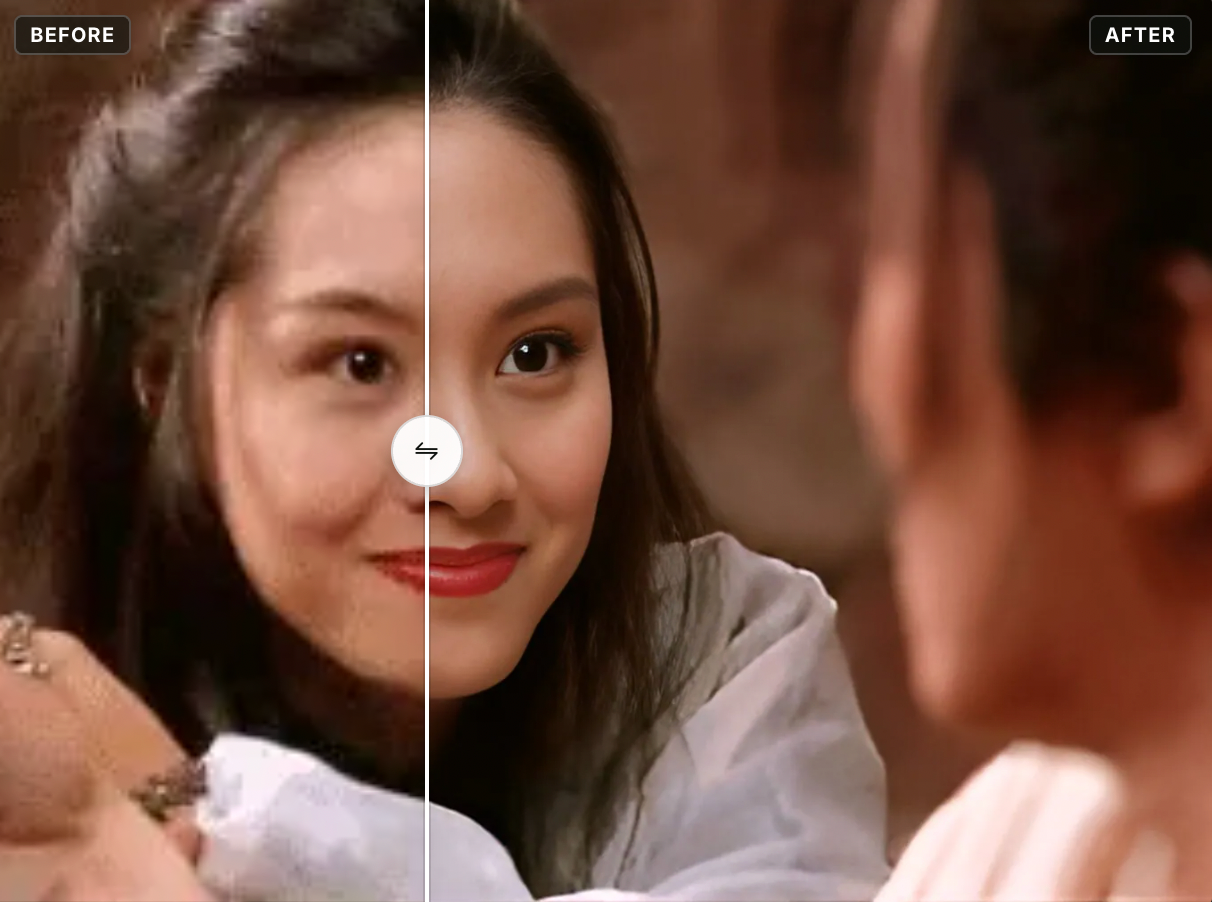
Face enhancement is on by default here: GFPGAN, Tencent ARC's face restoration model, rebuilds the faces it finds and Real-ESRGAN upscales the rest of the frame.
What you can build
- A restore button in a photo app for small, soft portraits.
- Enlarging scanned prints or old phone photos for printing.
- Cleaning up web images recompressed by repeated resharing.
Inputs
You upload one image (JPG, PNG or WebP) and pick a network:
- RealESRGAN_x4plus (default): the main 4x model for general photos.
- RealESRGAN_x2plus: the same approach trained for 2x.
- RealESRNet_x4plus: the first training stage, with a pixel loss and no GAN step. The model zoo calls its output over-smooth.
- realesr-general-wdn-x4v3: a much smaller 4x network from a later release, weaker at deblurring and denoising. These are the weak-denoise weights of that model, which keep more grain.
Outscale sets the final size from 1x to 10x the input (default 2x), and a checkbox turns face enhancement on or off. The advanced settings hold tile size (0 means no tiling), tile padding (default 10), border pre-padding (default 0) and denoise strength (0 to 1, default 0.5). In the official code denoise strength blends the compact model's standard and weak-denoise weights. None of the four networks offered here goes through that blend.
Outputs
One upscaled image. In the samples a blurry 400 x 264 portrait comes back at 1600 x 1056 with sharp eyes and separate strands of hair, and a 1200 x 655 skyline returns at 4800 x 2620 with the JPEG blocks gone from the sky and the lit windows redrawn as clean rectangles.
Recommended settings
- The network runs at its own factor (4x, or 2x for RealESRGAN_x2plus) and outscale then resizes with Lanczos, so higher values only stretch the Real-ESRGAN result.
- Turn face enhancement off for anime and drawings. The project FAQ says it only works on real faces.
- For an enlargement with less invented texture, use RealESRNet_x4plus and accept a softer result.
- Leave tile at 0 unless a large image fails. Tile padding overlaps neighbouring tiles so the joins do not show.
Limitations
- The GAN models invent texture. In the portrait sample the faint ribbing of the knit sweater comes back as bold, evenly spaced stripes, and the same output has a horizontal seam across the hair just below the chin.
- The paper reports twisted lines from aliasing, mostly on buildings and indoor scenes, and GAN artifacts on some images. Damage unlike the training data may survive or even be amplified.
- GFPGAN draws on a face prior from a pretrained GAN. This page runs GFPGAN v1.4, which its authors say keeps identity better than v1.3. The face is still redrawn from that prior, so check likeness.
Safety & compliance
Real-ESRGAN is released under the BSD 3-Clause license. GFPGAN is Apache 2.0 except for third-party code its license file lists separately, and the notices for its StyleGAN2 and DFDNet code include non-commercial terms. If the photo shows a real person's face, make sure you have that person's consent.
API quick start
Run Real-ESRGAN with a single API call.
{
  "inputImage": "https://your-cdn.com/input.png",
  "modelName": "RealESRGAN_x4plus",
  "outscale": 2.0,
  "faceEnhance": true
}
curl -X POST "https://api.wiro.ai/v1/Run/xinntao/real-esrgan" \
-H "Content-Type: application/json" \
-H "x-api-key: YOUR_WIRO_API_KEY" \
--data-binary @- <<'JSON'
{
"inputImage": "https://your-cdn.com/input.png",
"modelName": "RealESRGAN_x4plus",
"outscale": 2.0,
"faceEnhance": true
}
JSONOther models you might like
Explore similar image generation models.