FireRed Image Edit was tested here as an instruction-led editor, not as a blank-image generator. The question was simple: can one model change a specific part of a picture while leaving the subject, framing, lighting, and surrounding details believable? The six examples cover portrait cleanup, object removal, restoration, object replacement, and two text edits. Each test used one source image and one edit prompt. The saved test record confirms 1024 x 1024 output images; it does not record the seed, step count, or guidance scale for these original runs.
The model used was FireRedTeam/FireRed-Image-Edit on Wiro. Its current Wiro documentation lists defaults of 30 steps, scale 1.5, seed 0, and 1024 x 1024 width and height. Those are useful starting settings, but they should not be mistaken for confirmed settings from all six saved outputs. The model card describes general image editing, while its official GitHub repository and Hugging Face model card describe identity consistency, text-style preservation, restoration, and multi-image work.
What the FireRed Image Edit test set checks
- Whether the requested change appears in the right place.
- Whether unchanged regions stay stable rather than being regenerated.
- Whether perspective, contact shadows, texture, and typography still fit the source image.
- Whether a short, direct prompt gives a usable result without masks or detailed compositing instructions.
Parameters, run time, and cost
Every image in this set is square at 1024 x 1024. The original post records six separate prompts and one input per prompt. It does not retain a reproducible task log, so no per-image runtime or charge can honestly be assigned to these six historical outputs. Wiro’s FireRed documentation includes a separate example task that reports 6.0 seconds elapsed and a total cost of 0.003510. That record is documentation output, not a measurement from this test set, and it should be treated as an example rather than a quote for future runs. Actual time and cost can vary with queue time, inputs, and settings.
Before and after results
1. Portrait cleanup: sunglasses removed and hair recolored
| Input | Output |
|---|---|
 |
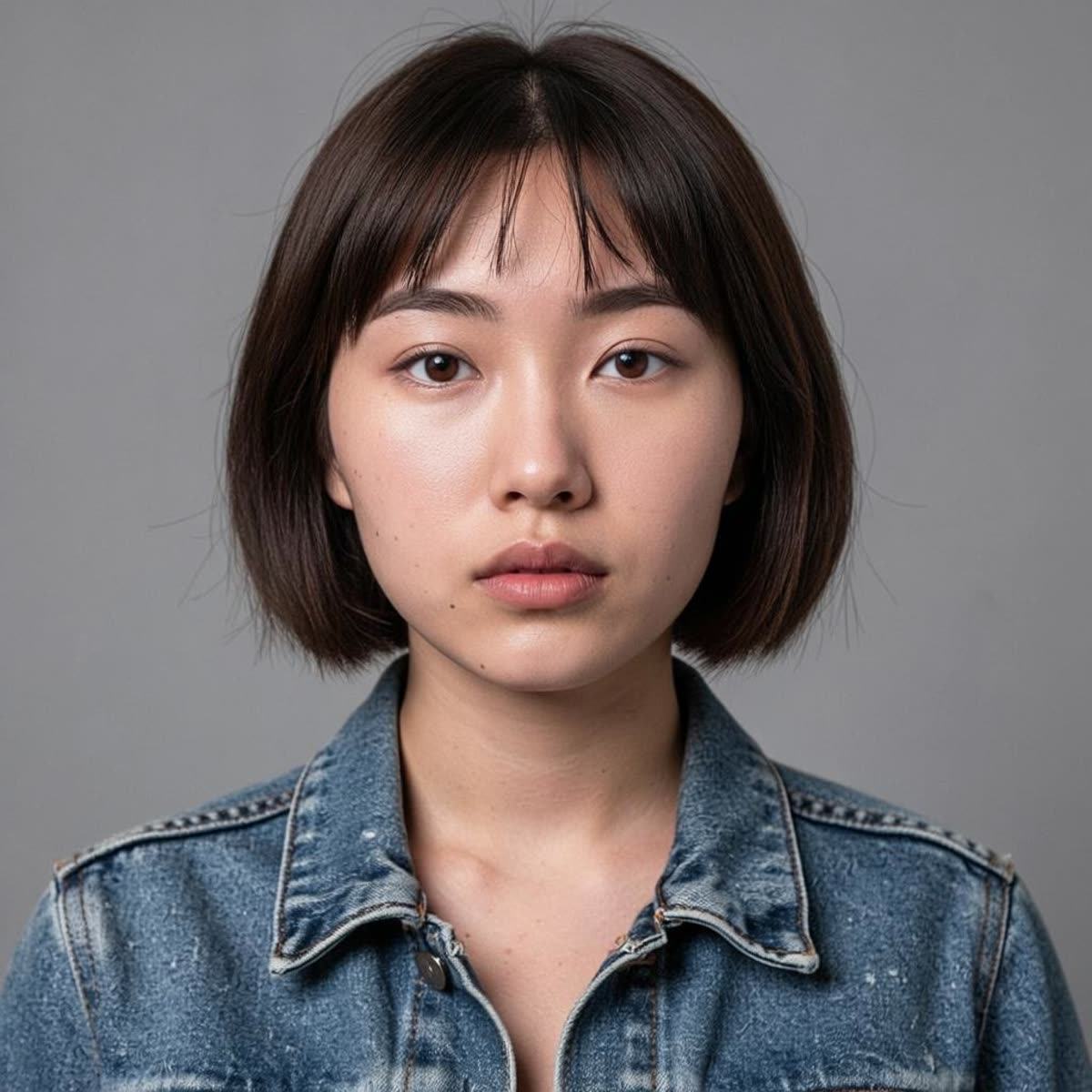 |
This is a useful identity-preservation check. The output removes the glasses without a smeared eye area and shifts the hair toward dark brown while the face remains recognizable. It is a good fit for a focused portrait adjustment. For a client deliverable, inspect earrings, catchlights, and hair edges at full size before accepting it.
2. Object removal: coffee cup from a desk
| Input | Output |
|---|---|
 |
 |
The removed cup is replaced by plausible desk surface rather than an obvious blank patch. The important result is the wood grain: it continues through the former object area well enough to read as a single surface. FireRed is a sensible choice for removals surrounded by repeatable texture. Flat walls, tiny patterned fabrics, and hard geometric lines still deserve a close review for drift.
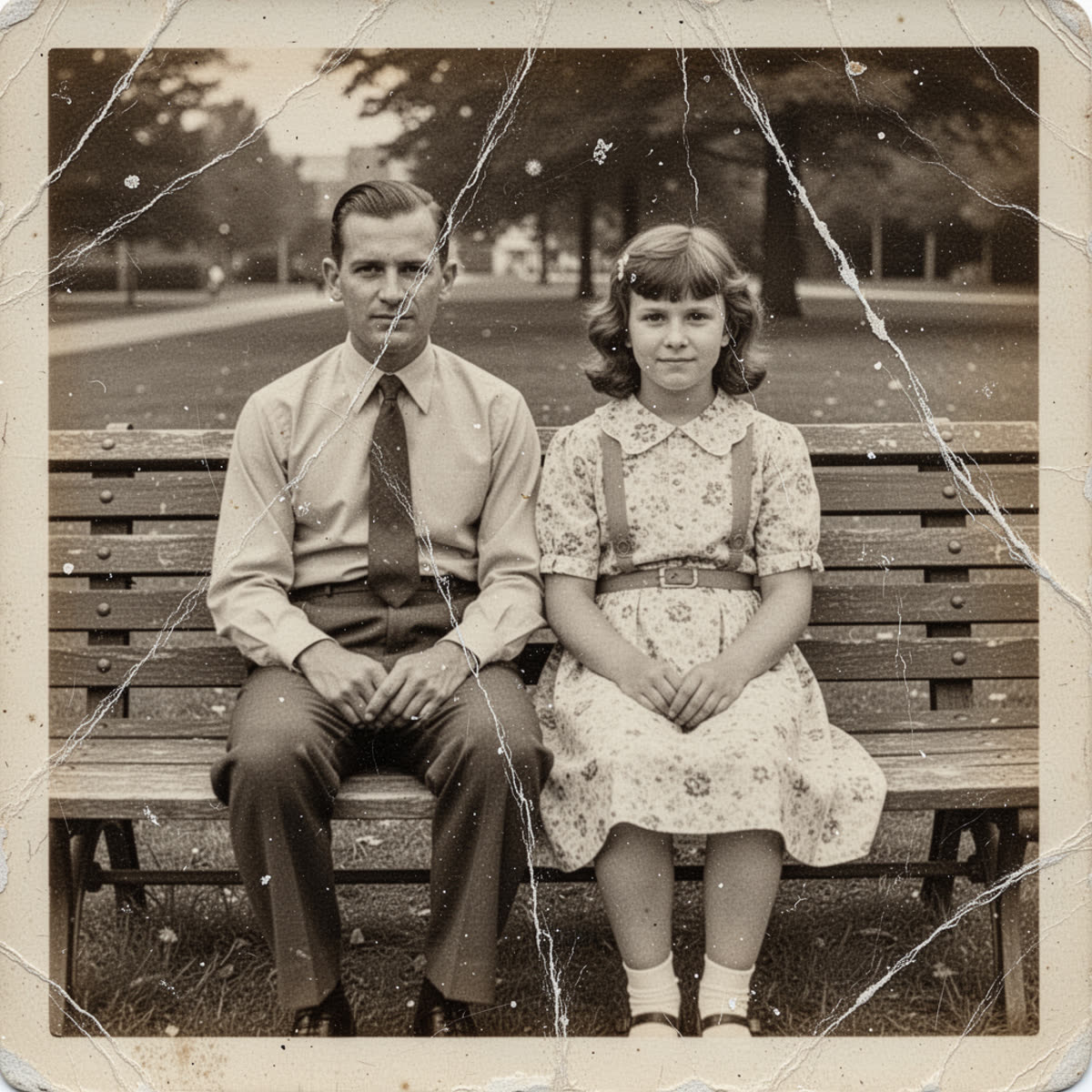
3. Restoration: scratches and dust on an old photo
| Input | Output |
|---|---|
 |
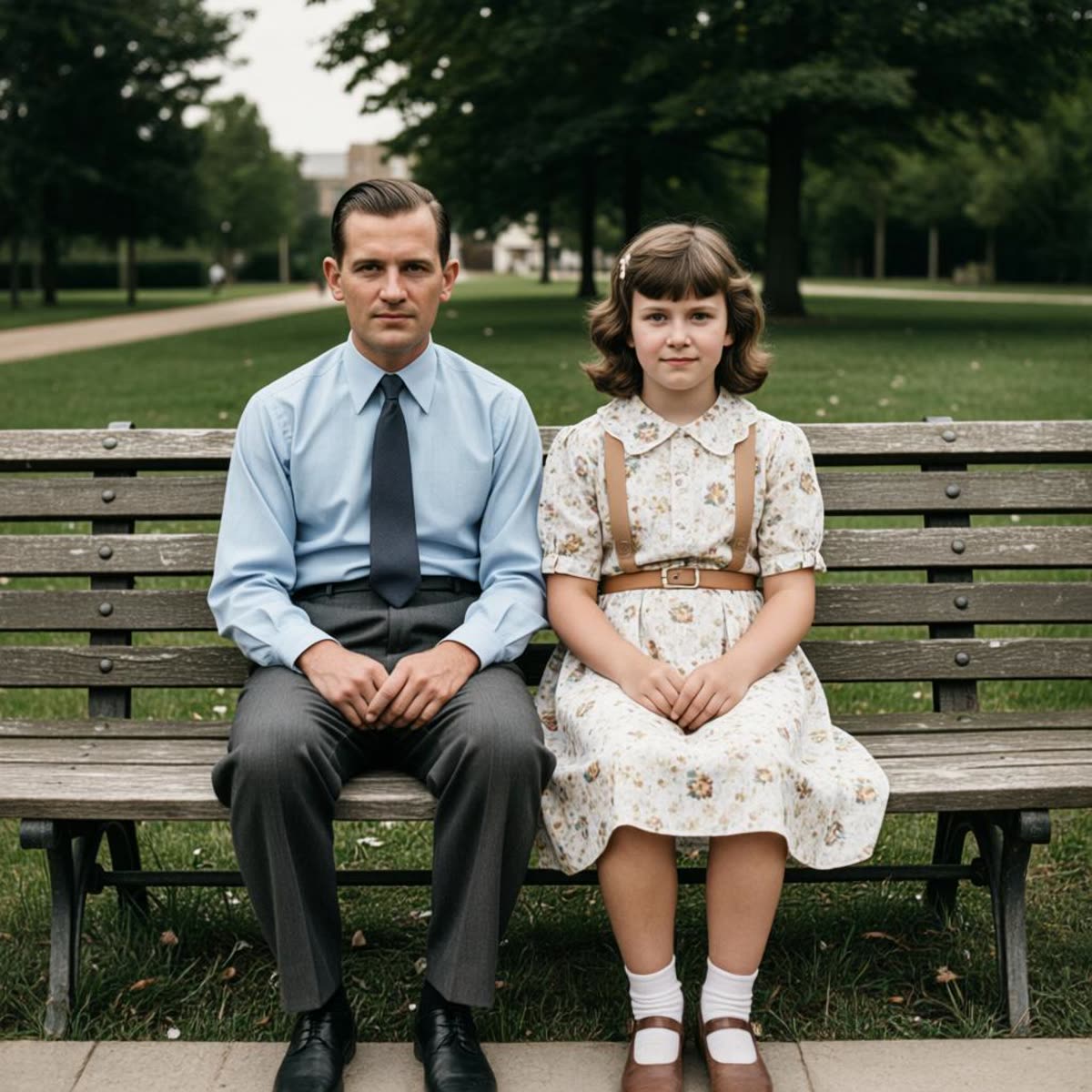 |
The output removes most visible damage while keeping the people and composition intact. Contrast rises, but the image retains a photographic rather than plastic finish. Choose FireRed for repair prompts that name both the defect and the details that must survive. Avoid asking for aggressive restoration and a major style change in the same pass; split those edits so a failed pass does not erase period detail.
4. Object replacement: plant changed to hardcover books
| Input | Output |
|---|---|
 |
 |
The books sit on the table rather than floating above it, and the room lighting stays consistent. This is the kind of compact replacement where FireRed makes sense: the request has one target, one replacement, and a clear instruction to preserve the rest. For a complex room redesign, use several passes or another workflow that gives tighter layout control.
5. Product text edit: SUNRISE SODA to MOONLIGHT SODA
| Input | Output |
|---|---|
 |
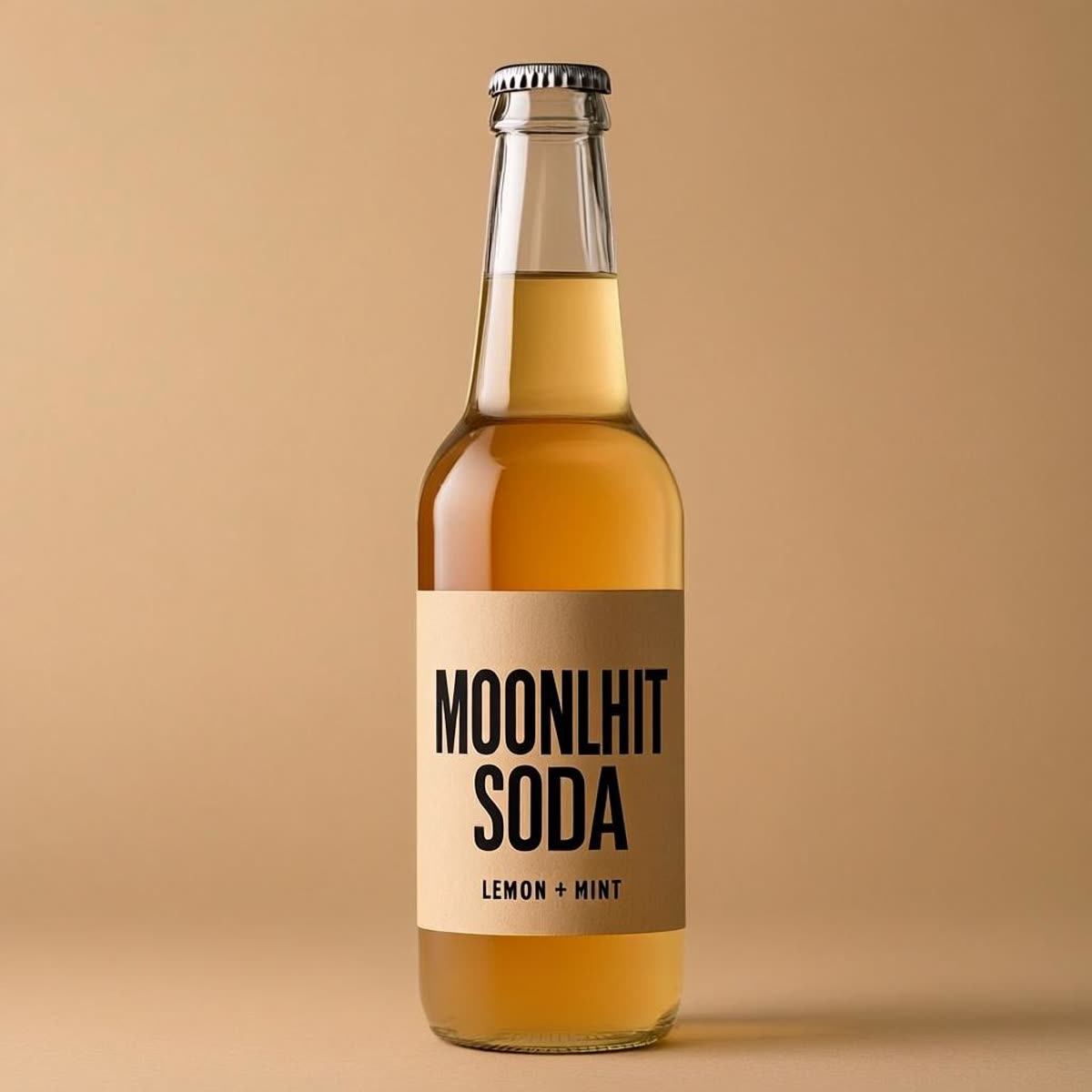 |
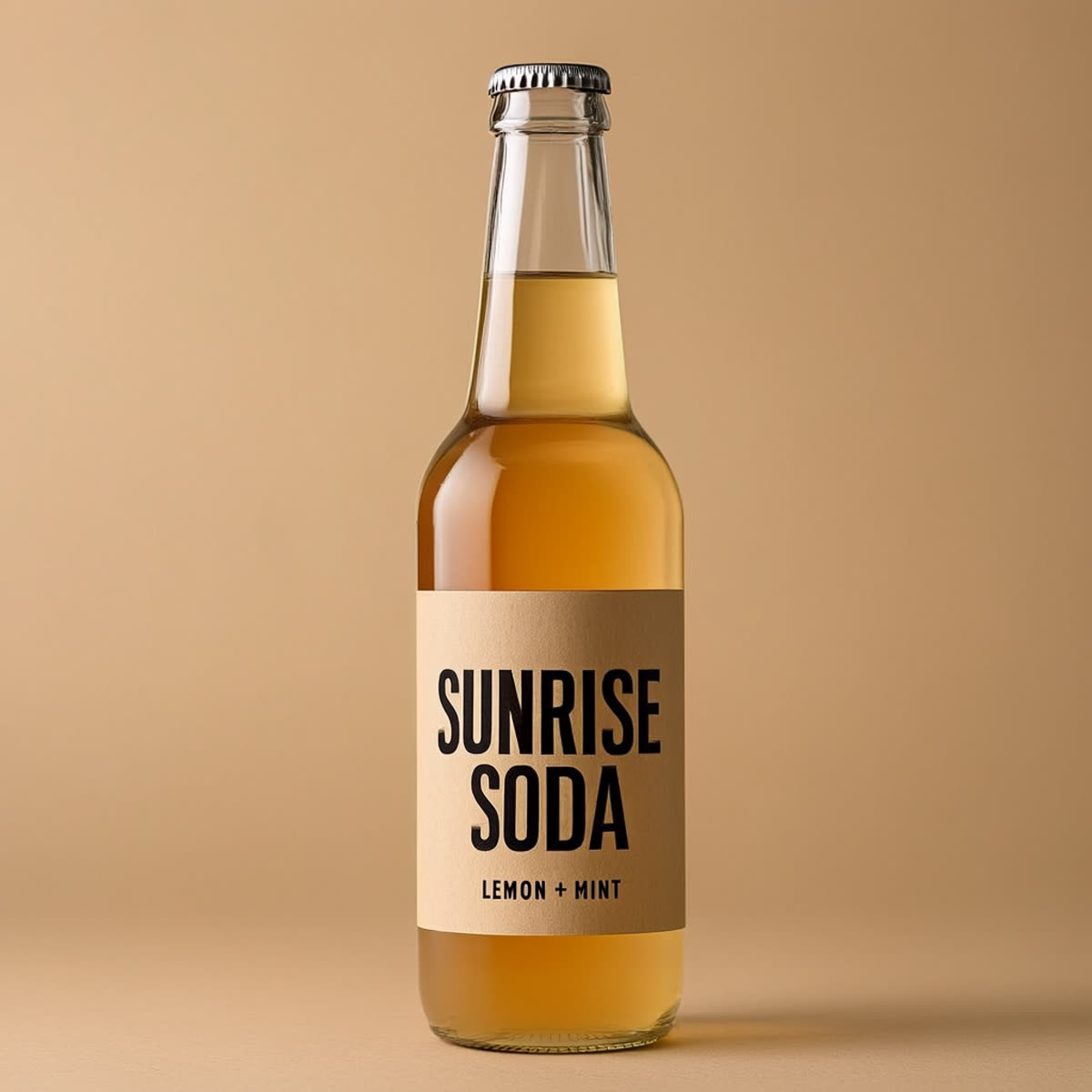
The result keeps the label’s general styling while swapping the requested wording. That matters because text replacement often changes adjacent decoration or loses the original type treatment. Pick FireRed when the goal is a short text change embedded in a product scene. Treat it as a visual draft, not final packaging artwork: spelling, kerning, and regulatory copy need human verification.
6. Sign edit: OPEN to CLOSED
| Input | Output |
|---|---|
 |
 |
The output keeps the sign aligned with the window and avoids the pasted-on look that often appears in perspective text edits. The prompt names the three constraints that matter: font style, perspective, and lighting. That pattern is worth reusing. Specify the exact replacement text, then state which visual properties must stay fixed.
When to pick FireRed Image Edit
Choose FireRed for image-to-image edits where source fidelity matters: portrait cleanup, modest object removal, restoration, product-scene changes, and short visible-text swaps. The strongest evidence in this set is local. The model changes the intended object while keeping most of the frame stable. Its limits are also clear: very small text can blur, broad removals can alter nearby texture, and multi-part instructions increase the chance of unintended changes.
For a direct comparison against another editor, see FireRed Image Edit vs Seedream V5 Lite: 5 Before and After Tests. For a longer set of editing prompts and outcomes, read Seedream V5 Lite Image Editing: 7 Real Before and After Tests. FireRed remains the better first pick when the brief says: change this one thing and leave the picture looking like the same picture.
Try the model
Run FireRed Image Edit on Wiro with one clear change per pass, 1024 x 1024 output, and an explicit preservation clause such as “keep the subject, framing, and lighting unchanged.” That gives the model a narrower job and makes any unwanted variation easier to spot.