Wan2.2 Animate vs VACE vs Hailuo 2.3 asks a narrower question than a generic video benchmark: which tool fits a particular kind of motion job? The original gallery contains six labelled tests and 18 WP-hosted video players. This update keeps every one of those files, but documents what the published frames actually show and where the setup does not support a clean winner.
What this test set out to check
The six written prompts target six practical motion cases: an aerial skyline pan, a neon-lit dancer, a cyclist tracking shot, a pedestrian bridge, a macro insect shot, and a mountain dolly-out. They specify a 6-second, 16:9, 720p target where appropriate. Together, that set would test camera movement, subject movement, crowd behavior, fine detail, and temporal stability.
The three systems are not interchangeable. Wan2.2 Animate Animation is an image-plus-driving-video workflow: the reference image supplies identity and the driving video supplies motion. VACE takes a text prompt and optionally one to three reference images. Hailuo 2.3 takes text and may take a first-frame image. That matters. A text-only prompt is a fair test for VACE and Hailuo, but it does not exercise Animate’s defining control surface unless a source image and motion clip are supplied.
Wan’s open model work explains why this distinction is useful: its video family is designed around high-definition text-to-video and image-to-video generation, while the Animate route explicitly separates character appearance from driving motion. See the Wan2.2 GitHub repository and the Wan2.2 model card. Hailuo 2.3 is documented by MiniMax as a video-generation product; its Wiro controls expose duration, resolution, a first image, and prompt optimization.
What the published outputs actually show
This is the important audit finding: several players do not visibly match their captioned prompt. The supplied poster frames are the only frame-level evidence retained with the post, so the observations below do not claim unverified motion quality. They describe what the reader can actually see before pressing play.
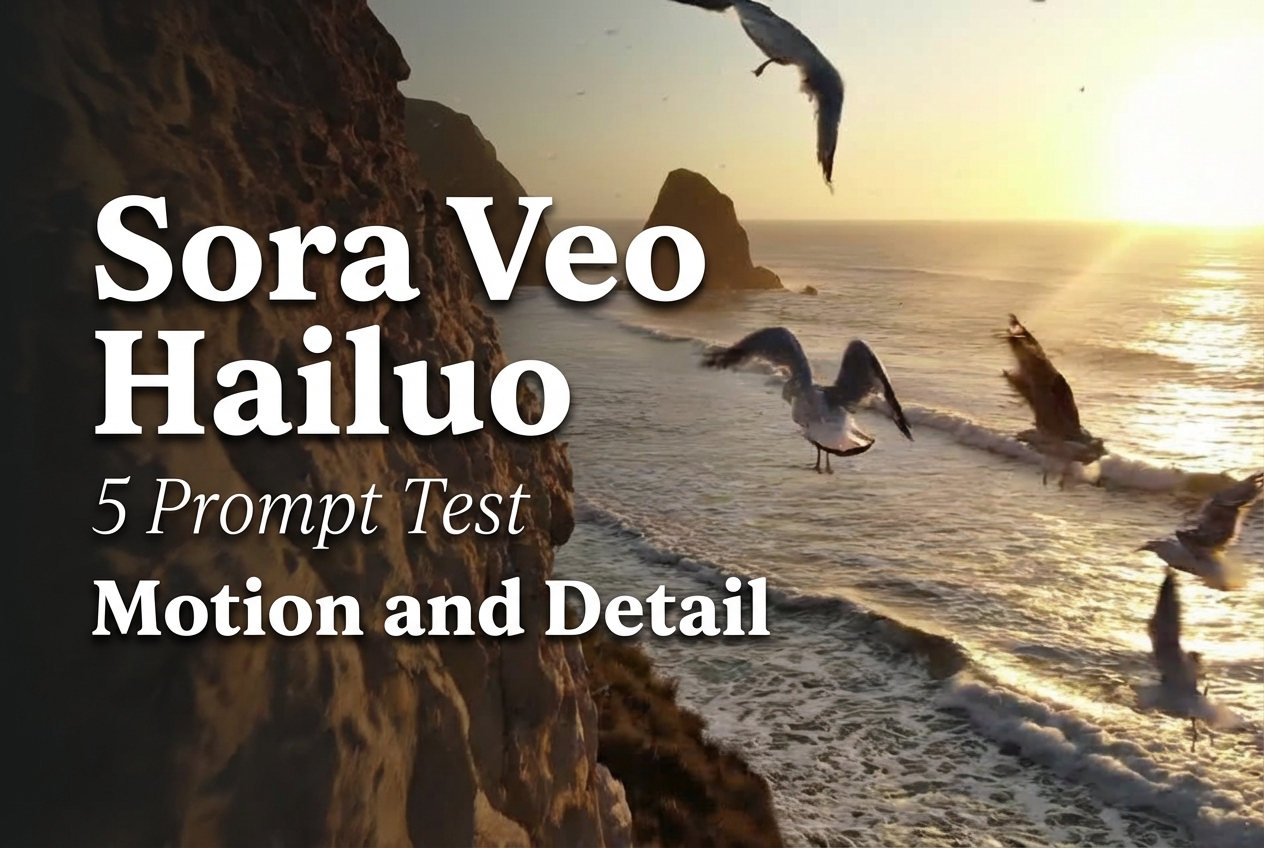
- Prompt 1, skyline: the Wan poster is a sunlit coastal cliff rather than a city skyline. The VACE and Hailuo posters are studio watch shots. Those are polished product-style frames, but they cannot establish skyline-pan adherence.
- Prompt 2, dancer: the Wan poster shows a neon wet alley, while the VACE poster shows a coastal cliff with birds. The Hailuo poster shows another sunlit coastal view. None visibly contains the requested dancer, so this row should be treated as a camera-and-lighting sample, not a dancer-motion result.
- Prompt 3, cyclist: the Wan player again uses a coastal cliff frame. VACE shows a child with a red balloon, and Hailuo shows a neon street cyclist. Hailuo is the only visible poster that directly matches the cyclist subject, although a still cannot prove tracking stability.
- Prompt 4, bridge crowd: the existing post reuses the Wan and VACE source files from earlier rows. Hailuo shows a rainy neon alley with a cyclist rather than a pedestrian bridge. This is not a controlled crowd-motion comparison.
- Prompt 5, macro: Hailuo’s poster clearly shows an insect on a dew-covered leaf. The Wan and VACE players reuse earlier non-macro files. The Hailuo frame has convincing droplets and a readable insect silhouette; only playback can answer whether those details hold through the clip.
- Prompt 6, mountain trail: the three players reuse coastal-cliff, balloon-child, and watch assets. They do not visibly show a mountain trail or a dolly-out. This row should not be used to judge landscape-camera performance.
That does not make the files useless. The watch frames offer a quick check on glossy surfaces, circular geometry, reflections, and shallow depth of field. The rainy street material provides a useful check on wet highlights, haze, neon color separation, and a moving bicycle. The macro leaf is the strongest subject-specific asset in the gallery. The honest conclusion is simpler than a leaderboard: this published set has examples of cinematic imagery, but it does not preserve a one-to-one mapping between every declared prompt and every output.
Parameters, runtime, and cost on Wiro
The original post states 6 seconds, 16:9, and 720p in its first prompt, but it does not store the submitted job records. Therefore no per-output runtime or cost can be attributed to these existing videos without inventing data.
| Model | Relevant Wiro controls | Runtime and cost evidence |
|---|---|---|
| Wan2.2 Animate | Input image, driving video, resolution (default, 480p, 580p, 720p), steps (default 20), scale (1.0), shift (5.0), seed. | The model documentation lists no fixed price or typical elapsed time for these files. Do not assume a 6-second render cost from the clip length. |
| VACE | Prompt; optional 1-3 images; 480p or 720p; auto/16:9/9:16 ratio; frame count (default 81); three speed modes; sample steps (default 50); solver, guidance, shift, and seed. | No run receipt is attached to the post, so there is no defensible per-output cost or render time. |
| Hailuo 2.3 | Prompt; optional first image; prompt optimizer; 768P or 1080P; 6 or 10 seconds. At 1080P, Wiro documents 6 seconds only; 10 seconds is available at 768P. | No job receipt appears in the source post. The docs show configuration limits, not a fixed price or SLA. |
For a repeatable rerun, record the exact prompt, input file IDs, resolution, duration or frame count, seed, queue-to-complete time, and billed task total for every clip. That turns a gallery into a comparison readers can reproduce. It also prevents a fast setting on VACE from being compared with a higher-quality configuration on another model.
When to pick each model
Pick Wan2.2 Animate when motion transfer and identity retention are the main requirement. Supply a clean character image plus a suitable driving clip. It is the right tool for a person, mascot, or stylized subject that must perform a known movement. It is not the natural first choice for a prompt-only landscape shot.
Pick VACE when a prompt-led clip needs optional image conditioning and granular sampling controls. The frame count, speed mode, steps, solver, guidance, and seed make it the most adjustment-oriented setup in this group. Use that control when a team expects to rerun variations and wants to keep the parameters comparable.
Pick Hailuo 2.3 for prompt-led cinematic clips with a simpler duration-and-resolution decision. Use a first image when composition must start from a known frame. The visible cyclist and macro assets make it the clearest fit in this gallery for those two subjects, but a full playback review is still required before judging temporal consistency.
For related test formats, see LTX-Video vs Kling vs Seedance, Best Cinematic Image-to-Video Models, and WAN 2.7 Video. Run the model that matches the control you need, keep the inputs fixed, and save the task receipt alongside the media.
Published output gallery
All existing WP-hosted videos and posters are retained below, unchanged.