Seedream V5 Lite vs Seedream v3 vs P-Image is a text-rendering test, not a general image-quality ranking. The same five prompts asked each model to place exact words inside a plausible image: a can label, airport sign, mobile screen, scientific diagram, and magazine cover. That makes the failures easy to see. A pretty image is not enough when a product name, button, or label must survive generation.
What this Seedream V5 Lite vs Seedream v3 vs P-Image test checks
Each prompt was run once on each model. The prompts deliberately combine typography with a visual task. Curved packaging checks whether letters remain stable on a surface. Wayfinding checks line order and spacing. The UI prompt adds a title, subtitle, button, and small link. The diagram asks for labels plus leader lines. The cover asks for hierarchy and a barcode. These are useful stress tests because an output can look convincing at a glance while still being unusable for a real layout.
The test uses the existing outputs shown below, so it should be read as a single-sample comparison rather than a statistical benchmark. No model gets credit for text that is merely close. Exact wording matters in labels, product work, interfaces, and instructional art.
Model settings
- Seedream V5 Lite: text-to-image, watermark disabled, one output. Resolution: 2K. Aspect ratios: 3:2, 16:9, 9:16, 4:3, and 3:4.
- Seedream v3: text-to-image, watermark disabled. Sizes: 1248×832, 1280×720, 720×1280, 1152×864, and 864×1152. Guidance scale 1; seed 1.
- Pruna P-Image: text-to-image. Matching aspect ratios; random seed 0; safety checker enabled.
Seedream V5 Lite also supports image-to-image inputs, 2K or 3K resolution, and up to 15 combined input and output images. This comparison used its text-to-image path only. Seedream v3 exposes explicit size, guidance, and seed controls. P-Image exposes aspect ratio and seed, so the test did not try to force matching pixel dimensions that the models do not share.
What the outputs actually show
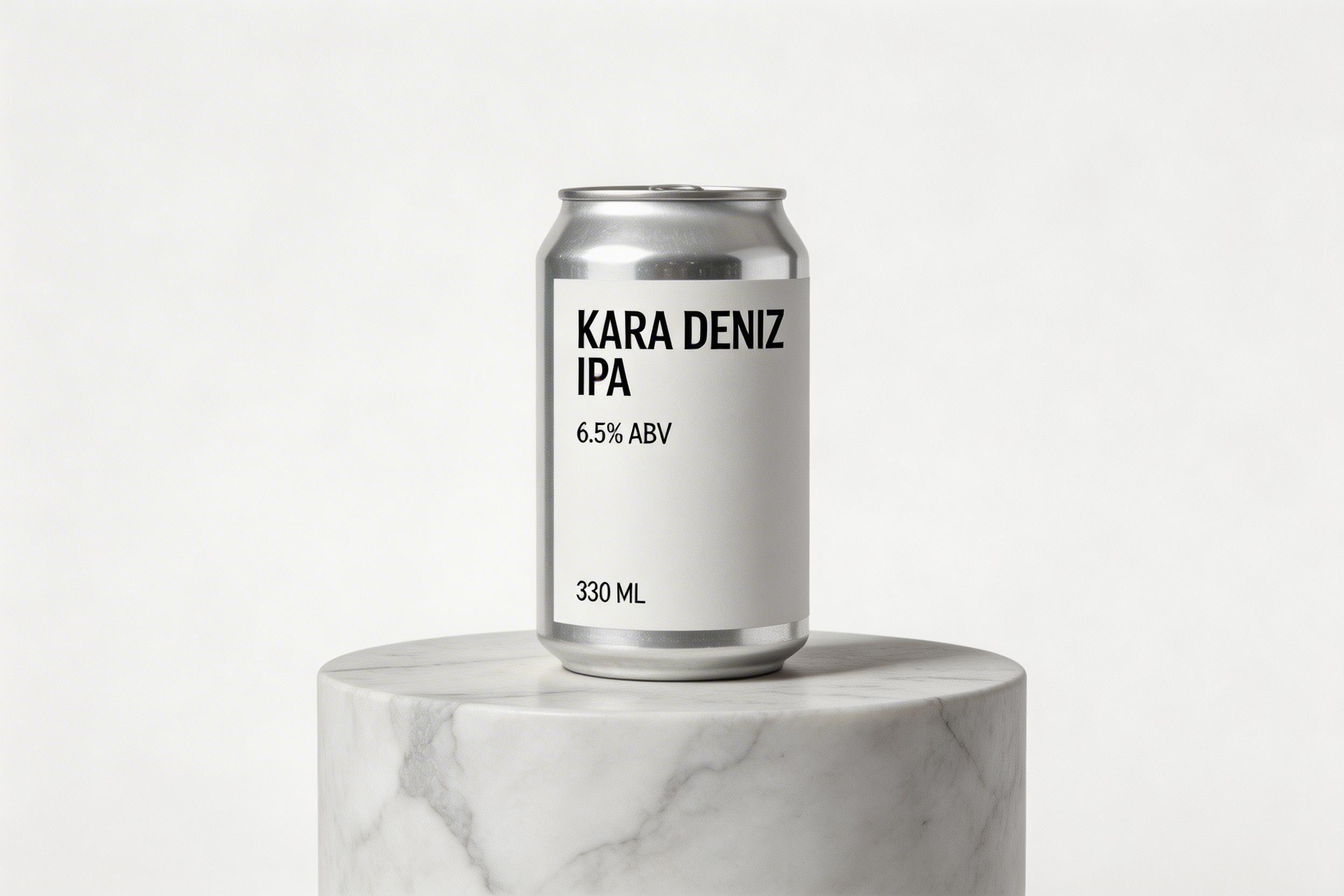
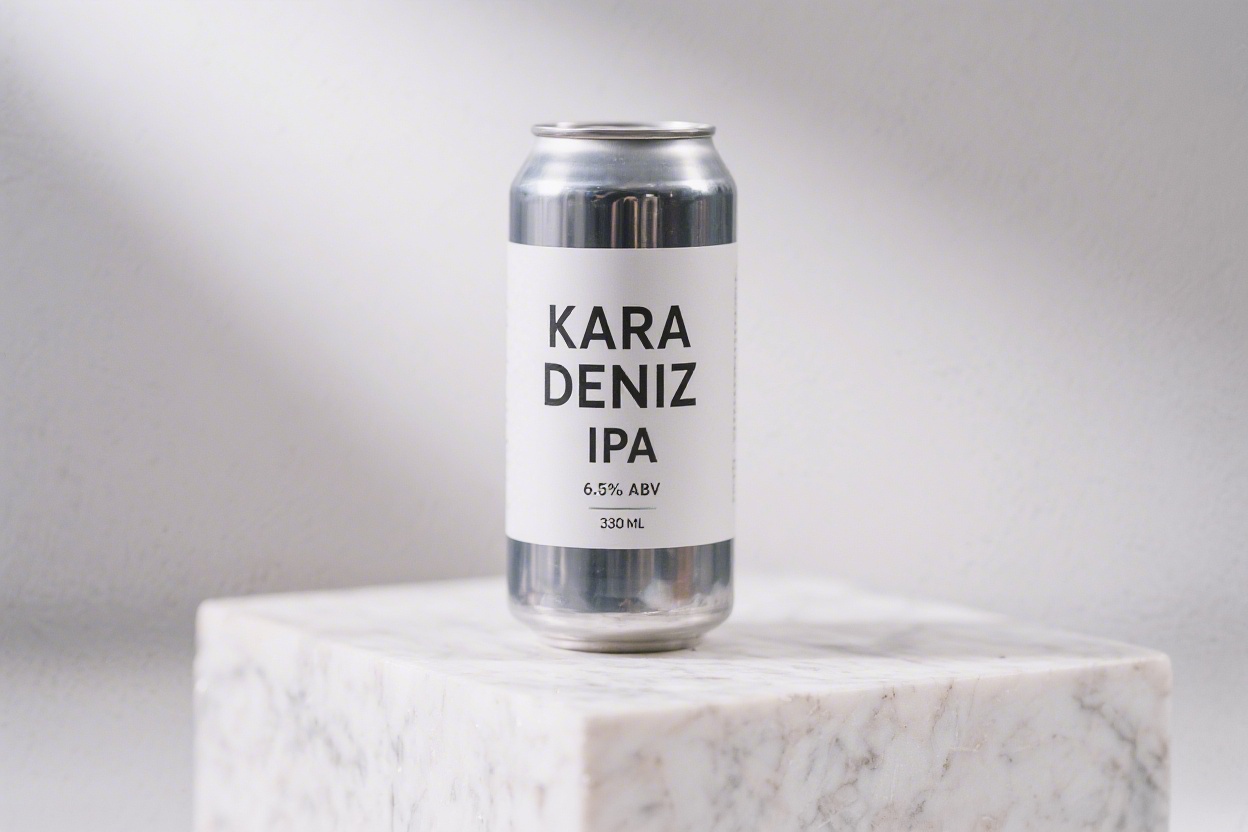
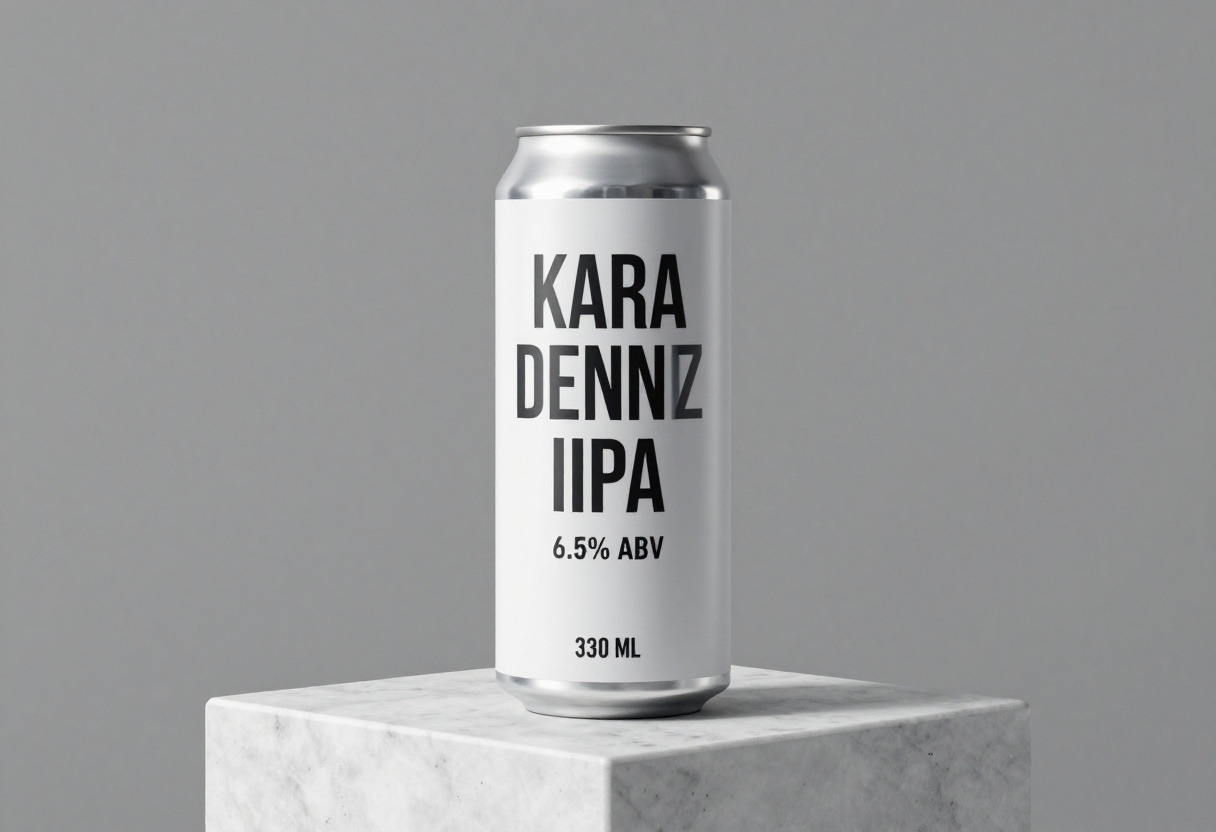
1. Product can: curved label text
The prompt requested KARA DENIZ IPA, 6.5% ABV, and 330 ML. Seedream V5 Lite places all three strings cleanly on a restrained label. Seedream v3 also gets the requested words and numbers right, though it uses a taller stacked arrangement. P-Image visibly changes the name to KARA DENNIZ and makes the product name much heavier. It keeps the alcohol percentage and volume readable, but that spelling error would rule it out for a finished package.
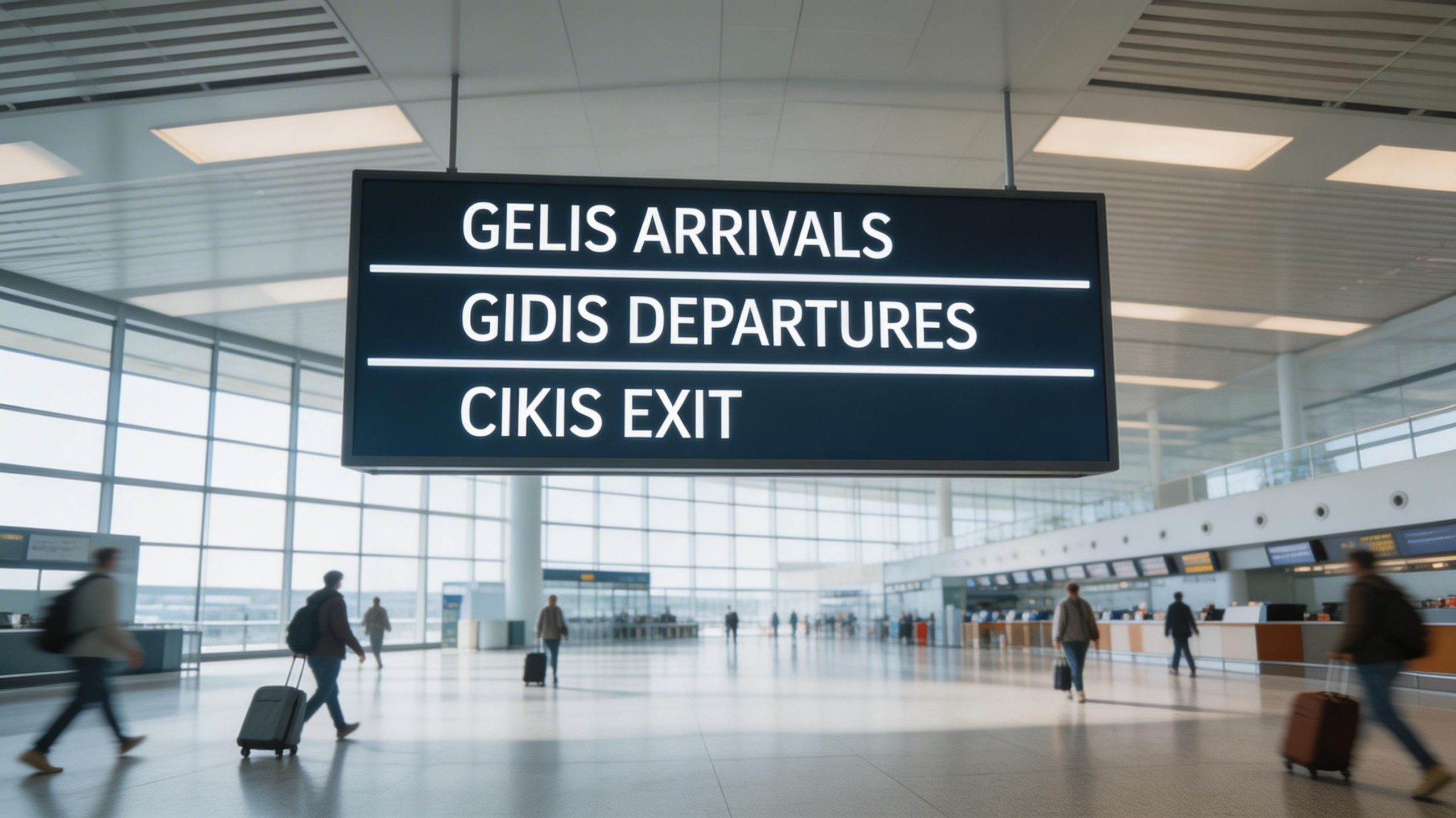
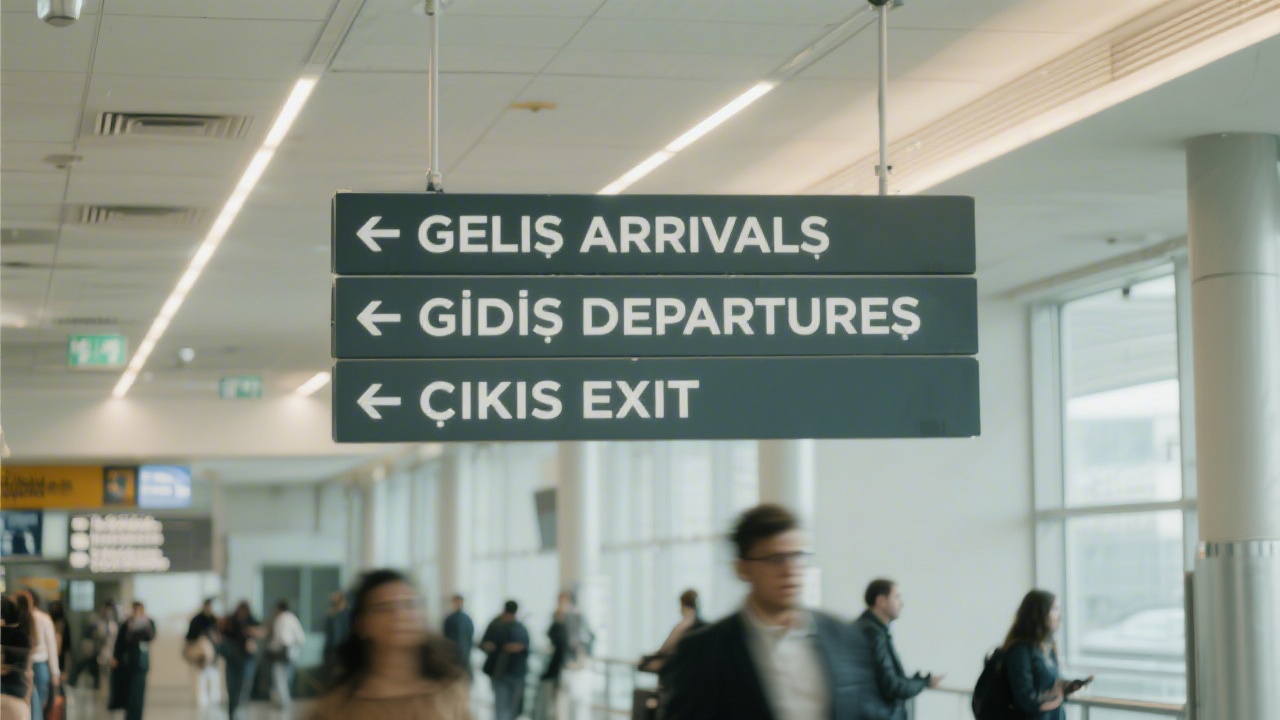
2. Airport sign: three lines under real lighting
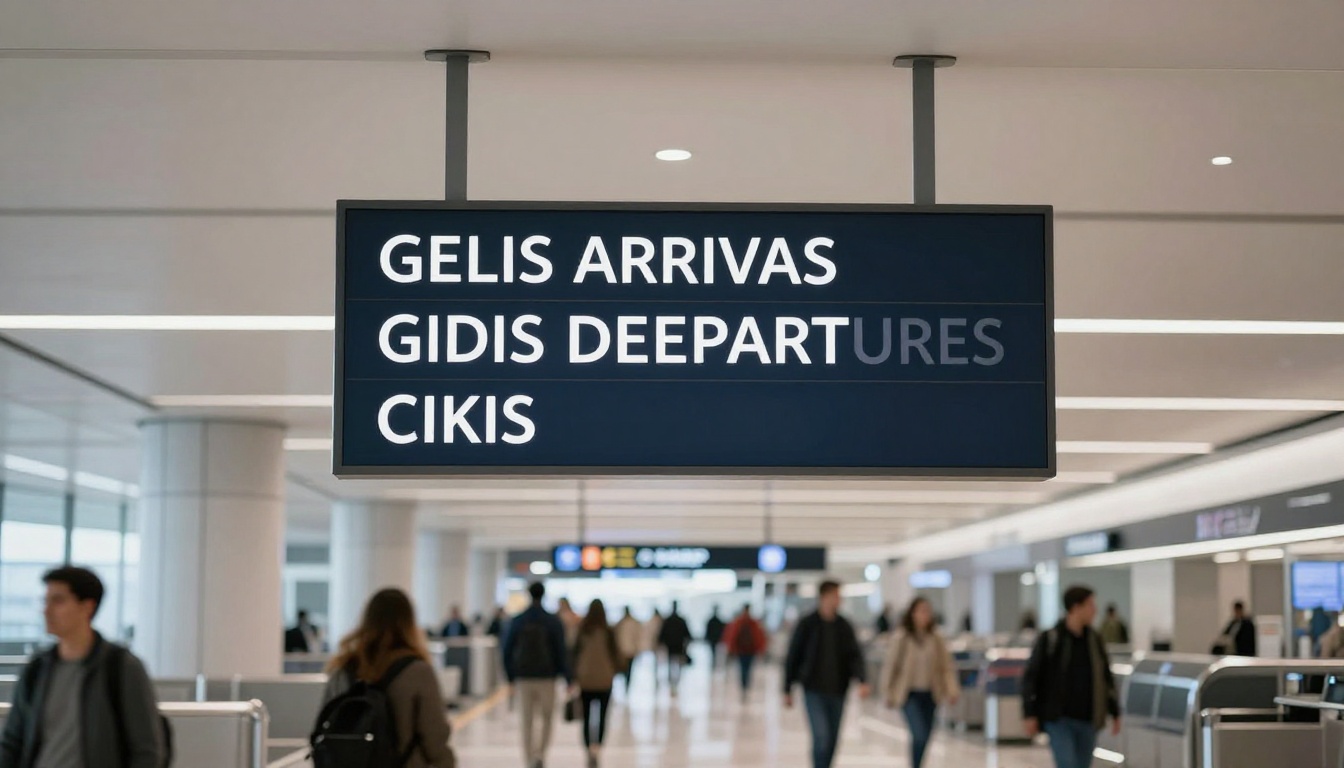
Seedream V5 Lite is the cleanest result in this group. It retains GELIS ARRIVALS, GIDIS DEPARTURES, and CIKIS EXIT with clear separation. Seedream v3 adds arrows and keeps the wording legible, although the sign has a softer, less exact presentation. P-Image drops parts of the requested text and changes ARRIVALS to ARRIVAS and DEPARTURES to DEEPARTURES. The scene looks like an airport, but the sign fails the test.
3. Mobile onboarding screen: typography hierarchy
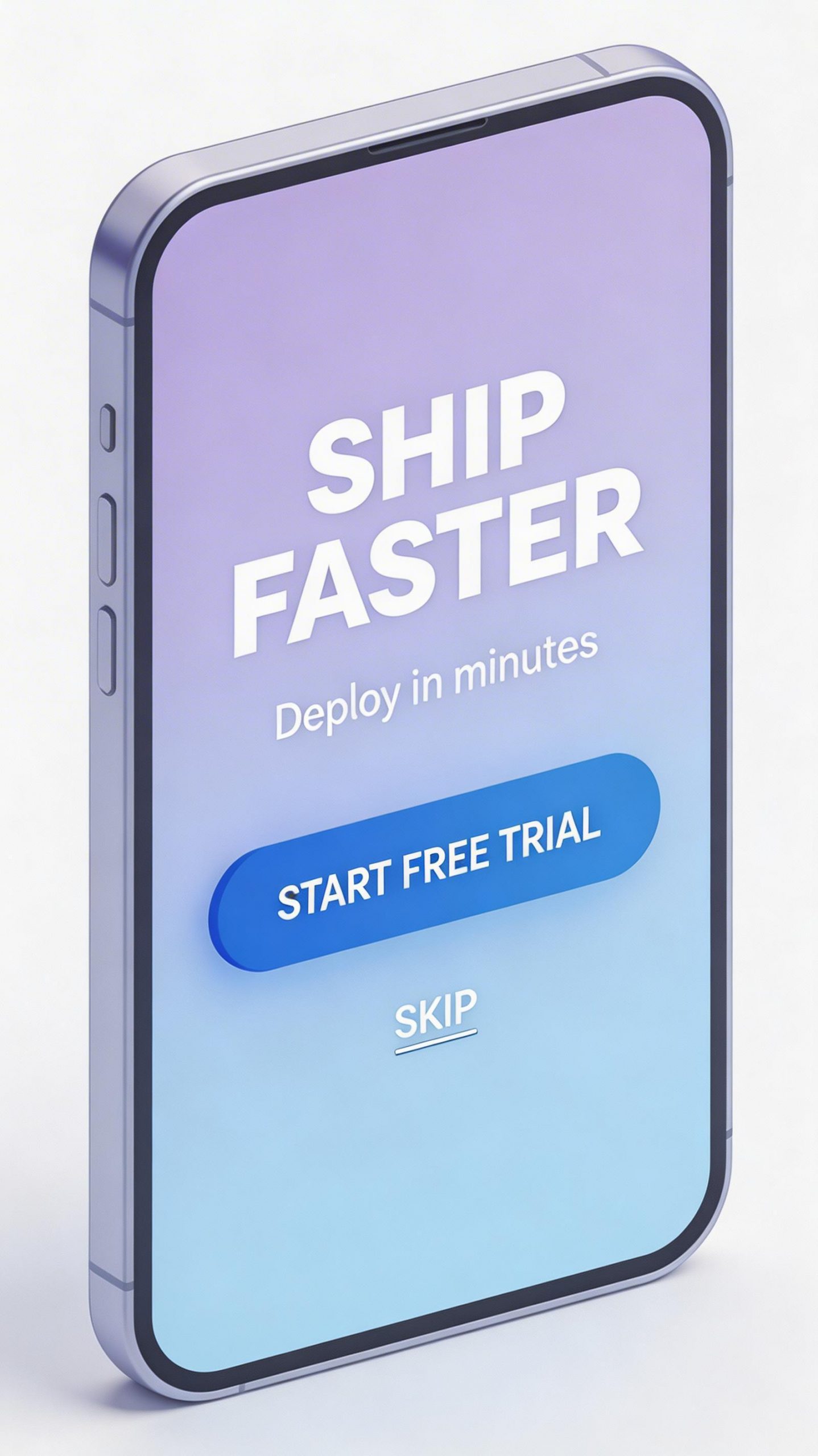
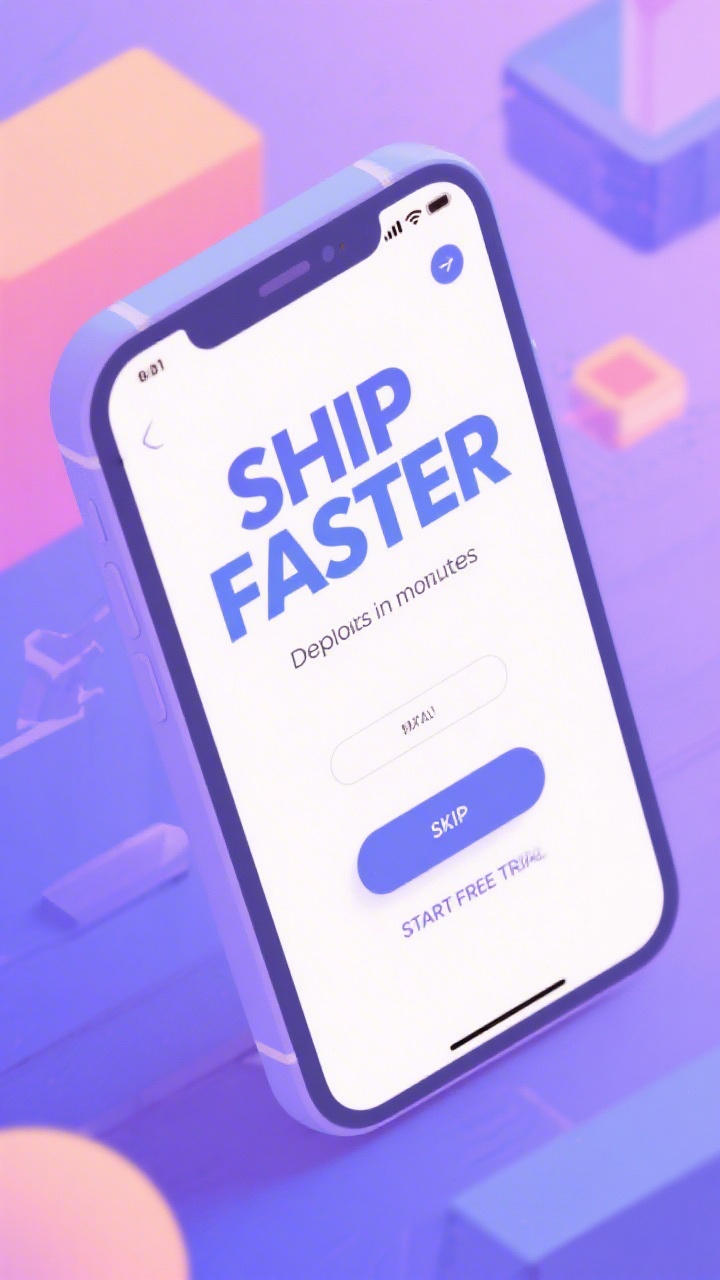
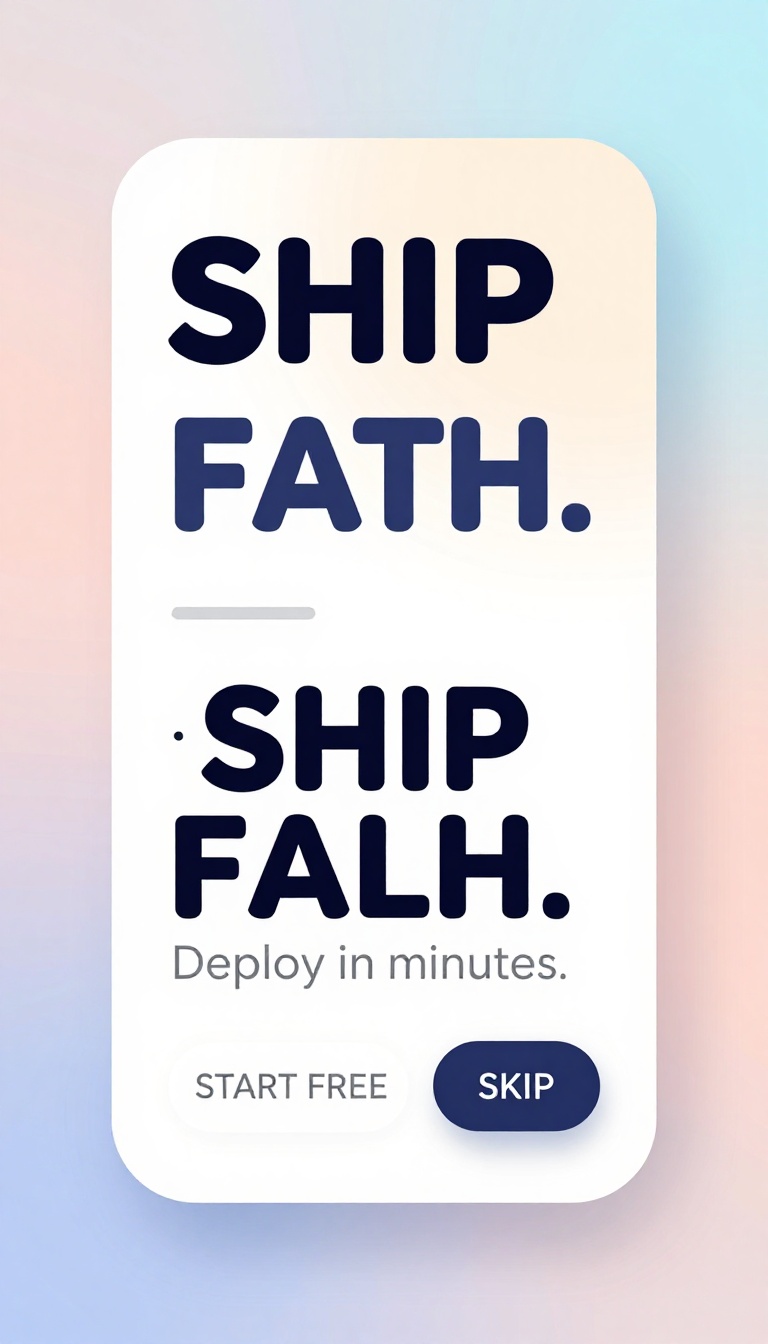
Seedream V5 Lite produces the closest thing to a usable mockup. SHIP FASTER, Deploy in minutes, START FREE TRIAL, and SKIP are all present in the expected hierarchy. Seedream v3 keeps the headline readable but moves and corrupts the smaller elements; the subtitle reads as Deploits in minutes and the button labels are misplaced. P-Image turns the requested headline into SHIP FATH. It retains a readable subtitle and some button text, but the primary message is wrong.
4. Leaf diagram: labels and leader lines
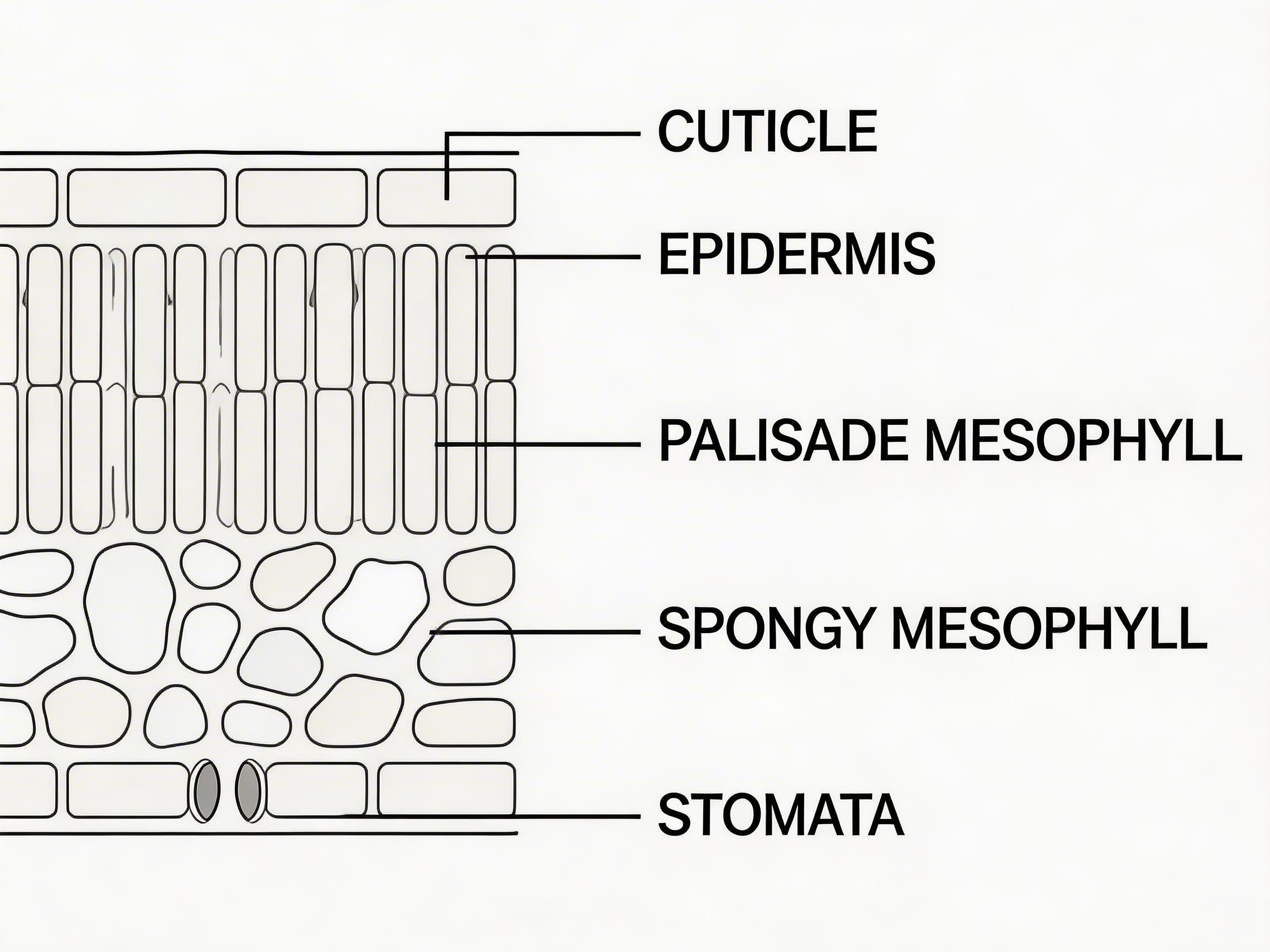
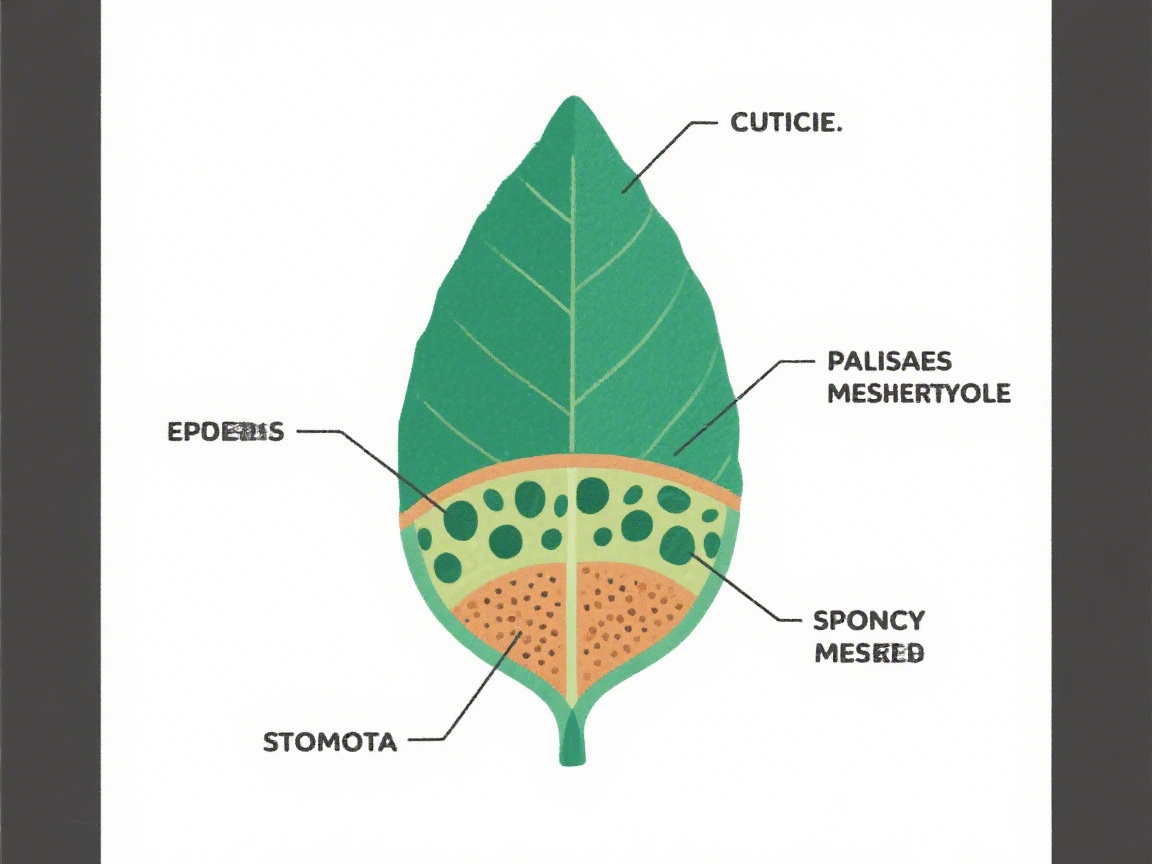
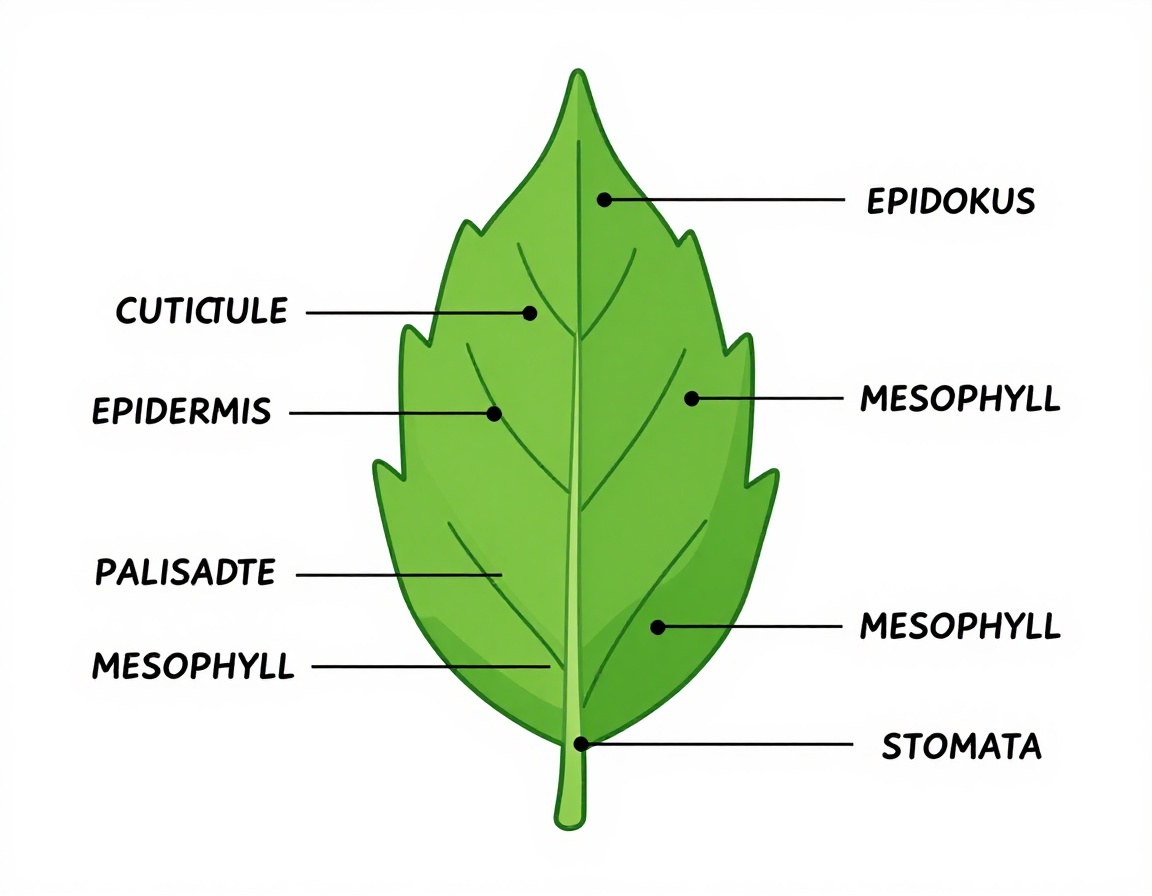
This is the widest gap. Seedream V5 Lite produces a recognisable cross-section with all five requested labels readable and leader lines that point to sensible structures. Seedream v3 generates an attractive leaf illustration instead of a cross-section, then corrupts multiple labels. P-Image also switches to a whole leaf and substitutes terms such as CUTICULE and EPIDOKUS. Neither alternative is suitable where scientific accuracy matters.
5. Magazine cover: headline, cover line, barcode
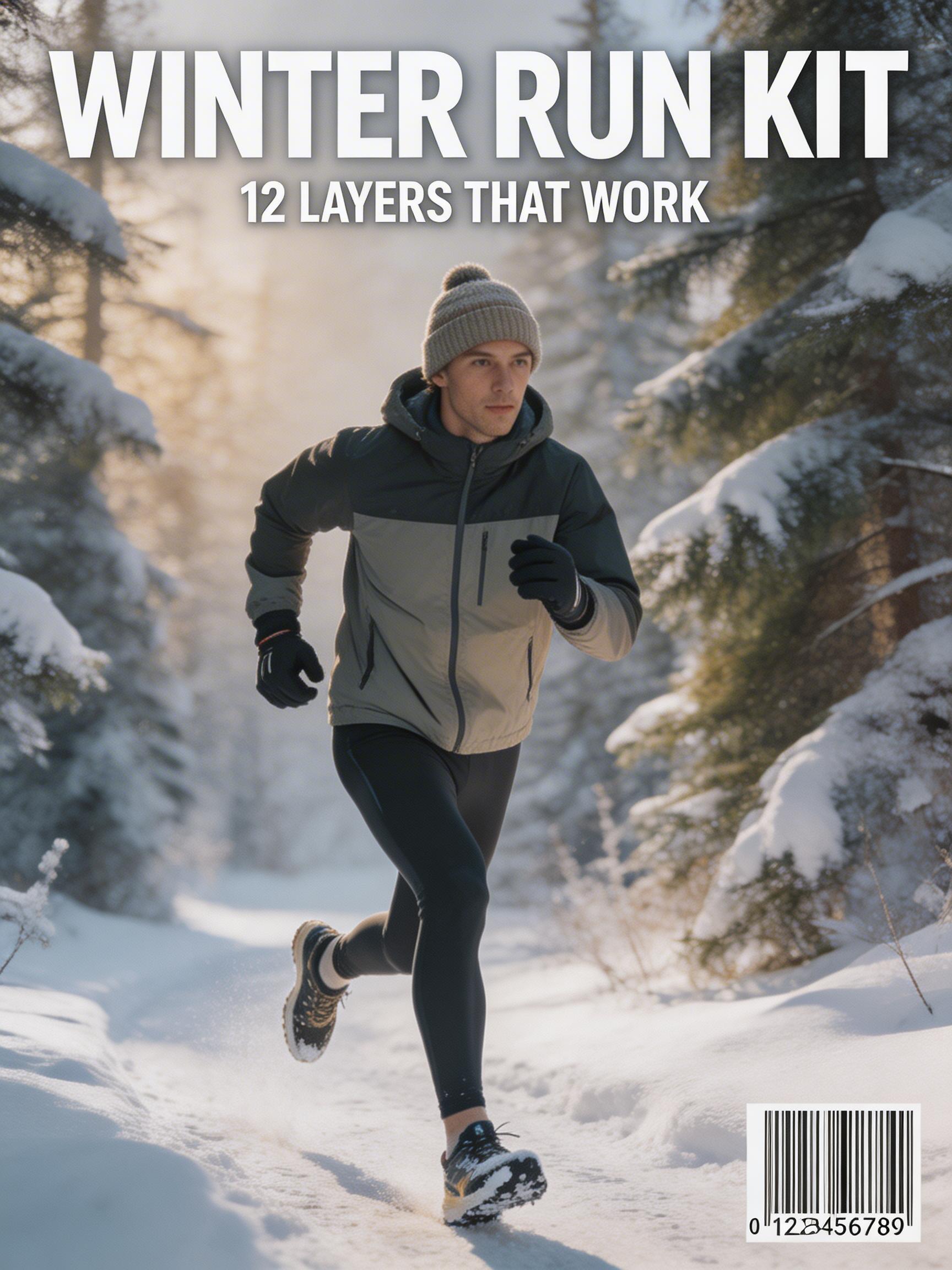
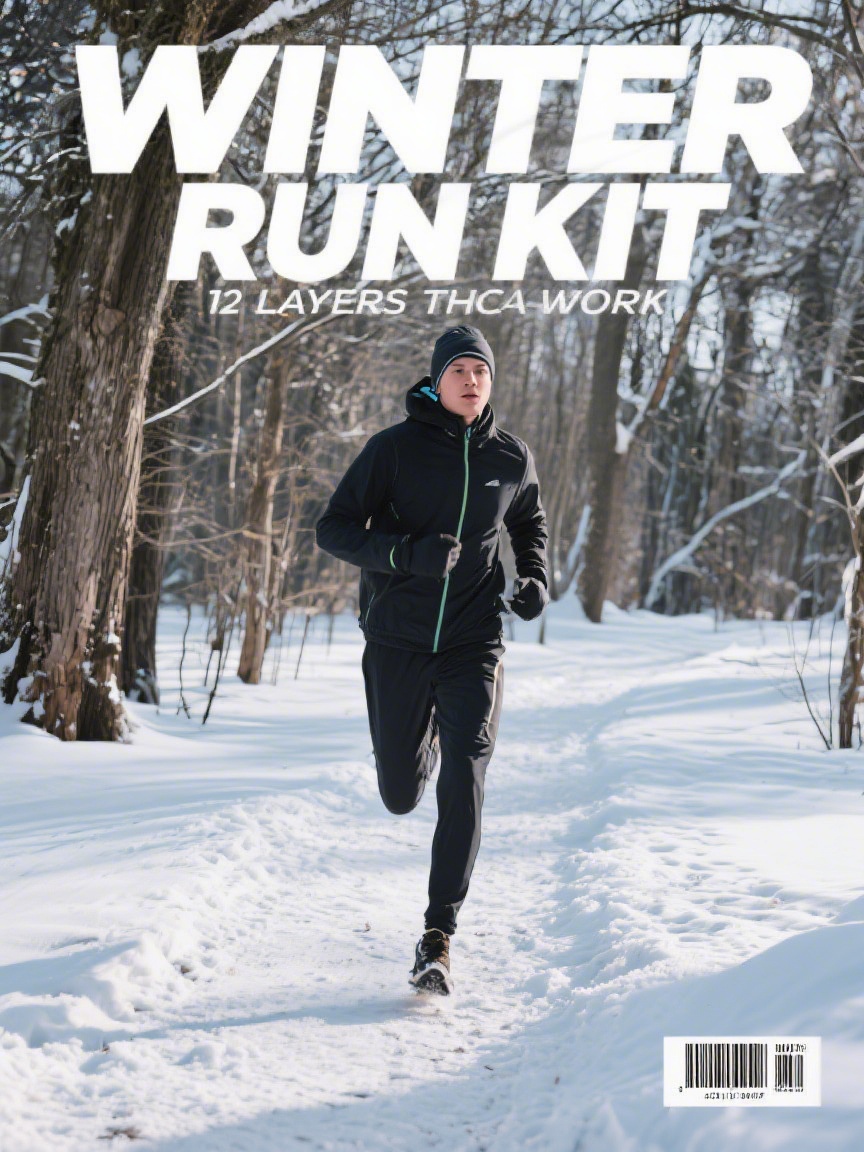
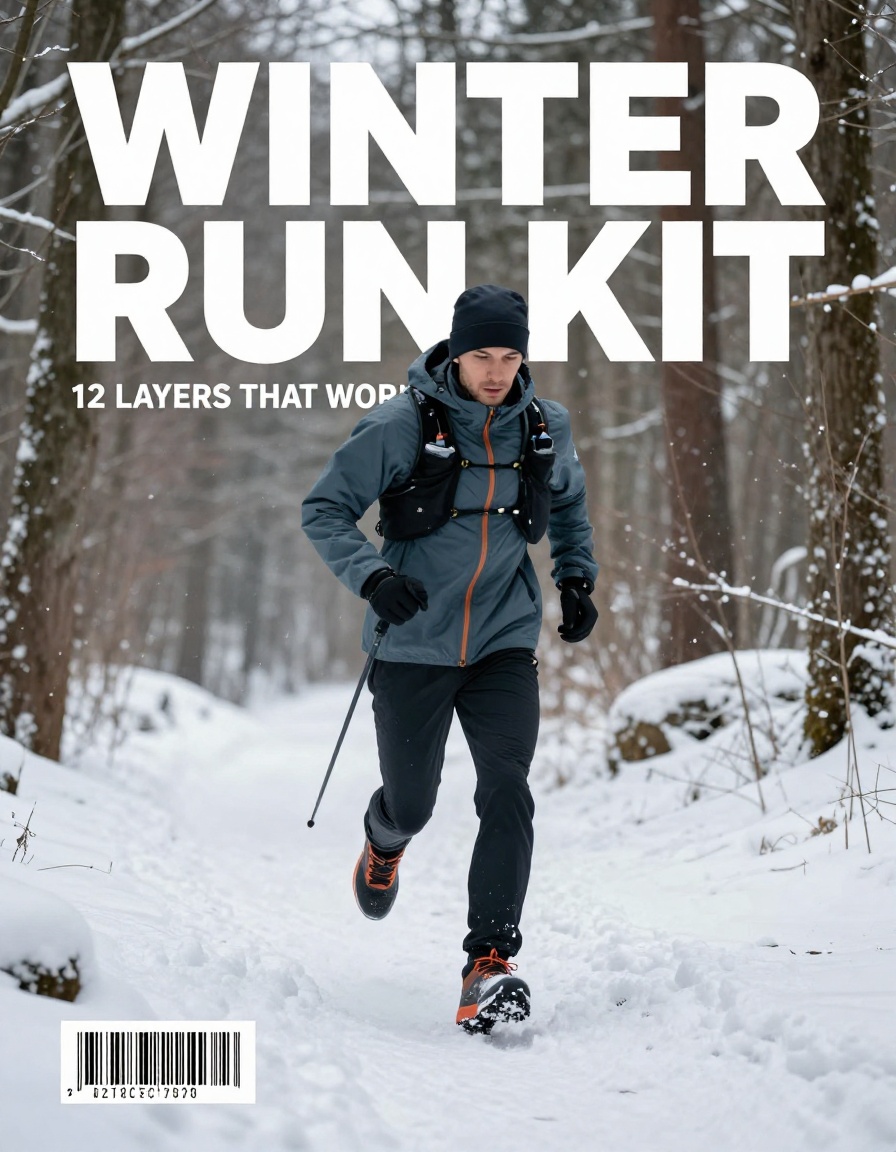
All three images make a plausible winter-running cover. Seedream V5 Lite preserves WINTER RUN KIT and 12 LAYERS THAT WORK, then adds a clearly formed barcode. Seedream v3 gets the main headline but changes the smaller line to 72 LAYERS THCA WORK. P-Image keeps the main headline and most of the cover line, but crops the smaller type and produces an invented barcode. This result is good for a visual reference, not final editorial type.
Runtime and Wiro cost per output
The recorded run times for these exact outputs were 31-42 seconds for Seedream V5 Lite, 8-15 seconds for Seedream v3, and 5-102 seconds for P-Image. That makes Seedream v3 the predictable fast baseline in this sample. P-Image had the fastest individual result but also the largest runtime spread. Seedream V5 Lite took longer, especially on simpler prompts, but its typography results justify the wait when the words matter.
| Model | Observed runtime | Cost per output | Result in this set |
|---|---|---|---|
| Seedream V5 Lite | 31-42 seconds | Not shown in the retained run record or current model docs | Best text and layout fidelity |
| Seedream v3 | 8-15 seconds | Not shown in the retained run record or current model docs | Fastest consistent baseline |
| Pruna P-Image | 5-102 seconds | Not shown in the retained run record or current model docs | Photographic scenes, but unreliable exact text |
No price has been inferred from a different task, resolution, or date. A documented cost per output is not available for these 15 retained runs, so the table says so rather than inventing a comparison.
Which model to pick
Pick Seedream V5 Lite for product labels, signage, app mockups, diagrams, or any image where exact copy is the point. It wins every text-heavy test here and supports high-resolution text-to-image plus image-to-image work.
Pick Seedream v3 for a faster image baseline when the copy can be added later in a design tool. It can land a large headline, but the smaller text and structured diagrams in this test are not dependable. The Seedream 3.0 technical report describes bilingual generation, native output up to 2K, and typography-focused improvements; this sample still shows why a single output needs checking.
Pick Pruna P-Image for exploratory photorealistic concepts when speed matters more than exact copy. Its source project, Pruna, focuses on making model inference faster and more efficient. That does not change the visible weakness here: text and diagram terminology drift often enough that final layouts need correction.
For more image-model comparisons, see Seedream V5 Pro vs Nano Banana Pro, FireRed Image Edit vs Seedream V5 Lite, and GPT Image 1.5 for Clean Layouts.
Run the same prompt with the model that matches the job, then inspect every word before treating the image as production-ready.