Skip to content
AI Agents

AI Agents for Appointment Booking: 6 Smart Scheduling Workflows

AI agents for appointment booking cover

AI agents for appointment booking need to do more than show open times. A useful booking flow has to collect enough context to choose the right appointment, protect the calendar from duplicate or unsuitable requests, confirm what happened, and hand off when the rules stop being clear. This article examines that operating problem rather than presenting a model benchmark. The two existing visual outputs below are kept as workflow illustrations; their attachment records do not identify a model, prompt, seed, run time, or price. Those details are not claimed here.

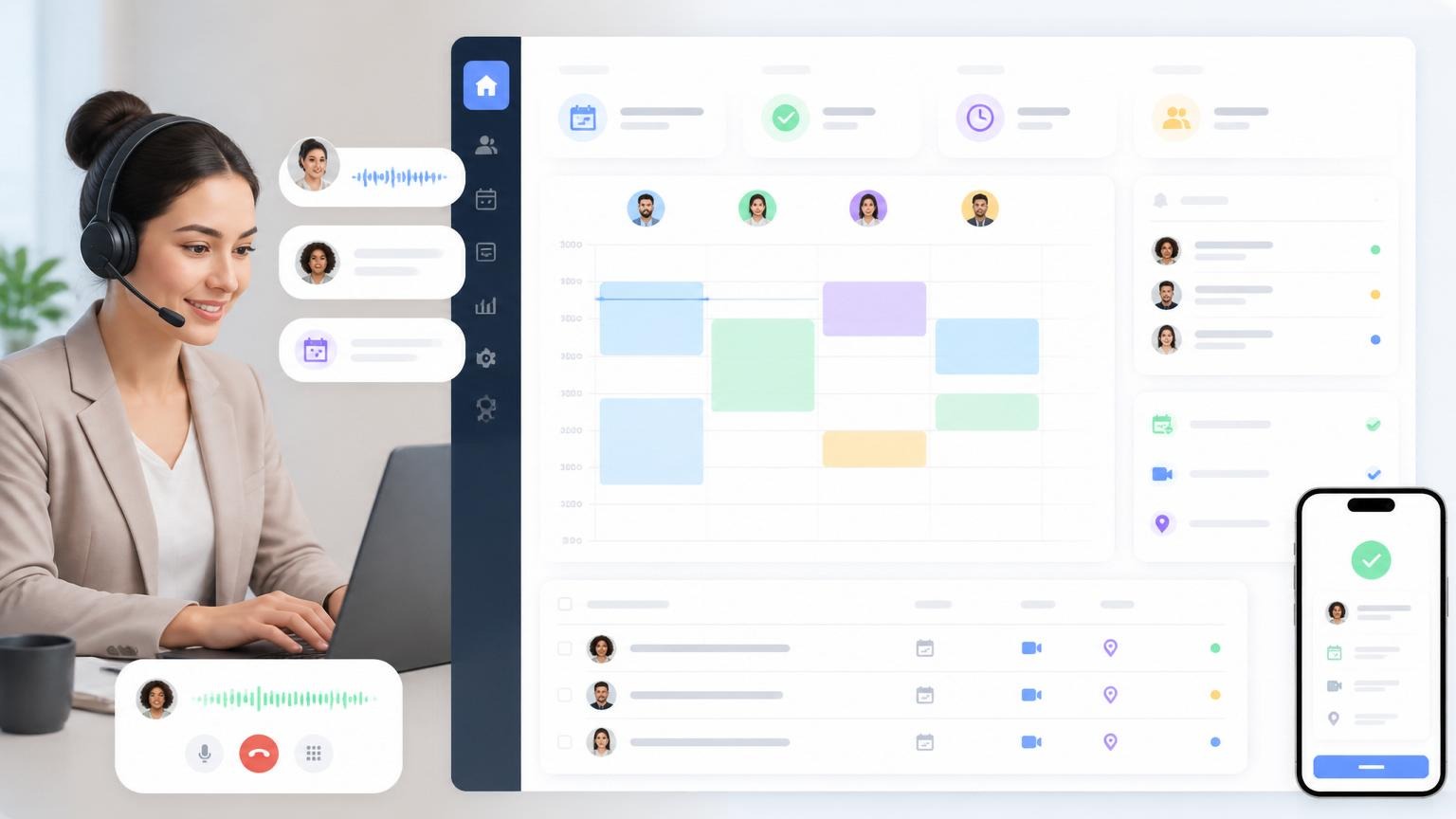
AI agents for appointment booking with a calendar dashboard, voice messages, and a mobile confirmation
Existing workflow visual: a receptionist view, time blocks, caller context, and a mobile confirmation in one frame.

What the booking workflow test checks

A scheduling agent should be tested against decisions, not just friendly chat. The first check is intake: can it ask only for details that change the booking decision? For a clinic, that might be appointment type and urgency. For a sales team, it might be company size, topic, and time zone. The agent should not invent availability, pricing, or policy when that information is missing.

The second check is calendar safety. The workflow should read the relevant calendar, choose a slot within stated rules, and create one event only after it has enough information. A calendar event has fields such as title, start and end times, and attendees; the Google Calendar API overview describes that event model. Store the provider event ID after creation so a later reschedule changes the same appointment instead of creating a second one.

The third check is recovery. A useful test includes a caller who changes a time, a missing time zone, an unavailable staff member, and a request that needs a human. A pass means the agent preserves context, asks one precise follow-up, or escalates with a readable summary. It does not mean it tries to solve every exception on its own.

Reading the two existing outputs

The first image shows a conceptual booking desk: a headset operator sits beside a calendar board with color-coded blocks, contact rows, voice snippets, and a phone confirmation. It communicates the full loop around a booking: a conversation starts the work, availability guides the choice, and a confirmation reaches the customer. It is a useful diagram for the missed-call and confirmation stages, but it is not evidence that a connected calendar or voice system completed those actions.

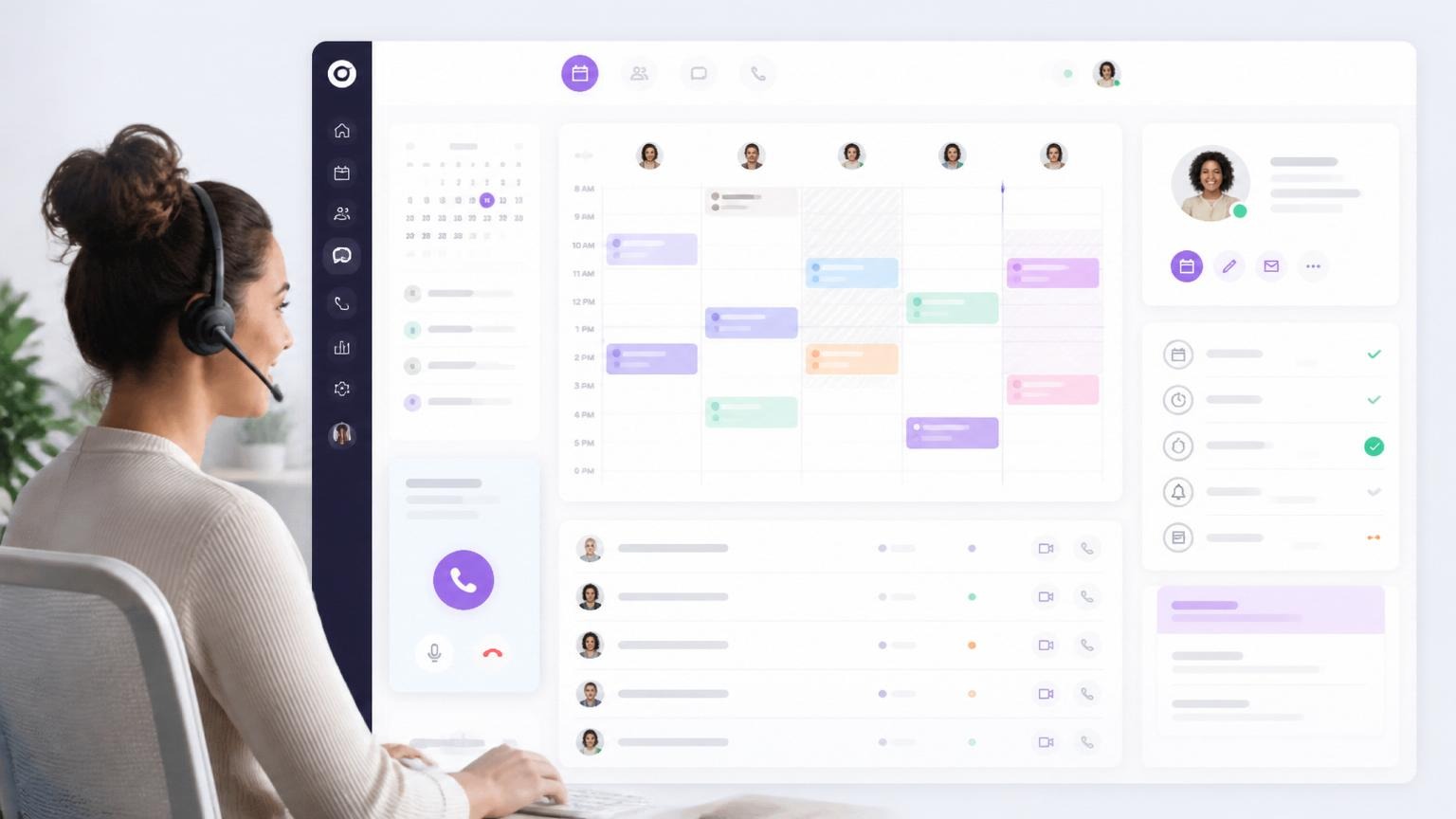
The second image shows another calendar-first layout. It places a monthly picker, several staff columns, colored appointments, a customer card, and a call control on one screen. That output helps explain capacity routing: the decision is not simply “next free slot,” but which person, duration, channel, and follow-up state fit the request. The interface text is deliberately abstract, so it should not be read as a product screenshot or a test result.

No Wiro model page is linked in the original post, and neither asset stores a model name or run metadata. There is therefore no honest per-output model, parameter list, run time, or cost to report. A future visual-model comparison should name the models, retain the exact prompt and settings, record the completed-run timing, and show the output URLs after upload to the blog. Until then, these are hosted illustrations, not scored model outputs.

6 smart scheduling workflows

1. Missed-call intake

Start with a small record: caller name, contact method, purpose, preferred times, and any routing detail that changes eligibility. The agent should return a structured summary for staff when it cannot book immediately. This makes a missed call recoverable without pretending the call itself was resolved.

2. Qualified booking

Ask the qualification questions before presenting slots. A demo calendar, for example, should not offer a specialist’s time until the request matches the team’s territory or product rules. Keep the questions short. Every unnecessary question raises abandonment risk.

3. Reschedule recovery

Use the saved event ID, attendee details, service type, and time zone from the first booking. The agent can then propose alternatives without re-running intake. If the original slot is still valid, confirm whether to replace it before making a change.

4. Reminder and confirmation

Schedule reminders from the confirmed event, not from the chat timestamp. Track the delivery result and any reply. A clear policy can release an unconfirmed slot after a defined window; a risky policy silently cancels a customer who never saw the message.

5. Escalation for edge cases

Escalate urgent requests, unclear consent, pricing disputes, accessibility needs, and requests that conflict with business rules. The handoff should include the request, what the agent checked, the blocked decision, and the preferred contact channel. That is faster for staff than forwarding a raw transcript.

6. Post-booking follow-up

After the event exists, trigger only the next action that belongs to the appointment: an intake form, a CRM update, a meeting brief, or a reminder. Separate these actions from the booking transaction so a CRM outage does not make the agent claim the appointment failed.

AI agents for appointment booking with a multi-staff calendar, caller profile, and booking checklist
Existing workflow visual: a multi-staff calendar paired with customer context and a booking checklist.

Parameters and measurement

Set the parameters before testing. At minimum, define the time zone source, service duration, buffers, staff eligibility, working hours, booking horizon, cancellation window, reminder timing, and the conditions that force escalation. Also define whether the agent may create, change, or cancel an event without human review. These are operational controls, not model parameters, and they should live in a policy the team can inspect.

Measure slot accuracy, duplicate-event rate, escalation rate, average turns to a confirmed booking, reschedule completion rate, and no-show rate after reminders. Review a sample of conversations for false claims about availability. For calendar interoperability, event data should follow the expectations of the iCalendar specification where the chosen provider supports it.

Run time and cost depend on the selected voice, language, calendar, messaging, and model components. This post has no documented Wiro model runs, so no runtime or cost is asserted. Any future comparison should report only values exposed by the documented run or completed job, with the date and configuration beside the output.

Choosing the right agent design

Choose a rules-first agent when appointments have fixed services, known durations, and few exceptions. It should validate inputs, read availability, and write a single event. Choose a conversational intake agent when callers describe needs in their own words and the service type must be classified before booking. Choose a human-in-the-loop design when policy, urgency, or revenue impact makes a wrong booking expensive.

For the surrounding workflow, see AI Voice Receptionist for Local Businesses for intake patterns, AI Agents for Follow-Ups for what happens after a call, and AI Agents for CRM Updates for keeping the resulting record usable. The right booking agent is the one that makes a bounded decision, records it, and knows when to stop.