dots.ocr-1.5 OCR was tested here as a practical screenshot reader, not as a leaderboard claim. The six inputs ask a narrow set of questions: can the model keep ordinary prose intact, retain fragile tokens in small type, carry accents through extraction, preserve a table’s structure, avoid mangling code and formula-like text, and still read a tilted low-contrast page? Each screenshot was sent as one image with the same instruction: Extract the text content from this image. The published responses below are the model output, not manually corrected transcripts.
What this dots.ocr-1.5 OCR test set checks
dots.ocr-1.5 on Wiro accepts image files and documents, including PDF, JPG, PNG, WebP, BMP, HEIC, TIFF, and AVIF. Its model documentation lists five preset modes: full layout extraction, English-only layout extraction, OCR, web parsing, and scene-text spotting. This article uses the OCR preset, prompt_ocr, rather than the more demanding layout JSON prompt. That distinction matters: plain OCR asks for text; layout parsing asks the model to identify regions, order them, and apply output formats such as HTML for tables and LaTeX for formulas.
The six images are clean synthetic screenshots. That makes them useful for isolating reading behavior, but they do not prove performance on phone photos, motion blur, shadows, handwriting, folded paper, or badly compressed scans. The model card describes a 3B multimodal model with a 1.2B vision encoder and 1.7B language model. Its Hugging Face model card and the project’s open-source repository describe broader goals such as multilingual document parsing, web screens, scene text, and structured graphics. Those capabilities were not all measured by these six screenshots.
What the six outputs actually show
Test 1: clean paragraph
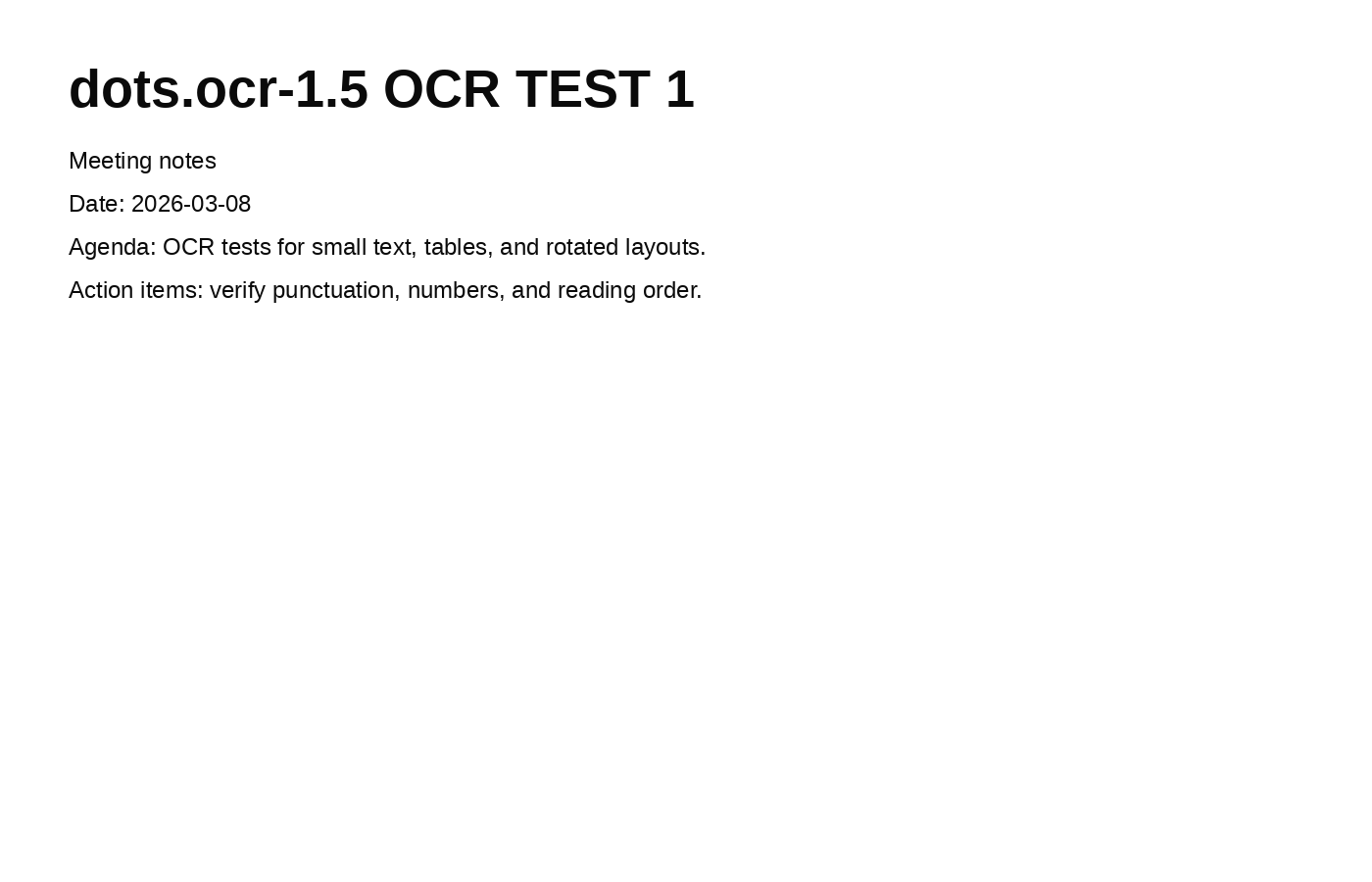
# dots.ocr-1.5 OCR TEST 1

Meeting notes

Date: 2026-03-08

Agenda: OCR tests for small text, tables, and rotated layouts.

Action items: verify punctuation, numbers, and reading order.
This is the baseline. The response retains the title, date, line grouping, colons, hyphenated date, and sentence punctuation. It does not invent a summary or translate the text. For a sharp, high-contrast paragraph, that is the expected behavior, but it is still the first check: a model that loses punctuation here will be unreliable downstream.
Test 2: small font and mixed tokens
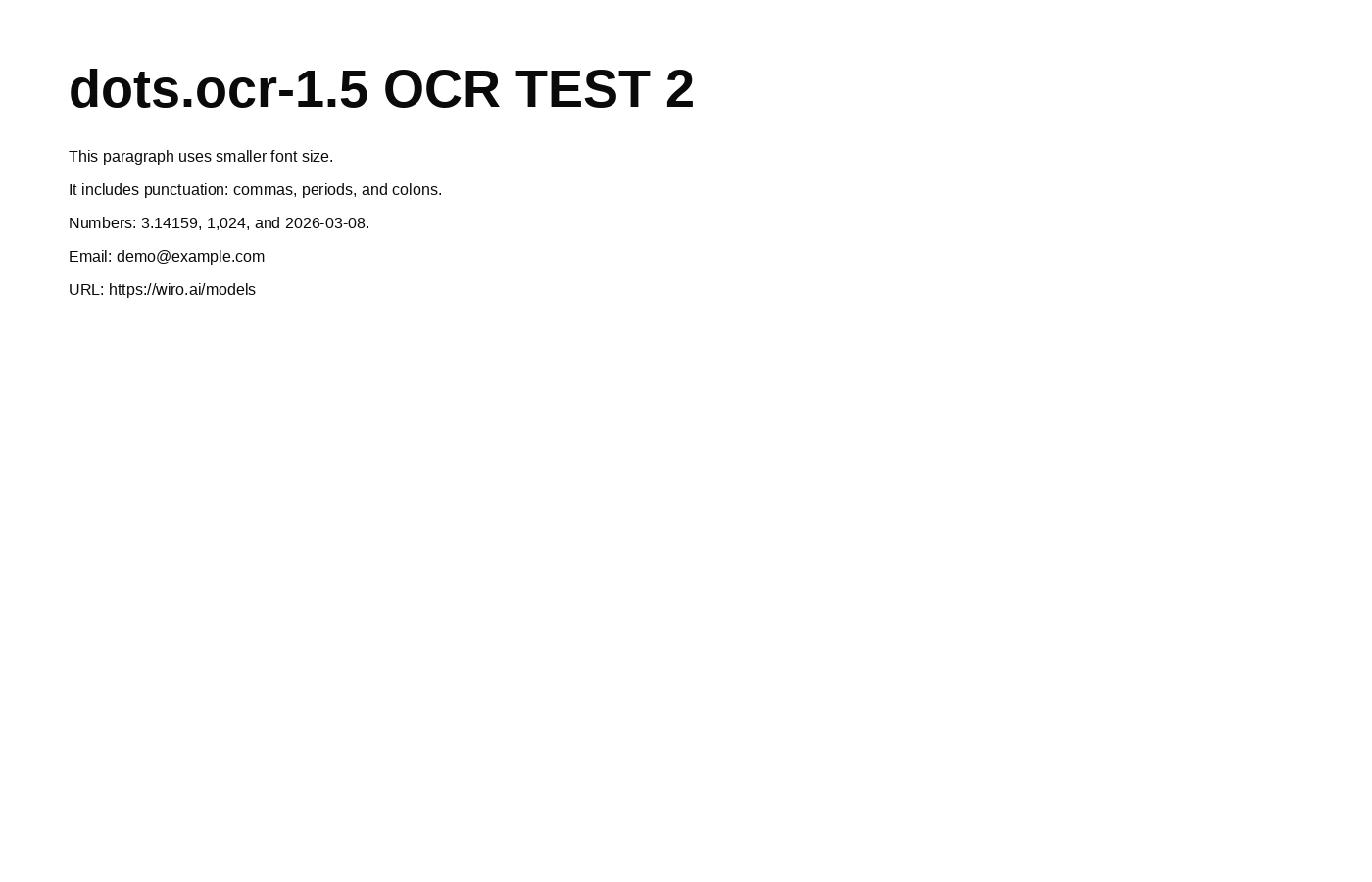
# dots.ocr-1.5 OCR TEST 2

This paragraph uses smaller font size.

It includes punctuation: commas, periods, and colons.

Numbers: 3.14159, 1,024, and 2026-03-08.

Email: [email protected]

URL: https://wiro.ai/models
The fragile items are the useful part of this result. The decimal, thousands separator, email address, and URL survive as readable tokens. That makes the output more useful for indexing or a review queue than a response that merely gets the surrounding sentence right. It is not a guarantee for tiny text: this image is sharp and front-facing, so real receipts and camera captures still need validation around numbers, addresses, and account identifiers.
Test 3: Latin multilingual line with accents
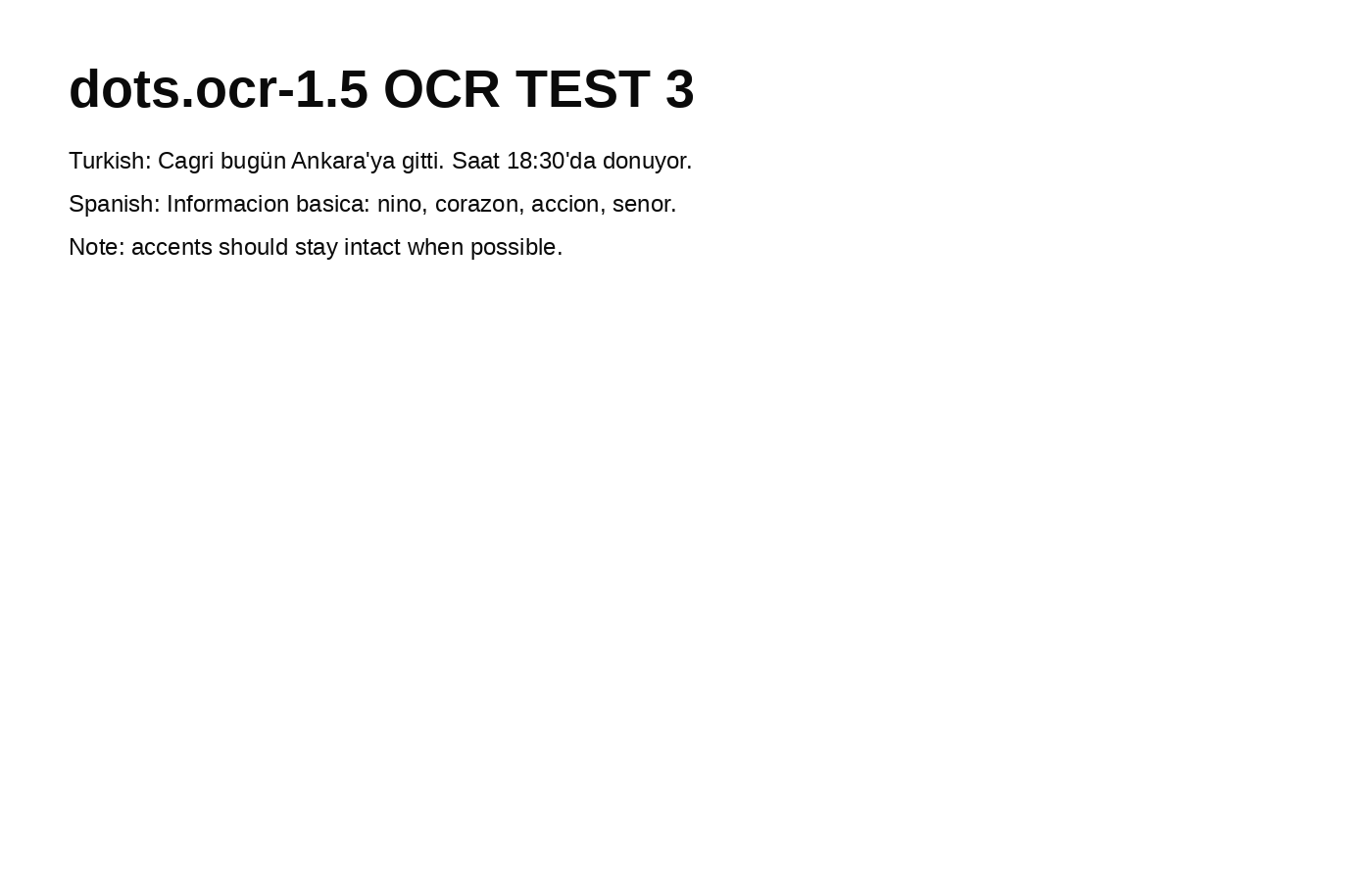
# dots.ocr-1.5 OCR TEST 3

Turkish: Cagri bugün Ankara'ya gitti. Saat 18:30'da donuyor.

Spanish: Informacion basica: nino, corazon, accion, senor.

Note: accents should stay intact when possible.
The response keeps both language labels and the apostrophes in the Turkish sentence. It also shows a limit worth stating plainly: several expected Turkish and Spanish diacritics are absent in the returned text. That may reflect the rendered source, model behavior, or both, but it means names and language-sensitive copy deserve a character-level check. Use the multilingual claim as a reason to test a script, not as permission to skip review.
Test 4: table extraction
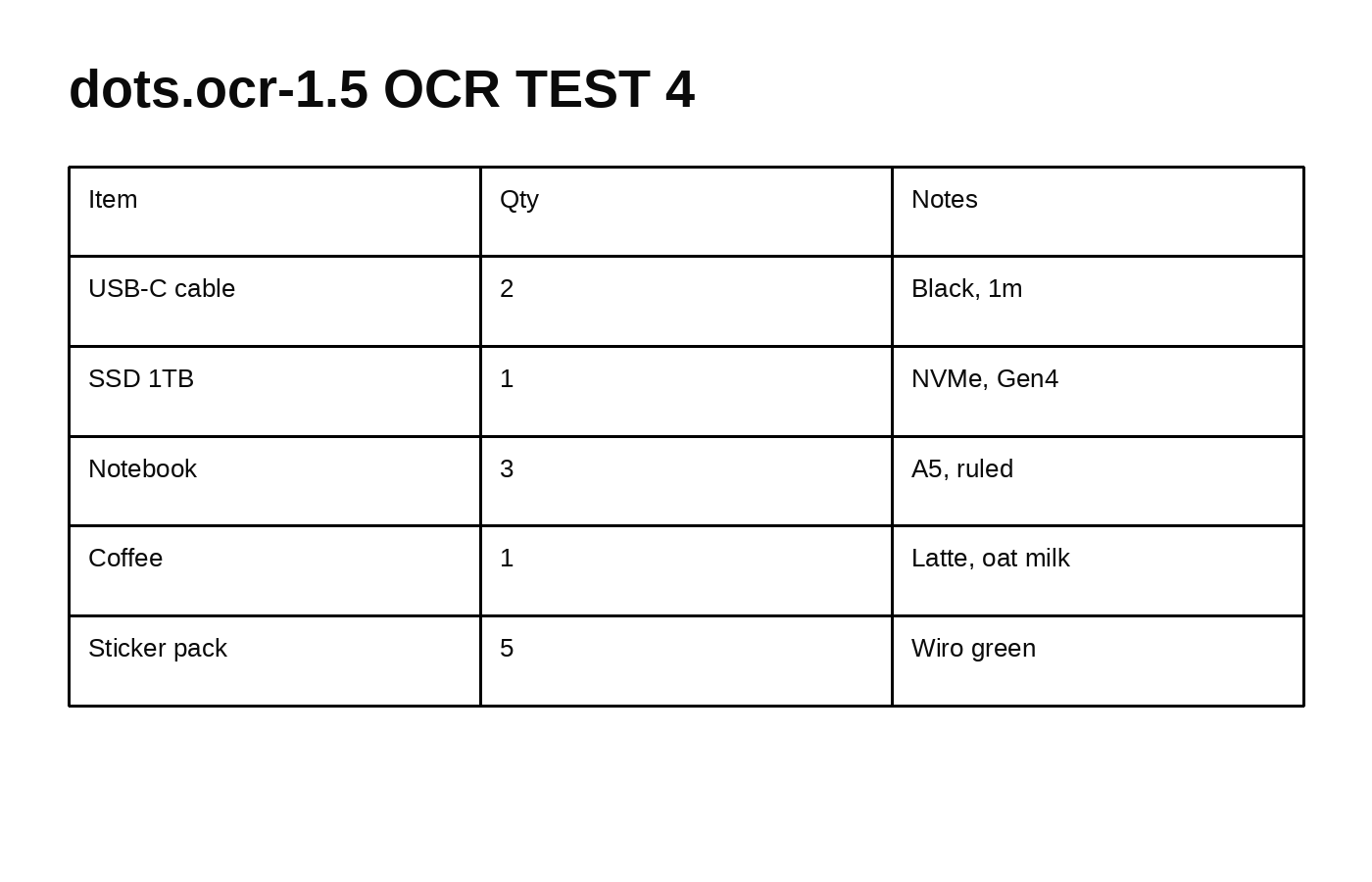
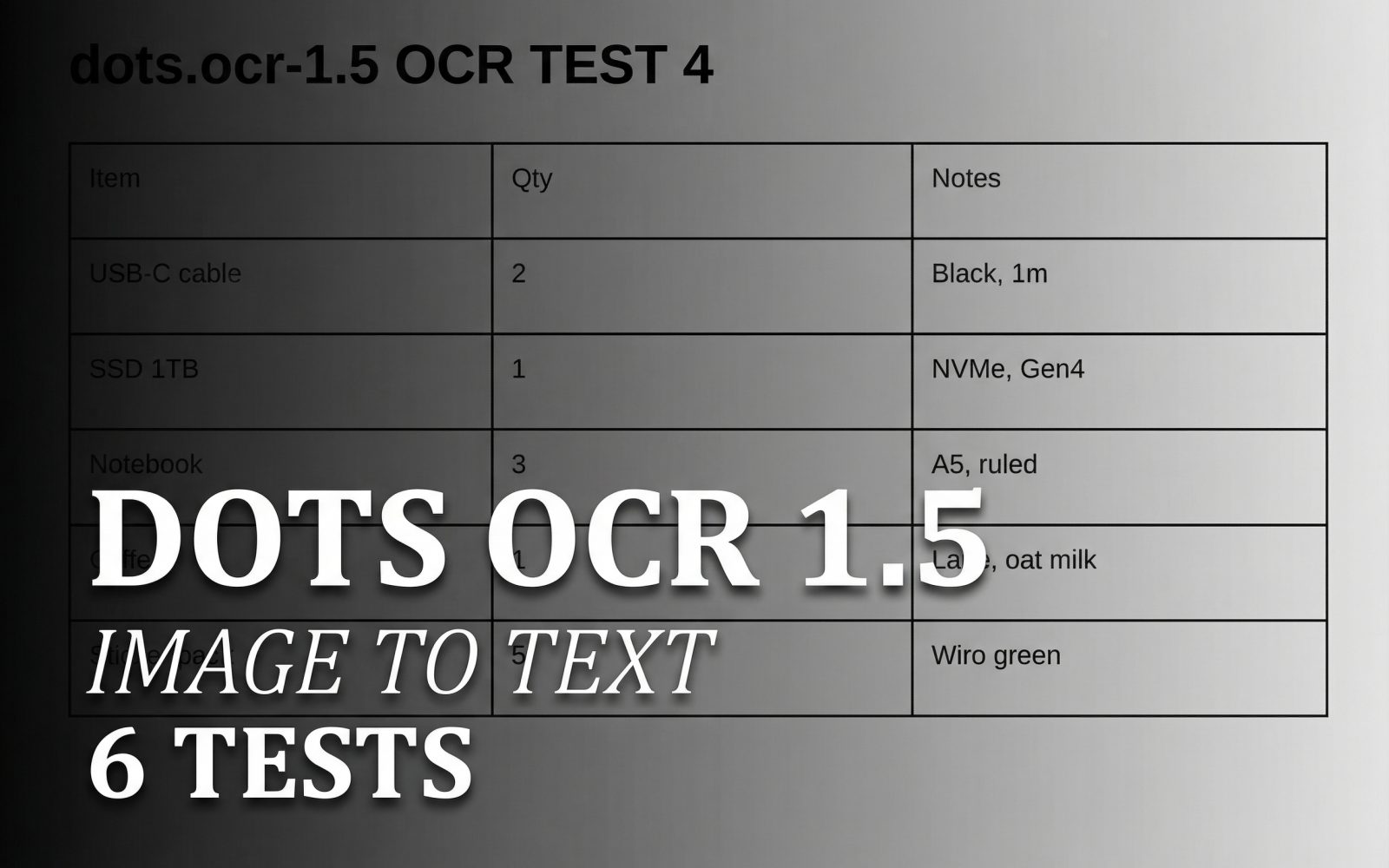
The extracted result returned a table rather than a single flattened paragraph:
| Item | Qty | Notes |
|---|---|---|
| USB-C cable | 2 | Black, 1m |
| SSD 1TB | 1 | NVMe, Gen4 |
| Notebook | 3 | A5, ruled |
| Coffee | 1 | Latte, oat milk |
| Sticker pack | 5 | Wiro green |
The important outcome is column alignment. Item names remain paired with their quantities and notes, so the response can be inspected or transformed without reconstructing rows from prose. For production document parsing, choose the layout mode when the structure itself matters. The OCR preset used in this test is better when text is enough and a concise answer is preferred.
Test 5: formula and code snippet
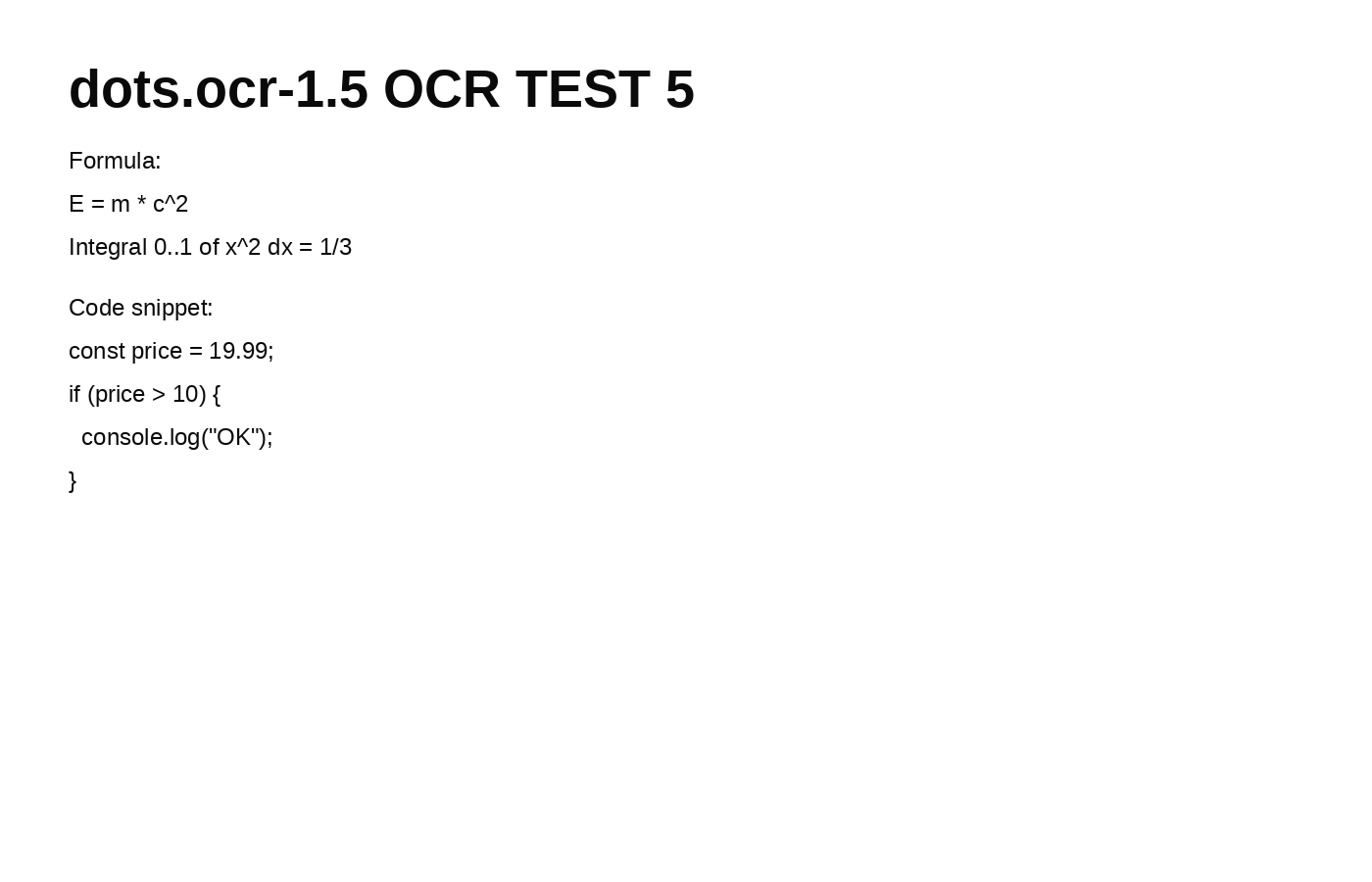
# dots.ocr-1.5 OCR TEST 5

Formula:

$$E = m * c^2$$

$$
\text{Integral } 0..1 \text{ of } x^2 \text{ dx} = 1/3
$$

Code snippet:

```javascript
const price = 19.99;
if (price > 10) {
    console.log("OK");
}
```
This output preserves recognizable code fencing, indentation, operators, and a math-like representation. That is useful for a first transcription pass, not proof that the formula has been semantically verified. A single changed exponent, comparison operator, or decimal can break code or change a calculation. Treat extracted technical text as review material before executing or publishing it.
Test 6: rotated layout and low contrast
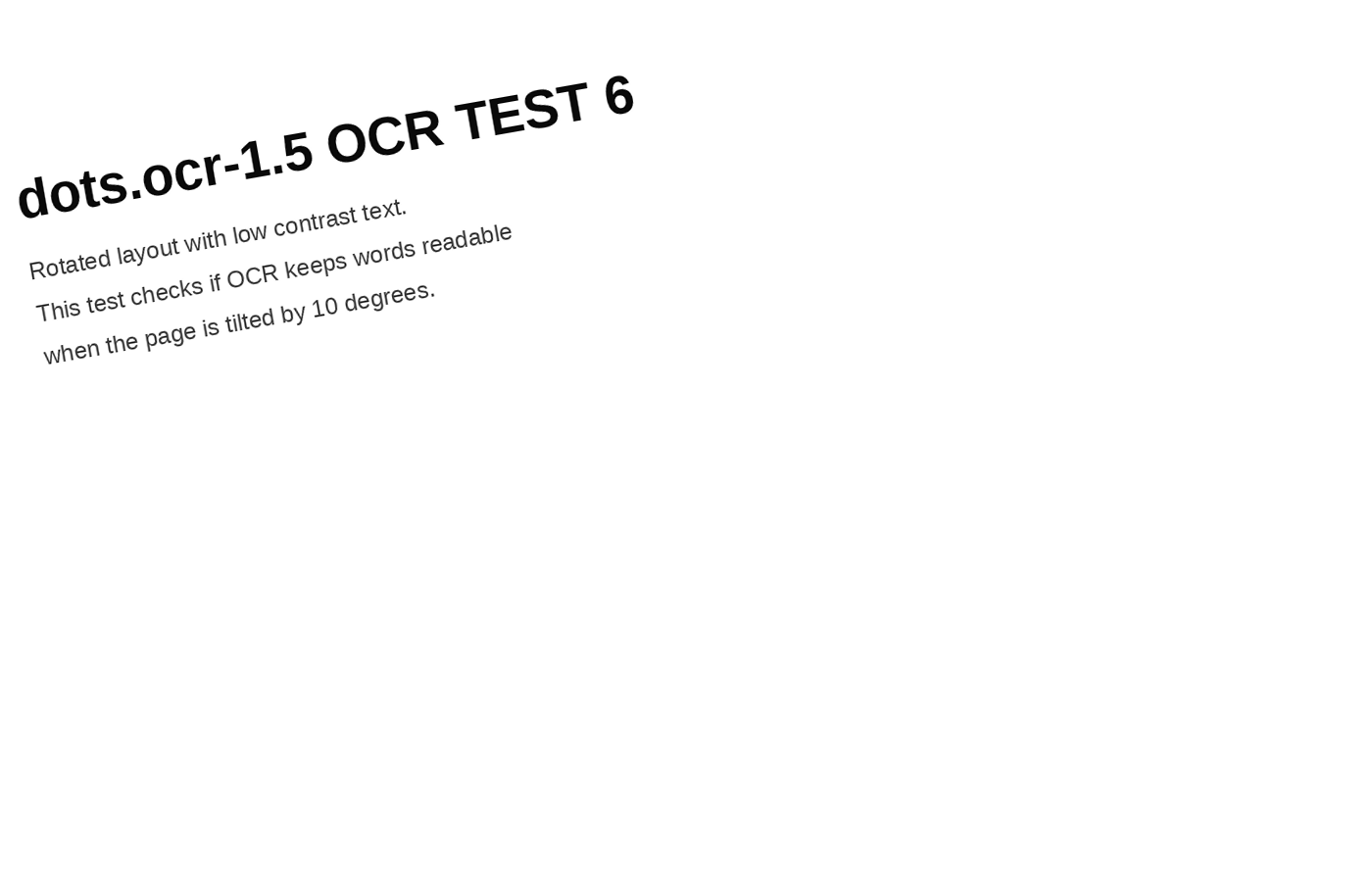
# dots.ocr-1.5 OCR TEST 6

Rotated layout with low contrast text.

This test checks if OCR keeps words readable when the page is tilted by 10 degrees.
The text remains readable in this modest stress case. The page is tilted by 10 degrees, but it is still a synthetic screenshot with controlled lighting. That supports using the model for slightly skewed captures, not for assuming success on a dim, curled, reflective document. A preprocessing step or a human check remains sensible where the source image is poor.
Parameters, run time, and cost
All six historical outputs used one image per request and the same extraction prompt shown in each caption. The relevant Wiro setting is promptMode: prompt_ocr. The model documentation lists minPixels: 3136 and maxPixels: 11289600 as defaults. No custom prompt, cropping, rotation correction, or manual post-processing was applied to the displayed results.
Wiro’s documentation includes a completed example task with elapsedseconds: 6.0000. That is a useful reference point, not a measured average for these six archived screenshots: run time depends on input dimensions, document type, queue state, and selected settings. The available documentation does not expose a reliable per-output price for these six runs, so no cost figure is claimed here. Check the task details for a specific run when cost needs to be recorded.
When to pick dots.ocr-1.5
Pick dots.ocr-1.5 when the input may need more than plain text extraction: mixed-language documents, screenshots, tables, web layouts, scene text, or a later layout-parsing pass. Start with prompt_ocr for readable text. Move to a layout preset when regions, reading order, bounding boxes, table HTML, or formula formatting are part of the deliverable. The model’s preset list makes that choice explicit instead of forcing one generic answer format.
For straightforward scanned prose, compare it with a lighter OCR workflow using the same source file and a token-level acceptance check. The related Easy OCR layout tests show a different layout-focused angle. For an OCR comparison across screenshot prompts, see Moondream3 Query vs Easy OCR. If the task includes translating what was read rather than only transcribing it, Translate Gemma Image OCR tests is the more relevant follow-up.
Run dots.ocr-1.5 on Wiro with a representative document before committing a pipeline. These six outputs show a strong clean-input pass, structured table retention, and usable handling of a modest rotation. They also show why multilingual characters, technical symbols, and low-quality photos should be checked against the source.