Grok Imagine Video works best when the prompt spells out camera motion, sound cues, and one clear action instead of trying to choreograph an entire scene.
Grok Imagine Video creates short MP4 videos from a text prompt, and it can also animate a still image into video. In this post, I ran 5 quick tests at 5 seconds each (mostly 720p) to see what motion, camera moves, and synced audio look like in real outputs.
Cover art (generated)
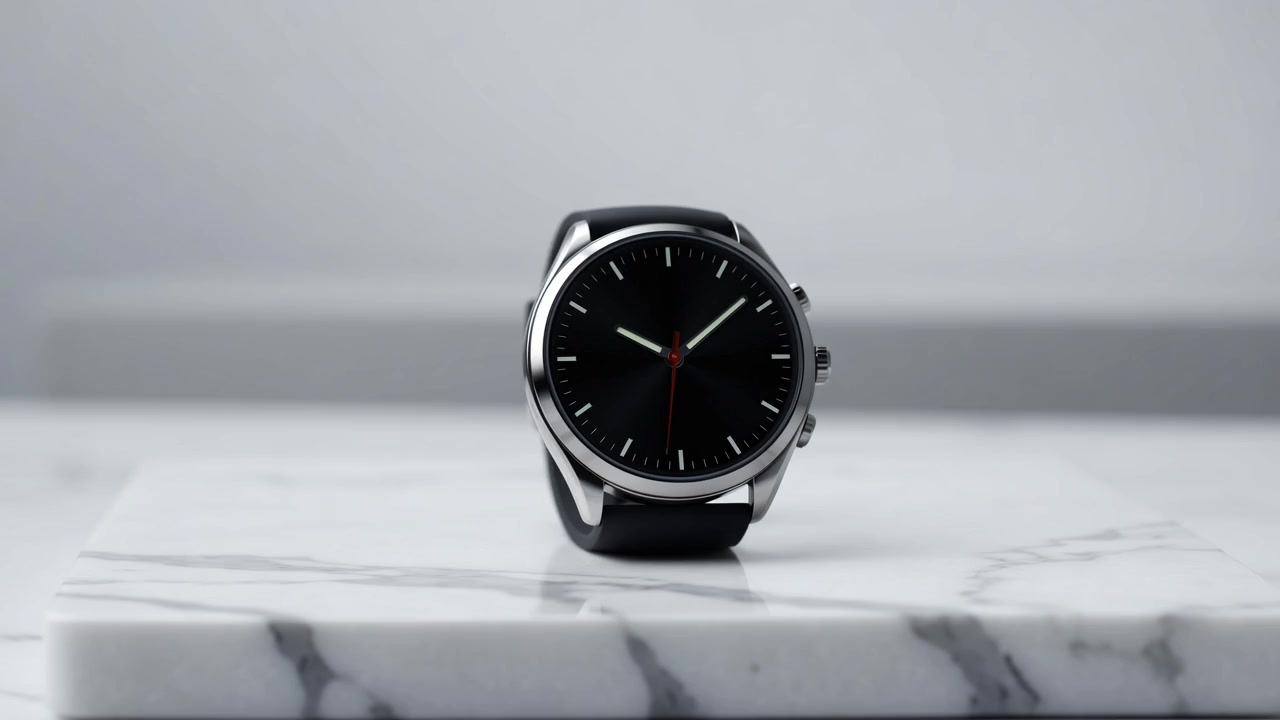
Base frame source: Test 1 (text-to-video). Prompt: Close-up commercial shot of a luxury smartwatch on a white marble slab. The camera slowly orbits 120 degrees around the watch. Sharp studio reflections on the glass, clean background, premium ad style. AUDIO: soft whoosh, subtle electronic ambient music.
Test setup
Video model
xai/grok-imagine-video
Duration
5 seconds (all tests)
Resolution
720p
Aspect ratio
16:9 for text-to-video, auto for image-to-video
Observed cost
$0.50 per 5s run at 720p (from Wiro run cost)
5 video prompt tests
Test 1: Product showcase (text-to-video)
Prompt: Close-up commercial shot of a luxury smartwatch on a white marble slab. The camera slowly orbits 120 degrees around the watch. Sharp studio reflections on the glass, clean background, premium ad style. AUDIO: soft whoosh, subtle electronic ambient music.
Test 2: Rainy neon city (text-to-video)
Prompt: Wide drone shot over a neon lit city street at night during heavy rain. Reflections ripple on wet asphalt. Cars pass slowly, headlights bloom in mist. The camera glides forward smoothly. Cinematic color grade, realistic motion. AUDIO: rain, distant traffic, low synth pad.
Test 3: 2D cartoon character motion (text-to-video)
Prompt: Bright 2D cartoon animation. A chubby orange cat sits at a small upright piano and plays enthusiastically. The cats paws move rhythmically, tail swishes, eyes blink, mouth smiles. Simple cozy room background. Smooth motion, clean linework. AUDIO: playful piano melody with soft room ambience.
Test 4: Text stability challenge (text-to-video)
Prompt: Cinematic handheld street shot in Italy at golden hour. An older man walks away down a narrow sidewalk. A vintage photo booth sign reads FOTOAUTOMATICA and stays perfectly rigid and legible. Direction signs include Porta Romana and stay stable. Realistic shadows, consistent architecture, natural gait. AUDIO: soft city ambience, footsteps, distant scooter.
Test 5: Animate a still image (image-to-video)
Input image:
Input image used for image-to-video.Prompt: Animate the dog briskly trotting from right to left. Make the fur bounce naturally and the tail wag slightly. Light rain falls and the paws splash tiny droplets on the wet road. The camera tracks the dog smoothly at low angle. AUDIO: gentle rain, soft paw splashes, distant forest ambience.
Quick takeaways
Short 5-second clips are great for testing camera moves and motion beats quickly.
Including an explicit AUDIO line helps you steer the sound layer instead of getting random music.
For image-to-video, prompts work best when they describe motion and camera movement, not the scene.