Live Avatar turns one still image plus one audio file into a talking-head video. This six-test set was designed to separate three things that can look similar in a short clip: lip sync, identity preservation, and prompt control. The same small group of source images and WAV clips was reused so the differences in the finished videos are easier to spot.
What this Live Avatar test set checks
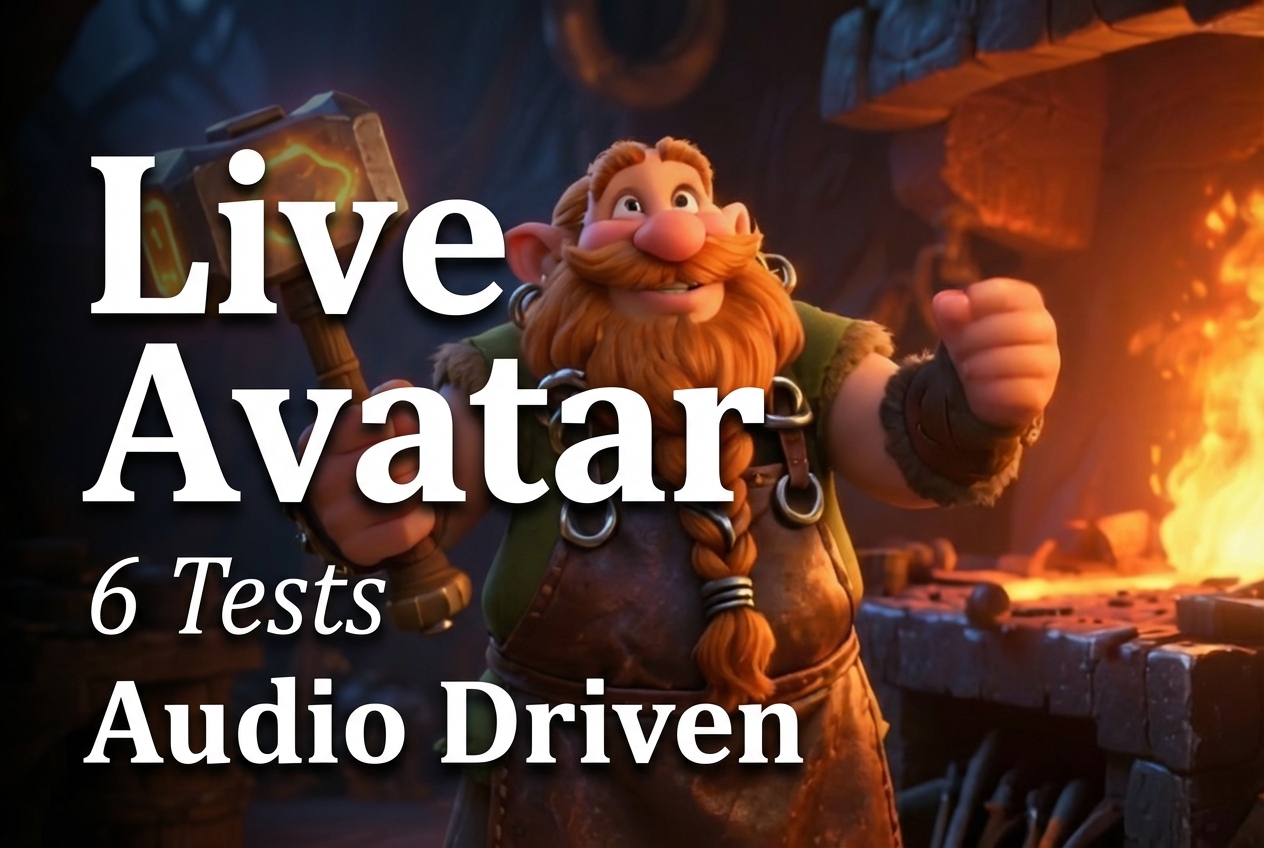
The core question was not whether a face can move. It was whether the generated performer still reads as the same subject while the audio changes, the visual direction changes, and the input stops looking like a conventional human portrait. Tests 1, 2, and 5 reuse the dwarf blacksmith. That makes them useful for separating prompt-led style changes from identity drift. Tests 3 and 6 reuse the fashion presenter with different audio and different prompt detail. Test 4 deliberately uses a cat, which is a harder fit for speech-driven mouth motion.
Each run uses the same four documented inputs: inputImage, inputAudio, prompt, and seed. The image supplies the subject and framing. The audio supplies the speaking performance. The prompt guides scene, lighting, and motion direction. A seed can vary the generated result, but the recorded test notes do not preserve the individual seed values, so none are claimed here. No resolution, duration, sampling-step, or price setting is exposed in the Live Avatar Wiro model form documentation.
- Audio A: WAV input
- Audio B: WAV input
- Image 1: dwarf blacksmith
- Image 2: fashion presenter
- Image 3: cat on surfboard
What the six Live Avatar outputs show
Test 1: cinematic dwarf blacksmith with Audio A

This is the most directed scene in the set. The output keeps the blacksmith centered while the prompt asks for forge lighting, a hammer, and a cinematic mood. It shows that a scene description can affect presentation without asking the model to replace the subject’s face. For character-led explainers, that is a better prompt pattern than adding new facial traits.
Test 2: documentary interview with Audio A
Test 2 removes the dramatic direction and asks for an interview. With the same subject and audio as Test 1, it is the cleanest check for visual stability. The result is useful because subtle lighting and a restrained setting make flicker, shifting facial detail, and background instability easier to notice than they are in a busy forge scene.
Test 3: fashion presenter with Audio B
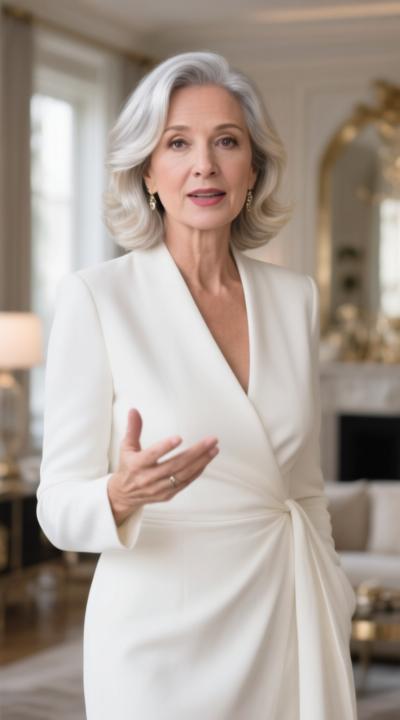
This output moves to a portrait-like source image and a studio brief. The request for subtle head motion matters: it keeps the test focused on speech and eye behavior rather than wide camera or body movement. It is the closest match for a product introduction, training module, or creator-style update where a stable speaker matters more than spectacle.
Test 4: cat on surfboard with Audio A
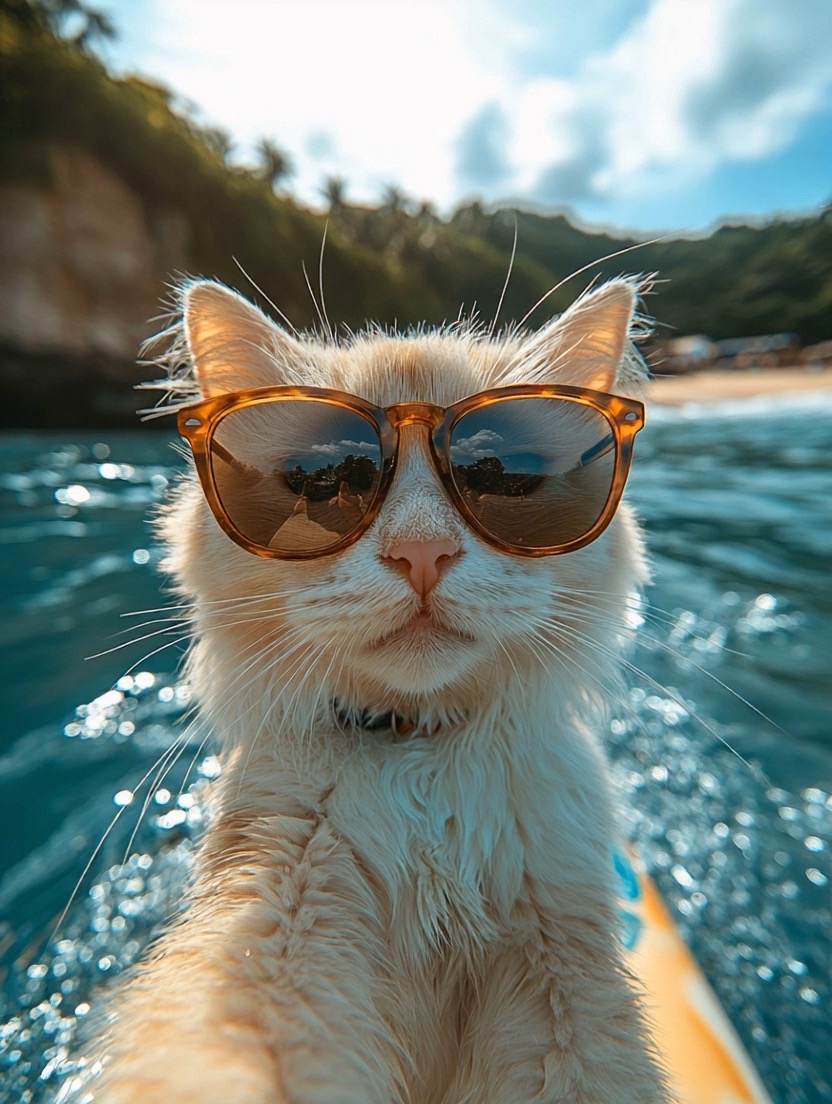
The cat is the useful stress test. The output demonstrates that Live Avatar can animate a non-human subject, not only a frontal human face. It should be picked for playful social content or an intentionally surreal mascot, not for a naturalistic speaker. The mouth has less human anatomy to anchor it, so the result is more about character animation than believable dialogue.
Test 5: the same dwarf with Audio B
Test 5 holds the identity and basic framing while swapping the audio. That is the practical reuse case: one approved character image can support multiple scripts. The output lets viewers compare speech motion under a different recording without confusing the result with a new visual identity or a major restyle.
Test 6: neutral presenter with Audio A
Test 6 is the baseline. It strips away most style language and asks for a neutral studio speaker. This is the most useful prompt to start with when evaluating a new image or audio recording. If the basic result works, add one visual instruction at a time. If it does not, change the source image or audio before making the prompt longer.
Runtime and cost on Wiro
The Wiro documentation includes one completed-task example with 6.0 seconds of elapsed processing time. That is documentation evidence, not a promise for every clip: queue time, source files, and service load can change the result. The same documentation does not publish a cost for a completed Live Avatar output. Its cancellation example shows a total cost for a cancelled task, which is not a valid per-video price, so it is deliberately not used as a price claim. Run a short representative clip in the model page before budgeting a batch.
When to pick Live Avatar
Pick Live Avatar on Wiro when the job starts with recorded speech and a single reference image, and the priority is a responsive face-led video. Keep the image front-facing, the head visible, and the prompt focused on setting, lighting, and restrained motion. Use the neutral presenter pattern for explainers and training. Use the cinematic character pattern for branded storytelling. Use non-human subjects only when a stylized result is the point.
For a different angle on avatar work, see AvatarMotion with Caption: 4 Presets Tested, AvatarMotion Multi: 6 Two-Photo Animations Tested, and Kolors IP-Adapter: 6 Avatar Styles From One Photo.
Sources
Try Live Avatar on Wiro with one clean portrait and a short audio sample first.